OverviewProblemResearchProcessSolutionsVisualScreens
local_shippingCase study · B2B logistics · Mobile & web

Barco.

Redesigning a vehicle transport marketplace so carriers can find loads, negotiate and plan their trucks right from their phone.
personRole
Sole UX/UI designer
devicesPlatforms
iOS, Android & web
groupTeam
2 developers, 1 QA
layersScope
Redesign + new features
from desk
to pocket
01Overview

Moving cars across Europe, one offer at a time.

Customers post a transport request with a route and cars. Carriers send offers, both sides agree on a price, and the carrier assigns a truck, a driver and a load date. My job was to make the mobile app work for people who are almost never at a desk.

add_location_alt01
RequestCustomer posts route, cars and price type.
euro02
OfferCarriers respond with a price and a truck.
handshake03
NegotiateBoth sides adjust until they agree.
local_shipping04
AssignTruck, trailer, driver and load date.
calendar_month05
ScheduleTrips planned per truck, per day.
02The problem

The old app worked, but it was hard to read on the go.

Transport managers check offers between phone calls, and drivers often have one hand free. The old screens asked them to read dense text, guess what grey labels meant and fill empty forms full of abbreviations.
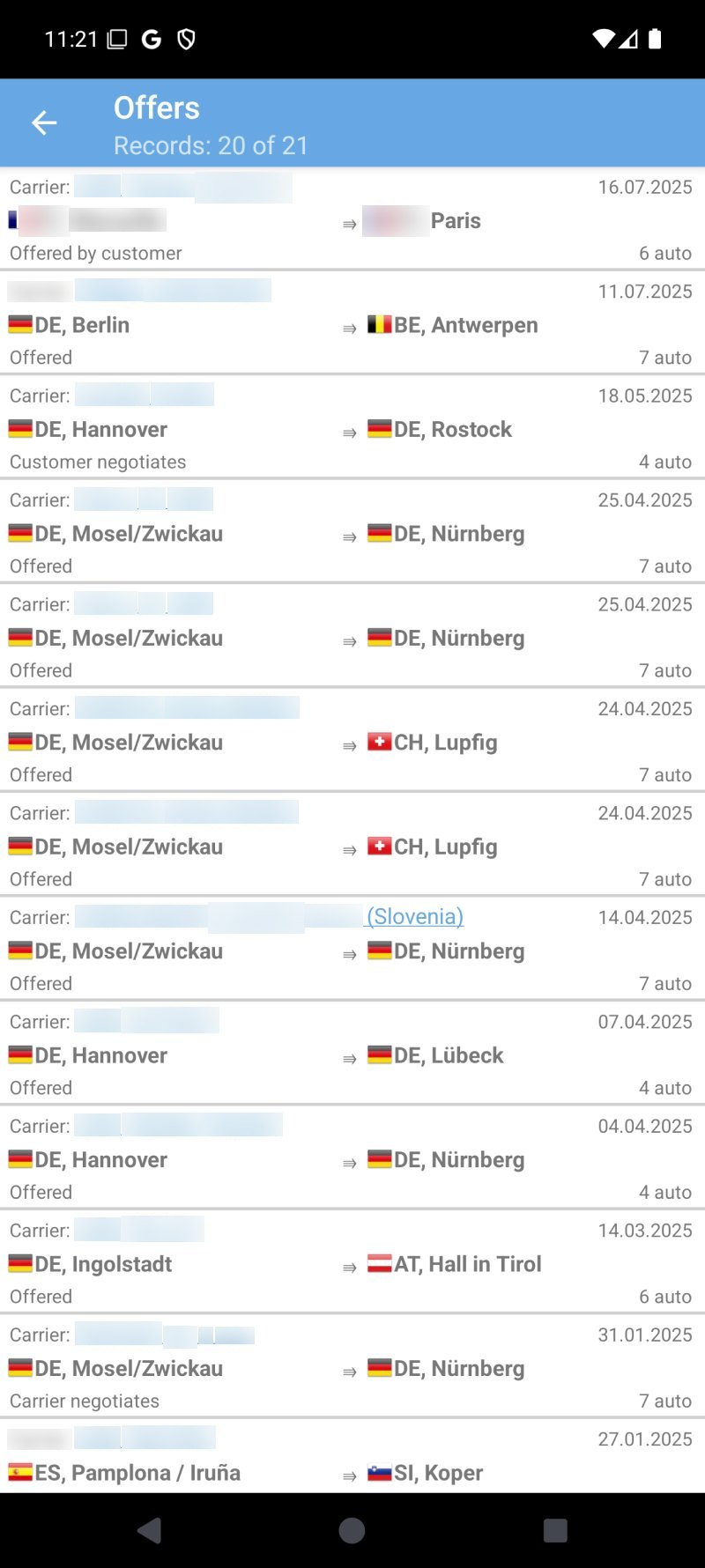
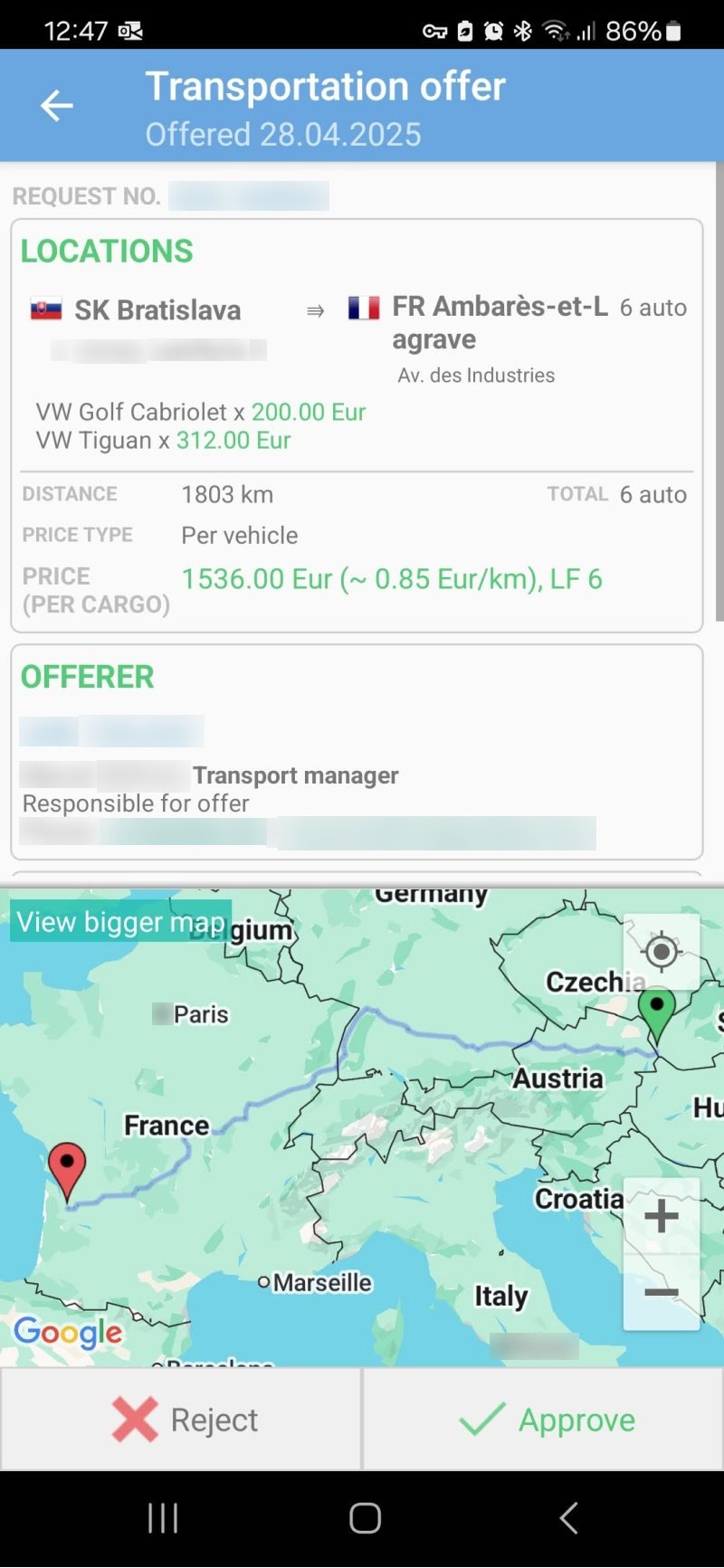
Before · the old Android app
Old app: the offers list, row after row of the same grey text
OffersEvery row looks the same.
Old app: a transportation offer with the map on half the screen
OfferThe map takes half the screen.
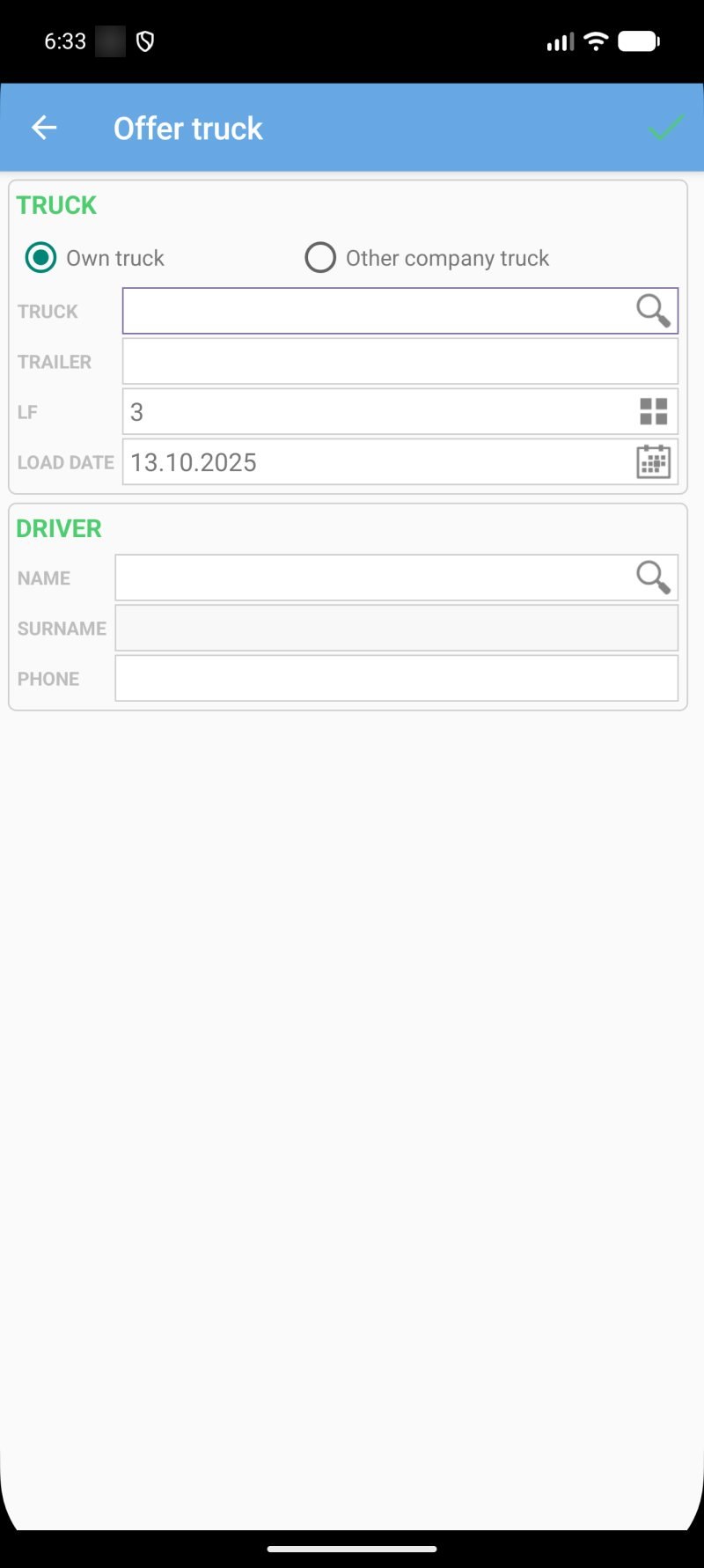
Old app: the offer truck form with empty, unexplained fields
Assign a truckEmpty fields, no hints.
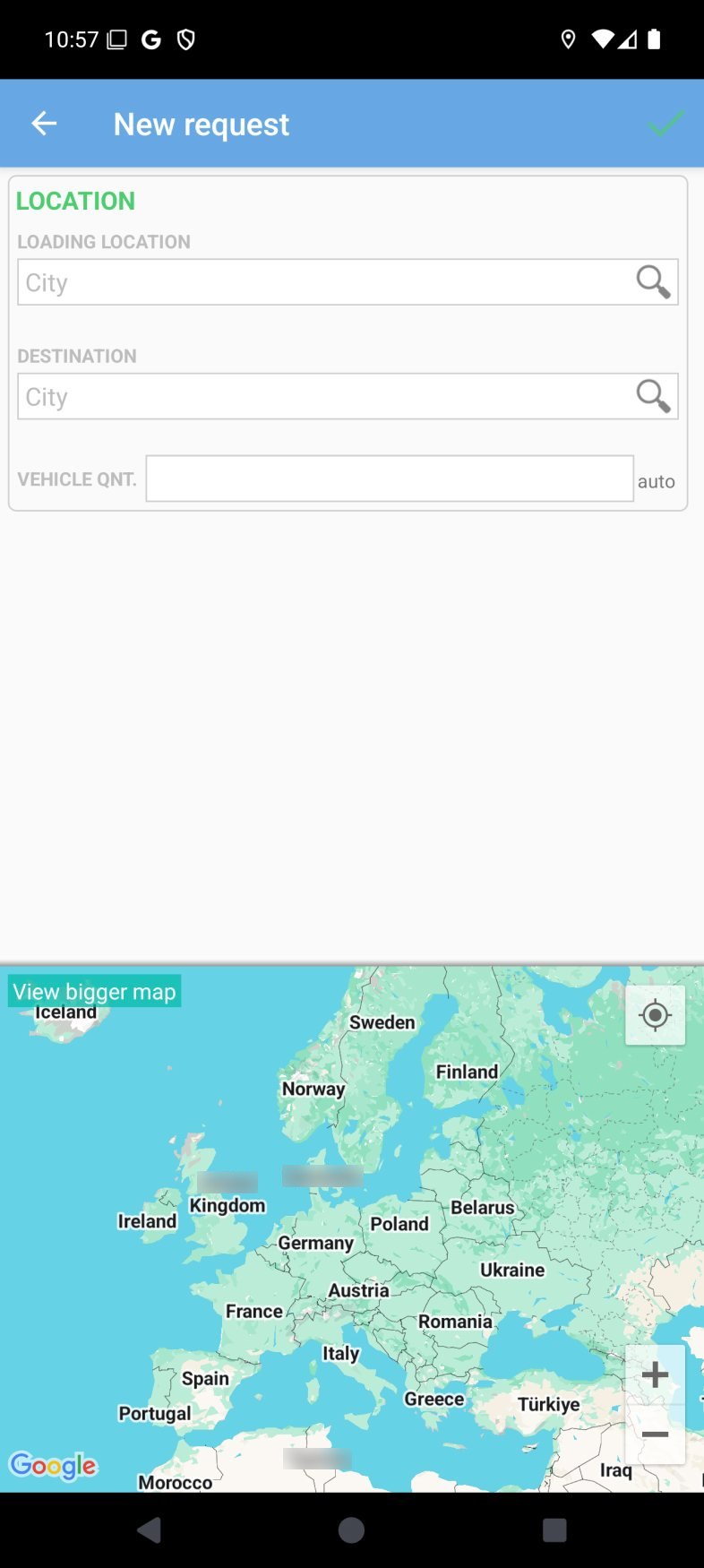
Old app: a new request form above a map
New requestA short form, then a map.
view_listFind a load
Every offer looked the same

Long text rows with a tiny grey status made it hard to spot what needed action.

mapSend an offer
The map took half the screen

Even when the task was filling in prices and trucks, the map pushed the form below the fold.

keyboardAssign a truck
Empty forms, unclear terms

Fields like "LF" or "Qnt." with no hints, and no way to pick an existing truck or driver.

calendar_monthPlan the week
No overview of the week

Managers couldn't see which truck was free on which day without opening the desktop version.

03Research

Small research, clear signals.

manage_search

Flow audit

I went through every flow in the old app and marked each friction point in FigJam: extra taps, unclear labels, dead ends.

call

3 short user calls

Transport managers showed me how they handle a new request on their phone. I mostly watched and took notes.

support_agent

Support questions

With the product owner I reviewed the most frequent questions from carriers, which pointed to the same few screens.

What I heard in the calls
“I just need to see where, when and how much.Transport manager
“In the truck I only have one hand free.Carrier
“Every morning I check which trucks are free. On the phone it's impossible.Fleet manager
PrinciplesvisibilityScannable at a glancetouch_appOne clear action per screenchecklistPick, don't typedevicesSame language on mobile & web
04Design process

From brief to handoff.

  1. descriptionBriefing
  2. forumResearch
  3. compareCompetitor analysis
  4. account_treeUser flows
  5. view_quiltWireframes
  6. paletteMoodboard
  7. design_servicesUI design
  8. touch_appPrototype test
  9. codeDev handoff
trip_origin location_on
1descriptionBriefing2forumResearch3 calls3compareCompetitor analysis
6paletteMoodboard5view_quiltWireframes4account_treeUser flows
7design_servicesUI design8touch_appPrototype test3 people9codeDev handoff
05Key design decisions

What changed, and why.

route01

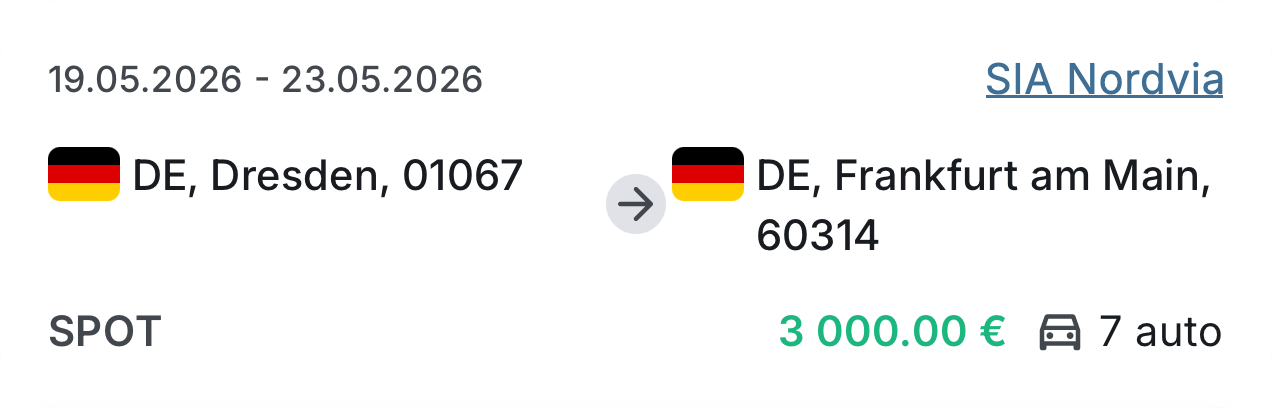
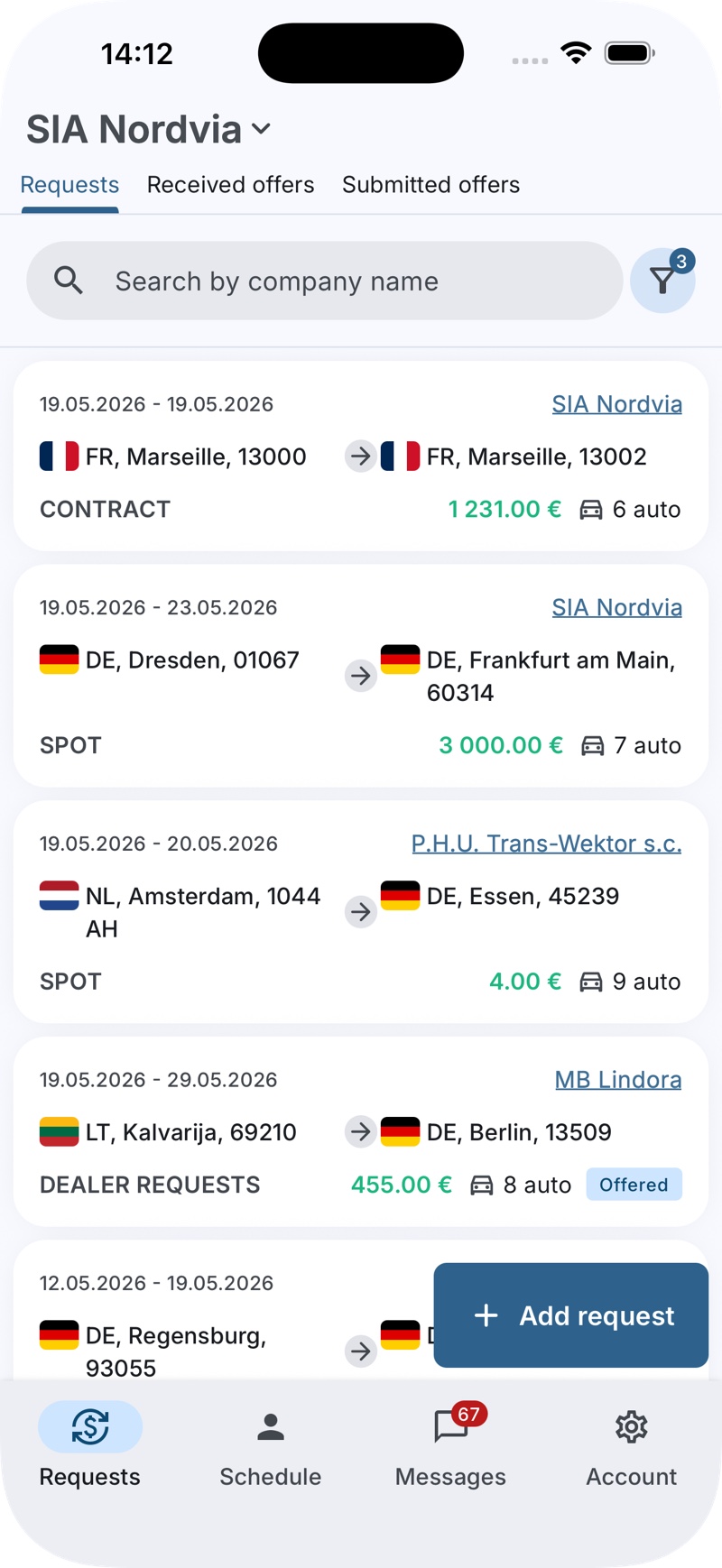
Route cards you can read at a glance

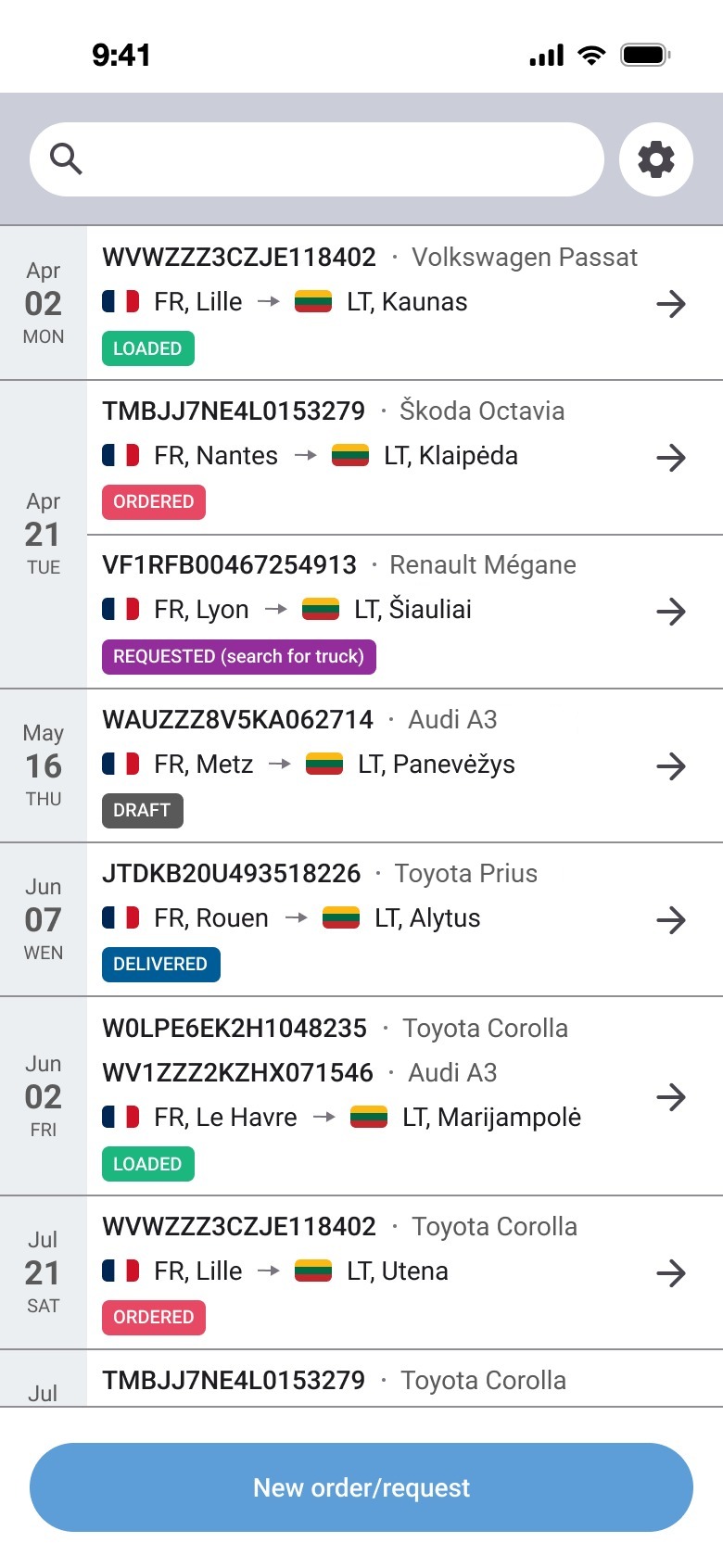
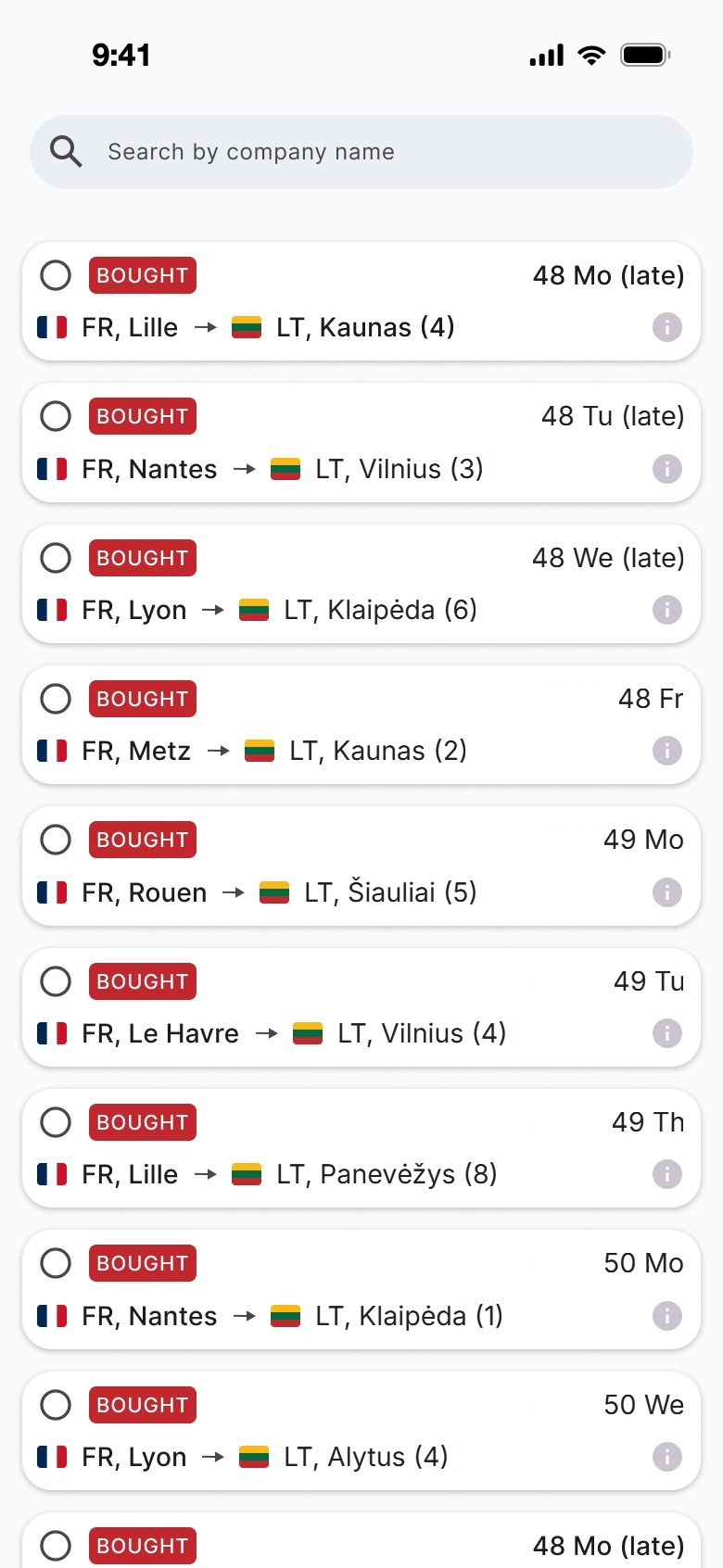
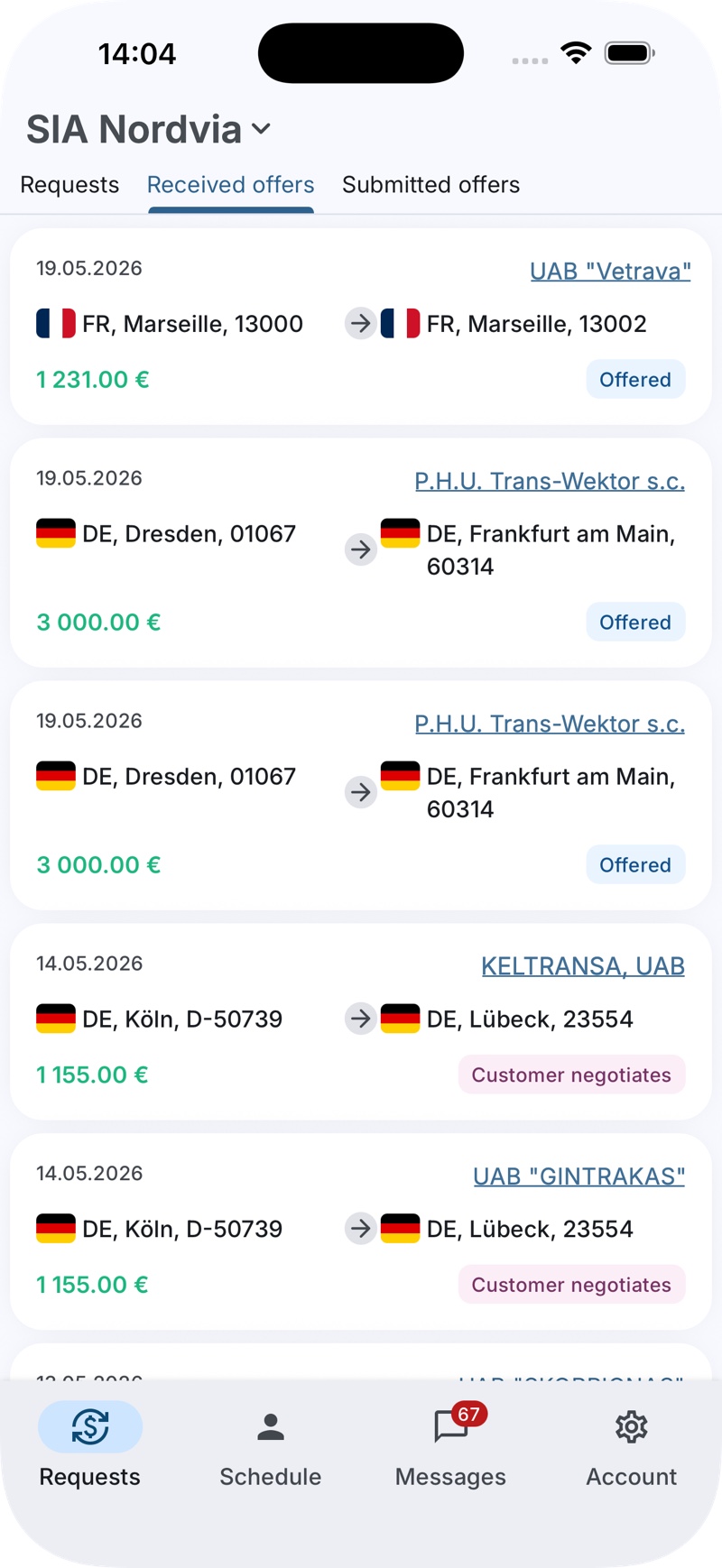
Every request became a card with the same order: dates, company, then from → to with country flags, and the price in green with the number of cars. Request type (Spot, Contract, Dealer request) sits on the left, status on the right.
lightbulb
Why: managers scan dozens of loads a day. A fixed visual order means the eye always knows where to look.
where · when
· how much
label02

Statuses you can see from across the room

I replaced grey text labels with a small set of colour-coded chips, used the same way in lists, bottom sheets and on the web.

OffersOfferedCustomer negotiatesRejected
LoadsDraftOrderedBoughtLoadedDelivered
lightbulb
Why: colour plus text works for quick scanning and for colour-blind users.
handshake03

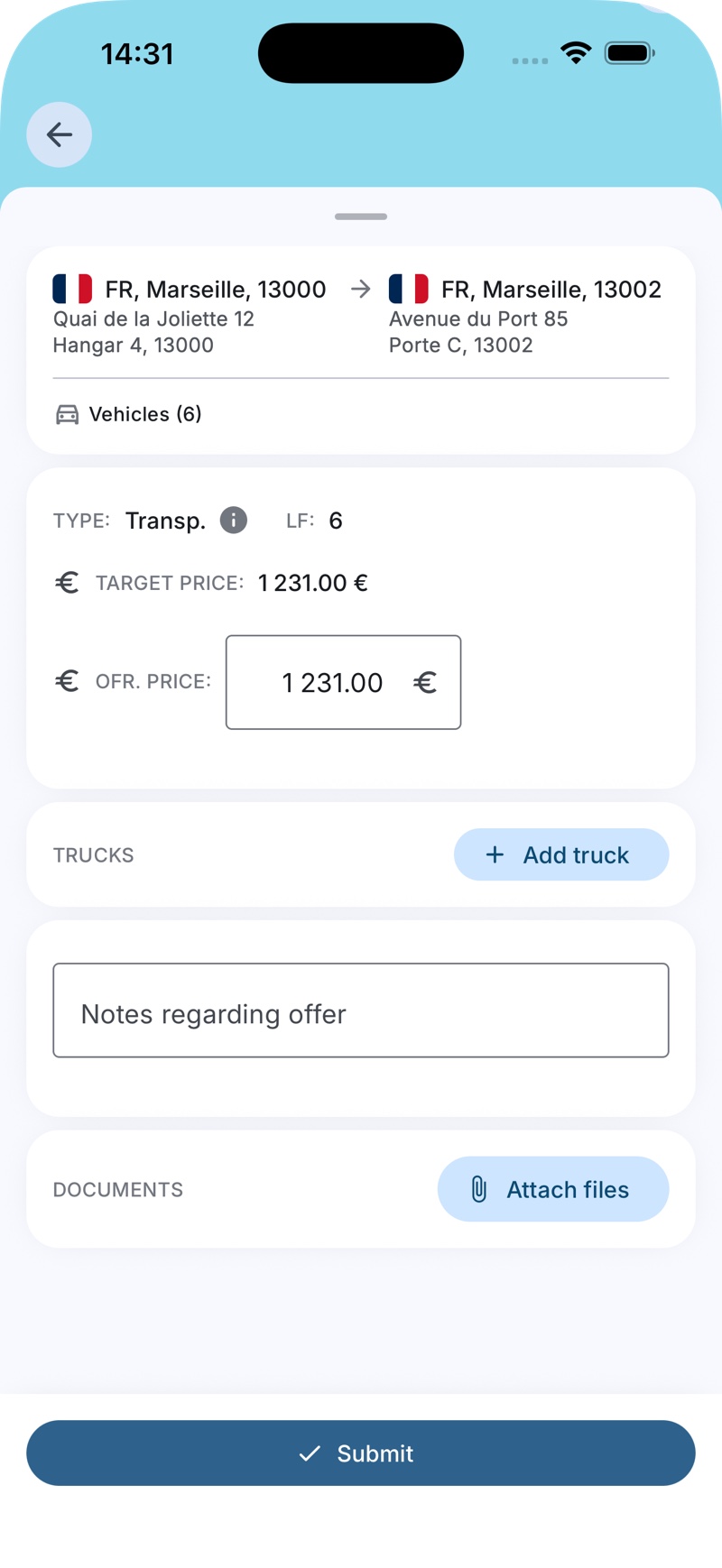
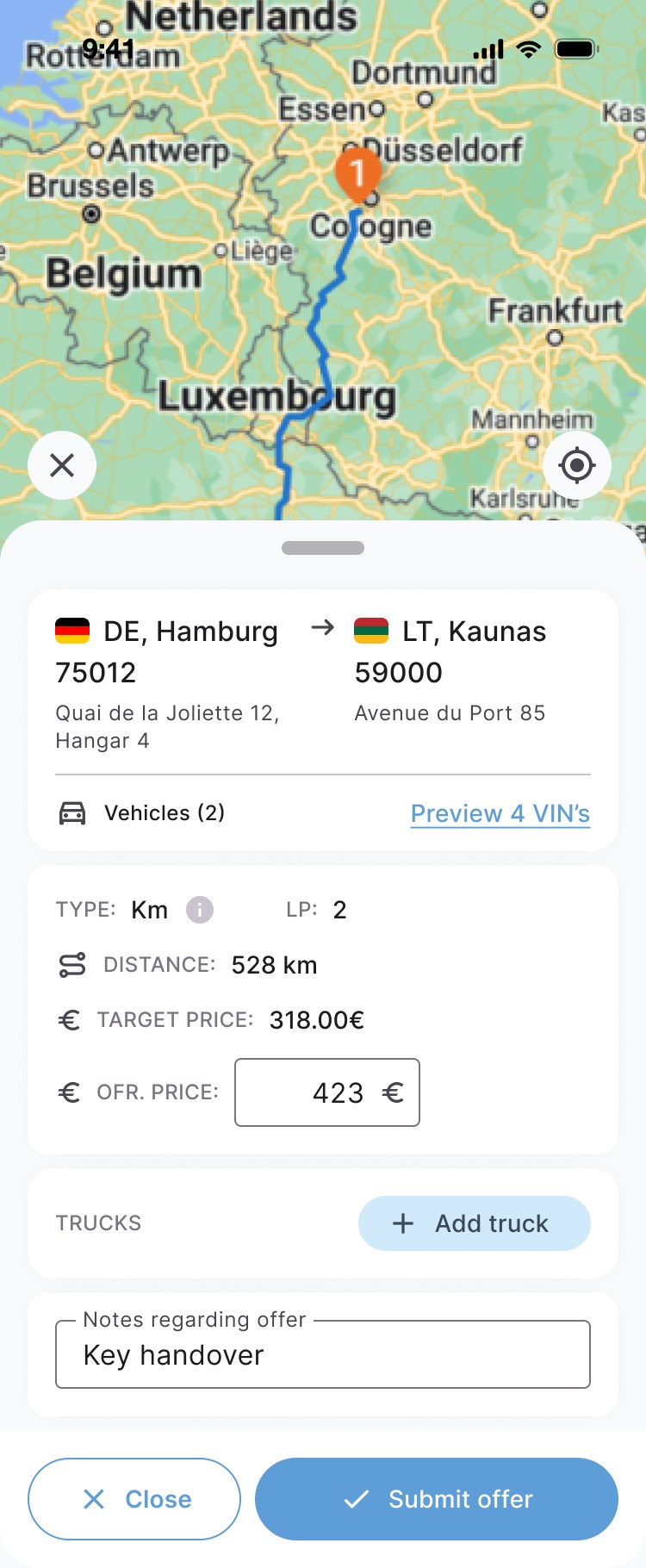
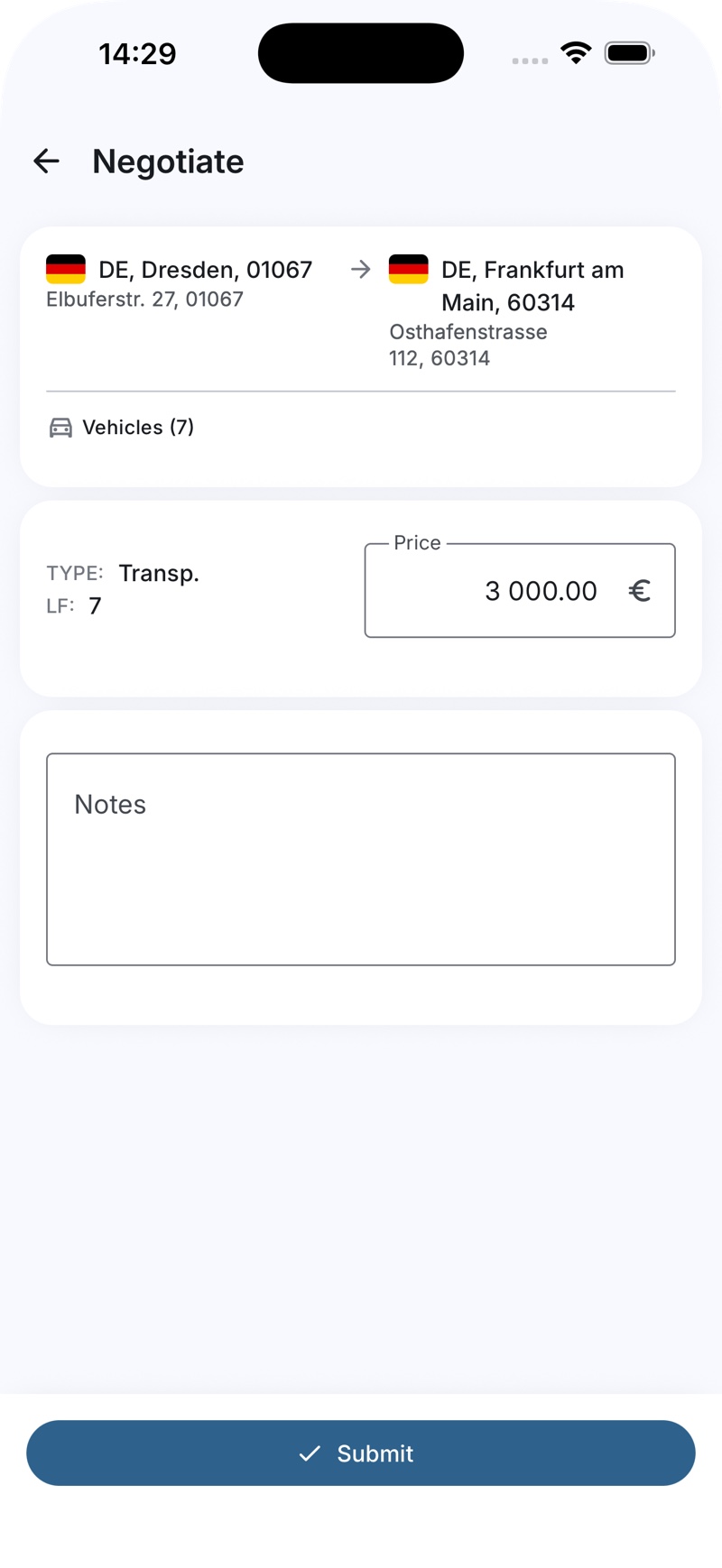
Negotiation on a single screen

The offer screen now shows the route, the price type and the customer's target price next to your own price field. Trucks, notes and documents are added inline, and one wide "Submit" button sits within thumb reach.
lightbulb
Why: the old flow split this into several steps with a map on each. Putting the numbers side by side makes a counter-offer quick to send.
list_alt04

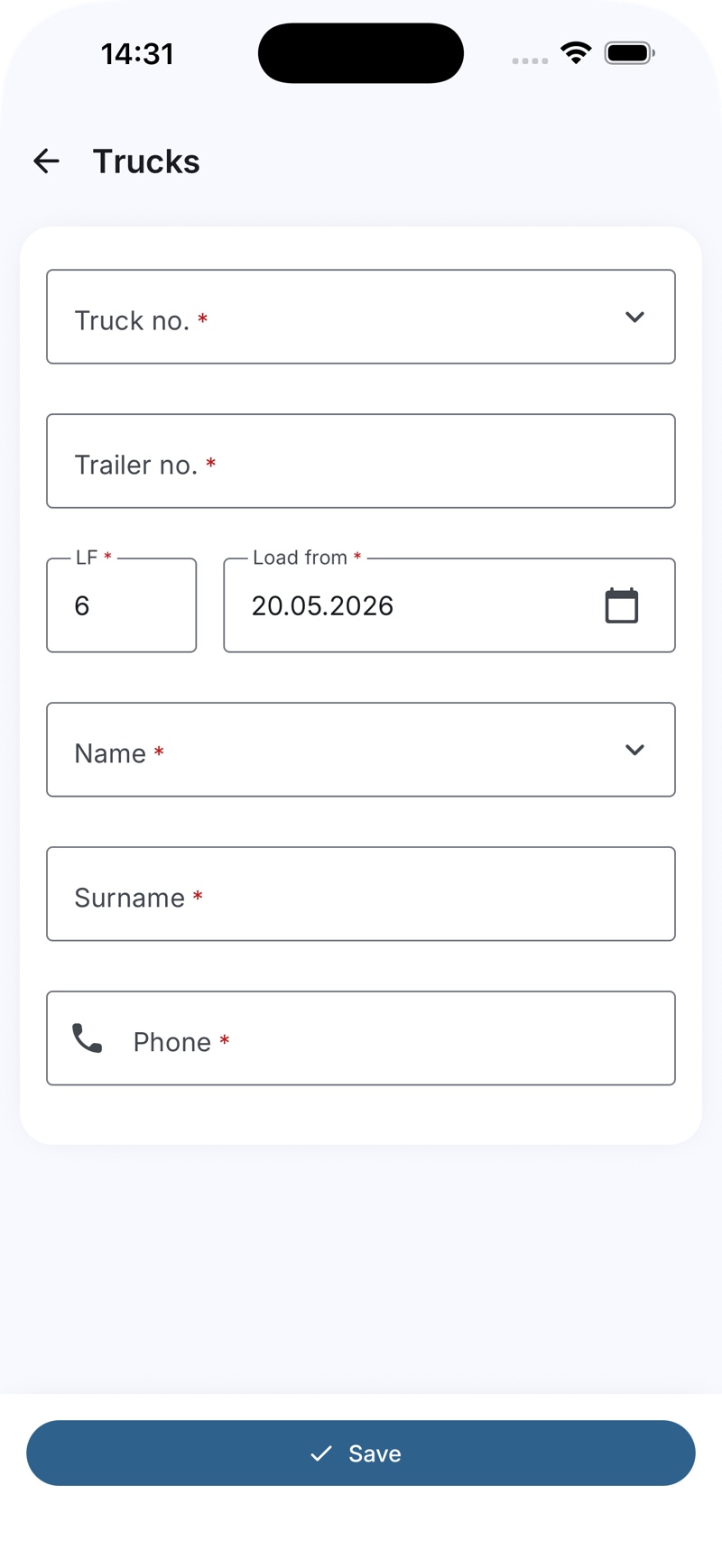
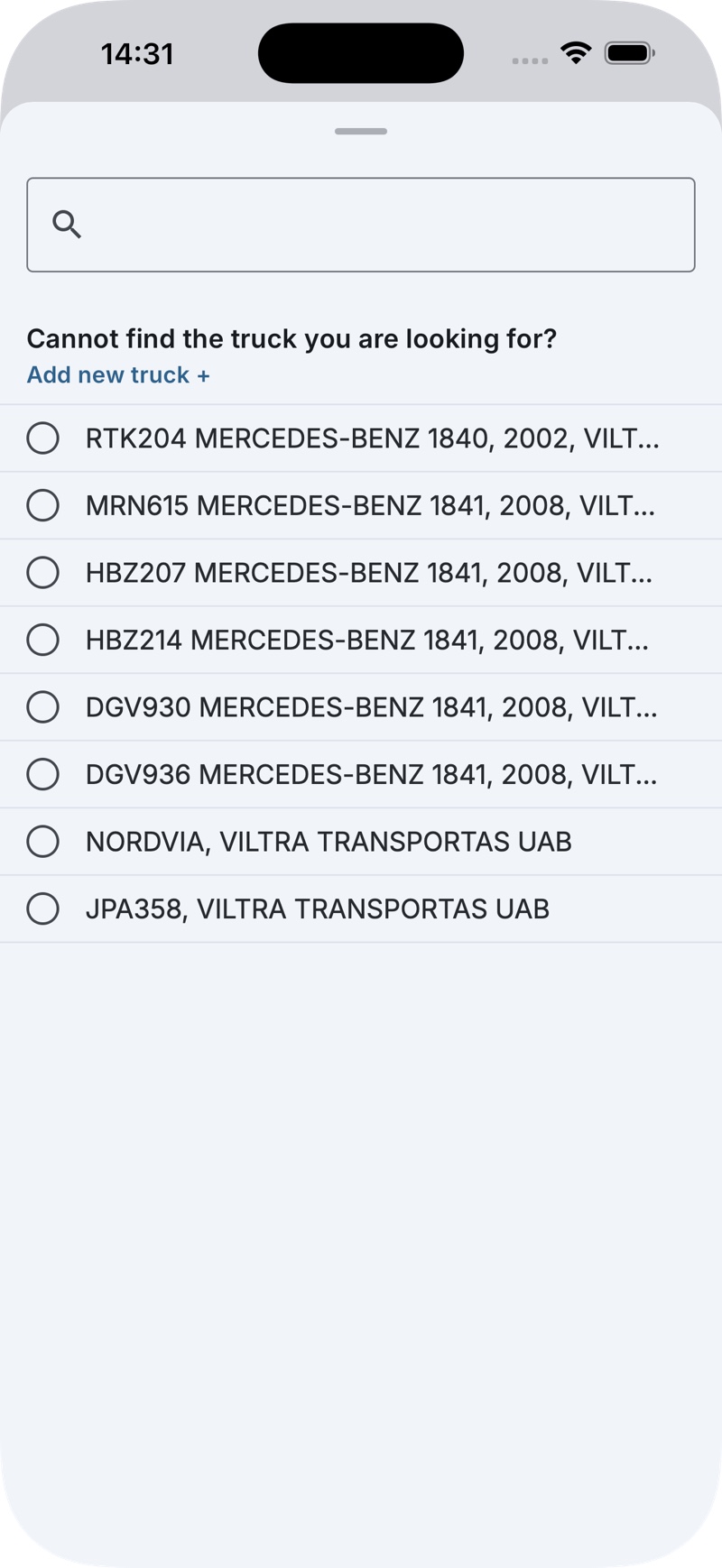
Pick, don't type

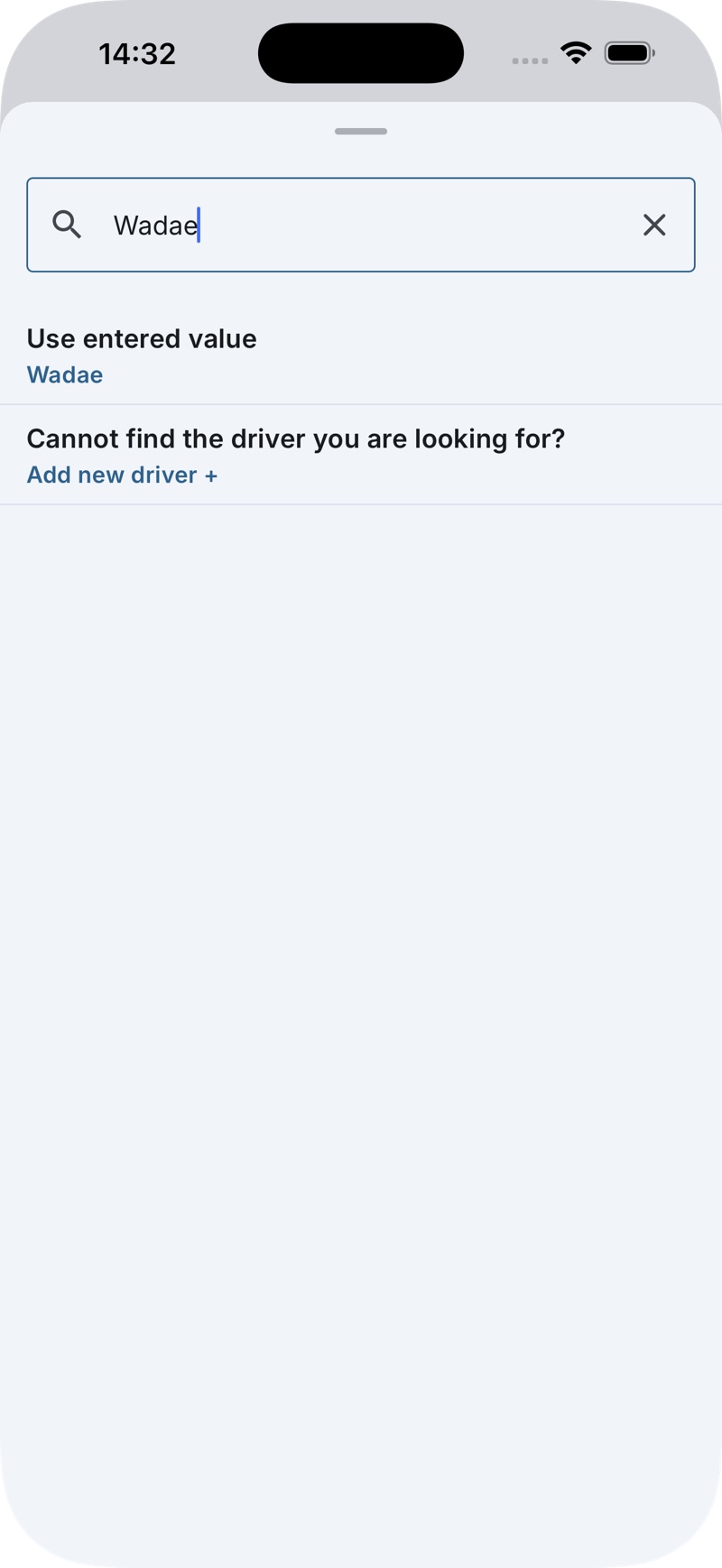
Trucks and drivers are chosen from searchable bottom sheets with the company's own fleet. If something is missing, "Add new truck +" and "Use entered value" are right there. Required fields are marked, and the load date has a real date picker.
lightbulb
Why: typing plate numbers on a phone is slow and error-prone. Picking from a list is faster and keeps data clean.
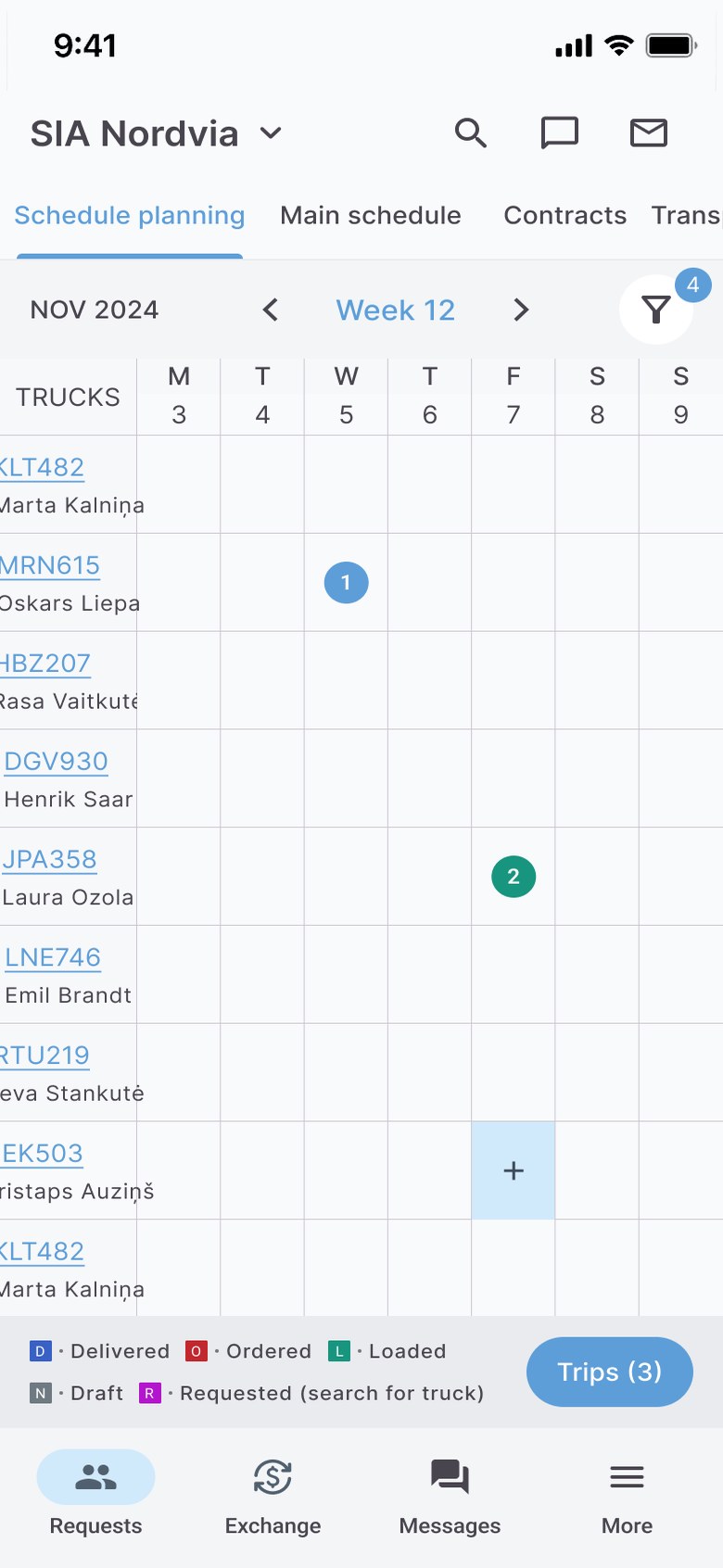
calendar_view_week05

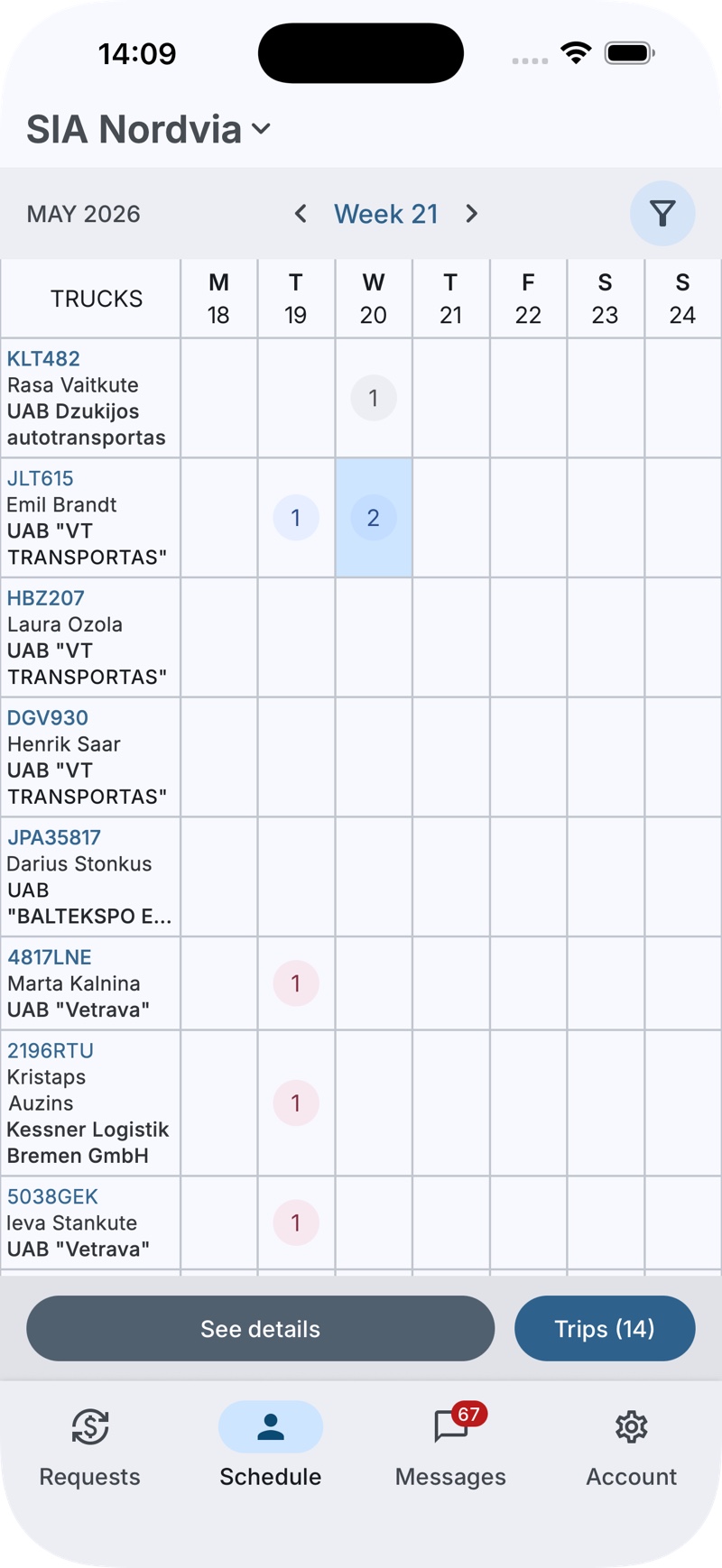
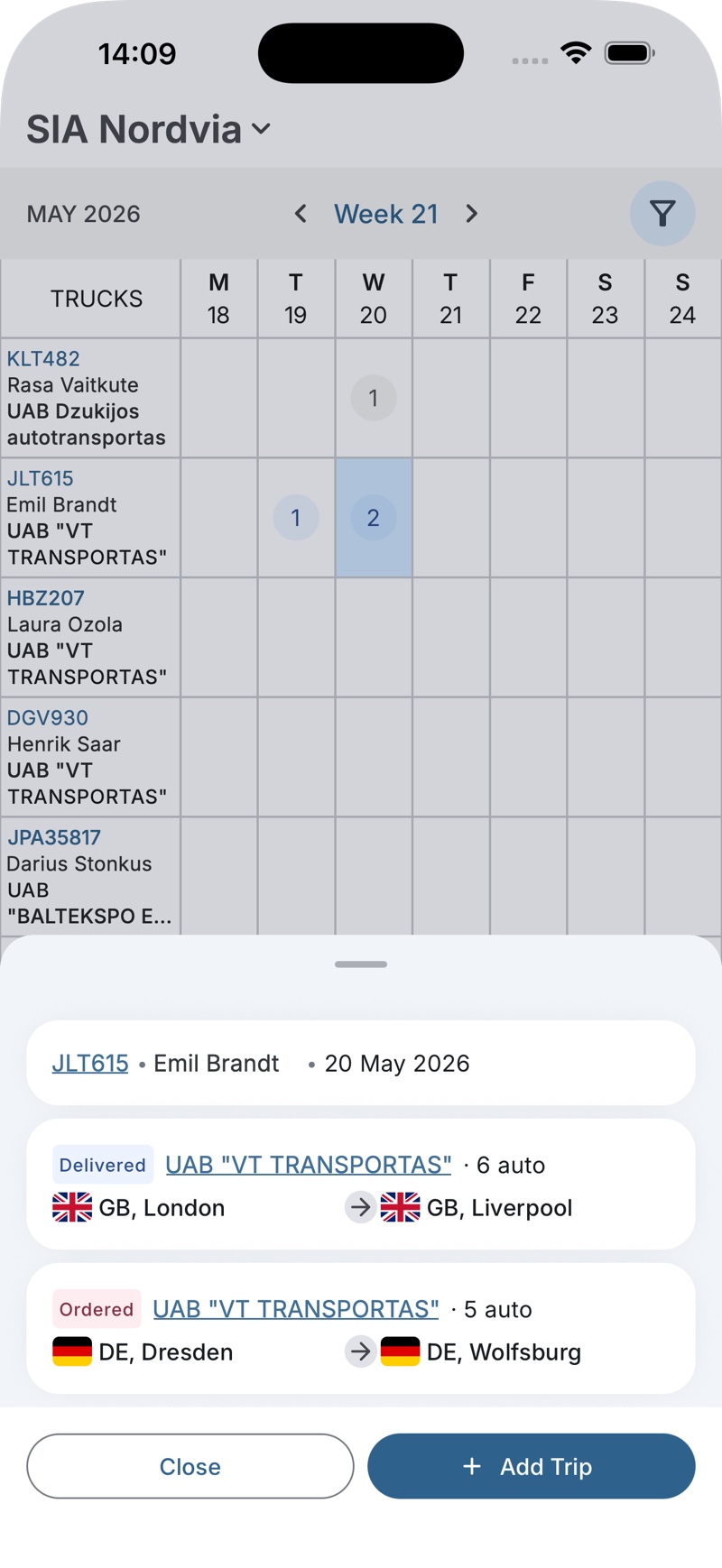
A week of trucks on one screen

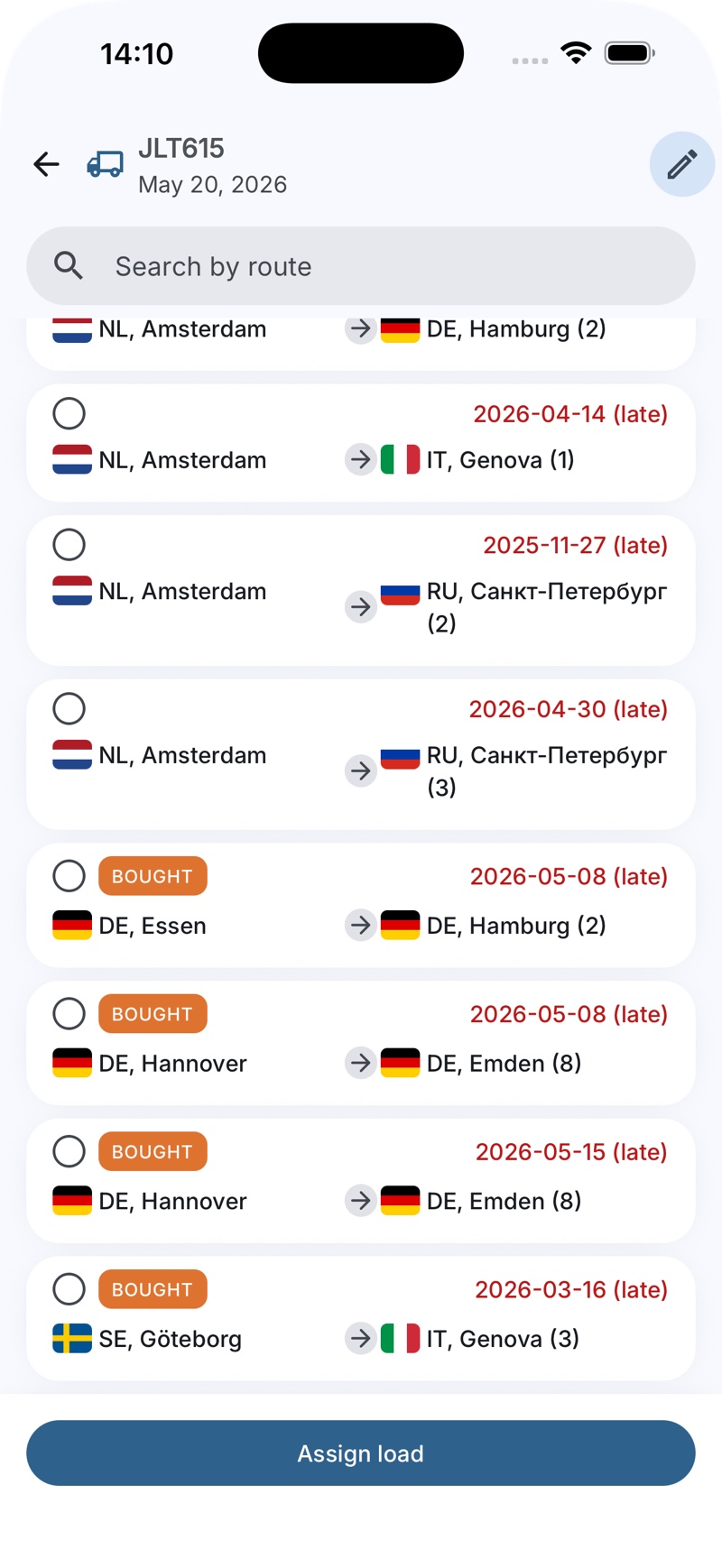
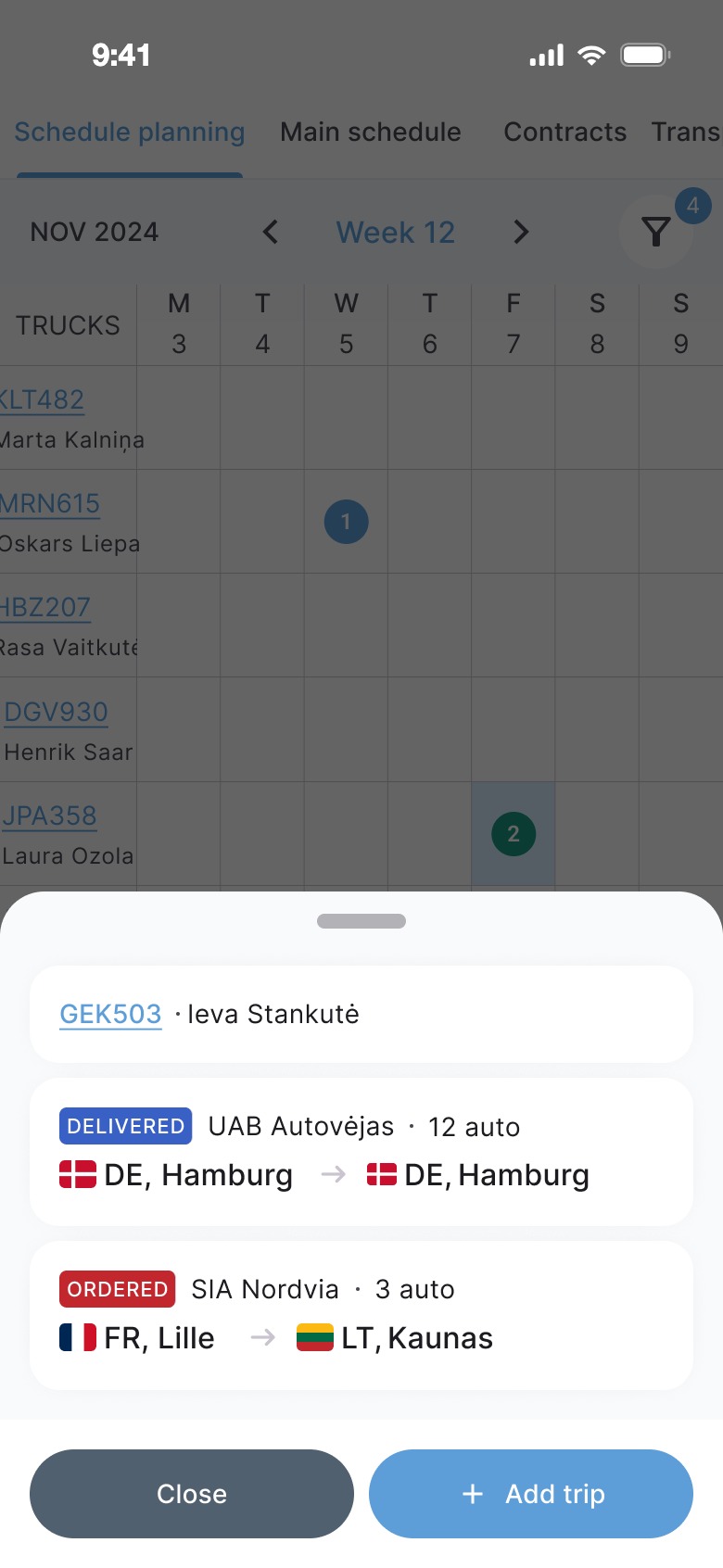
The schedule shows trucks as rows and days as columns, with a counter for trips on each day. Tapping a day opens a bottom sheet with the trips and an "Add trip" action. Assigning a load lists open requests, with late dates highlighted in red.
lightbulb
Why: fleet managers asked for this in the calls. They plan the day first thing in the morning, often before they reach a computer.
desktop_windows06

The web platform speaks the same language

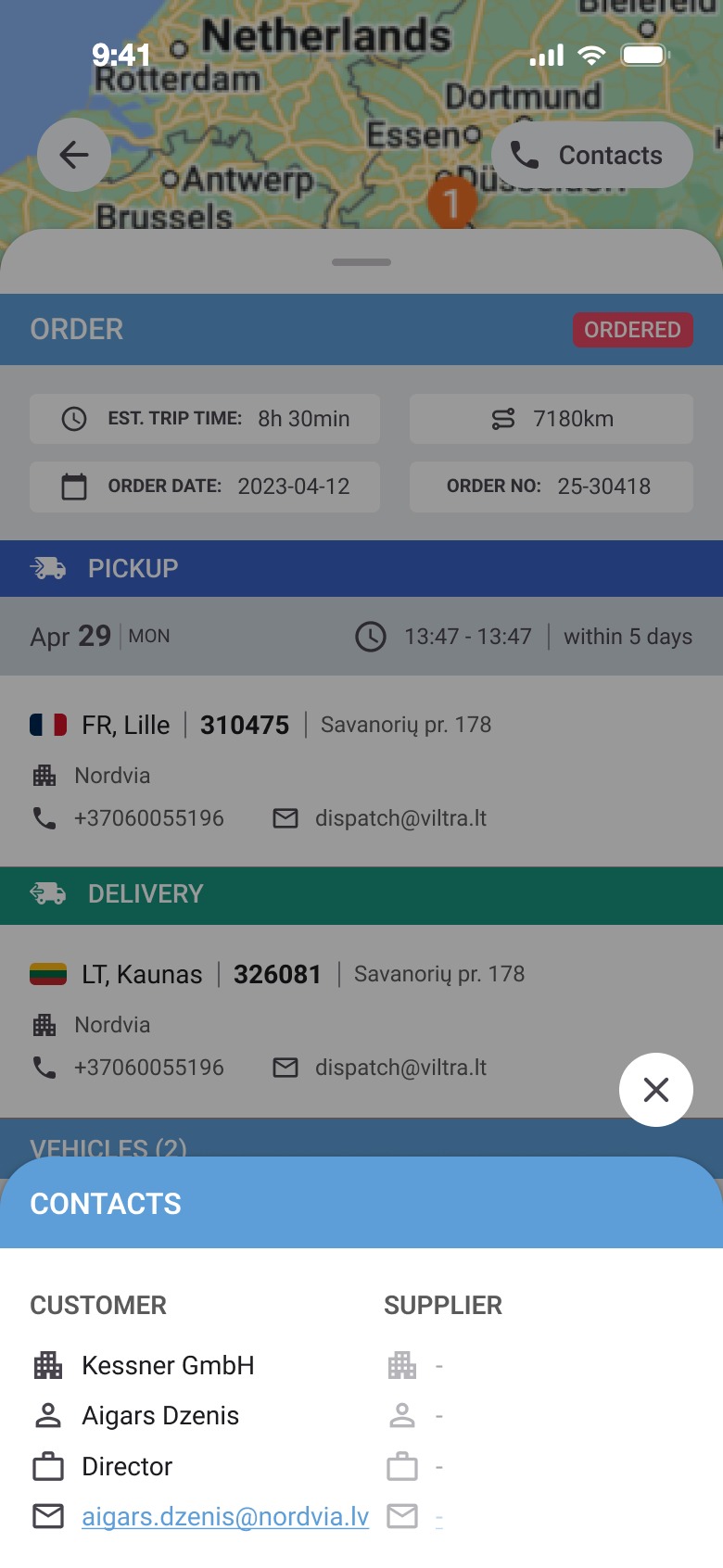
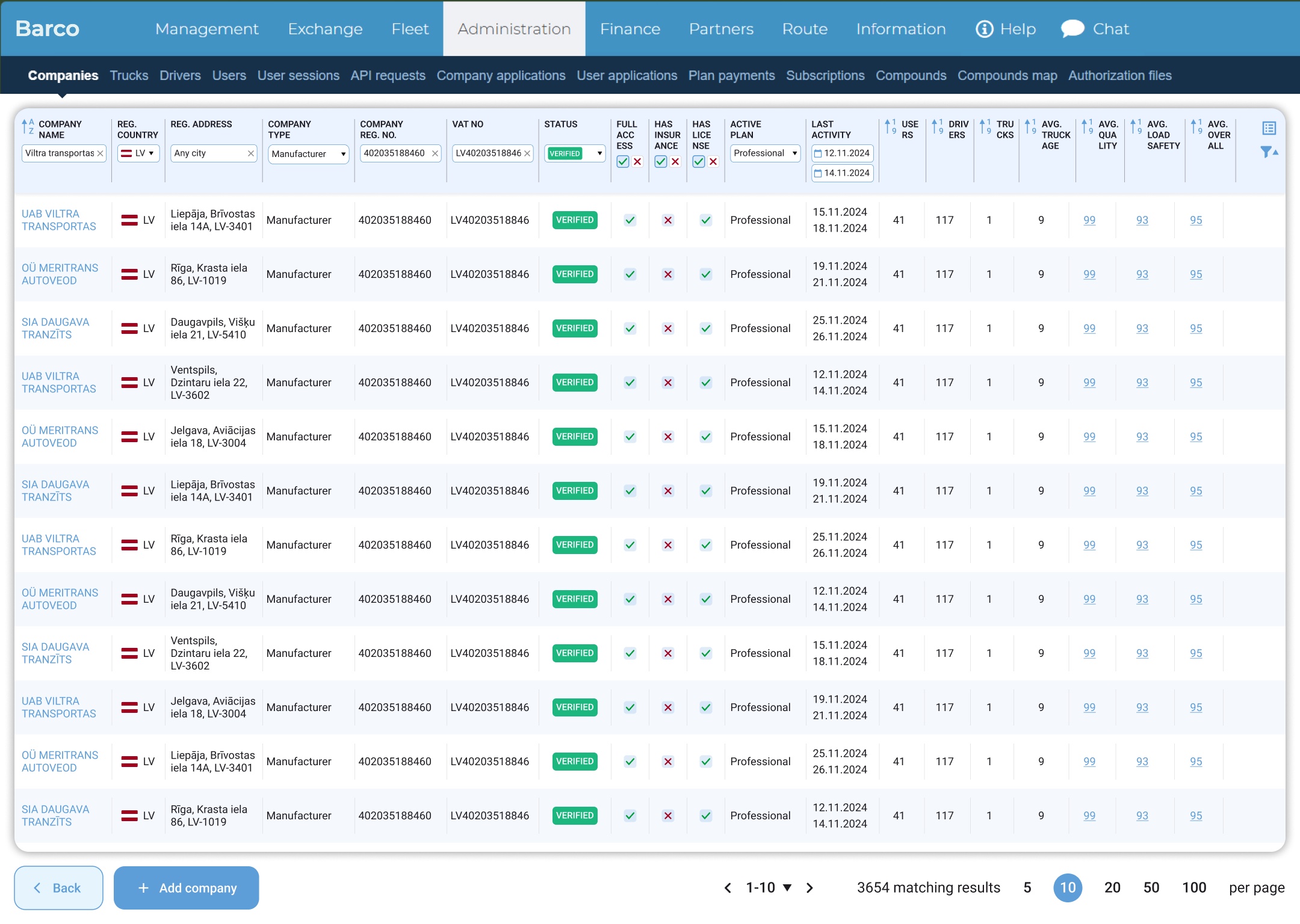
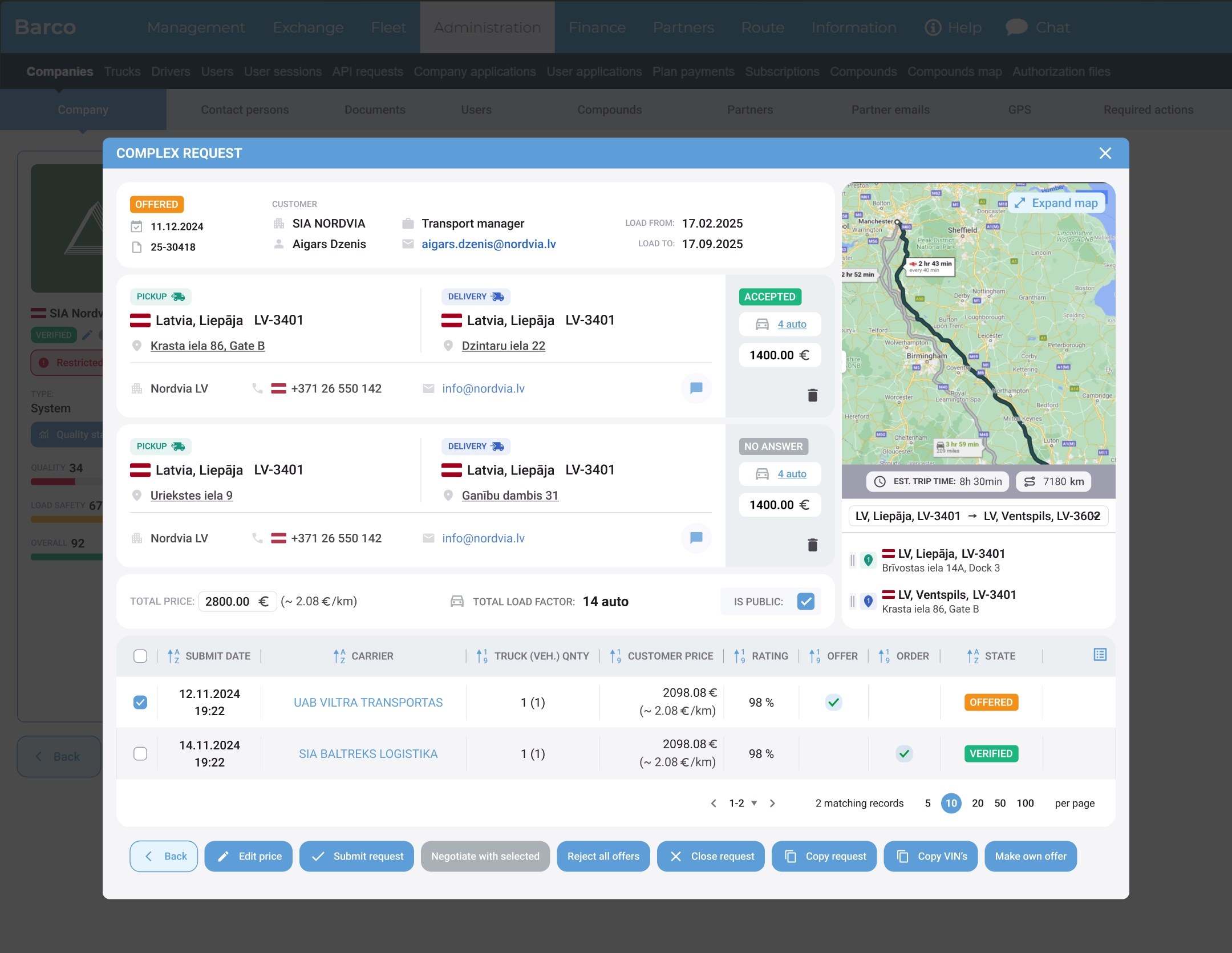
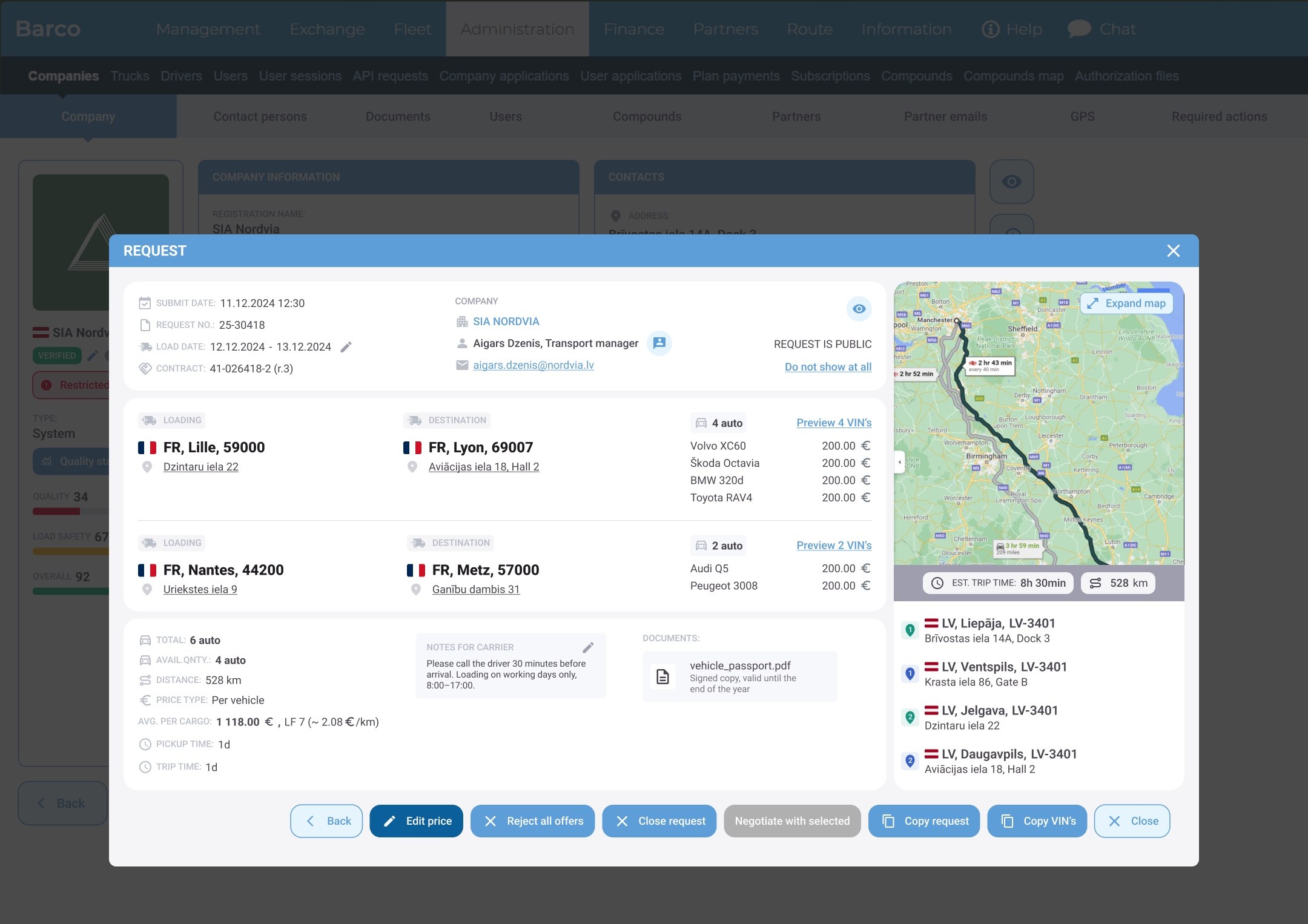
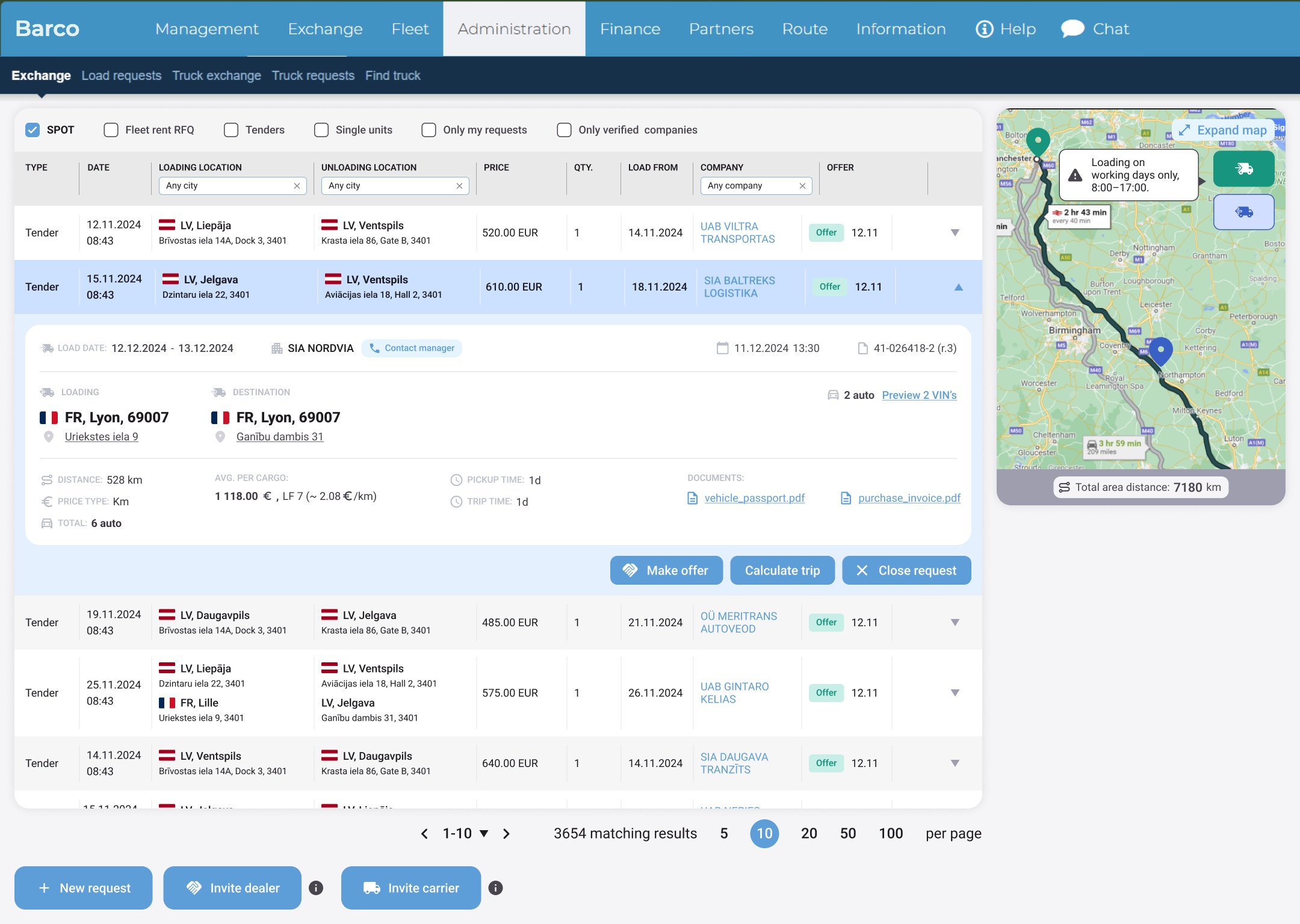
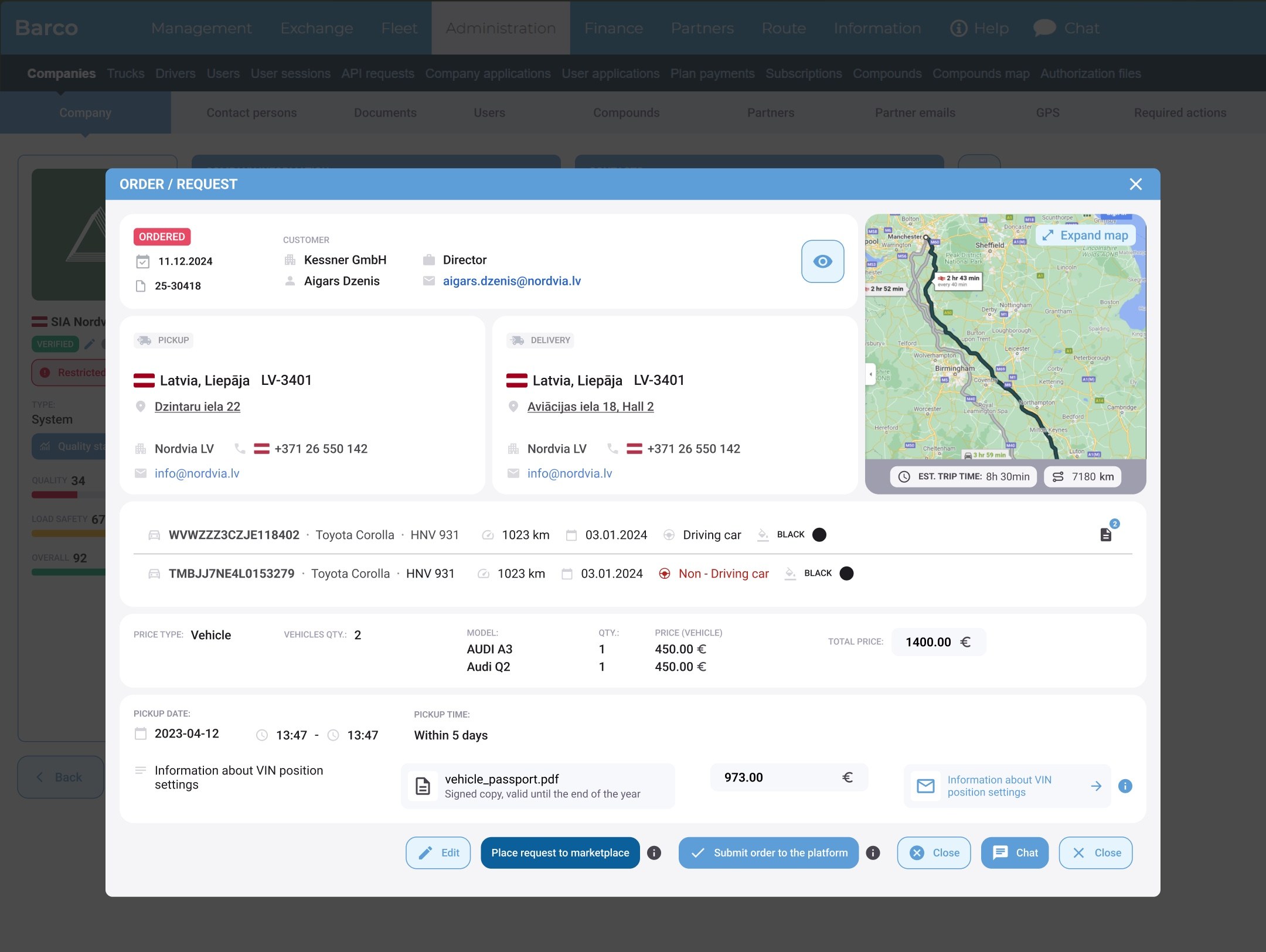
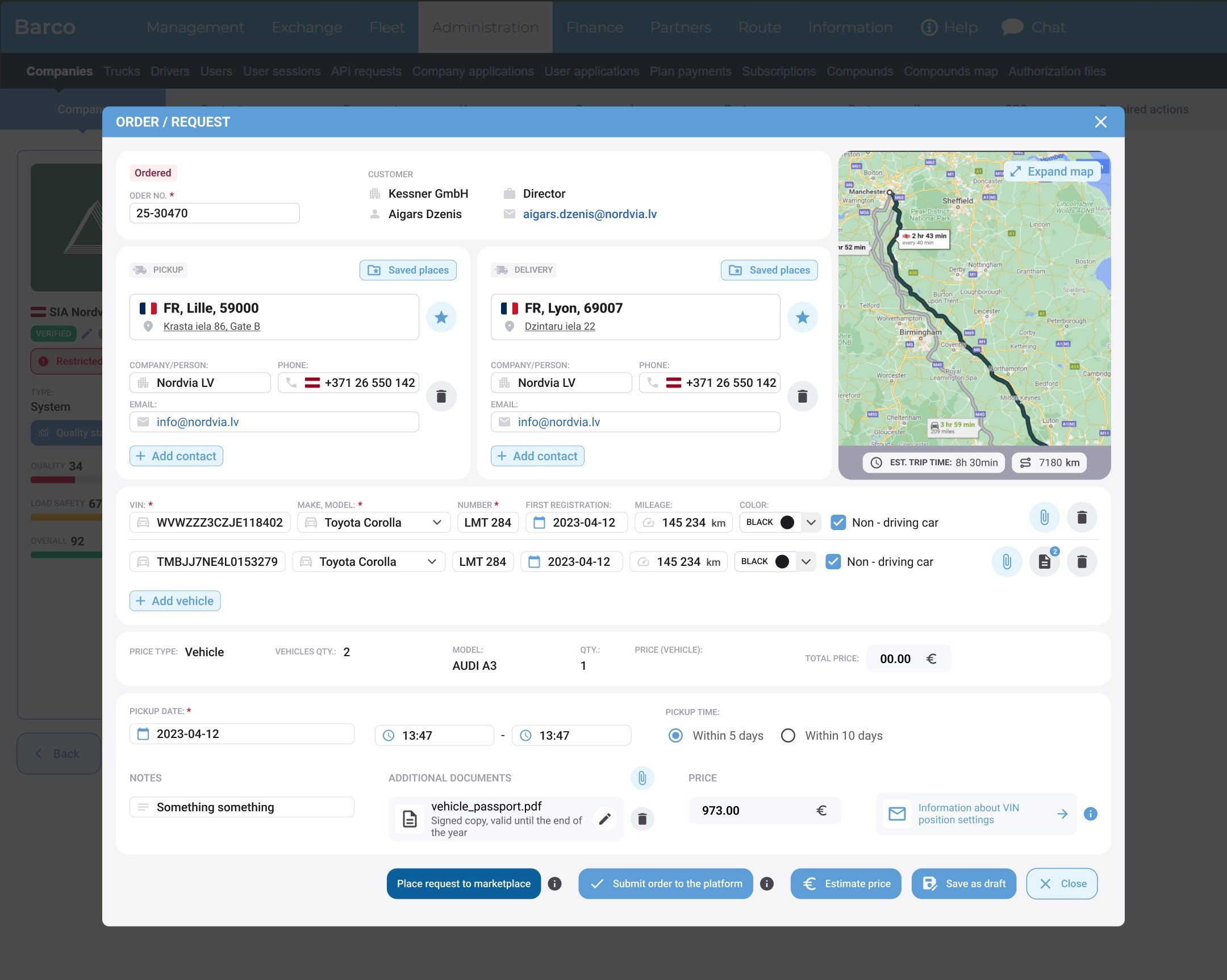
On desktop I applied the same cards, chips and colours to the load exchange and request screens: expandable table rows, a map panel on the side, and grouped sections (pickup, delivery, vehicles, price) in the order modal.
lightbulb
Why: many users switch between phone and laptop during the day. Consistent patterns mean nothing has to be learned twice.
Load exchange on the web: expandable rows and a map panel
Order modal on the web: pickup, delivery, vehicles and price in groups
06Visual design

Calm blues, clear signals.

A light, neutral base keeps long lists easy on the eyes. Navy marks actions, green marks prices, and every status has its own fixed colour.

paletteColours
NavyActions#2E618C
SkyLinks & tabs#5D9ED9
MistSurfaces#F3F5F7
GreenPrices, Loaded#18957F
AmberBought#D87532
RedLate, Ordered#A2001D
text_fieldsTypography
Inter
RegularMediumSemibold

A neutral, highly legible font for small mobile screens, with tabular numbers for prices and plate numbers.

categoryIcons
routelocal_shippingdirections_carhandshakeeuroplacecalendar_todayfilter_altedit_noteapartment

Outlined Material Symbols, one set across the app and the web platform. The icons on this page come from the same set.

07Screens

More screens.

add_location_alt

New request

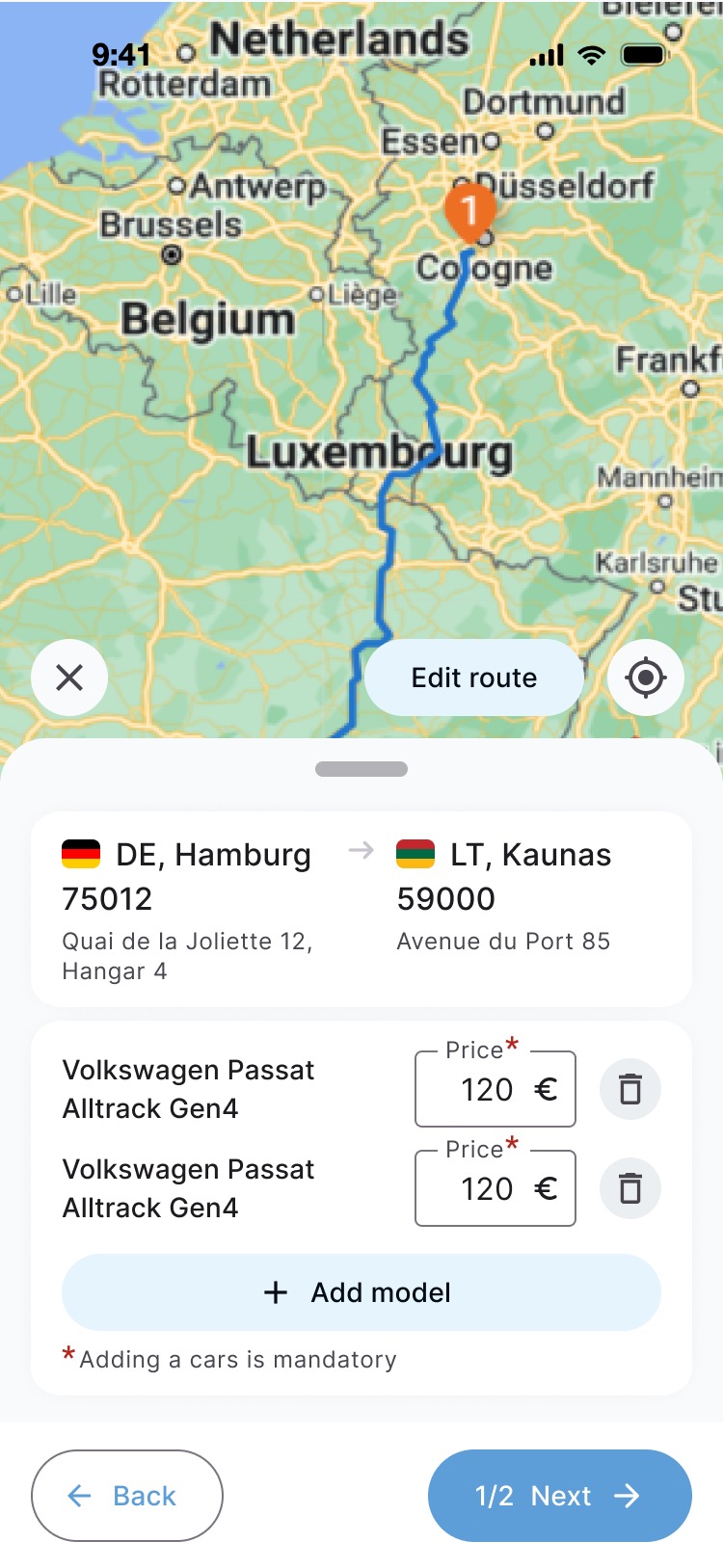
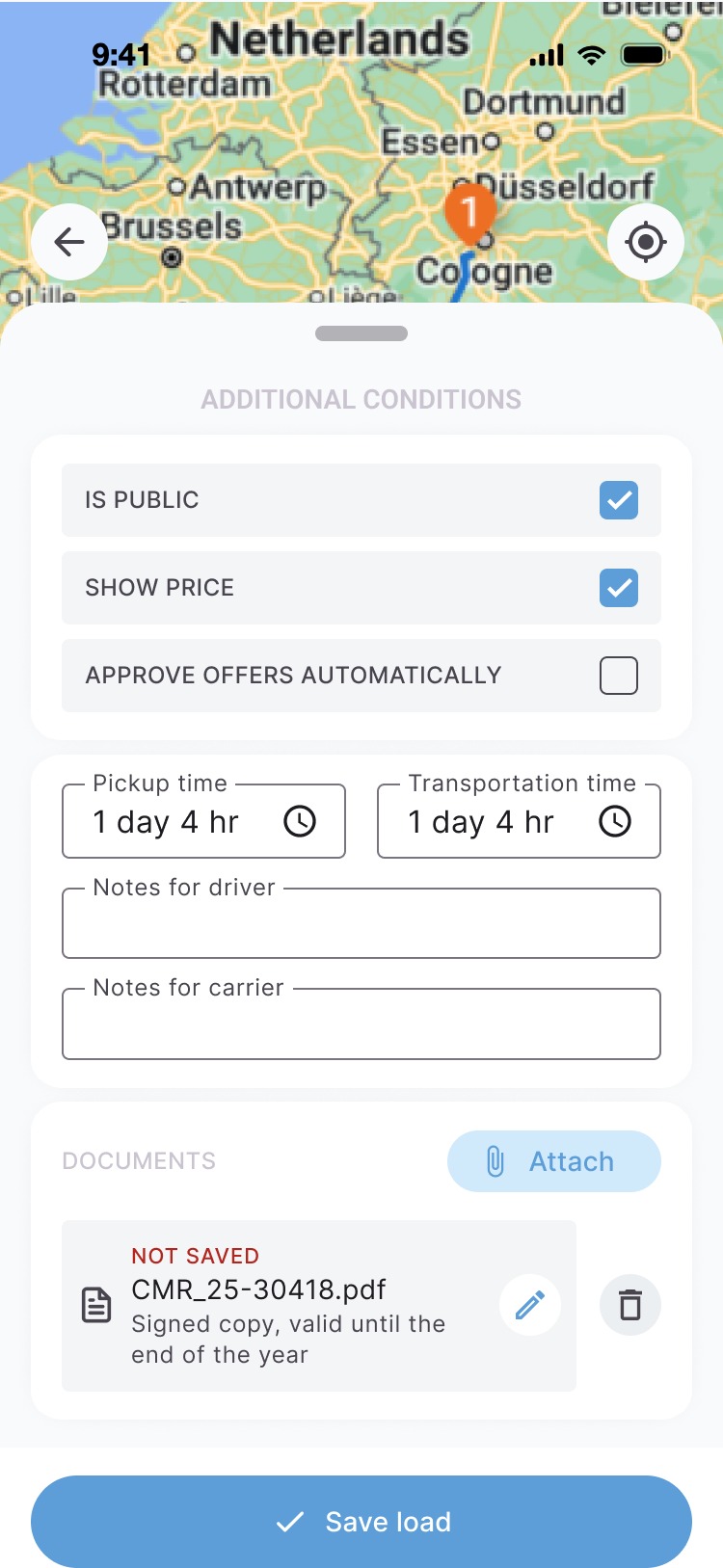
The map stays in the background while each step opens in a bottom sheet: loading, price type, cars, extra conditions and a summary.
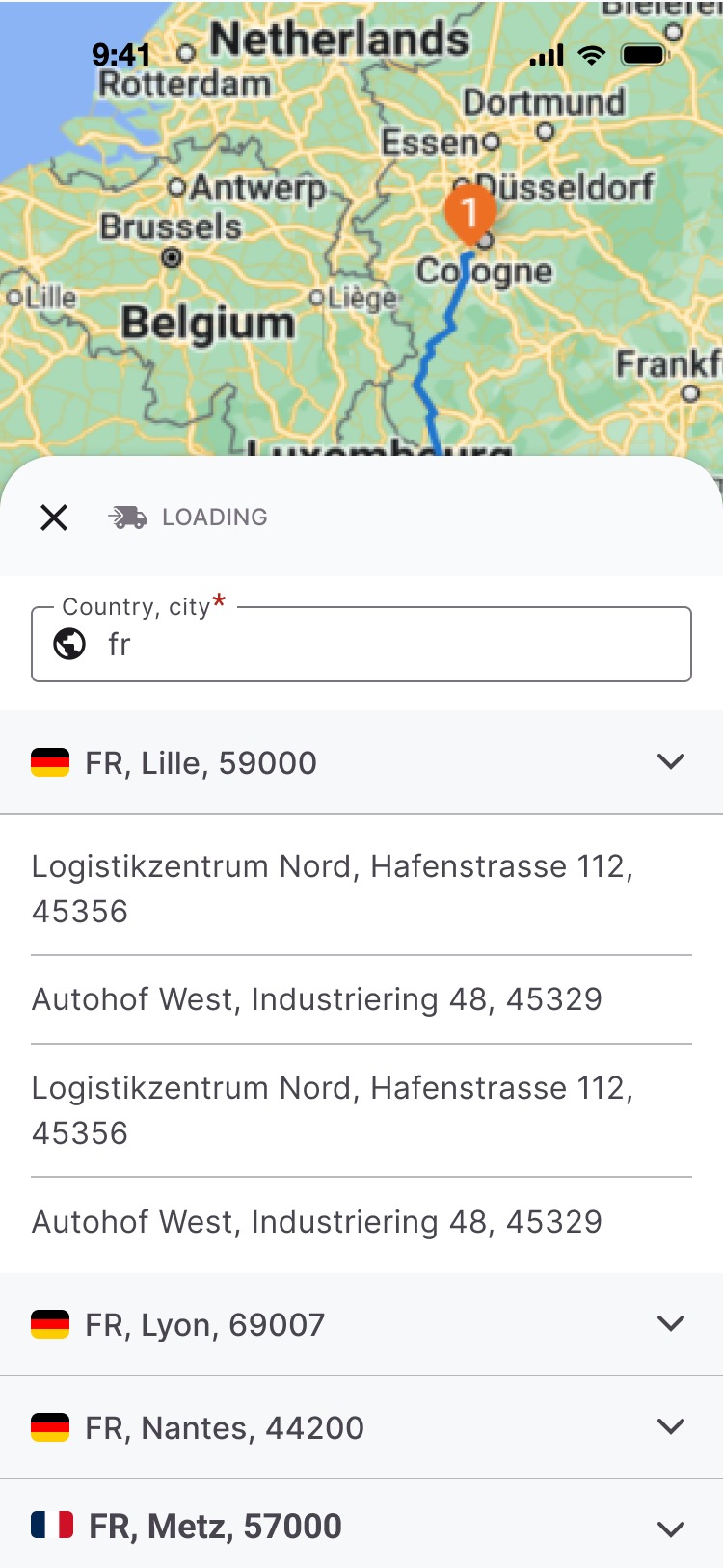
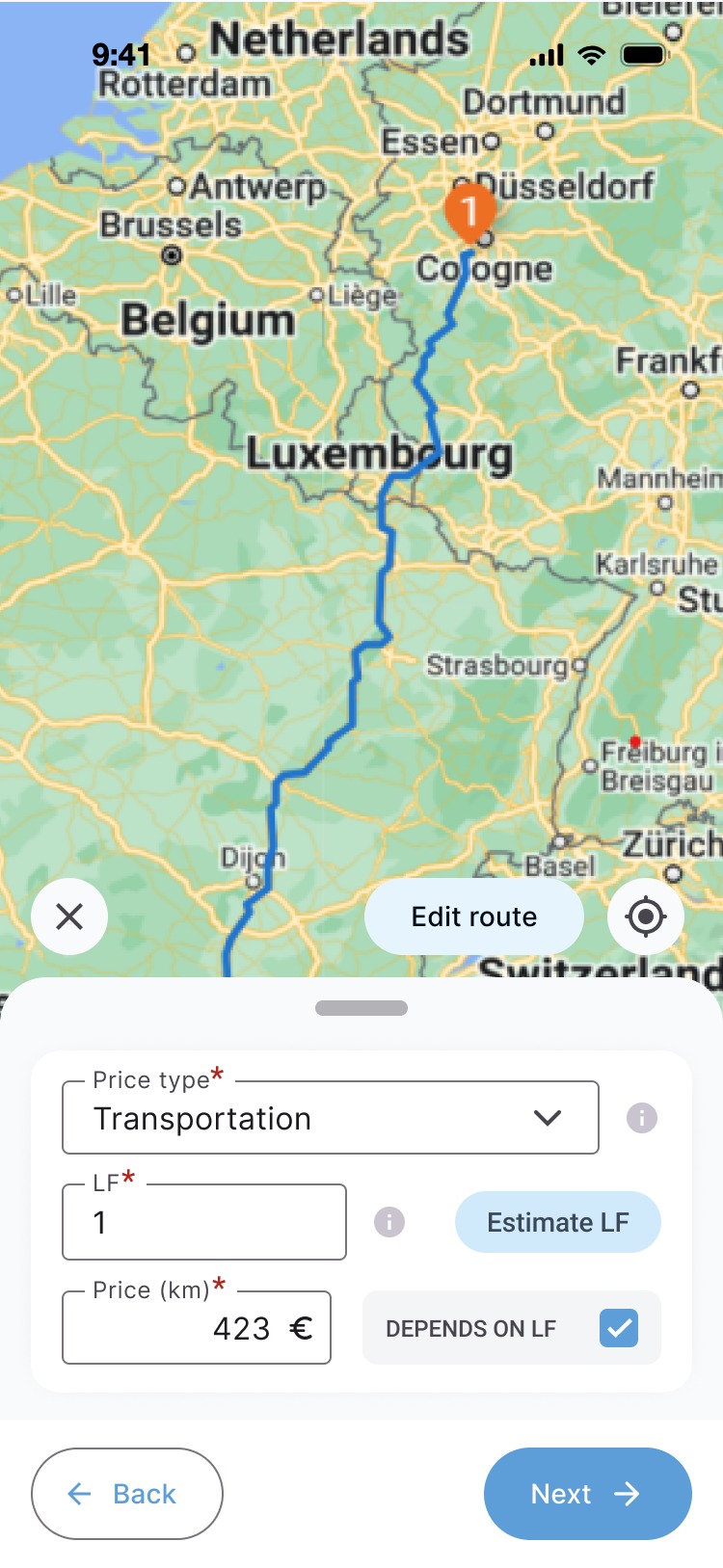
New request, loading location
Loading
New request, price type
Price type
New request, cars and prices
Cars & prices
New request, additional conditions
Conditions
New request, route summary
Summary
request_quote

Offers

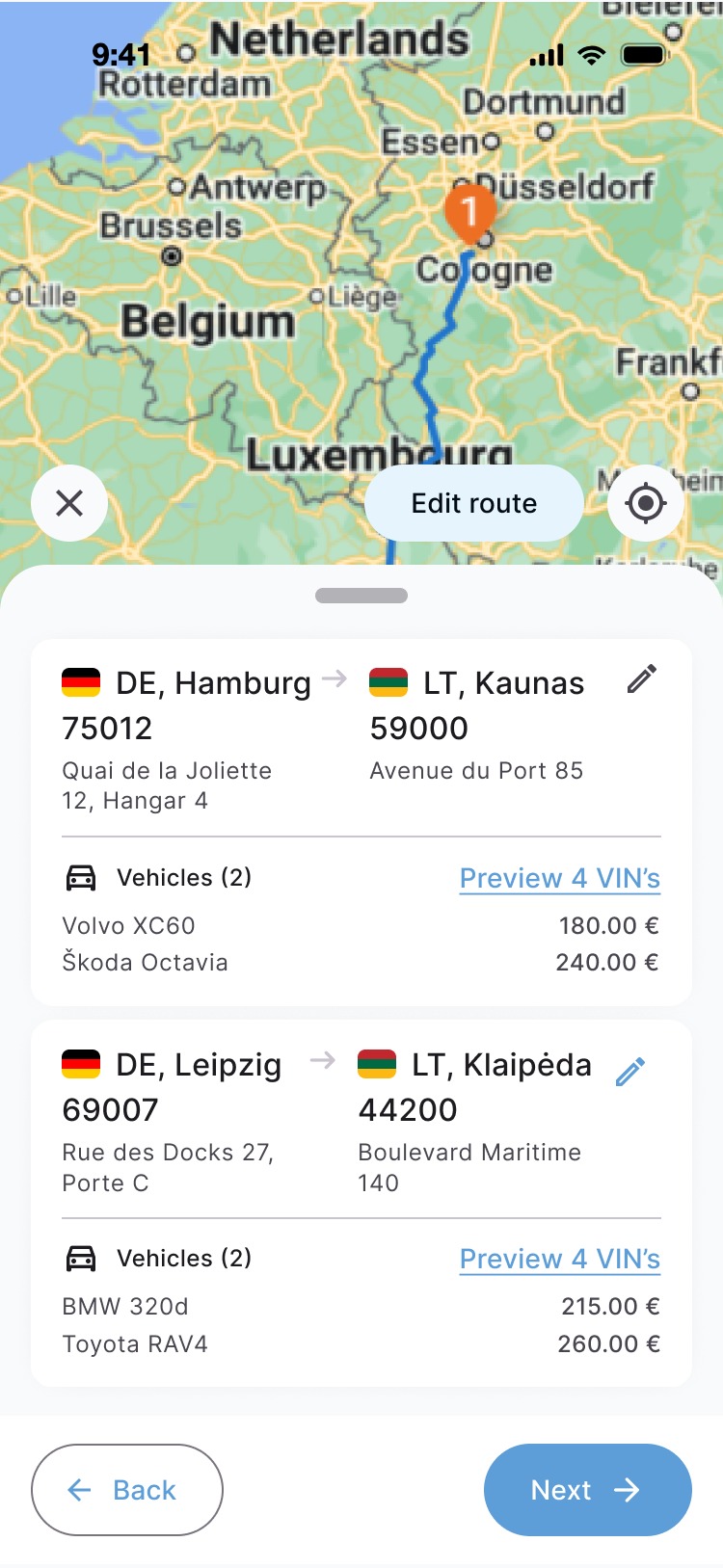
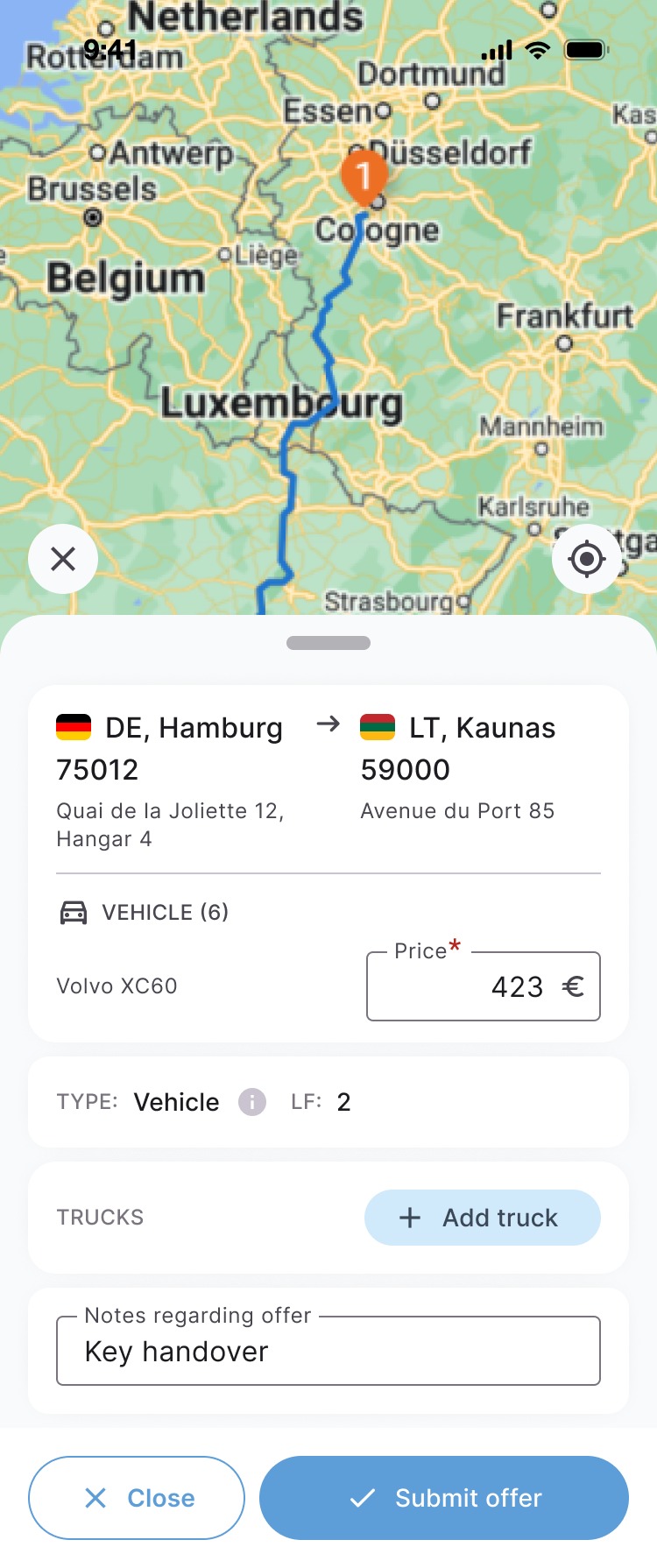
One offer form that adapts to the price type: per transportation, per km or per vehicle.
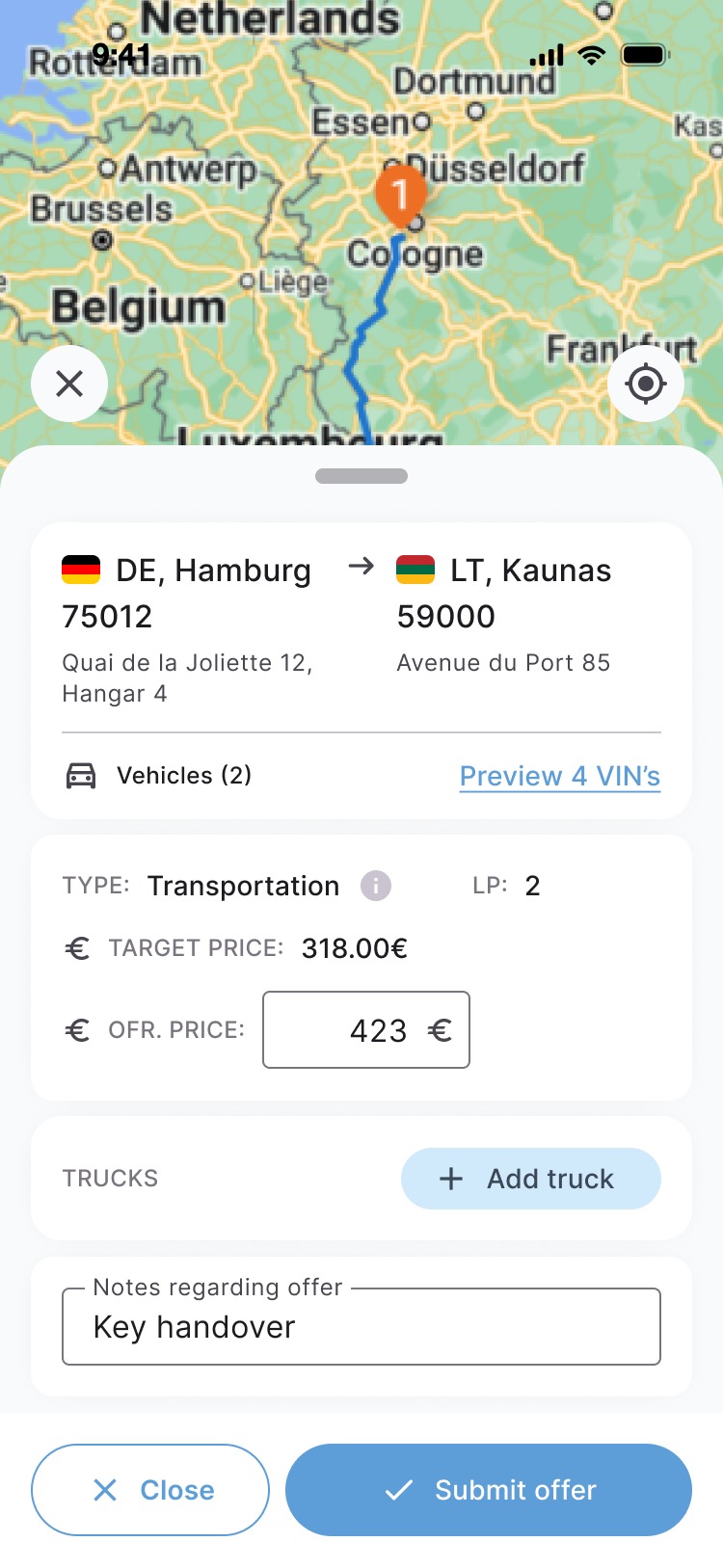
New offer, price per transportation
Per transportation
New offer, price per km
Per km
New offer, price per vehicle
Per vehicle
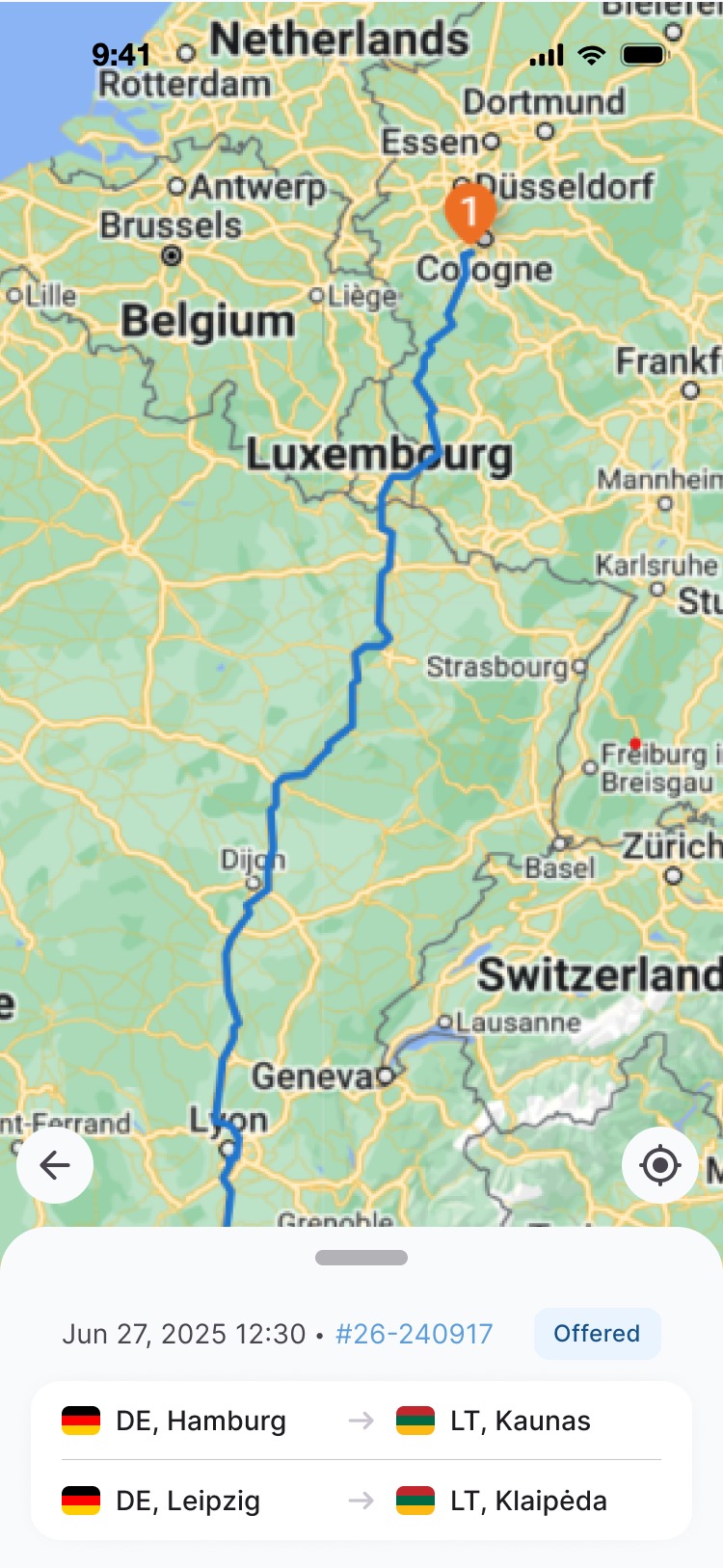
Offer details
Offer details
directions_car

Loads & dealer requests

Suggested load configurations by weight and quantity, and a separate timeline for dealers with every VIN and its status.
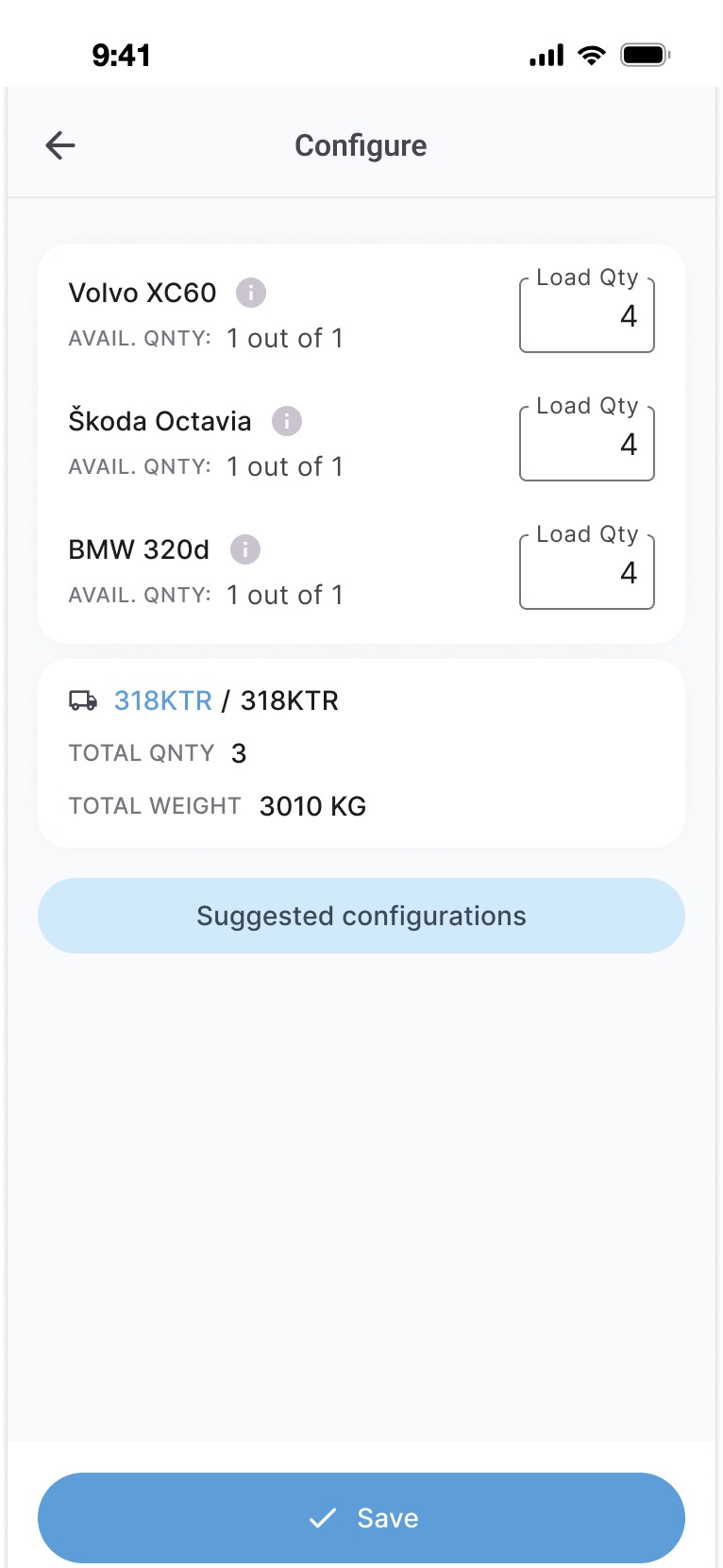
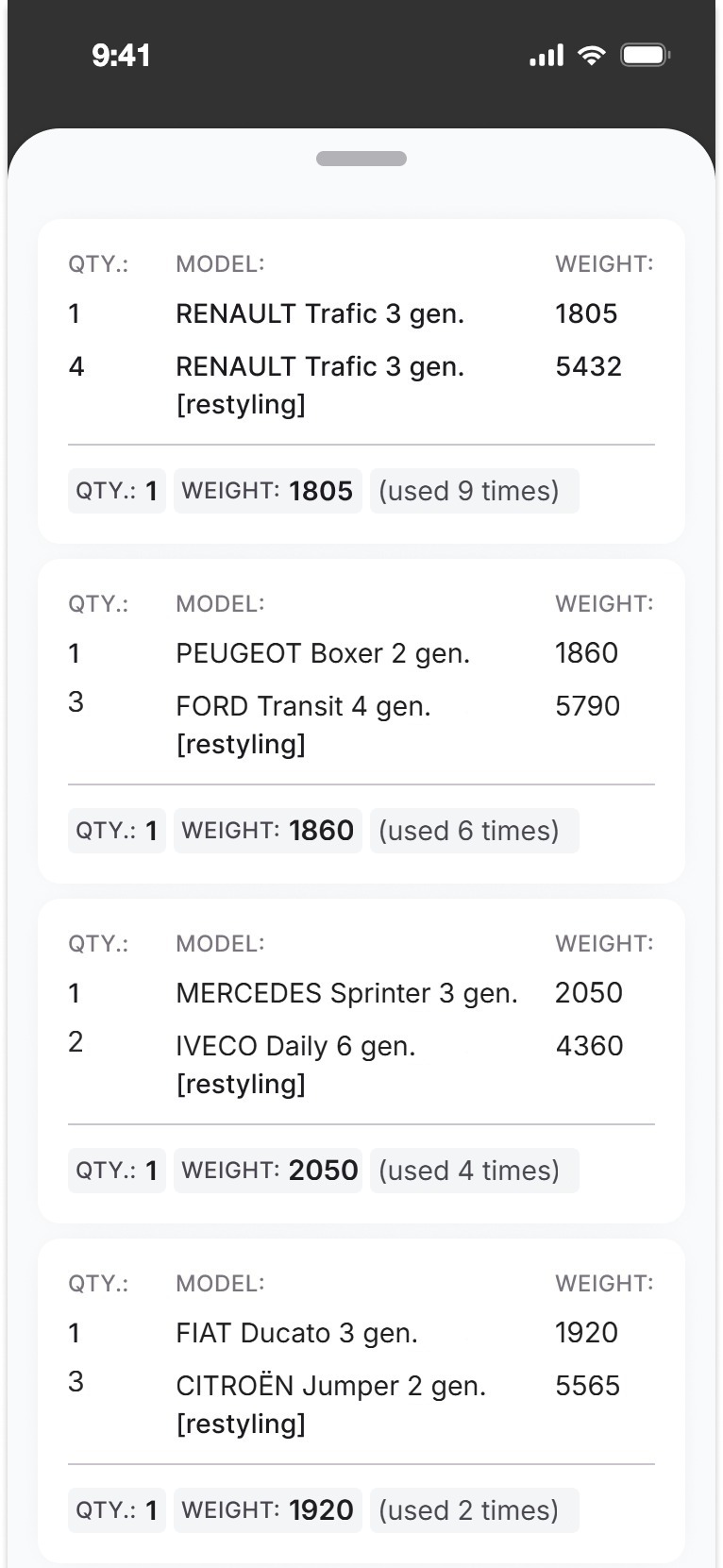
Configure load
Configure load
Suggested configurations
Dealer timeline
Dealer timeline
Dealer order
Dealer order
calendar_month

Schedule

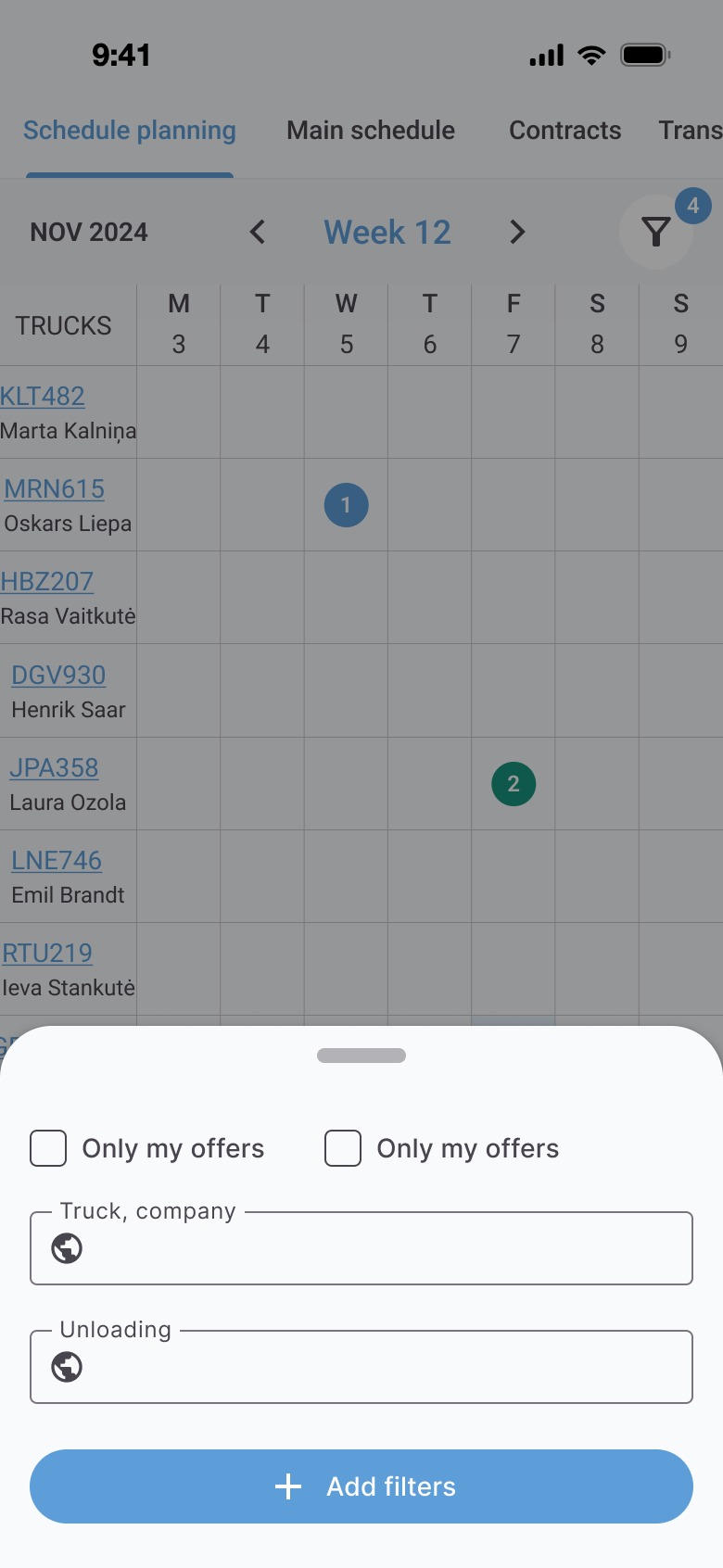
A week grid per truck, a day sheet with trips, filters and a truck's loads with late dates.
DDeliveredOOrderedLLoadedNDraftRRequested
Weekly schedule
Week
Day sheet
Day
Schedule filters
Filters
Truck loads
Truck loads
apartment

Fleet & company

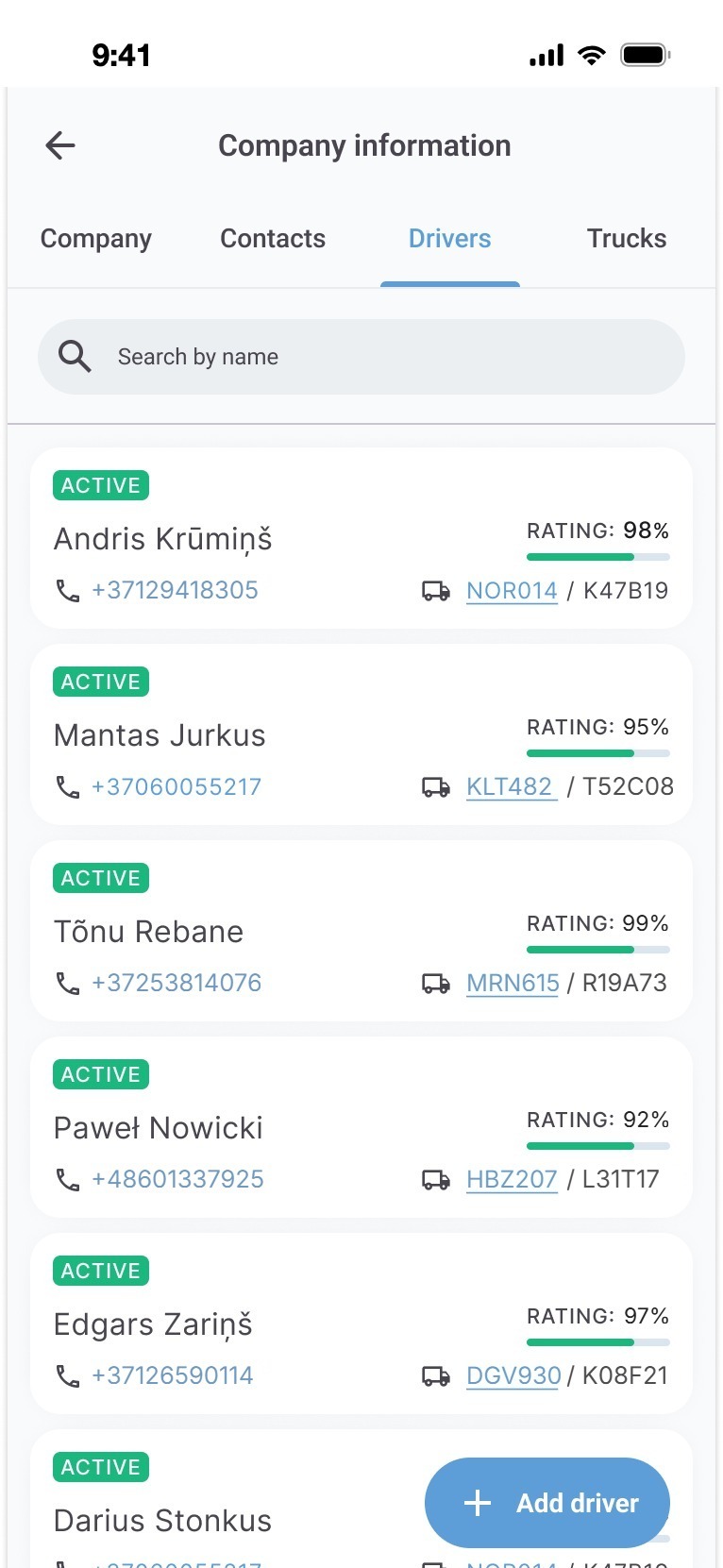
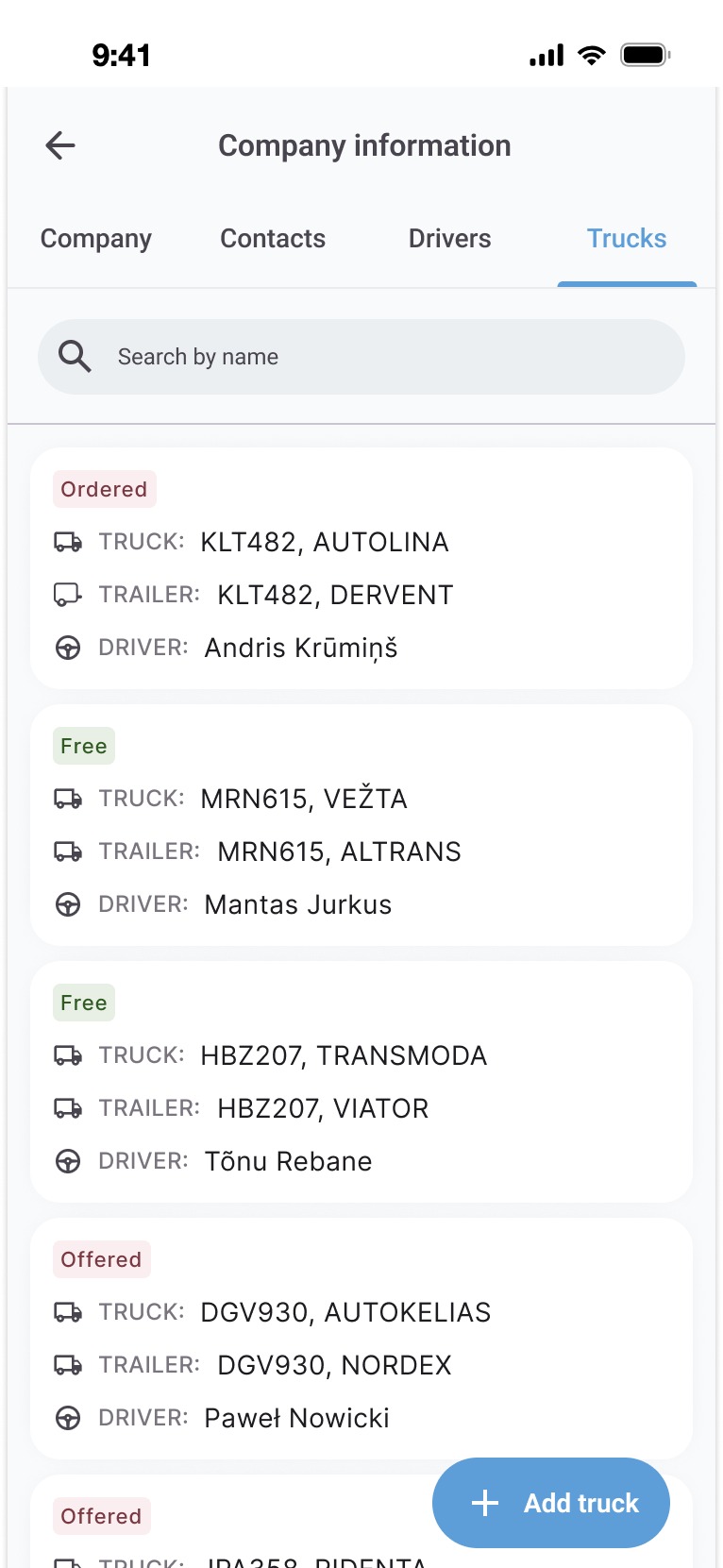
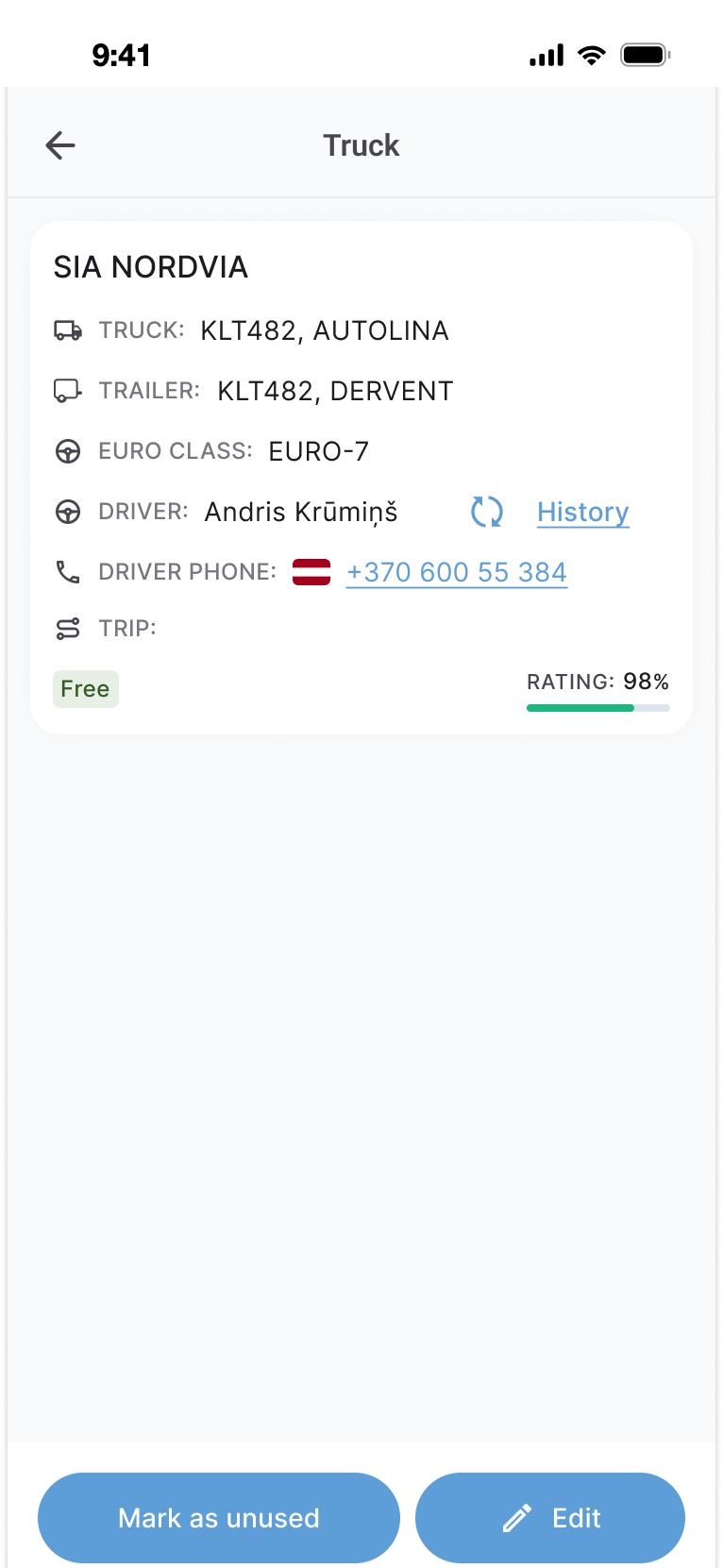
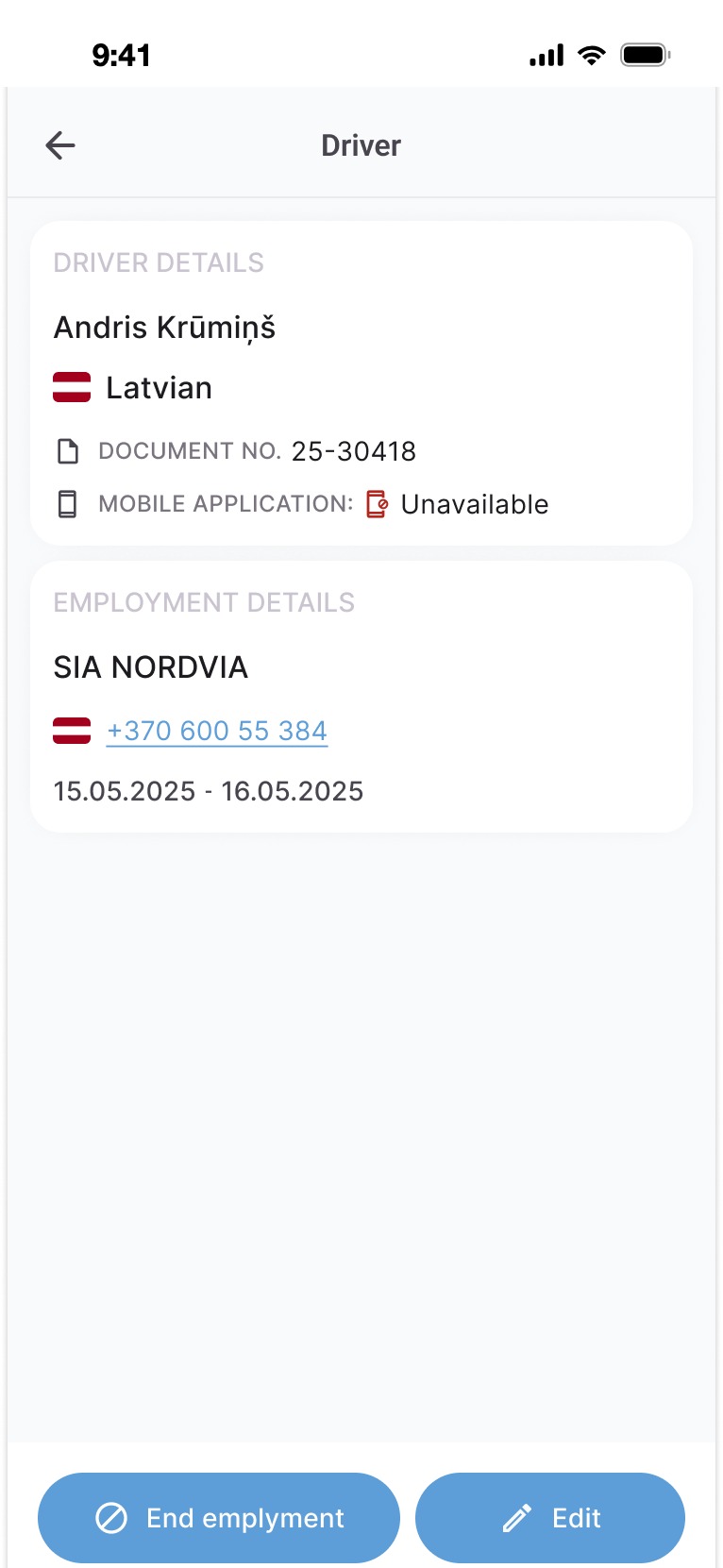
Company details, drivers and trucks in one place, with ratings, EURO class and documents.
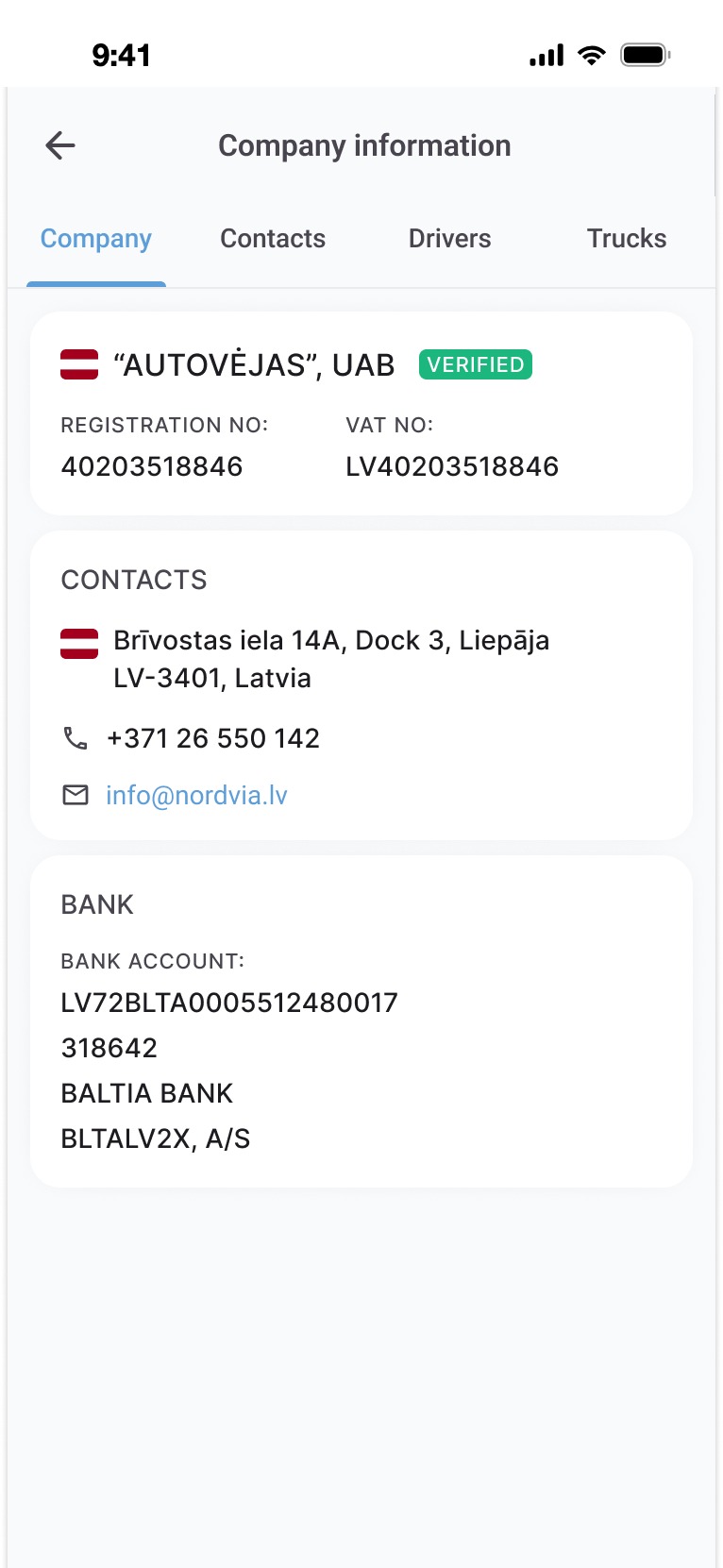
Company information
Company
Drivers
Drivers
Trucks
Trucks
Truck details
Truck
Driver details
Driver
desktop_windows

Web platform

A new order in three states, the load exchange, complex and dealer requests, and the companies table.
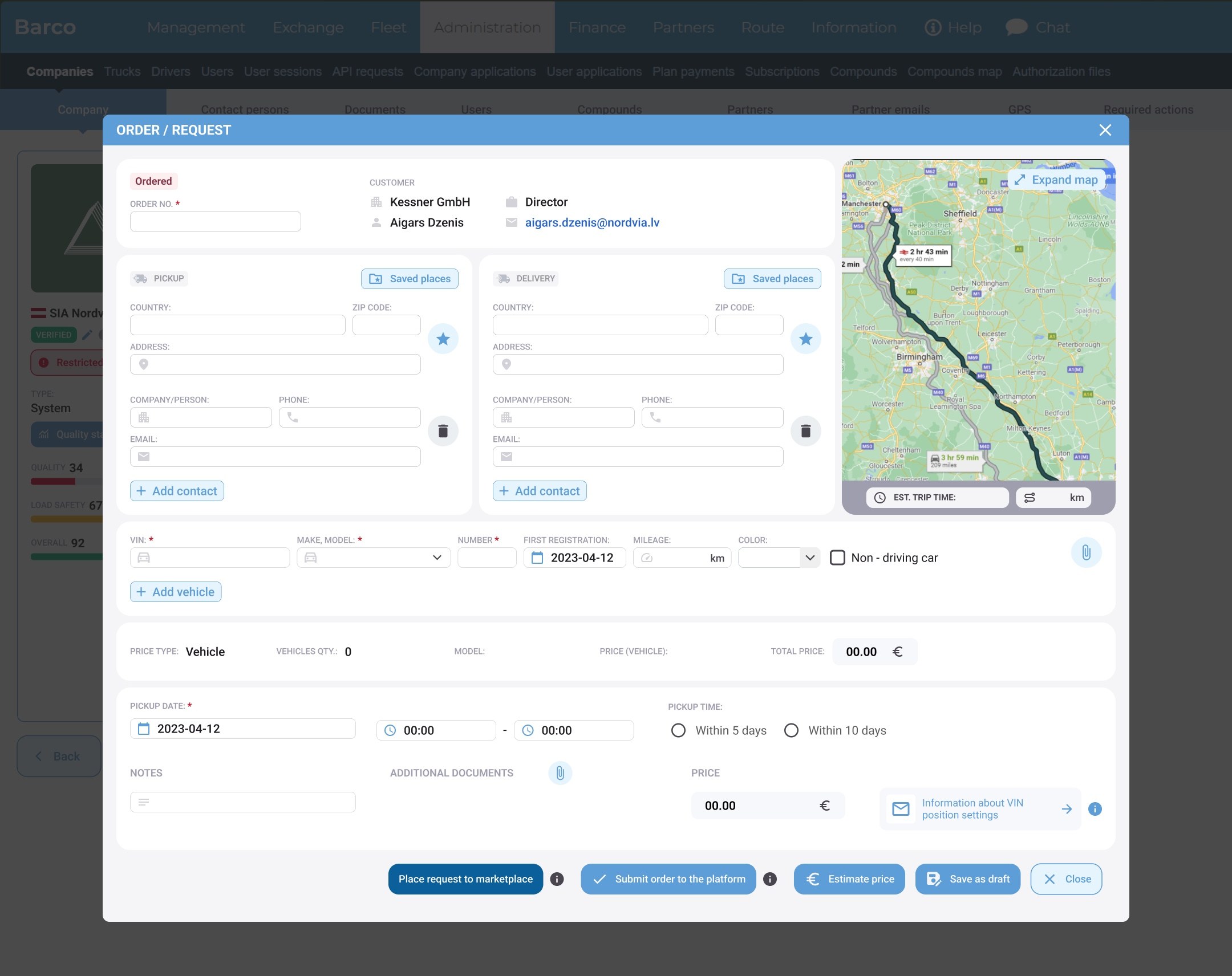
New order · before filling
New order · filled
New order · preview
Load exchange
Companies
Complex request
Dealer request