Case study · Health & nutrition · Mobile app

Meal diet plan.

Making a weight-loss app easier to live with: log your own meals, find what you actually want to eat, track water and see your progress at a glance.

personRole
UX/UI designer
smartphonePlatform
iOS & Android
layersFocus
New features + redesign
forumMethods
Feedback analysis, in-app survey (933 answers)
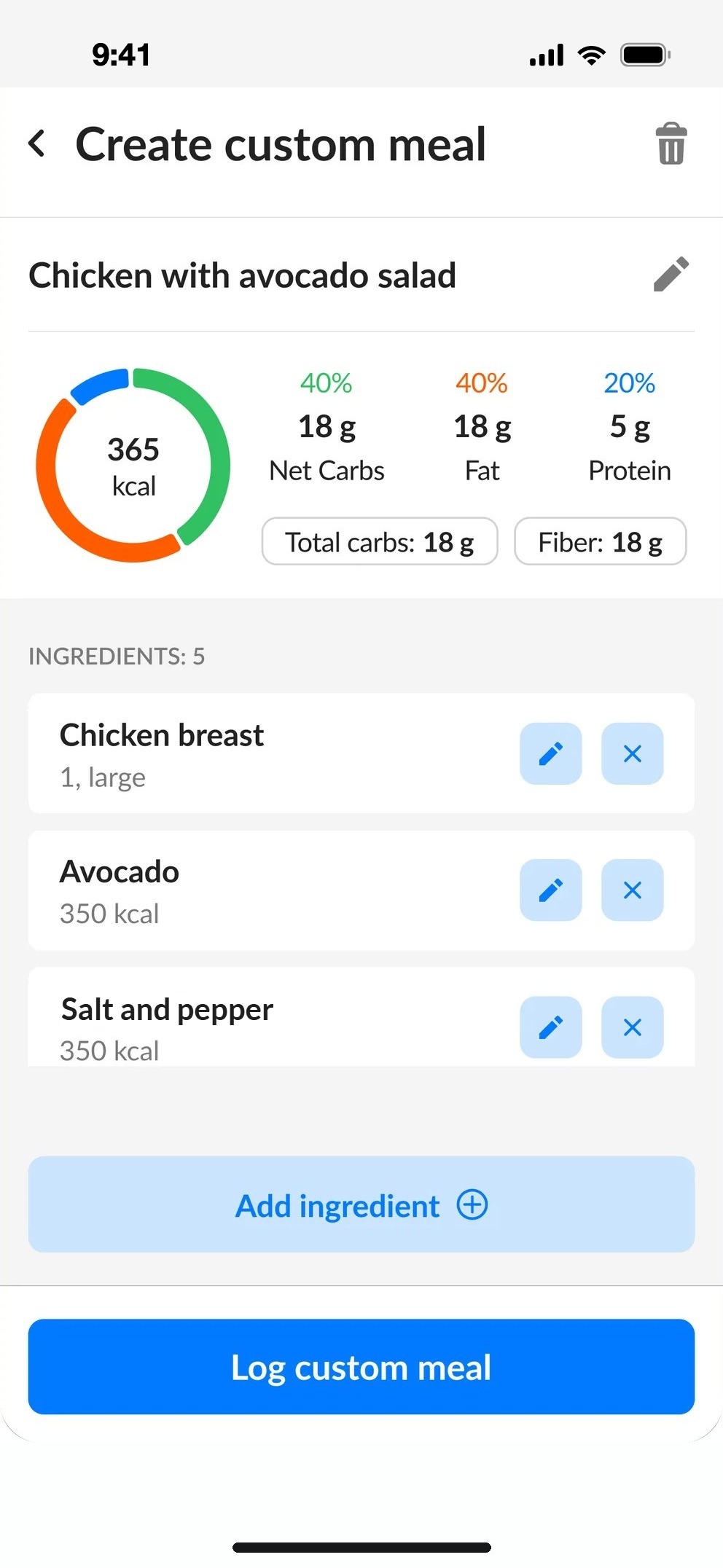
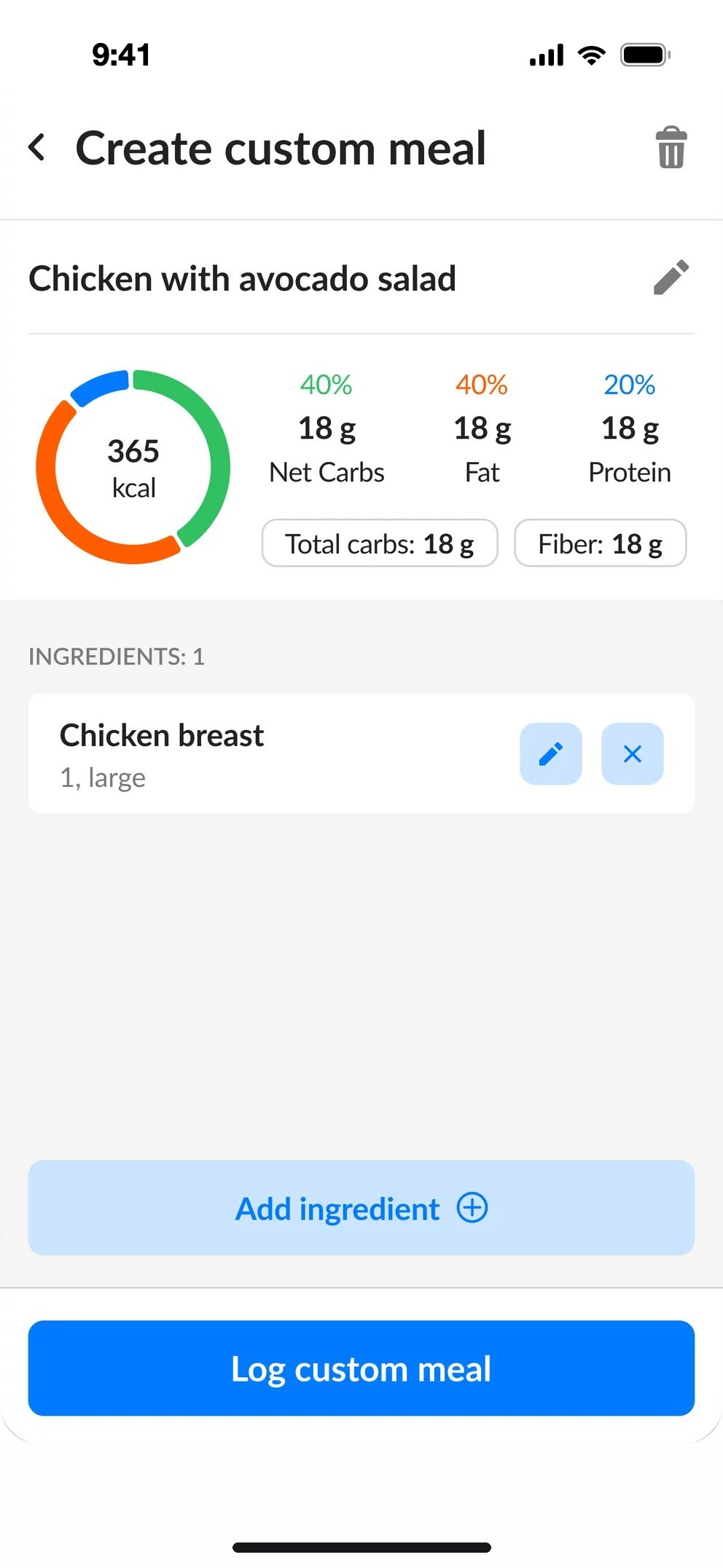
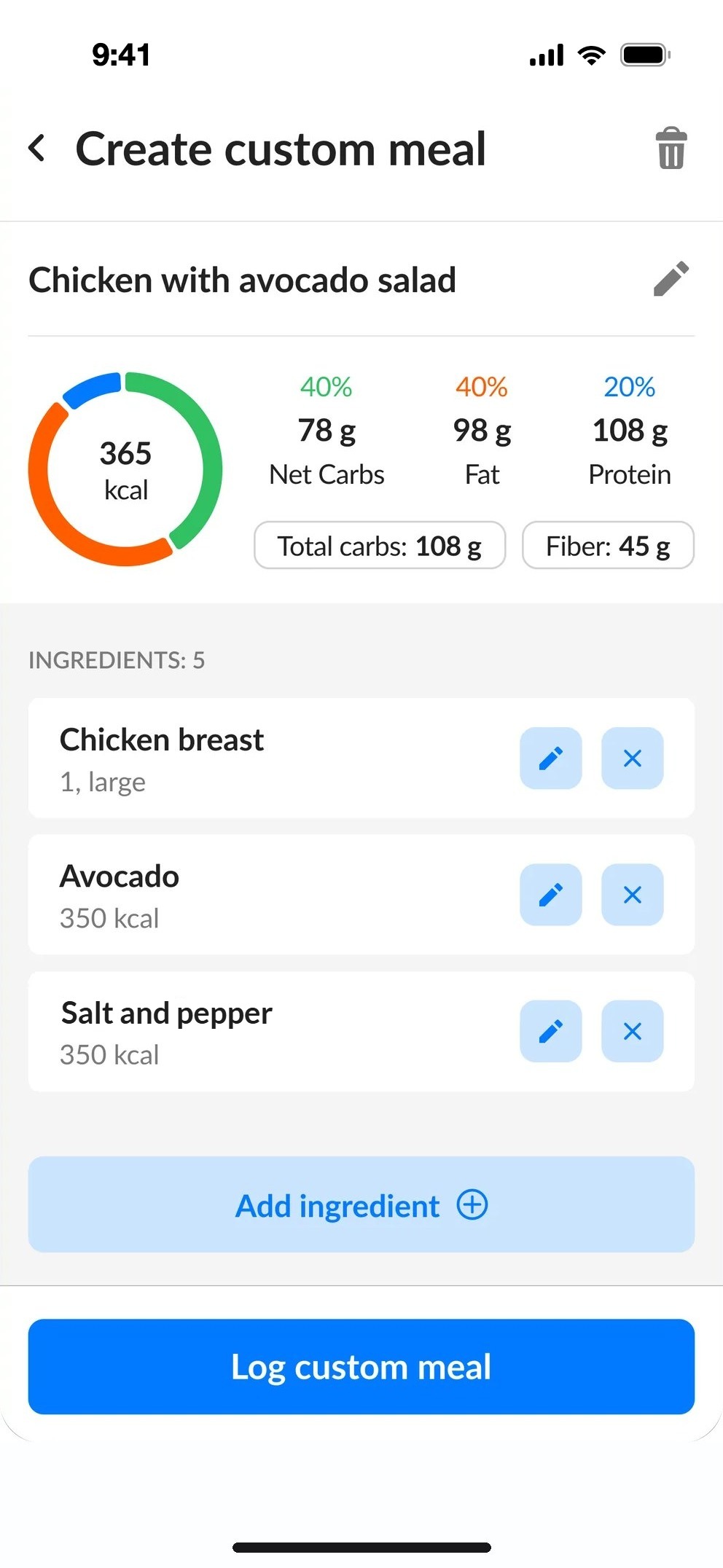
Custom meal with three ingredients
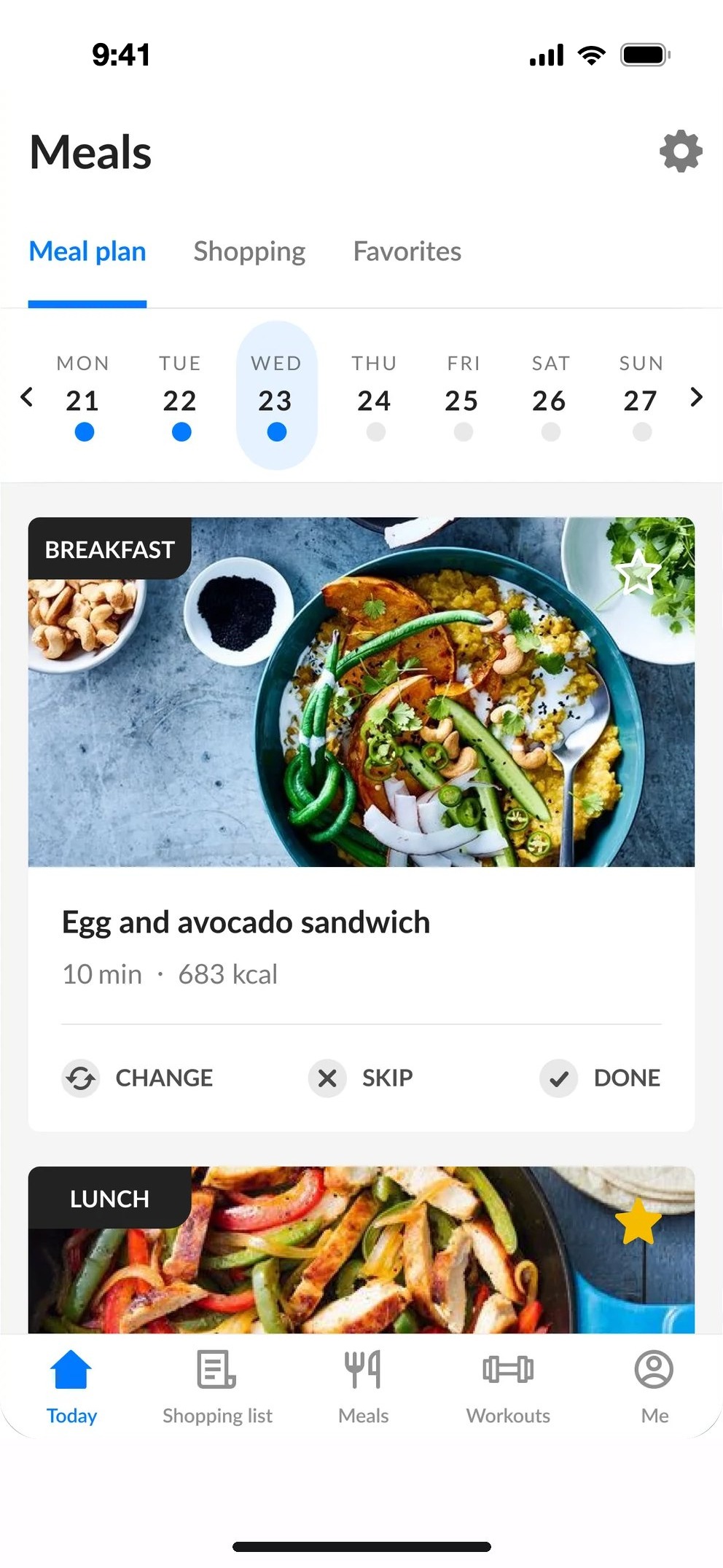
Meal plan
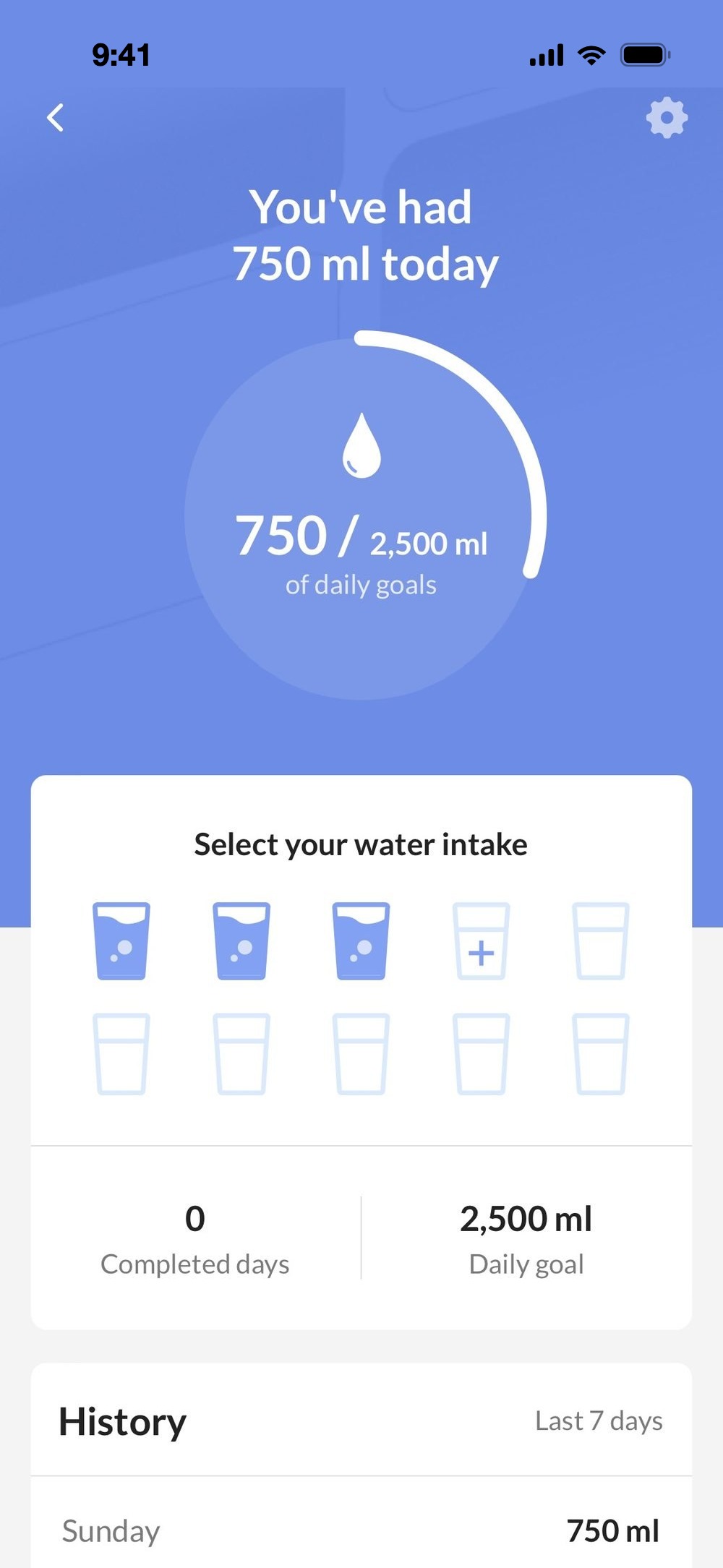
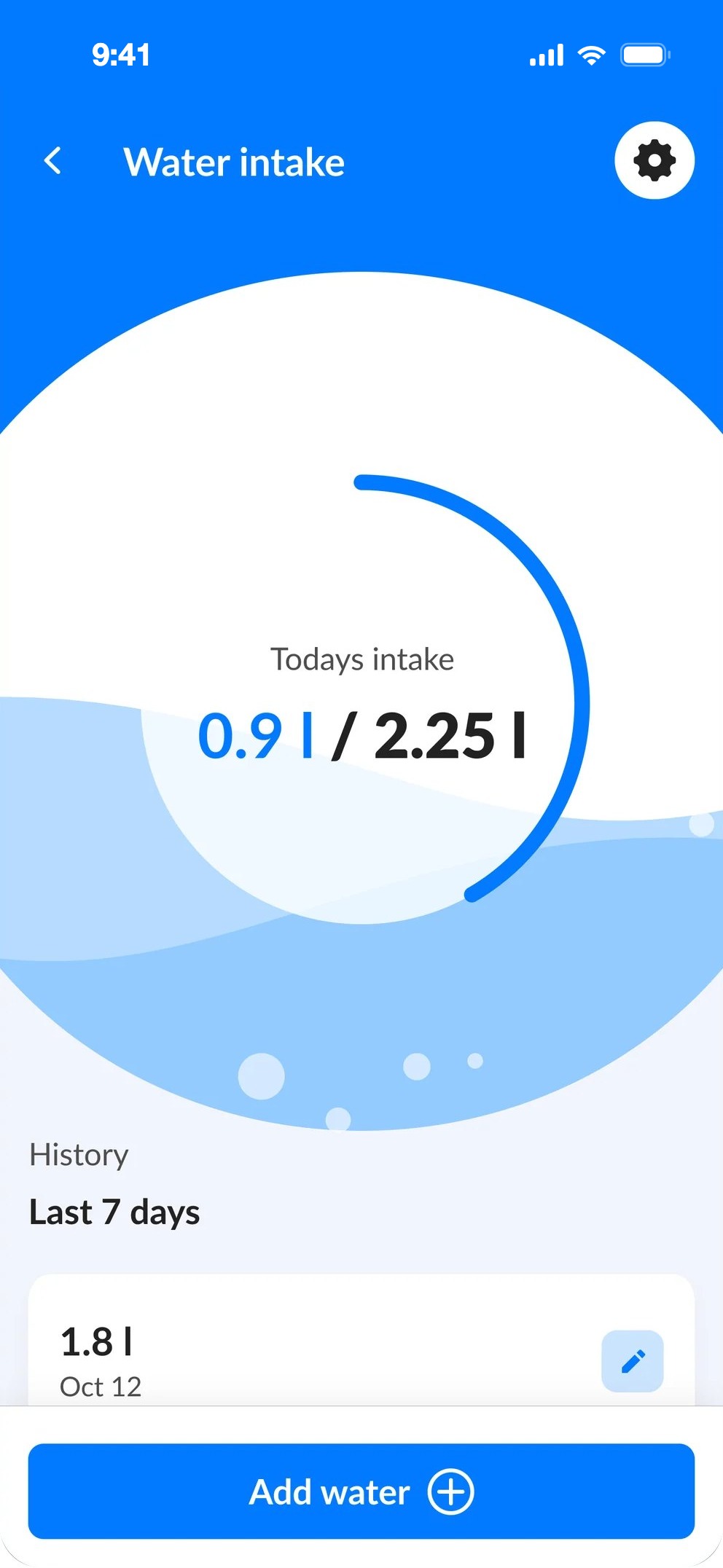
Water intake
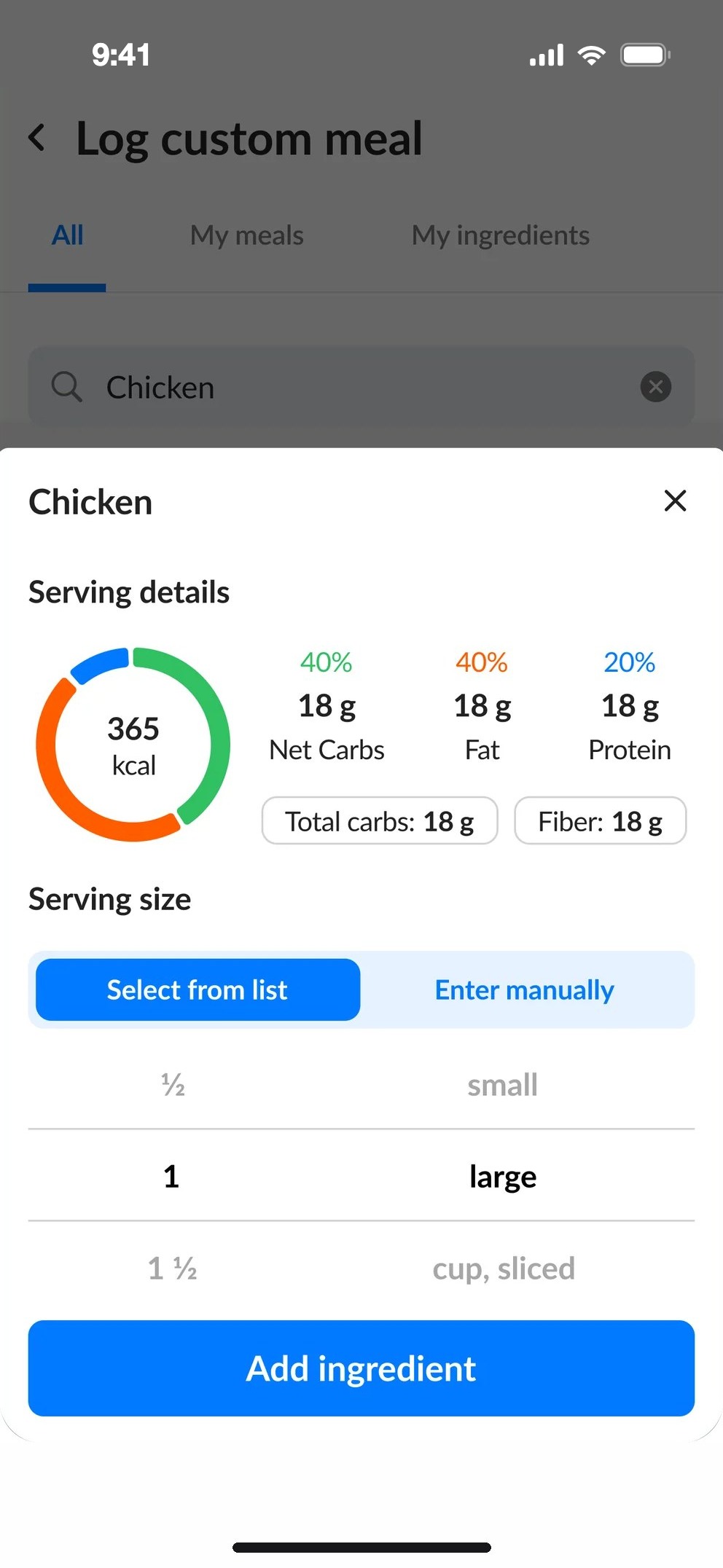
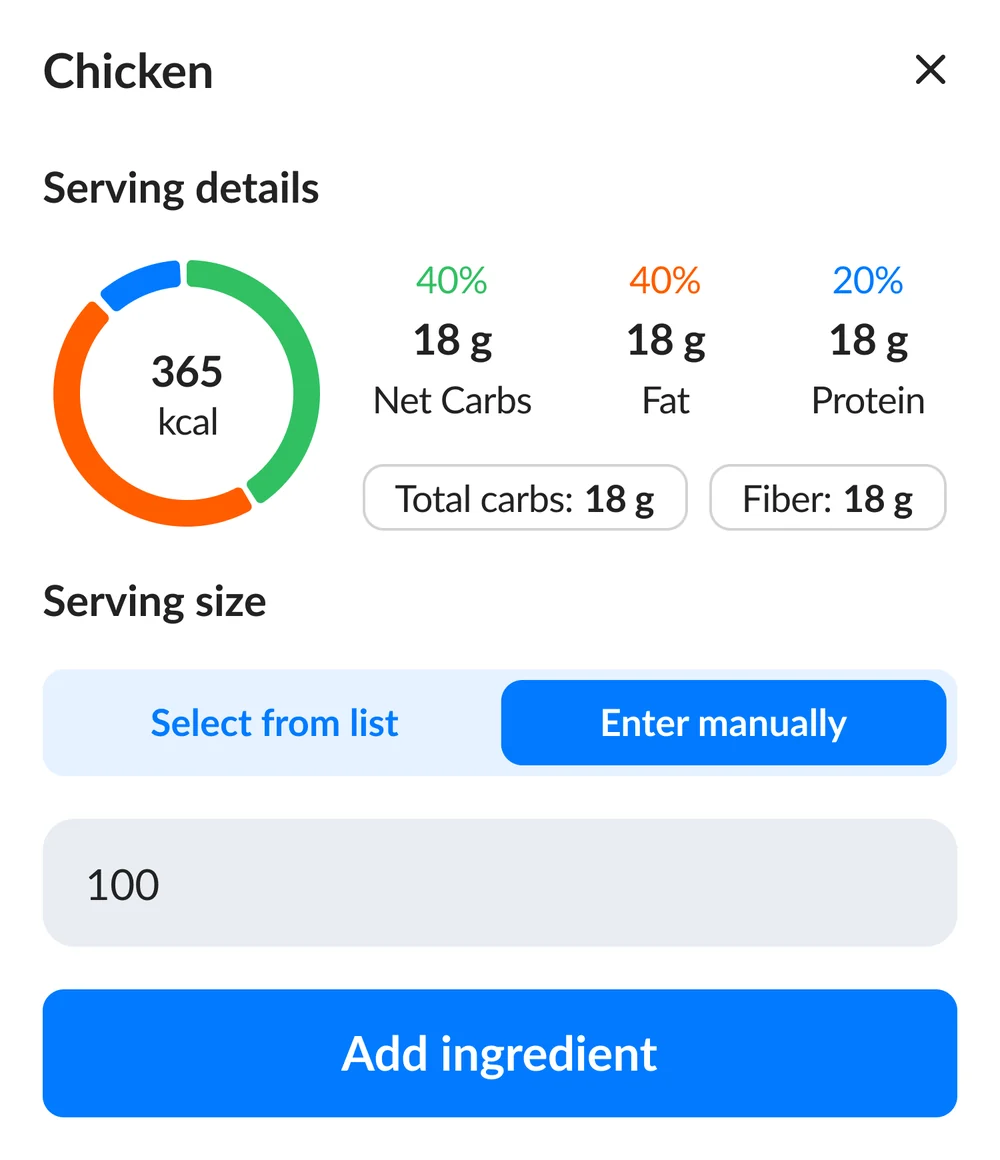
Serving details: 365 kcal, carbs, fat and protein Goal: meal Goal: water Goal: steps
01Context

Healthy eating, without the friction.

The app gives people a daily meal plan and tracks calories, water, steps, workouts and sleep. The work focused on the parts people used every day, guided by their feedback and surveys.

About the project

An app that helps people lose weight and build healthy eating habits: a daily meal plan for breakfast, snacks, lunch and dinner, a large library of healthy meals, and workouts.

Goal

Make the app easier to use every day, and give it a more modern, friendly look.

Task

Find the weak spots in user feedback, then design what was missing: custom meals, filters, flexible water logging and a clearer profile.

Problem

  • It was hard to navigate and find the features people needed.
  • The design felt outdated.
  • Users were missing features that would help them lose weight.

What it tracks

restaurantMealsThe day's plan and its calories
water_dropWaterGlasses, bottles or any amount
directions_walkStepsTowards a daily step goal
fitness_centerWorkoutsMinutes of exercise
bedtimeSleepHours slept each night
02Design process

Six steps, from feedback to handoff.

01

Problem identification

Gathering and analysing feedback from support, surveys and app store reviews.

02

Product analysis

Finding where exactly the issue is in the app and what could fix it.

03

Competitor analysis

How the biggest brands solve the same problem, and which good practices they use.

04

Moodboard

Competitor screens collected to discuss with the team and agree on a direction.

05

Wireframing

Low-fidelity layouts and first ideas, shared early for team feedback.

06

High-fidelity mockup

Final screens and prototype, handed over to developers.

restaurant03Meal change · Log custom meal · Filter

Eat something else, and still stay on plan.

Problem

  • Users couldn't search the whole meal database, only pick from the recommended list.
  • They often couldn't find what they wanted to eat.

How we found it

Support collected feedback on this topic, and we gathered reviews from Google Play and the App Store. After analysing them, we launched a survey.

Survey 1 · open questions

Who took part

Users in their second and third week. Metrics showed that most people cancel their subscription or delete their account after the first month, so we asked them before that point.
What we asked

  1. What would you like to change or improve in the app?
  2. Is it easy to change the meal?
  3. What additional features would you like to have in the app?
  4. Would you like to log your own custom meal?

Survey 2 · in the app, one question

How it worked

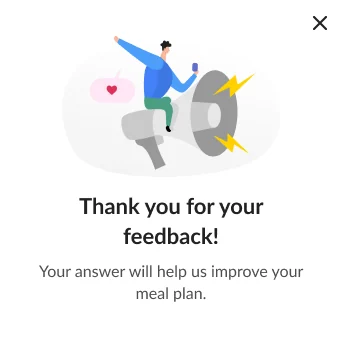
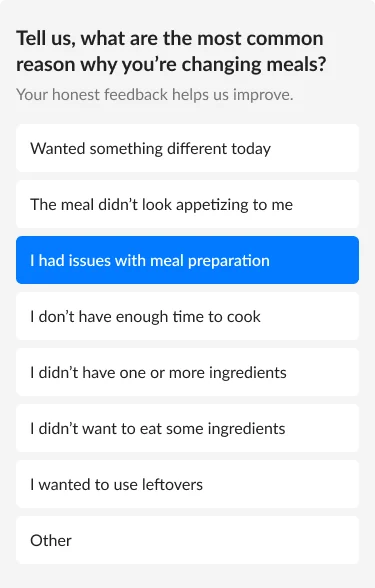
  • When a user tapped “Change meal”, the app asked why they were changing it.
  • The answer options came from the most common reasons in the feedback analysis.
Thank you for your feedback In-app survey question with eight answer options

In-app survey answers

In-app survey answers933 answers. Wanted something different today 22%, the meal didn't look appetizing 21%, didn't have one or more ingredients 17%, other 15%, didn't want to eat some ingredients 11%, not enough time to cook 5%, wanted to use leftovers 5%, issues with meal preparation 3%.
    What the answers led to
    43%
    22%+21%

    wanted something different, or the meal didn't look appetizing

    arrow_forwardSearch the whole meal database and filter by dish type

    28%
    17%+11%

    didn't have some ingredients, or didn't want to eat them

    arrow_forwardFilter by ingredients, and log your own meal or ingredient

    5%
    5%

    didn't have enough time to cook

    arrow_forwardFilter by preparation time

    Log custom meal

    Main idea

    Let people log what they really ate during the day, not only the meals the app offers.

    Problem

    Users couldn't log their own meal when they ate at a restaurant, at a friend's place, or anything else that wasn't in the plan.
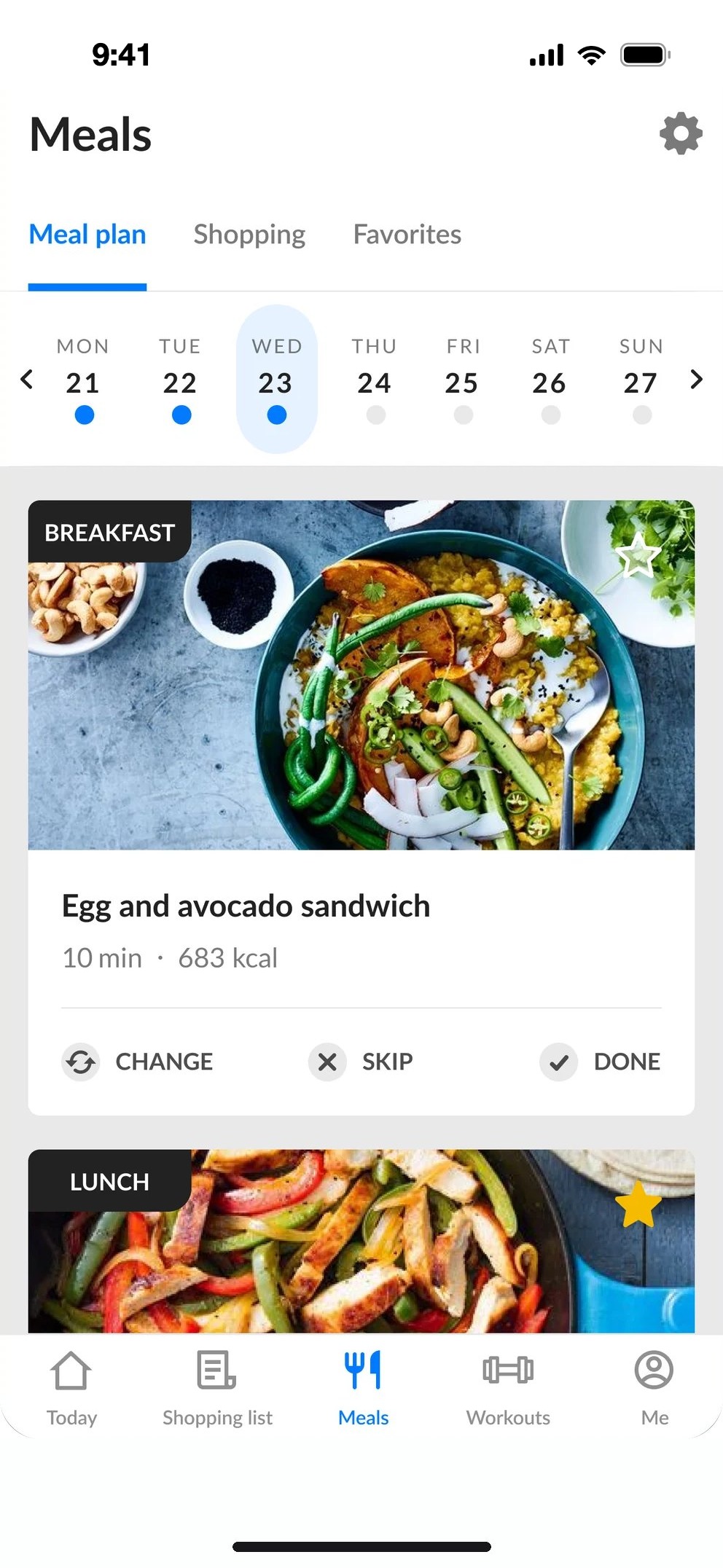
    Before
    Old meal plan
    Meal plan
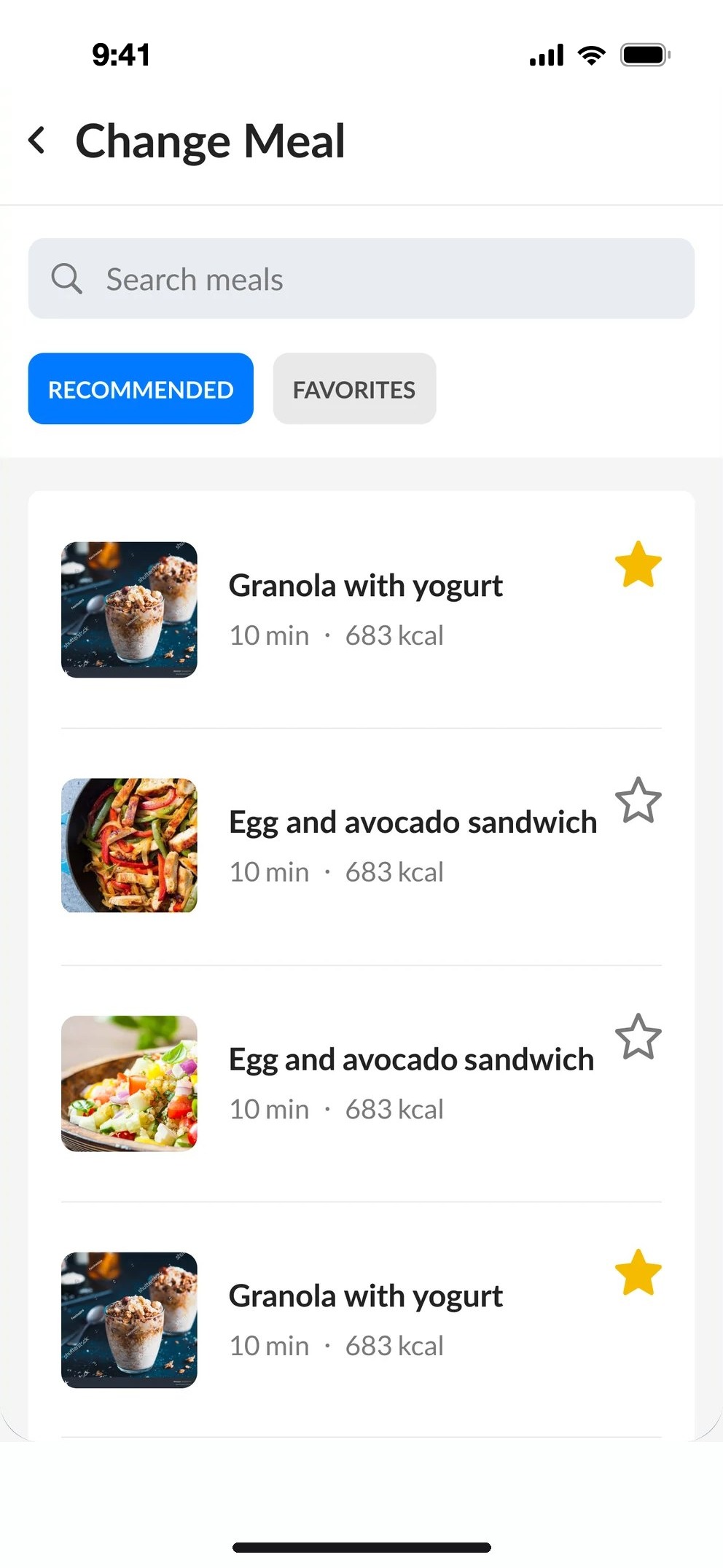
    Old change meal
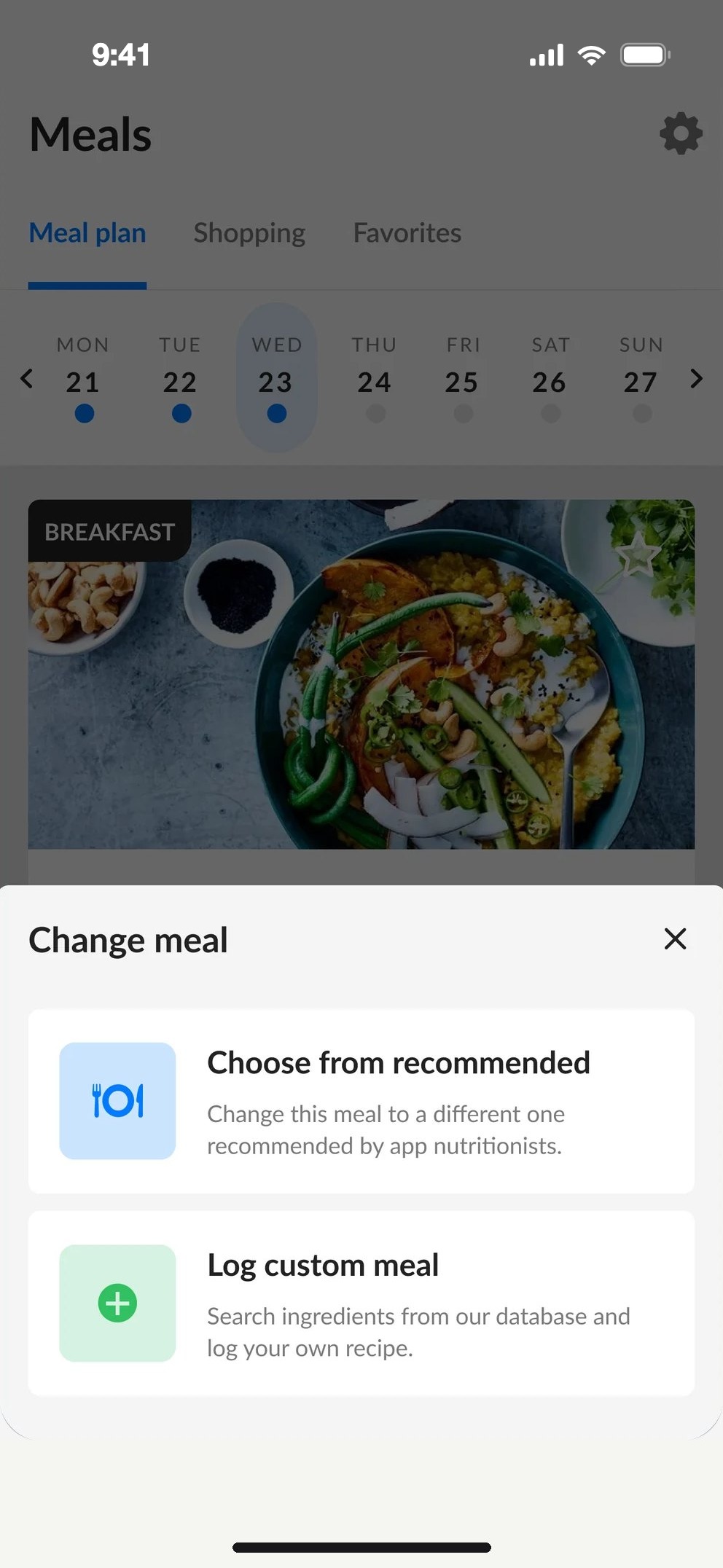
    Change meal
    After
    Meal plan
    Meal planChange, Skip and Done.
    Change meal sheet
    Change mealRecommended, or log your own.
    Custom meal, recent logs
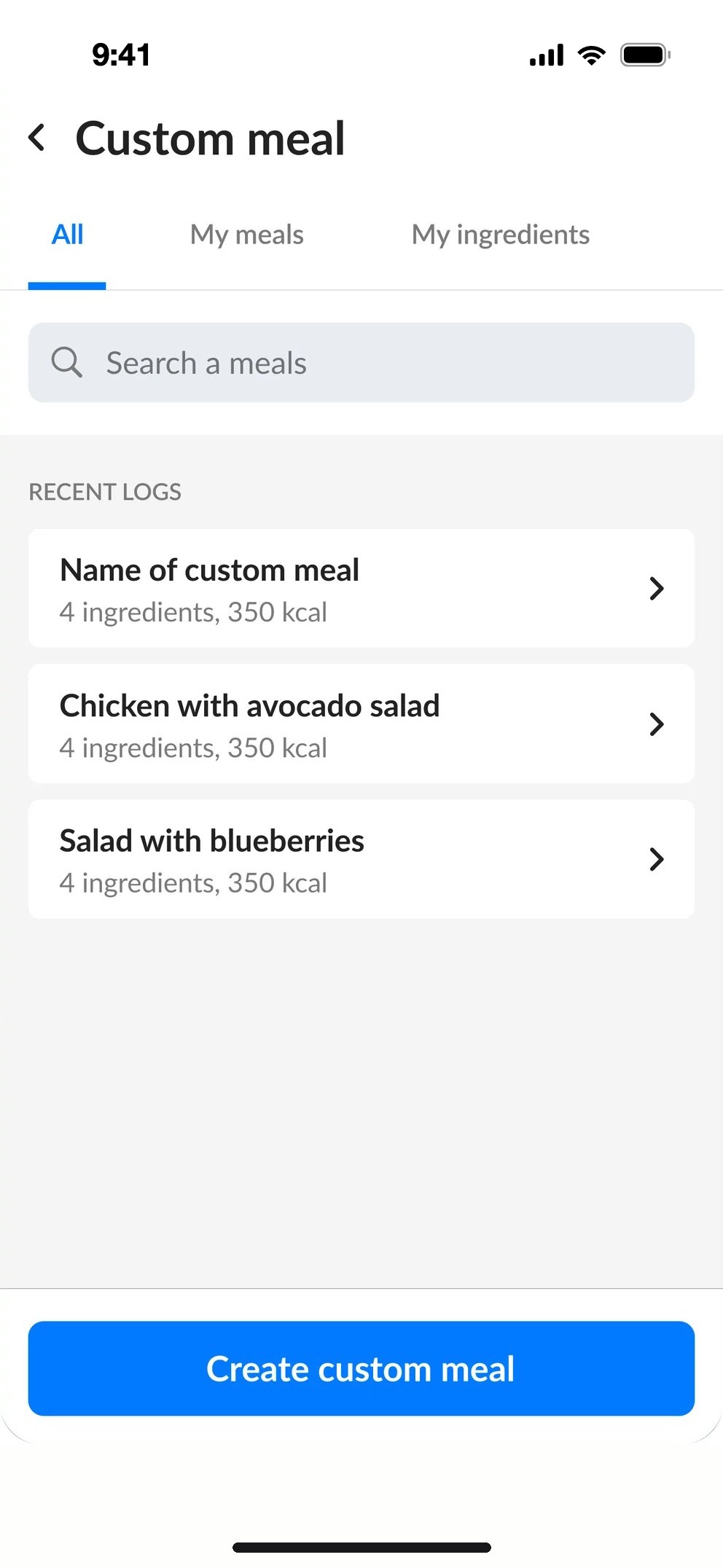
    Custom mealRecent logs, meals, ingredients.

    Choosing an ingredient from search

    The whole database, not only the plan.
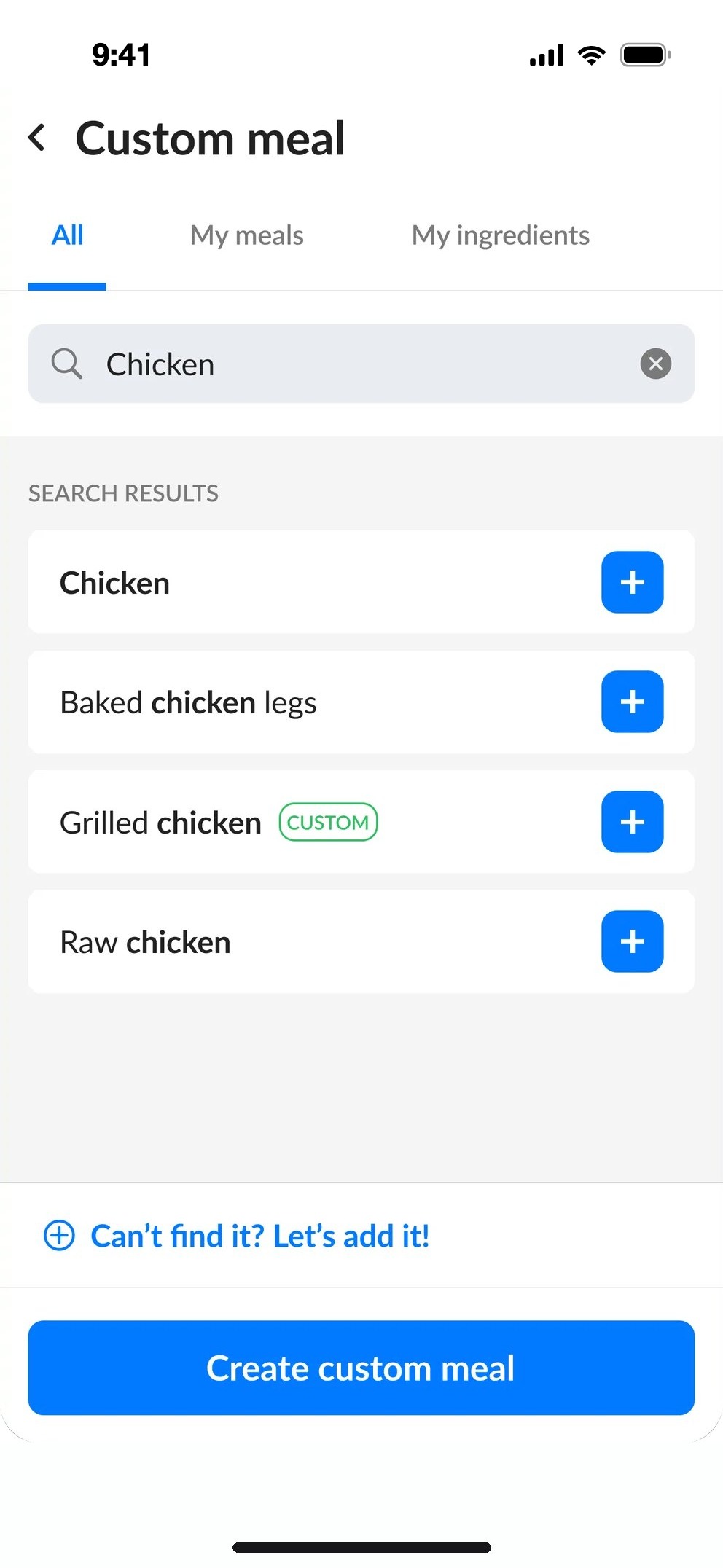
    Search results
    SearchAny ingredient.
    Serving details, select from listServing details, enter manually
    ServingFrom a list, or manually.

    Choosing from recent logs or my meals

    Reuse a meal you logged before.

    My meals
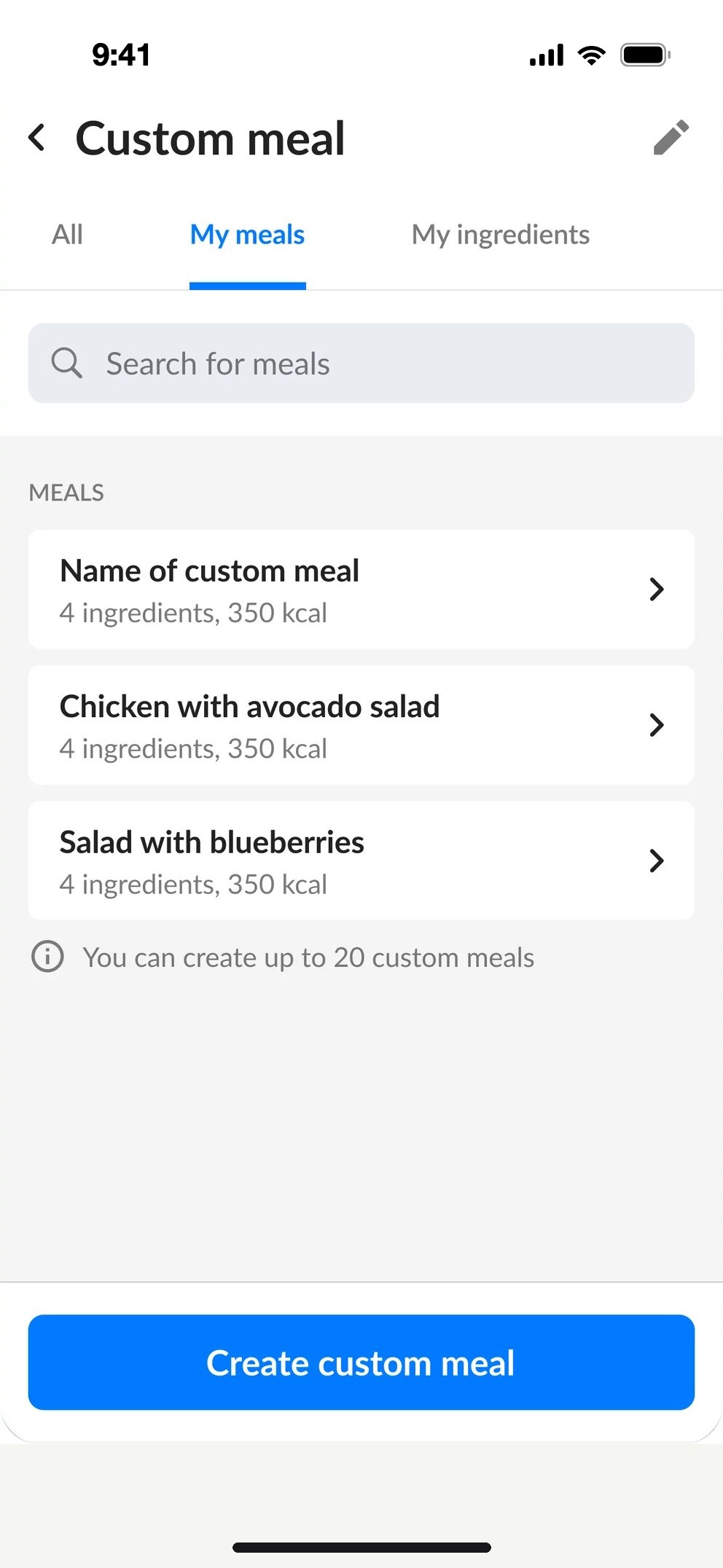
    My mealsSaved custom meals.
    Custom meal with ingredients
    MealEdit, then log.

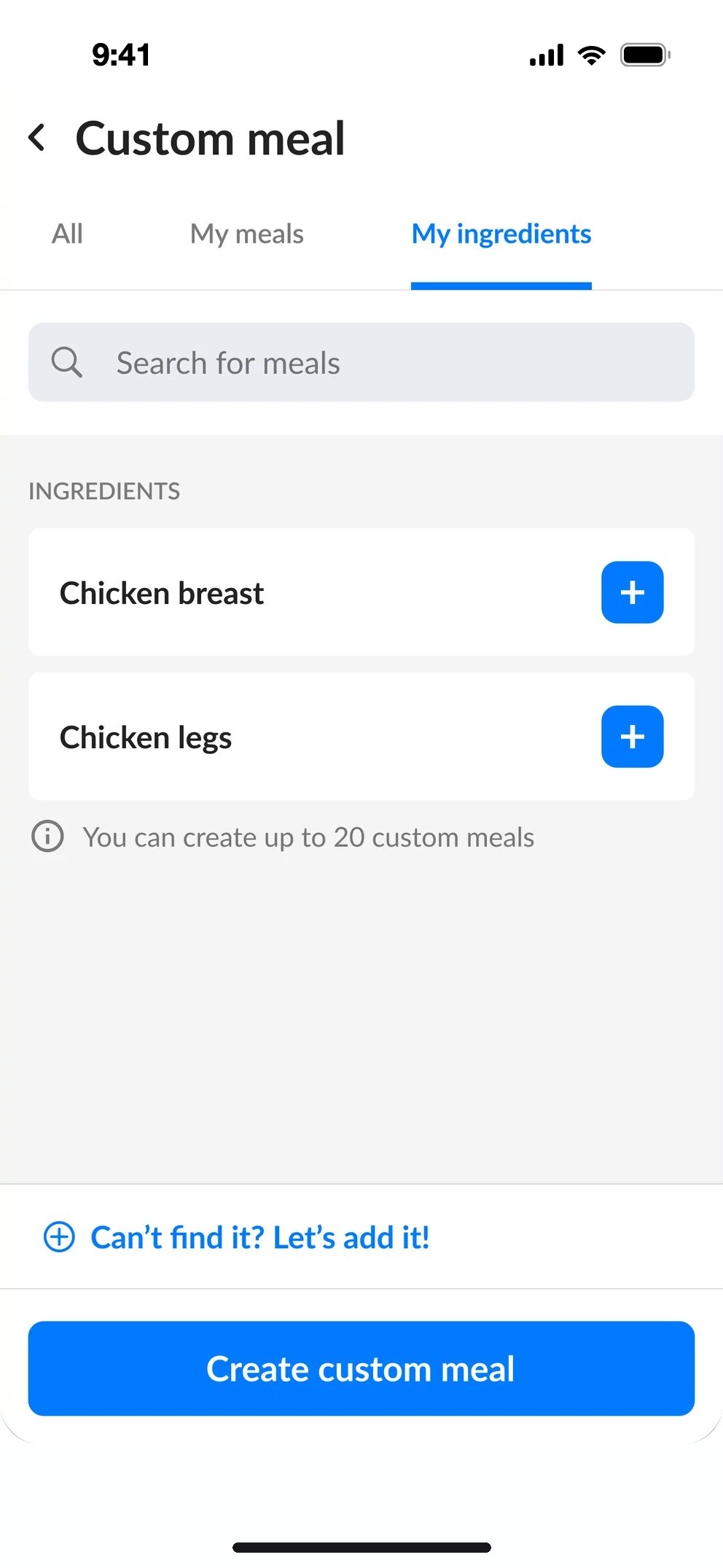
    Choosing from My ingredients

    Everything you added yourself.

    My ingredients
    My ingredientsOne tap to add.
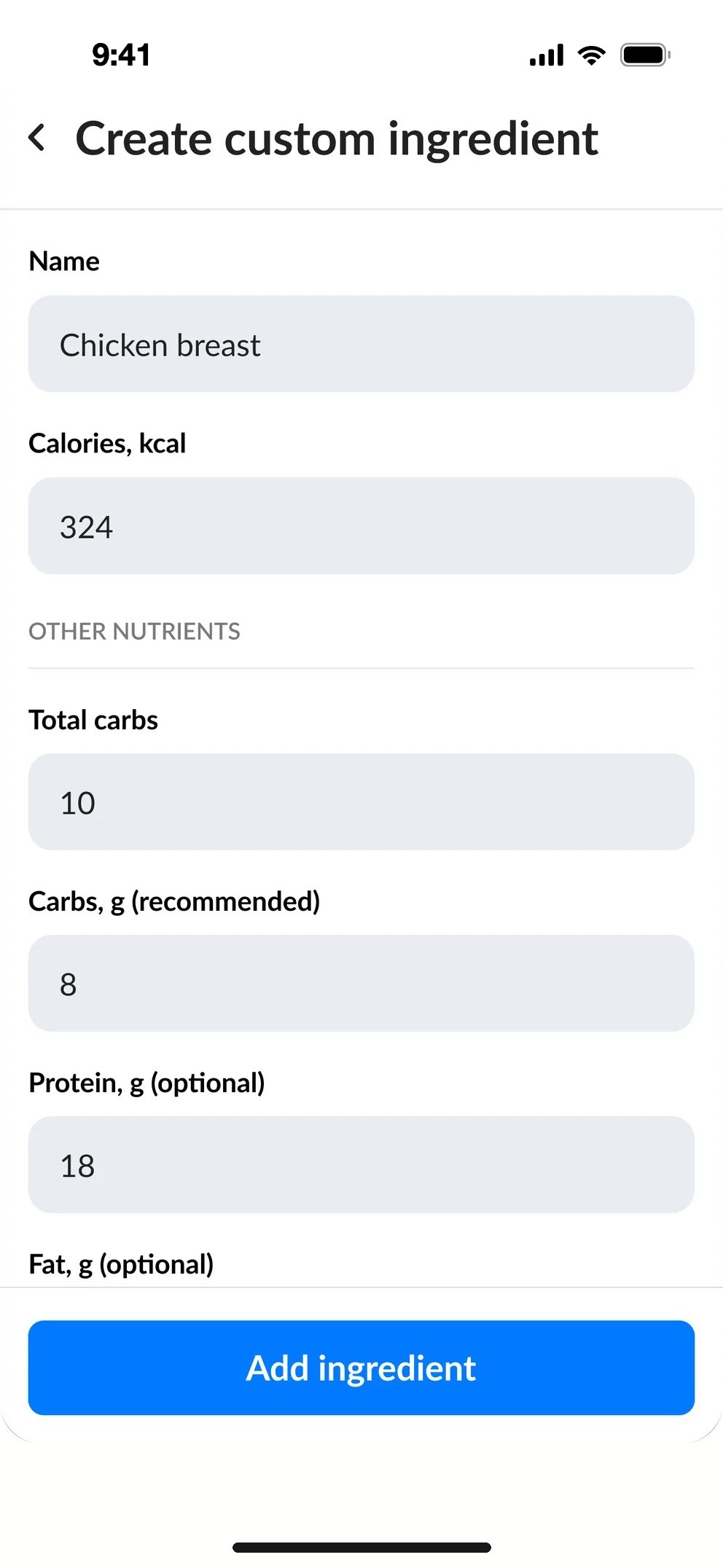
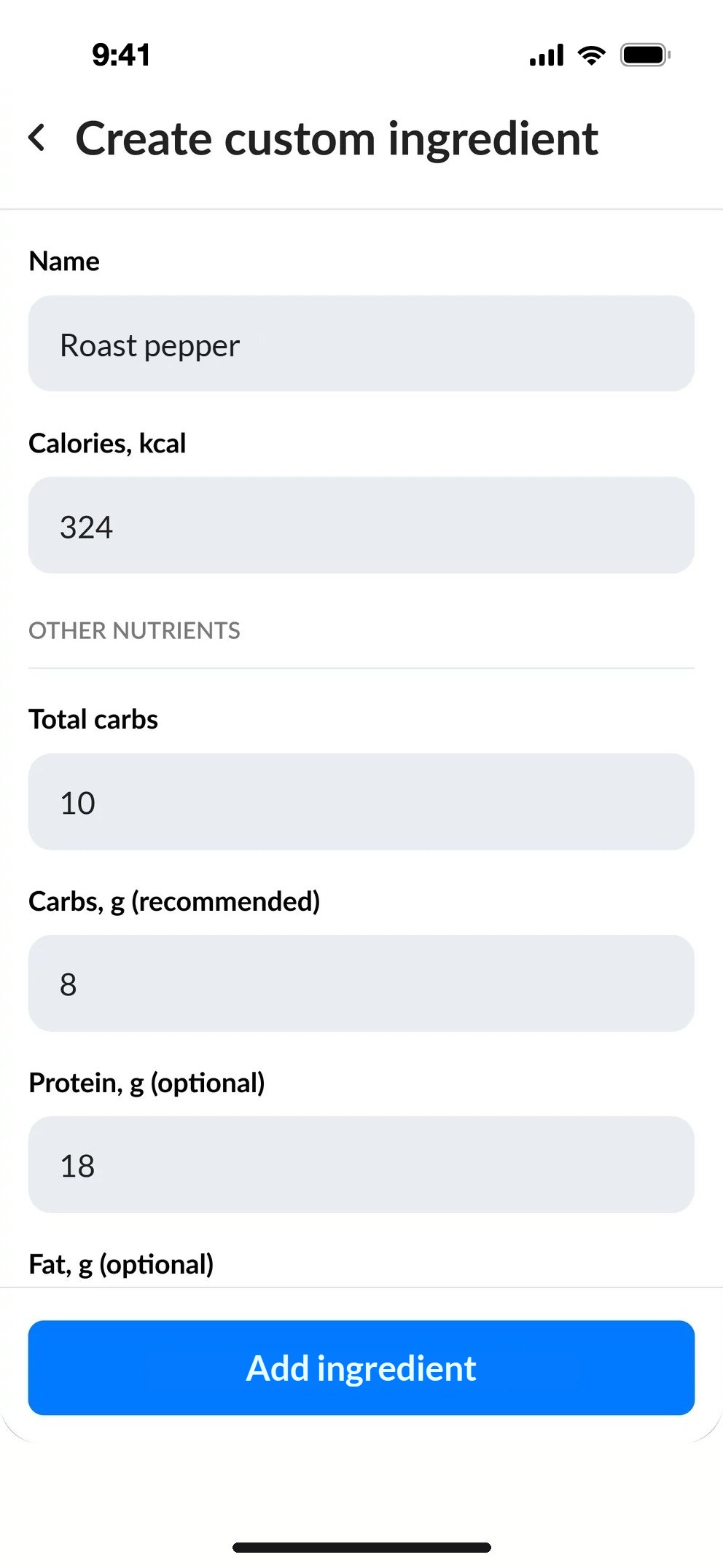
    Create custom ingredient, filled
    IngredientCalories and nutrients.

    Creating a custom ingredient

    Can't find it? Add it.

    Creating custom ingredient
    New ingredientName, calories, nutrients.

    Custom meal screen

    Macros for every ingredient.

    Custom meal screen
    Custom mealAdd more, then log.

    Filter

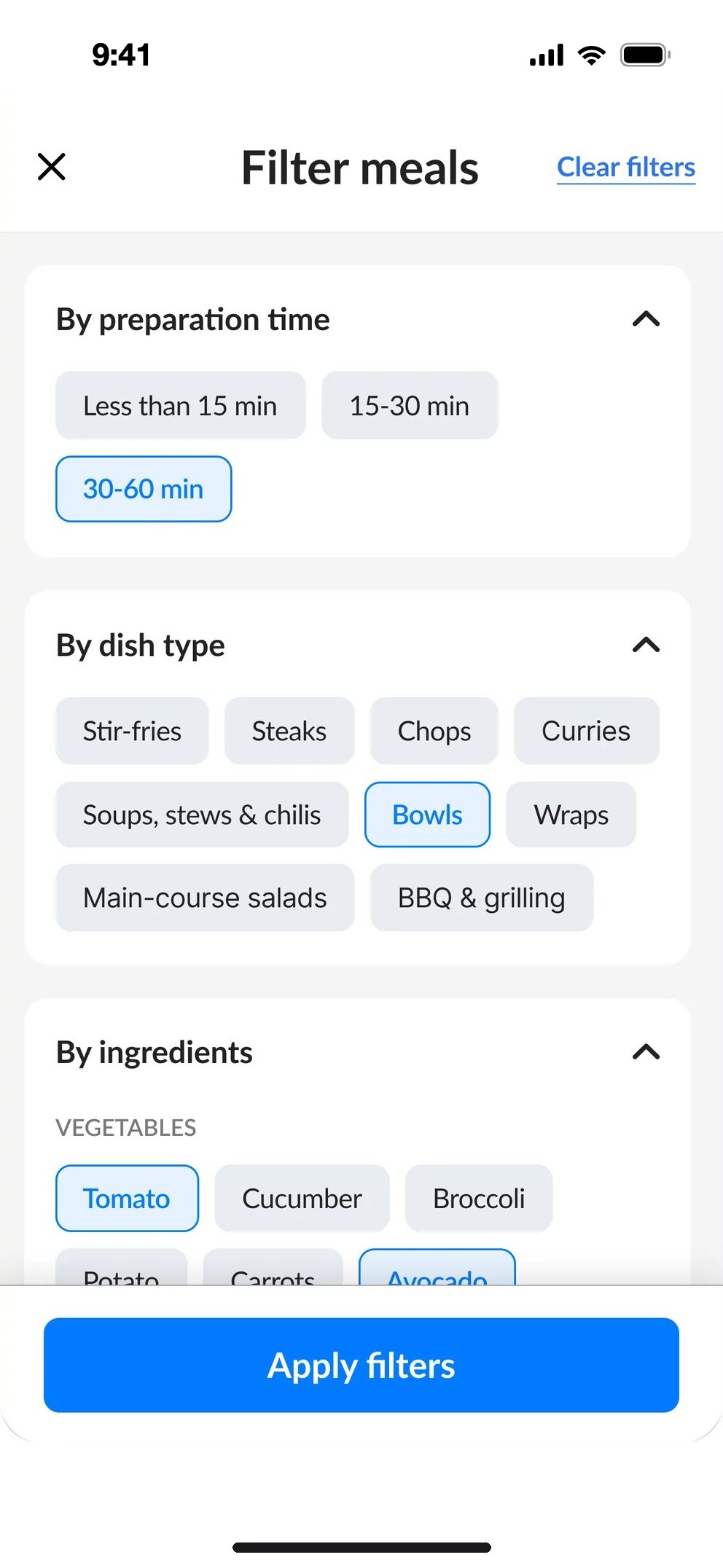
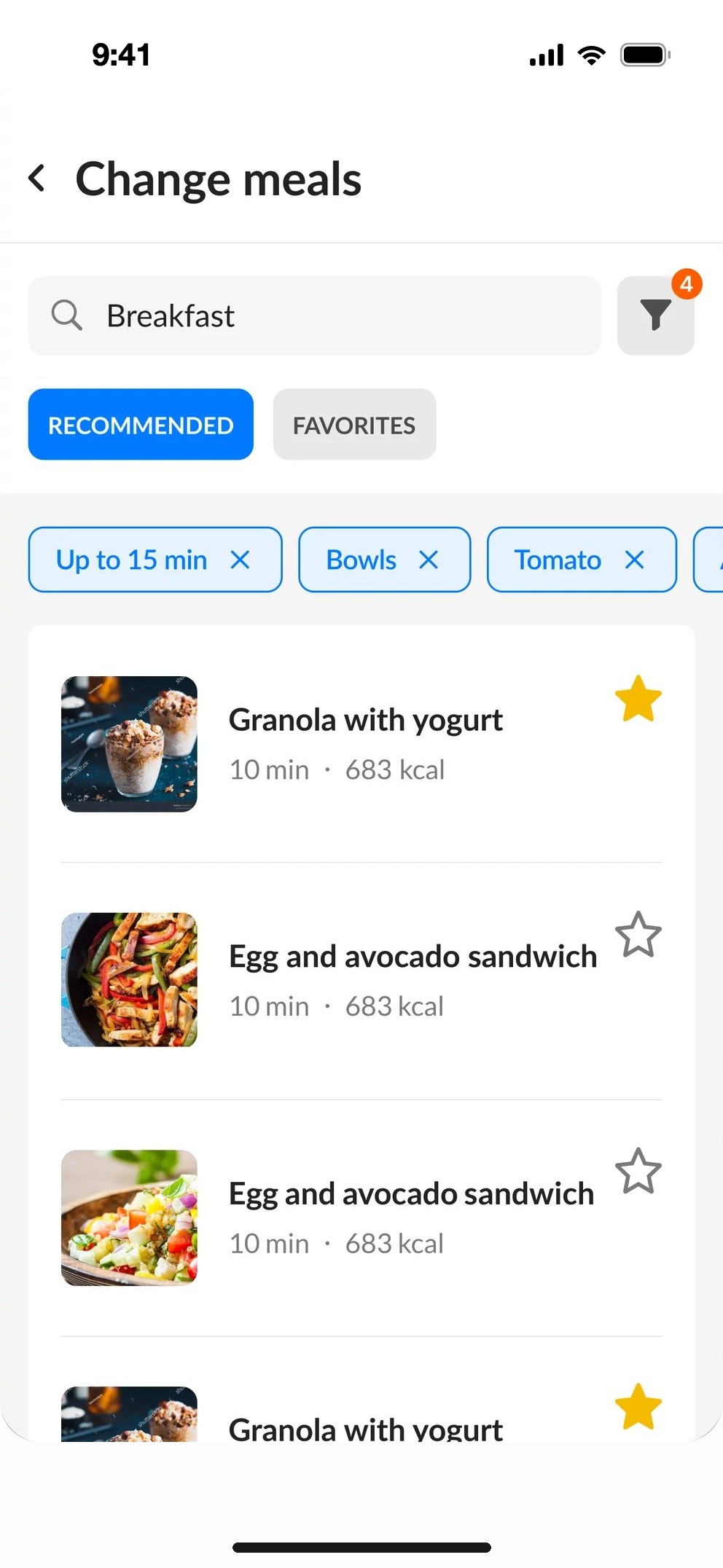
    In the survey, the most common reason for changing a meal was wanting something different. Filters narrow the list down by preparation time, dish type and ingredients.
    Filter meals
    Filter mealsTime, dish type and ingredients as simple chips.
    Active filters
    Active filtersAlways visible, removed in one tap.
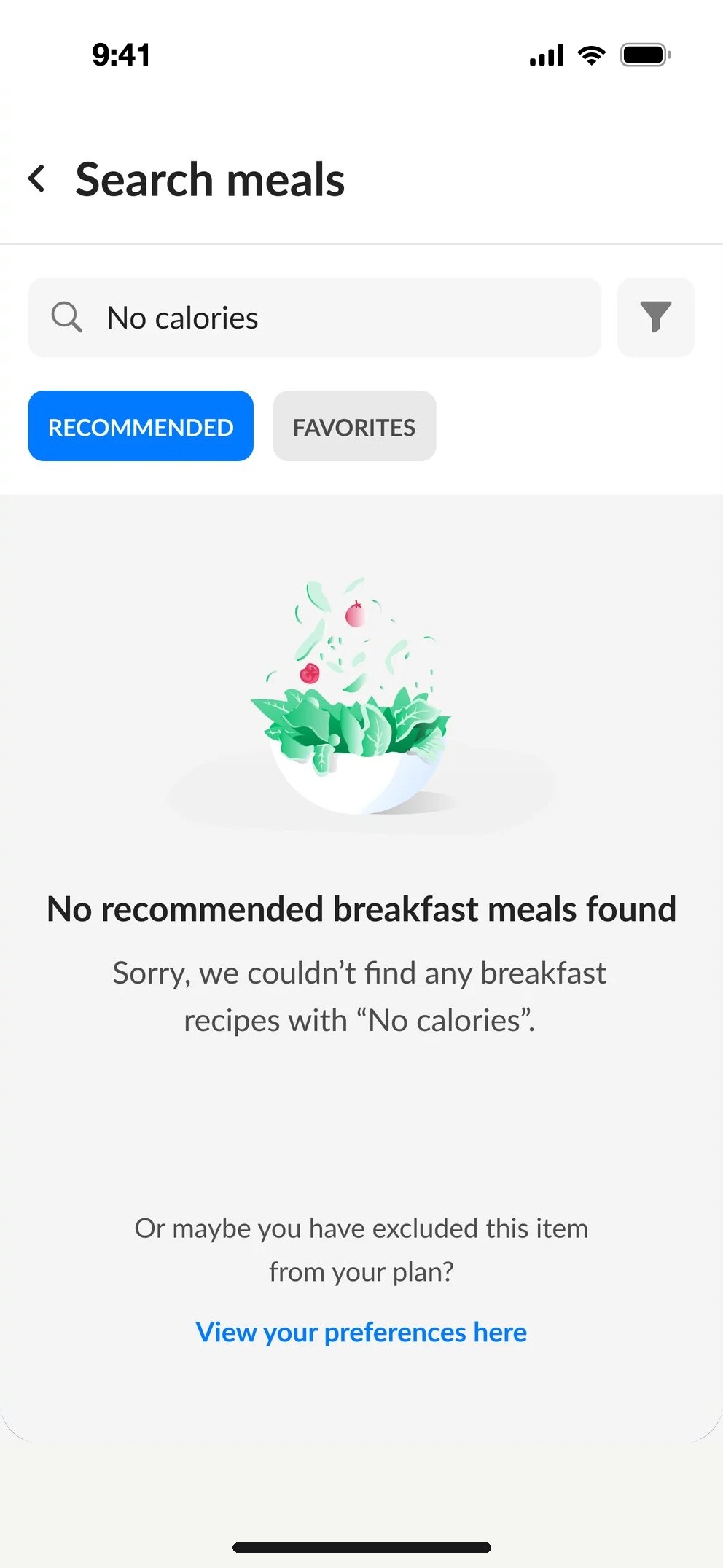
    Empty state
    Helpful empty stateExplains why, and points to your preferences.
    water_drop04Water intake tracker

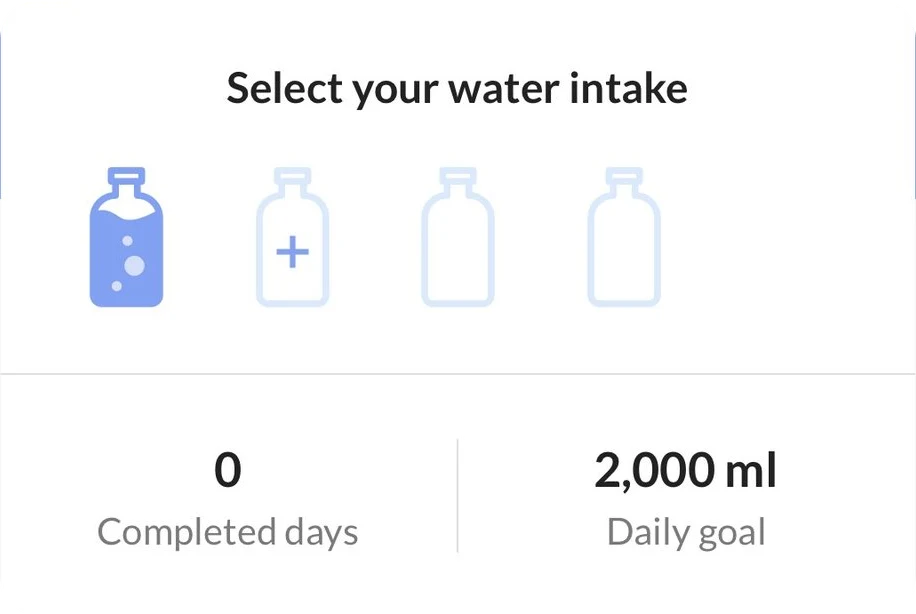
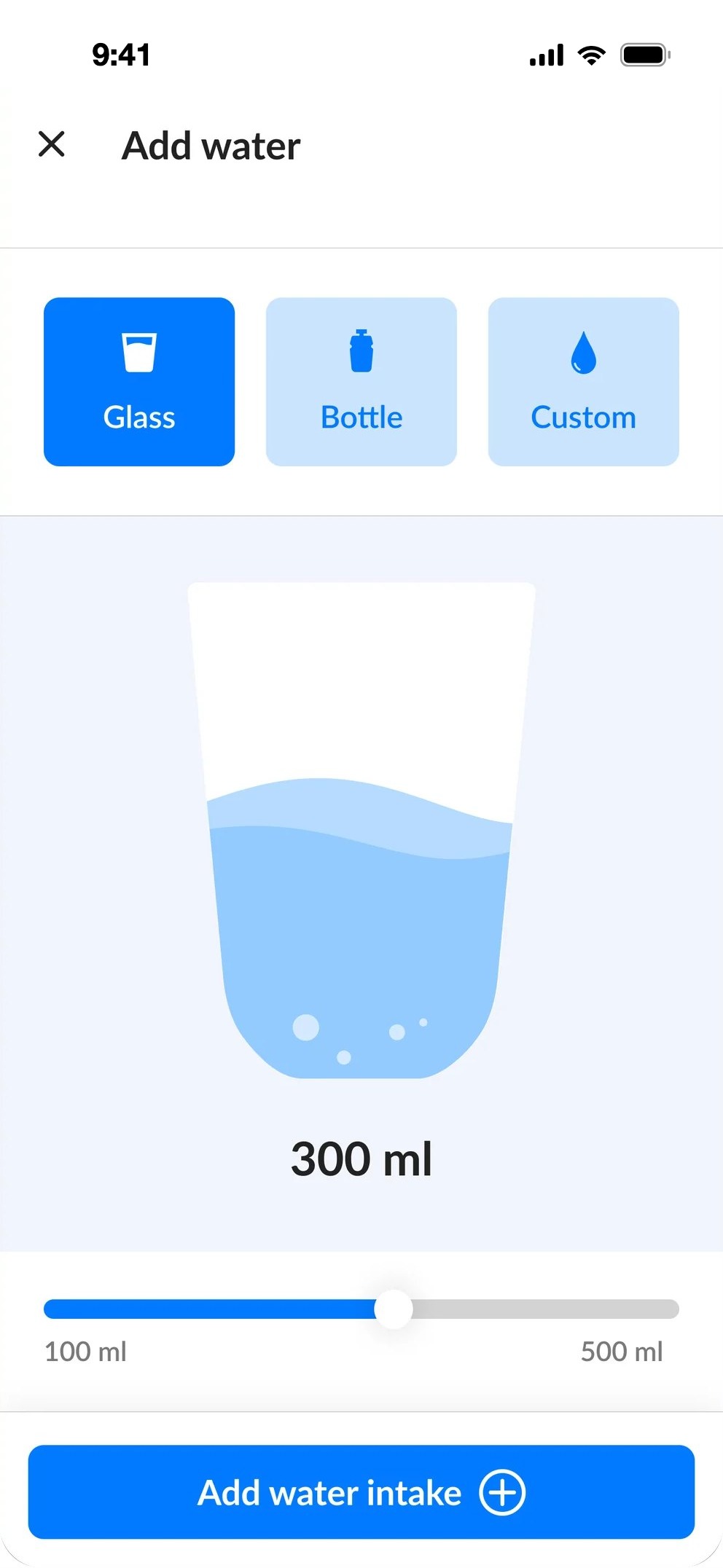
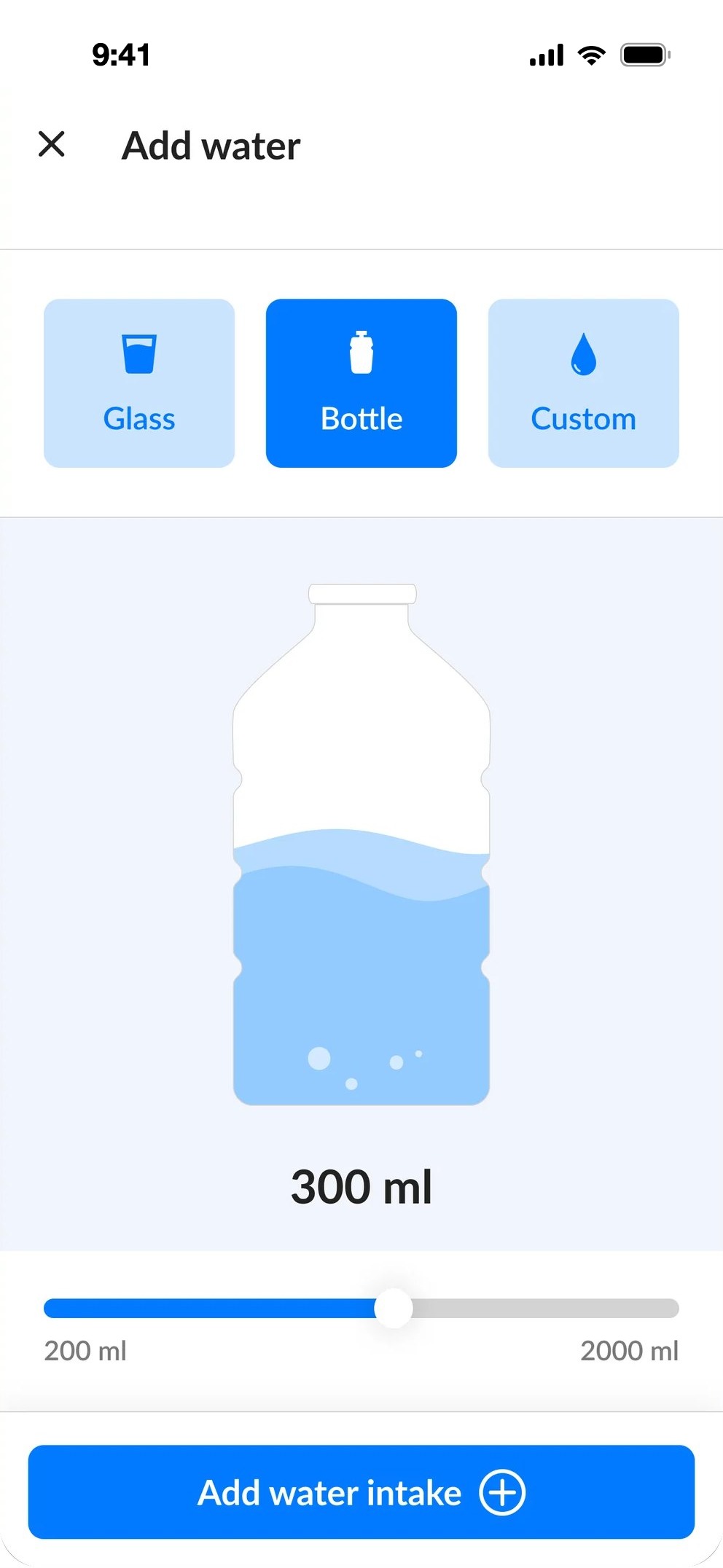
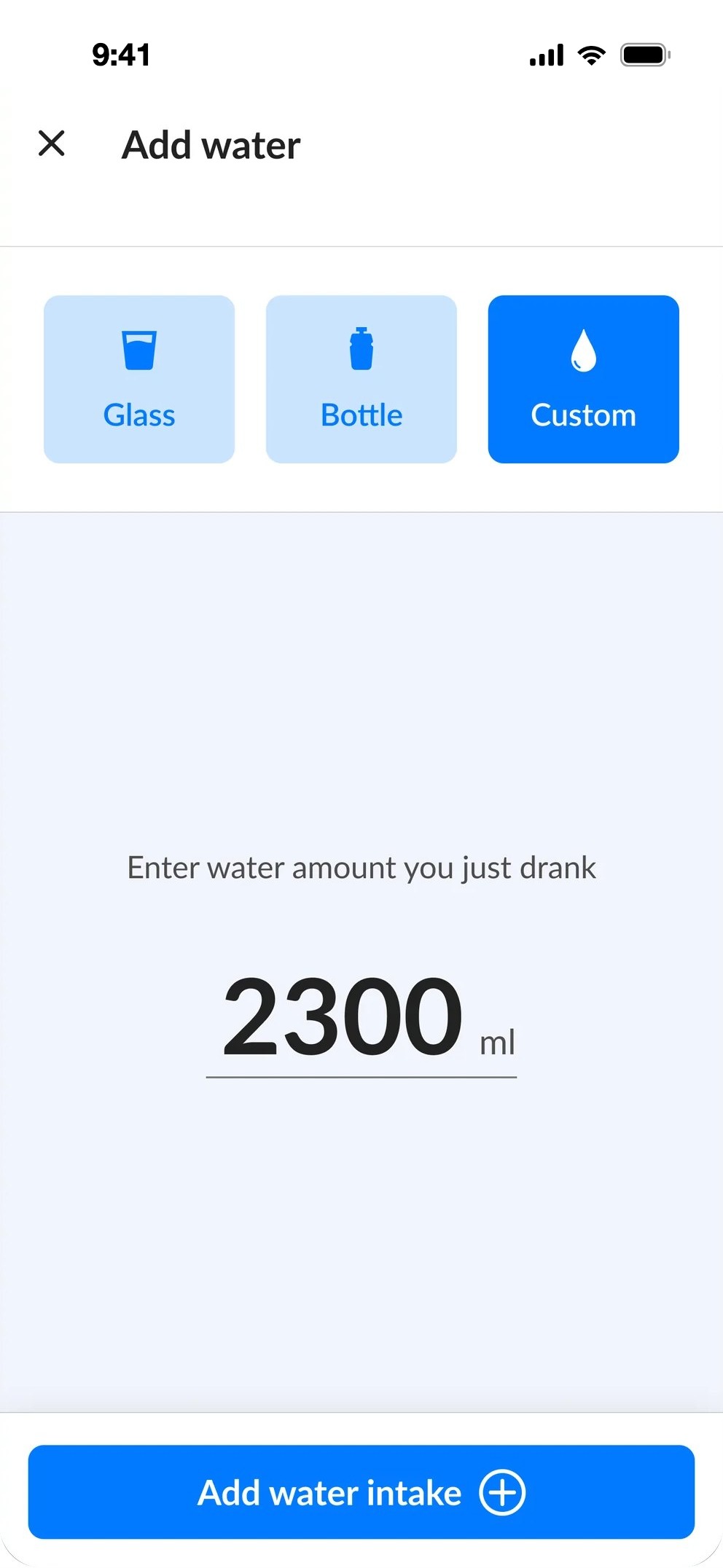
    Any glass, any bottle, any amount.

    Problem

    • Users could log water by choosing from only two amounts.
    • There was no way to log a custom amount.
    • The design was outdated and hard to navigate.

    Task

    • Create a more playful interface.
    • Let users log a custom amount of water.
    • Let users edit their water history.
    Before
    Old water intakeOld water amount picker
    WaterTwo amounts only.
    After
    Water intake
    TodayGoal and last 7 days.
    Add water, glass
    GlassPick a container.
    Add water, bottle
    BottleSlider for the amount.
    Add water, custom amount
    CustomAny amount in ml.
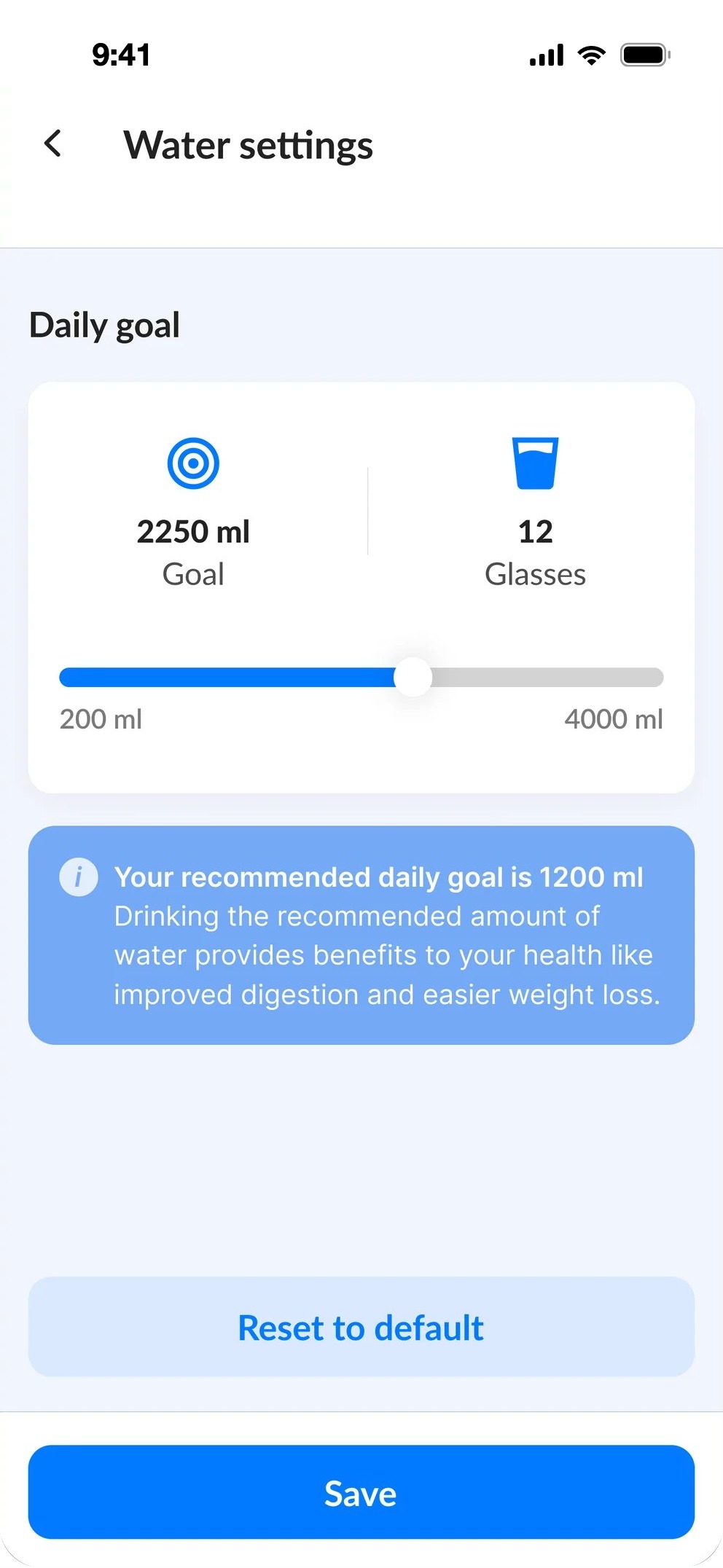
    Water settings
    Daily goalWith a recommendation.
    account_circle05Profile

    Progress that's easy to read, and fun to keep.

    Problem

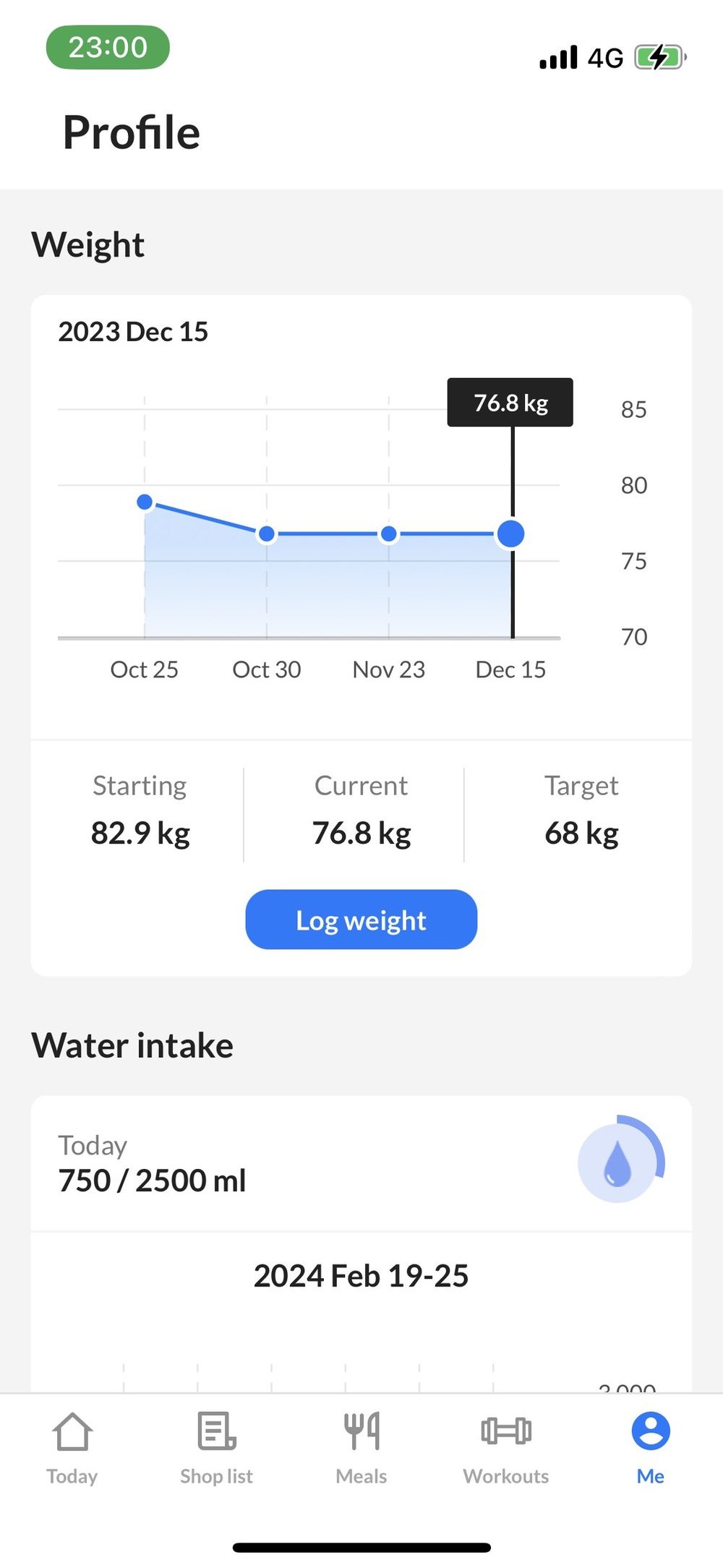
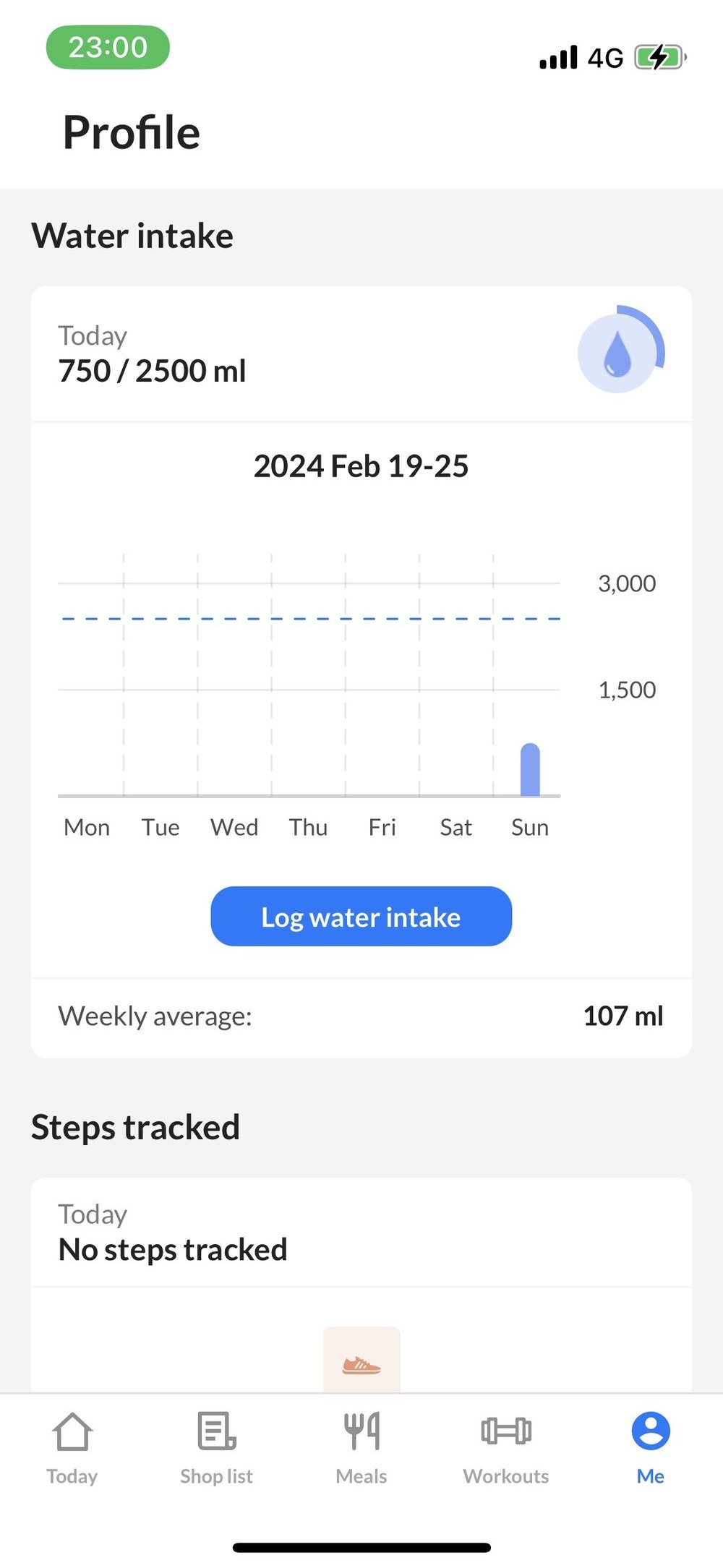
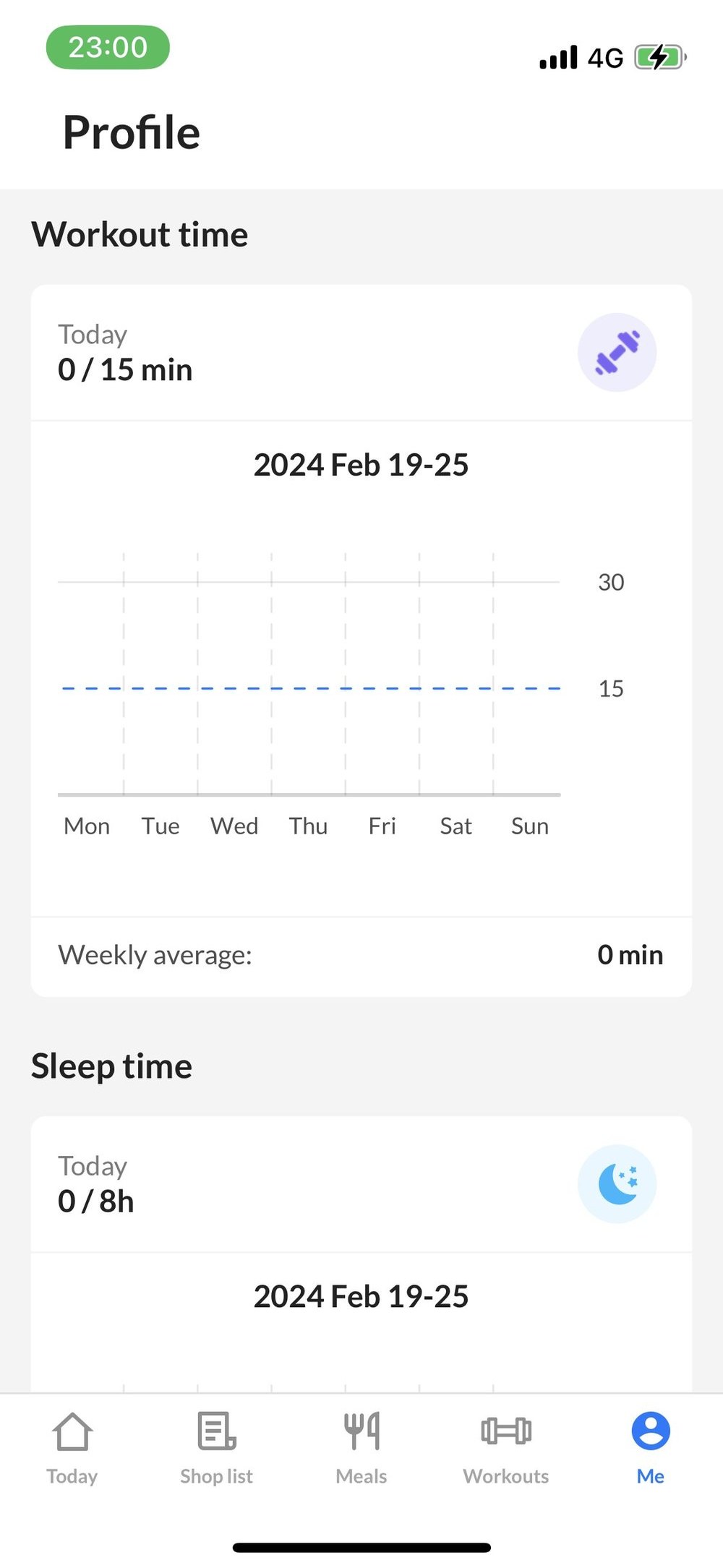
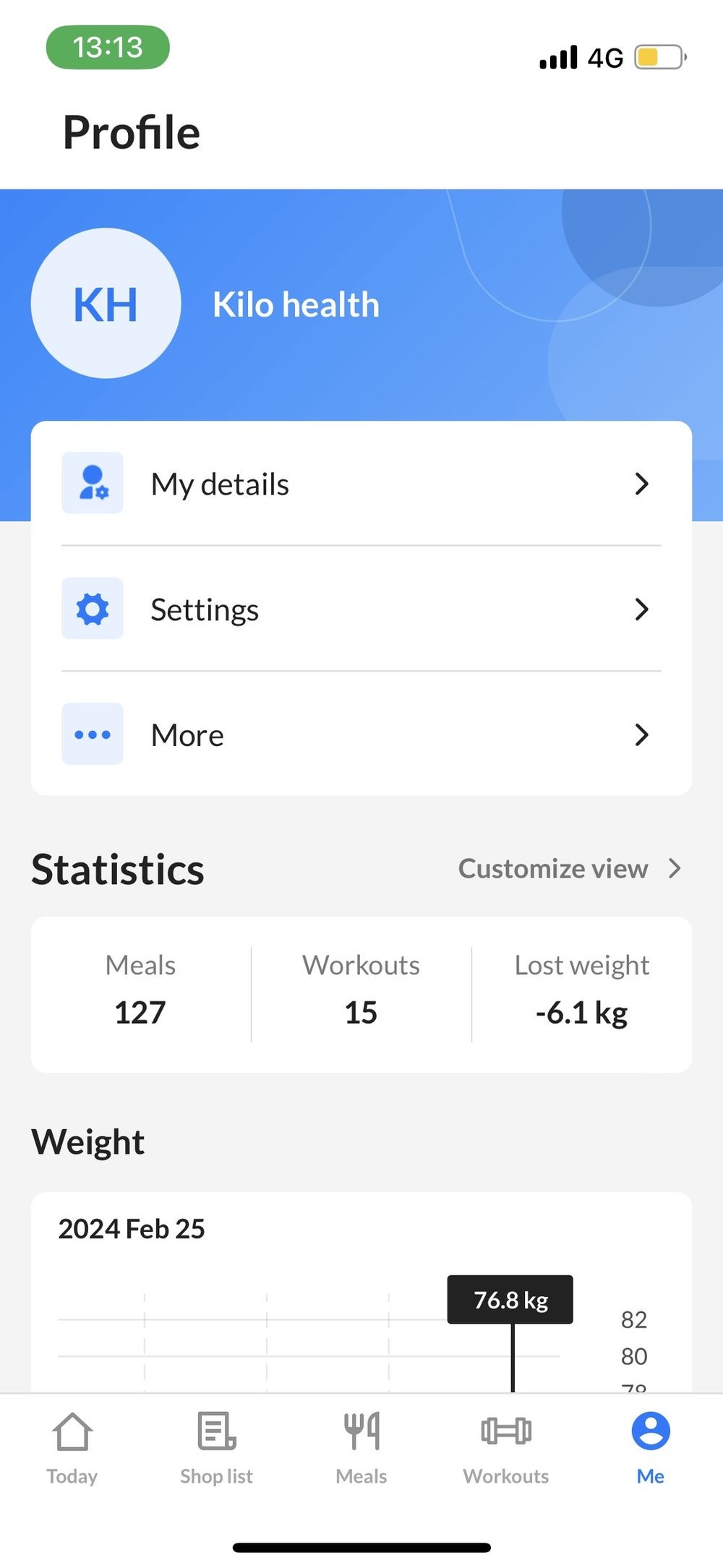
    The profile was outdated, hard to navigate and didn't give much useful information.
    Task

    • Redesign the outdated interface.
    • Add weekly goal streaks.
    • Show week, month and year statistics and history.
    Before
    Old profile
    Profile
    Old profile, weight
    Weight
    Old profile, water intake
    Water intake
    Old profile, workout time
    Workout time
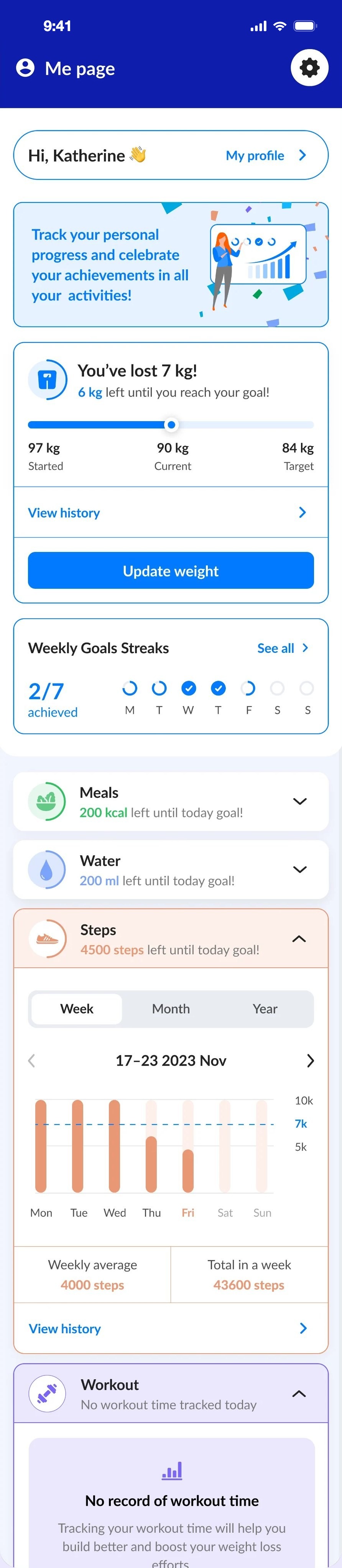
    After
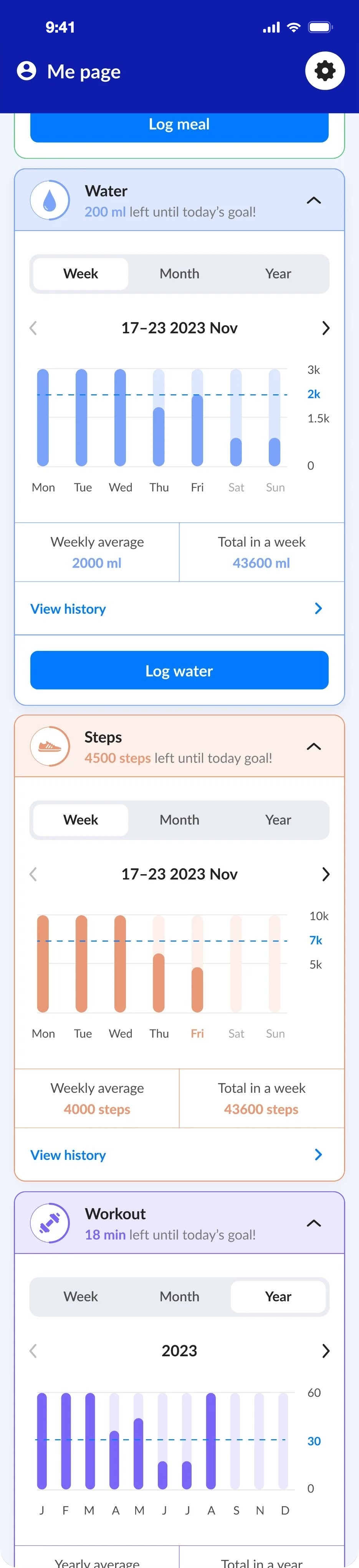
    Me page, full length
    Me pageWeight, goals and streaks. Hover to scroll.
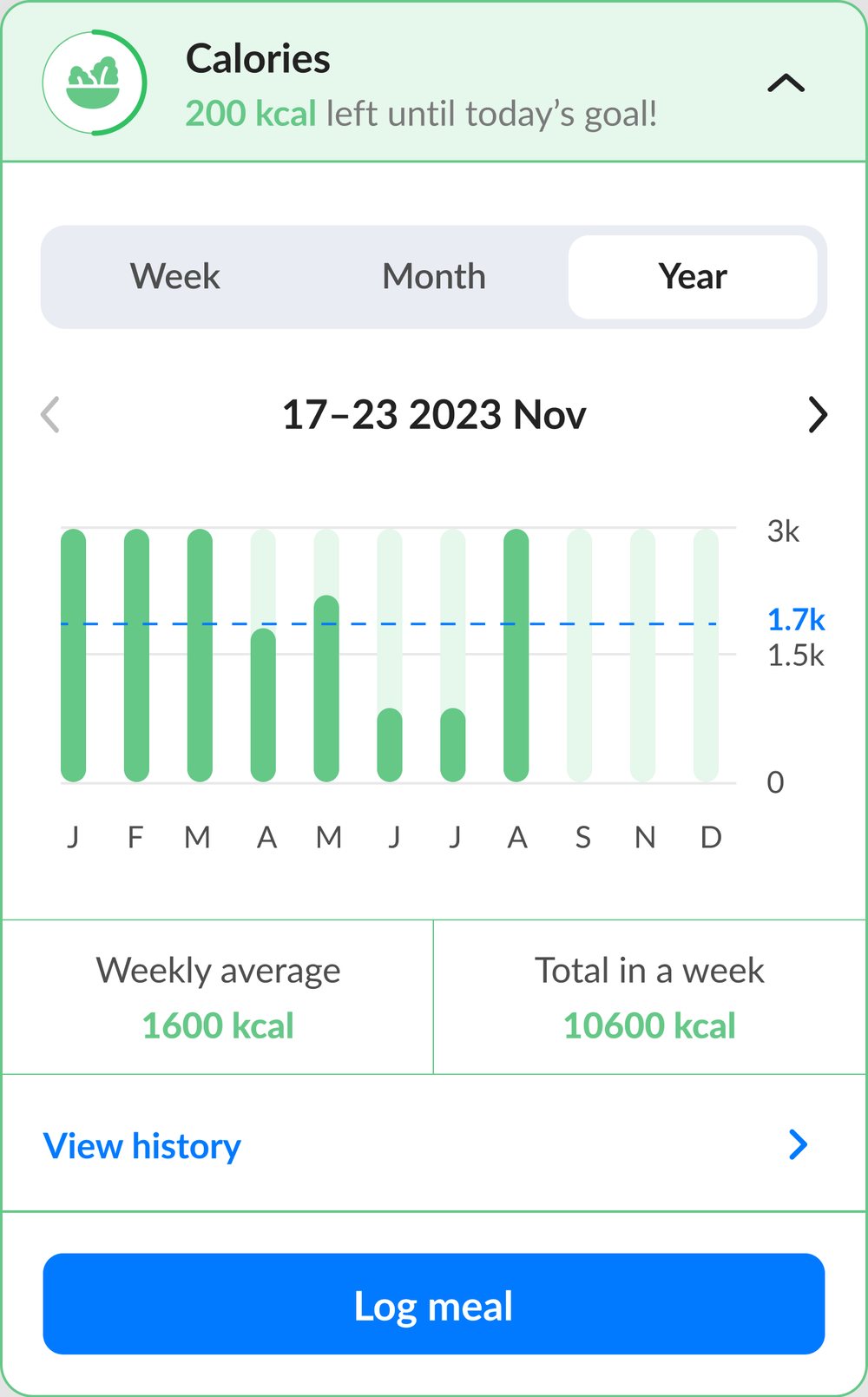
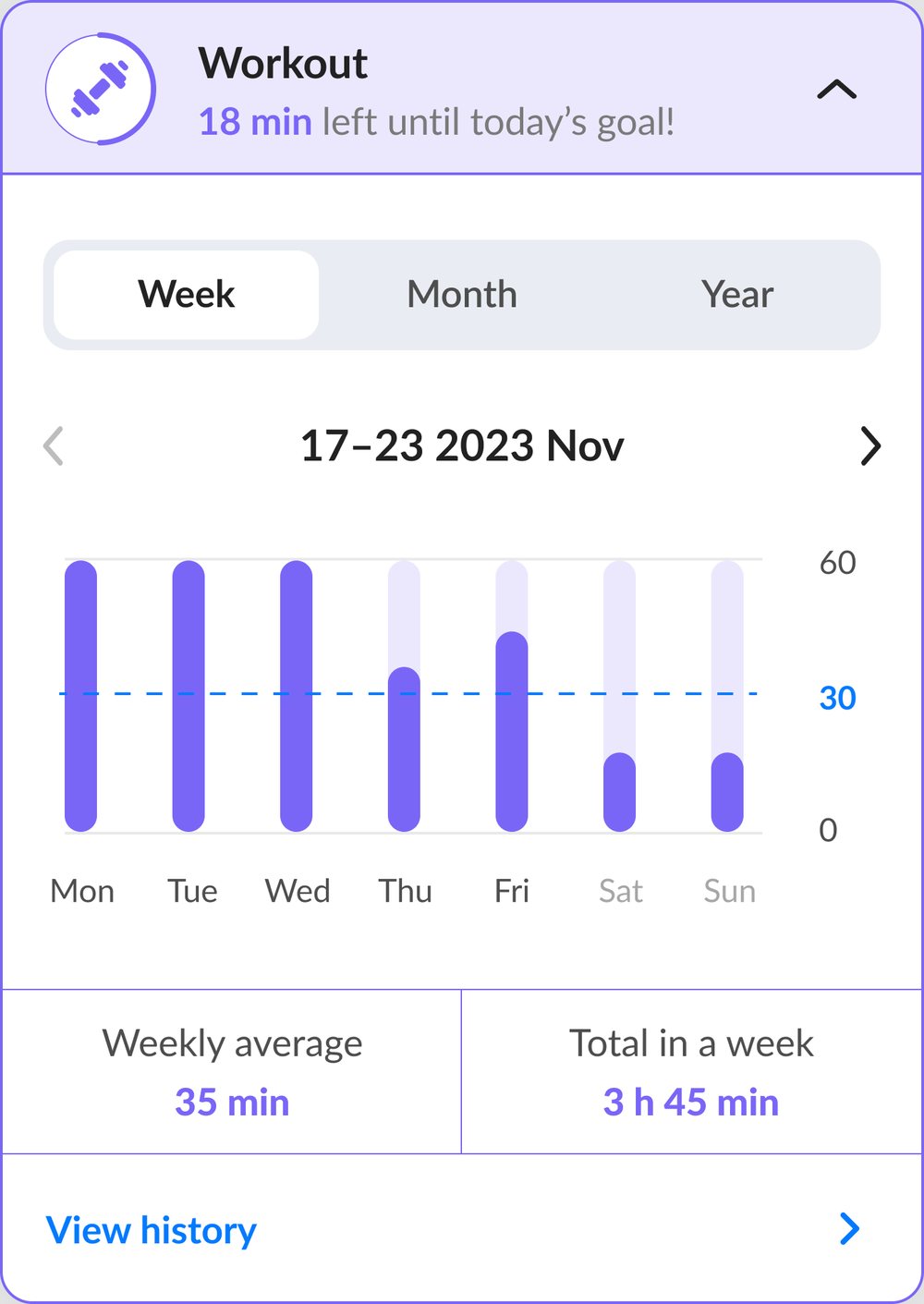
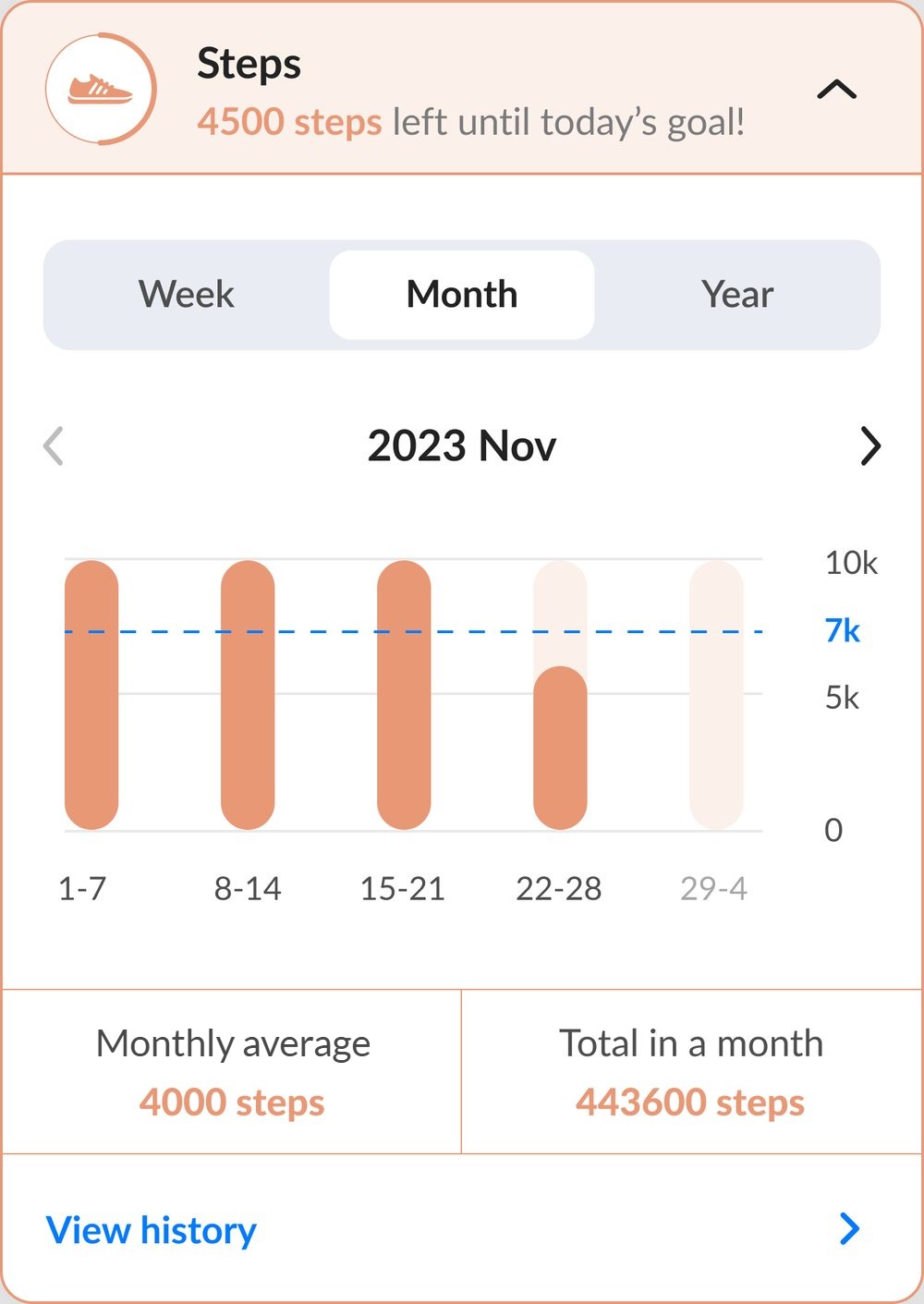
    Me page, goal cards
    Goal cardsWeek, month and year for each goal. Hover to scroll.
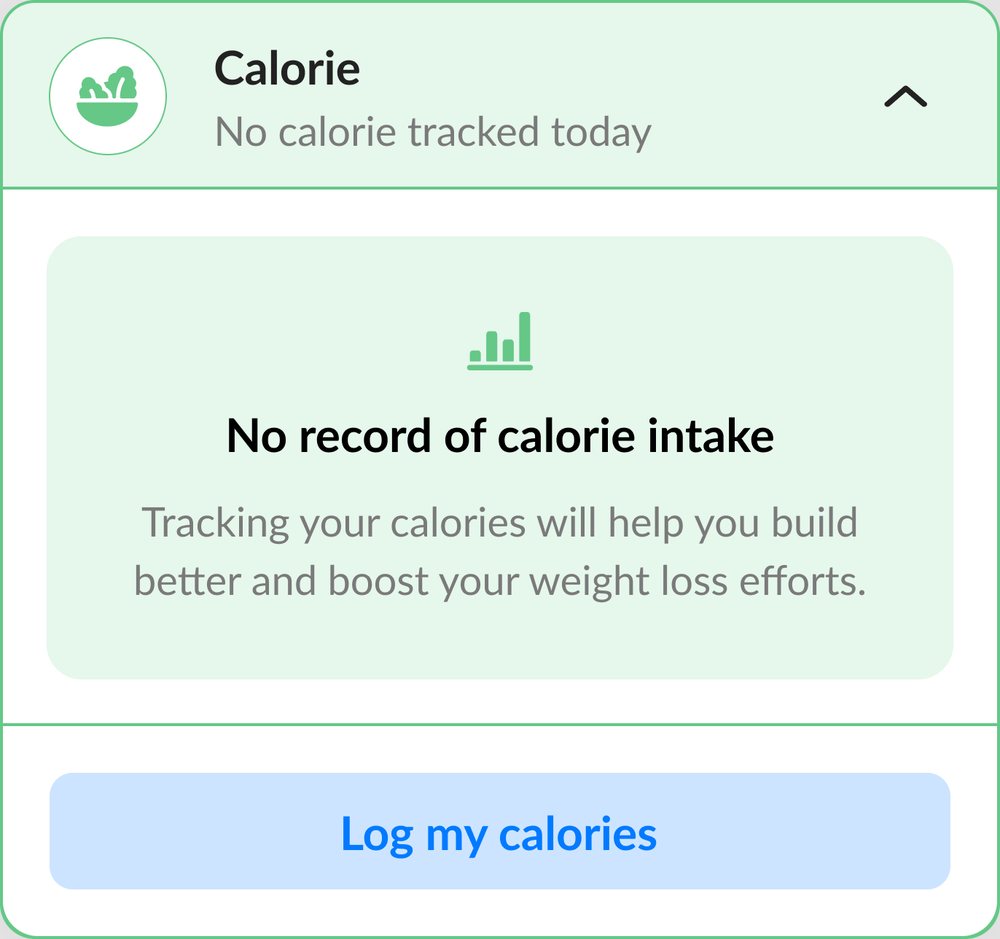
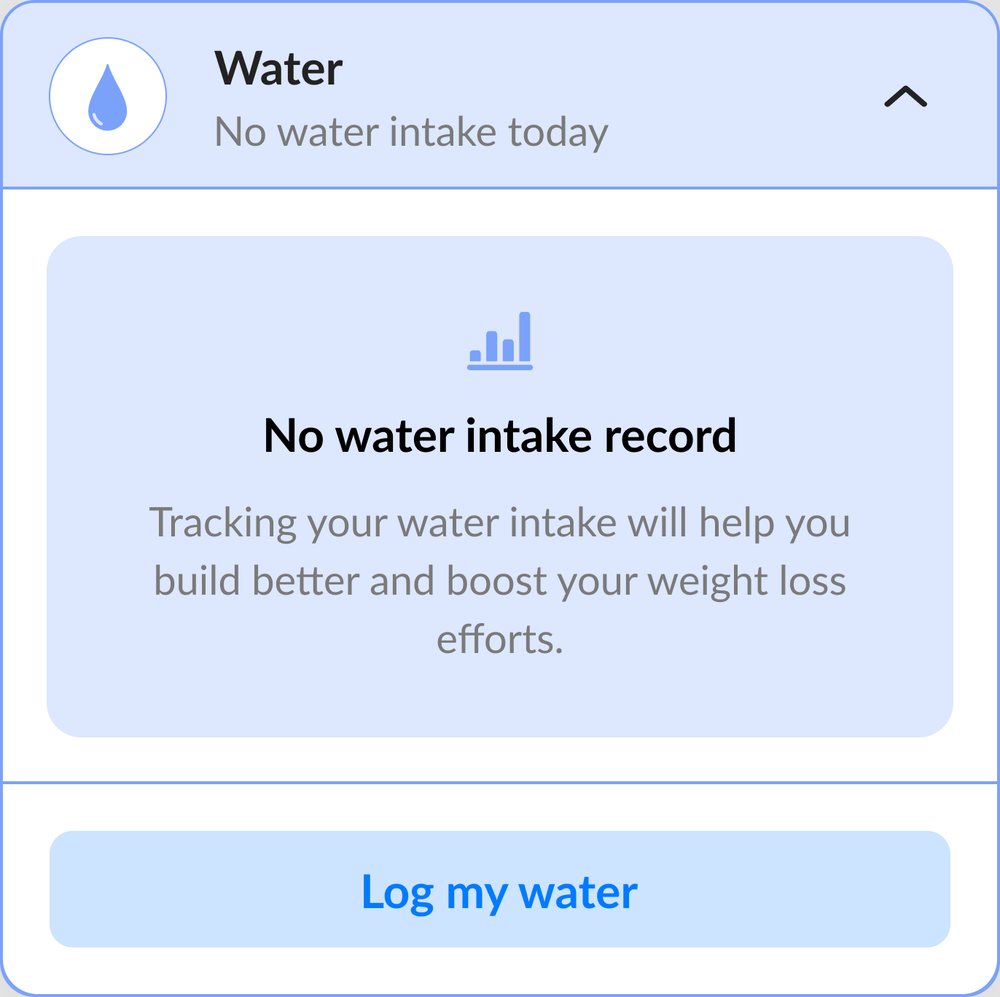
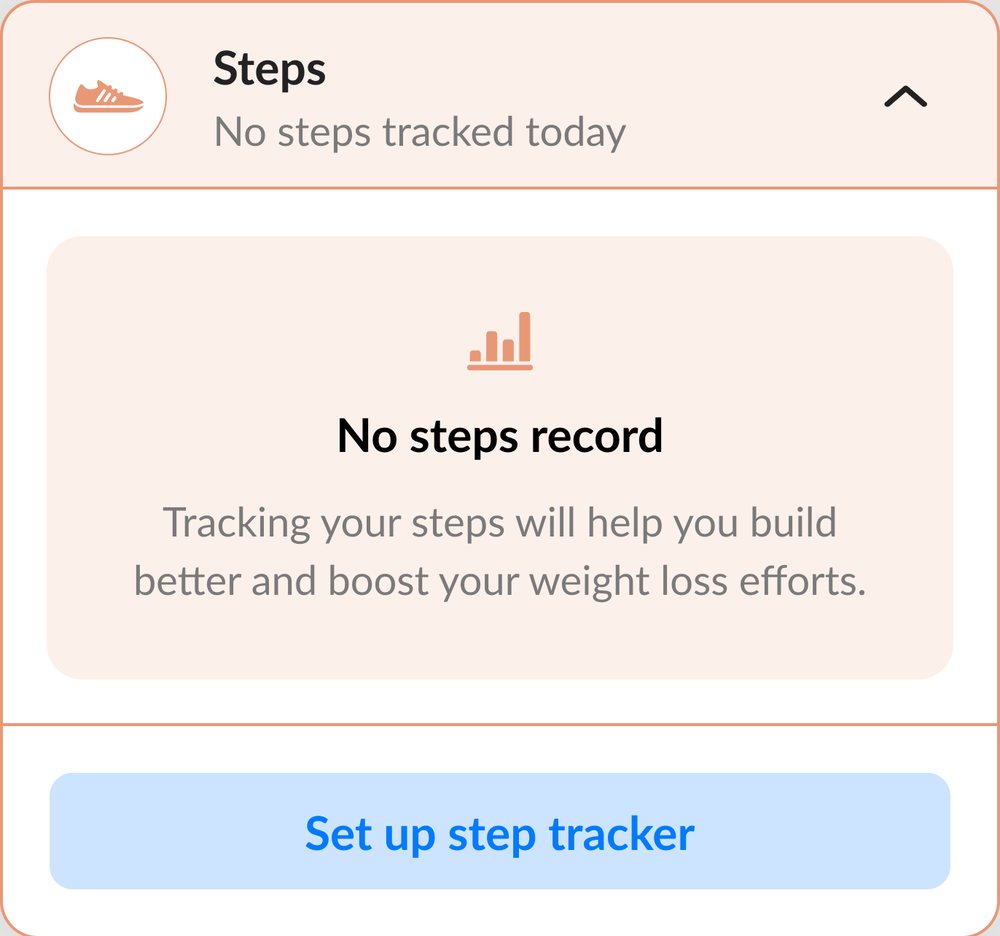
    Calories, empty stateWater, empty stateSteps, empty state Calories card, year viewWorkout card, week viewSteps card, month view

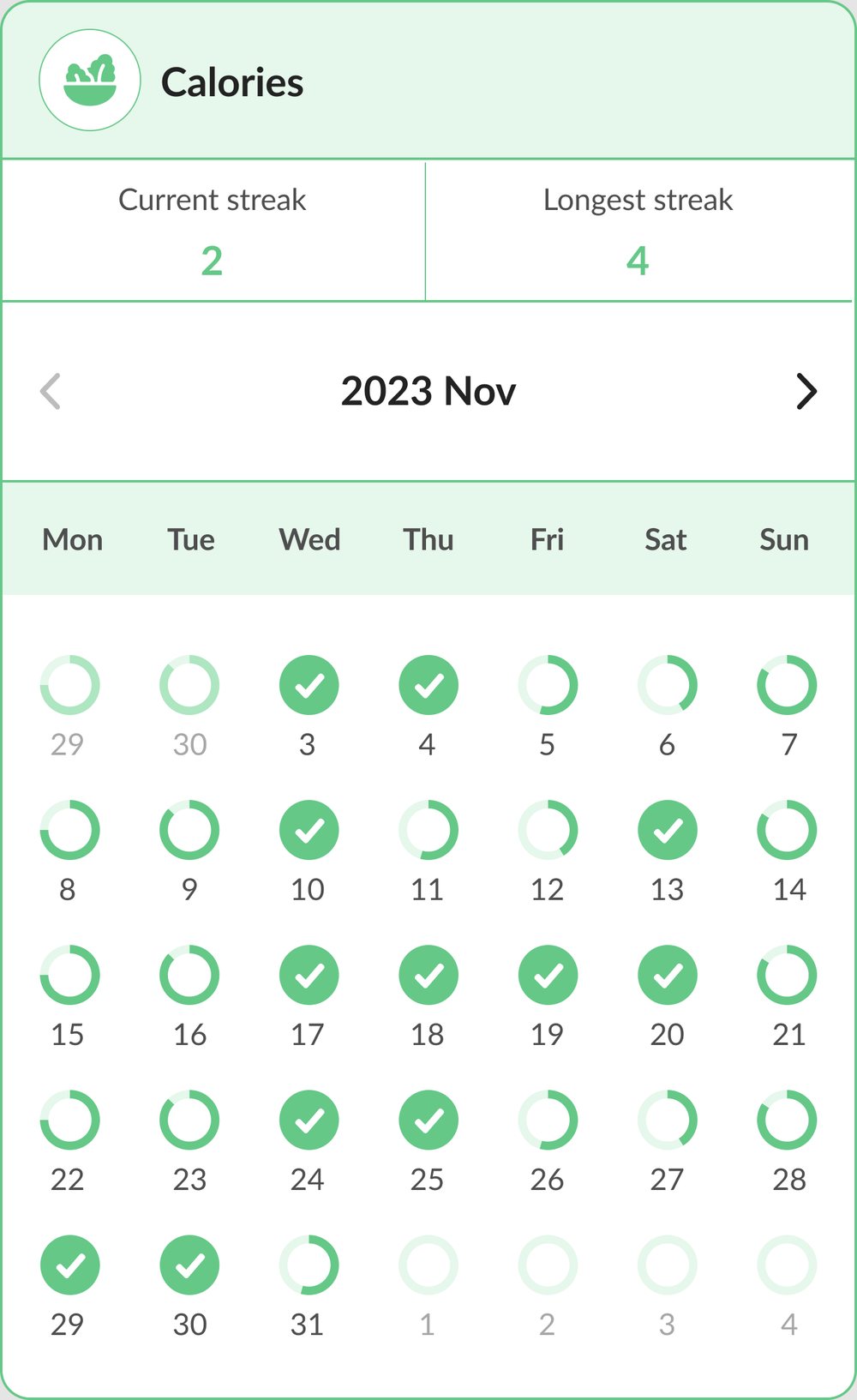
    Weekly goal streaks

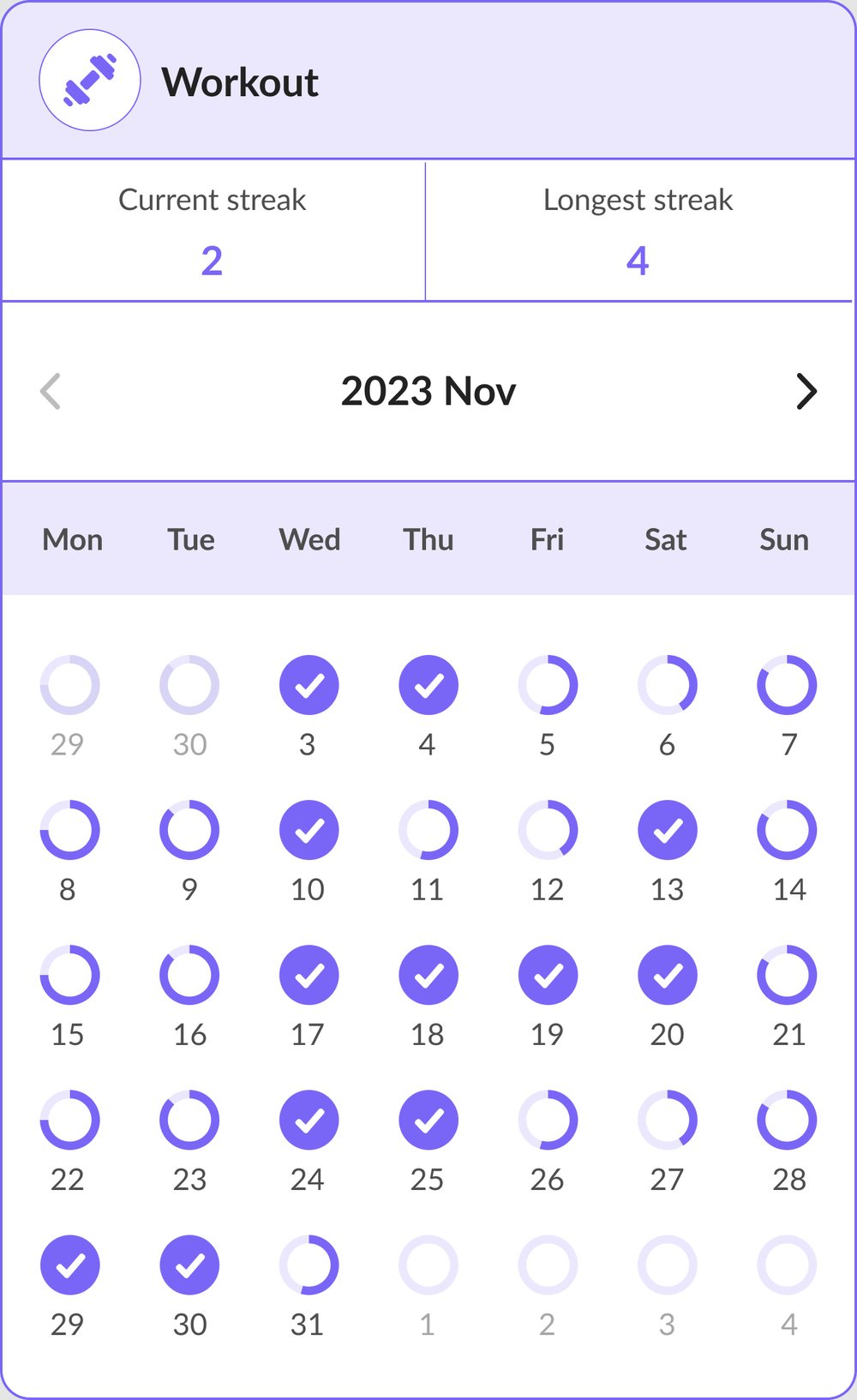
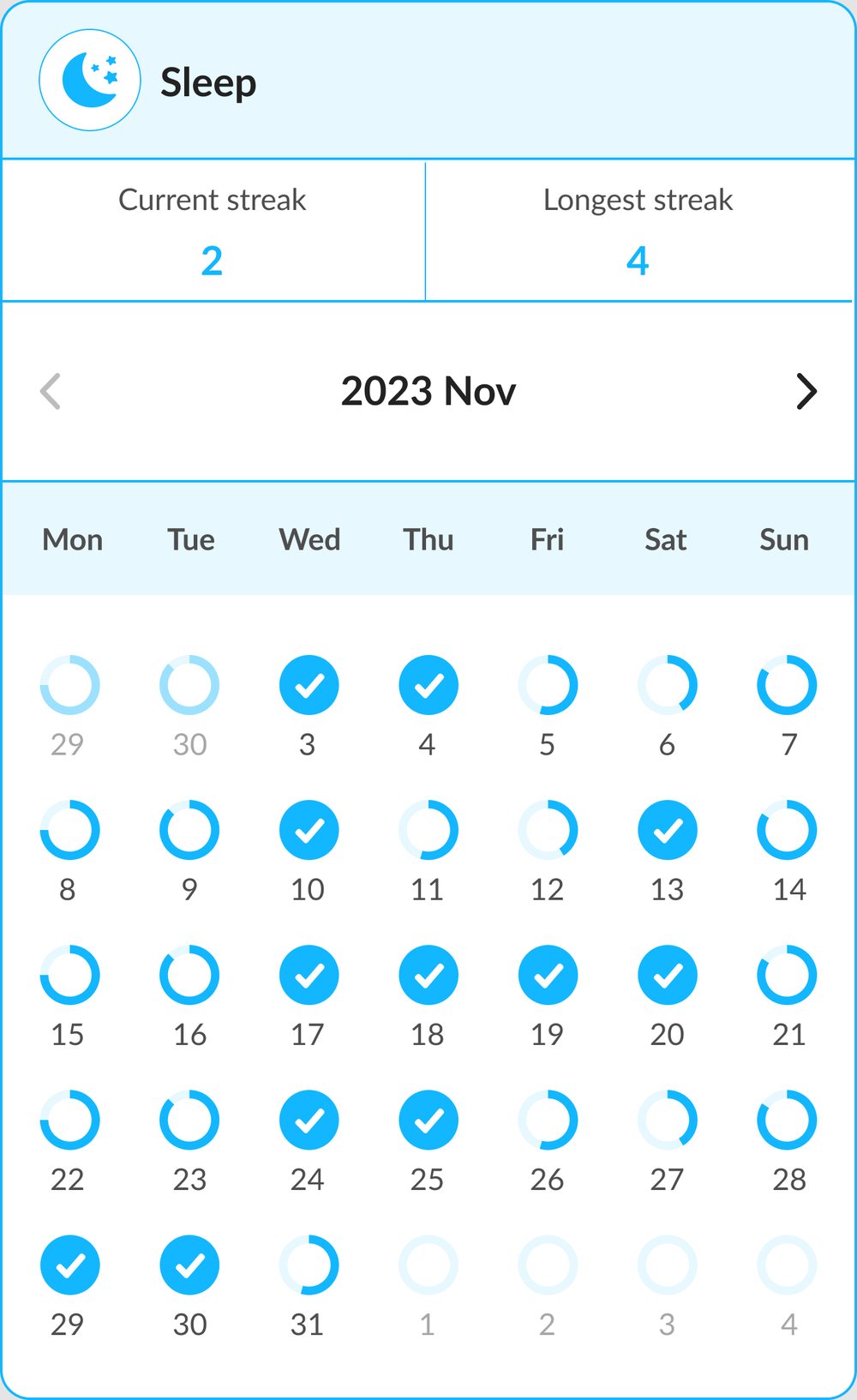
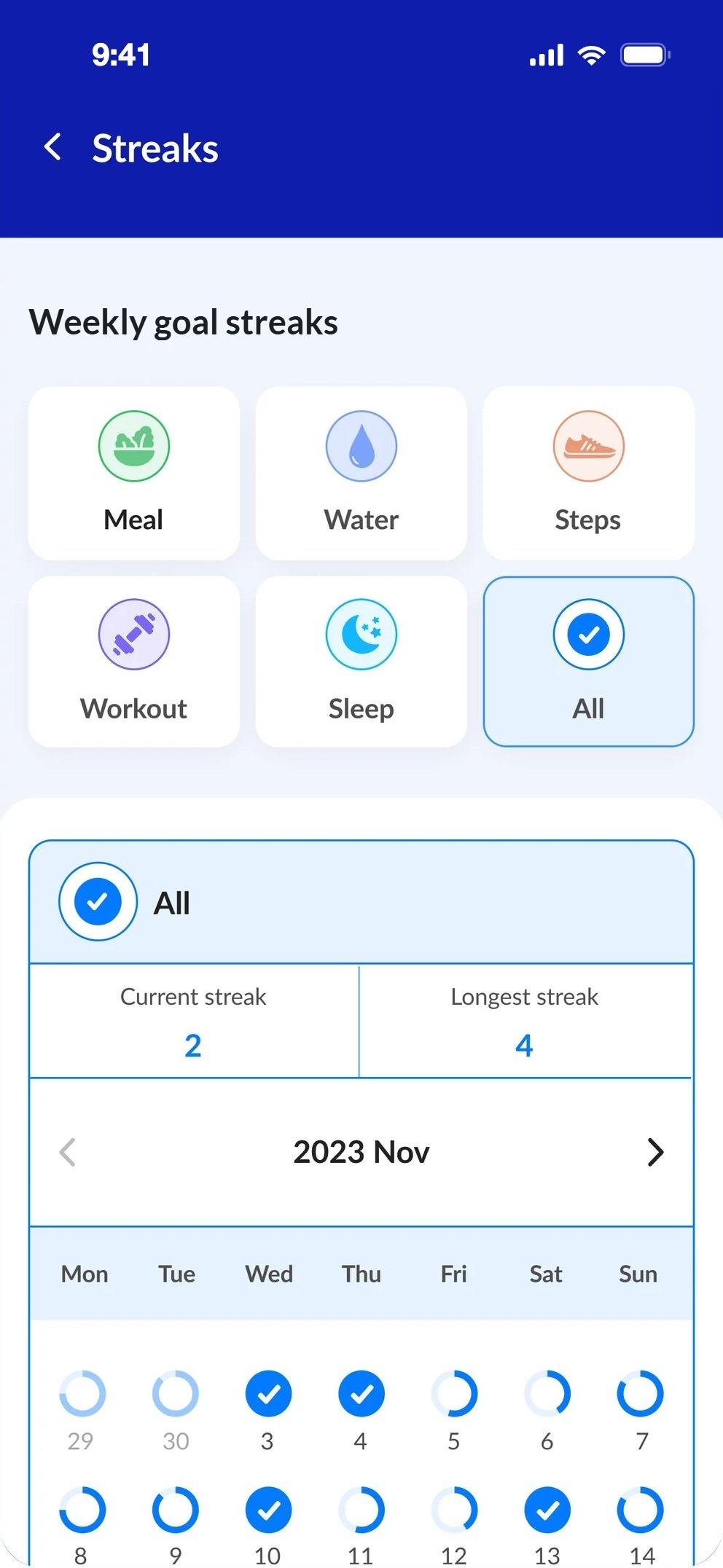
    Each goal has its own colour, with the current and the longest streak on top.
    Weekly goal streaks
    StreaksAll goals, or one.
    Calories streak calendarWorkout streak calendarSleep streak calendar
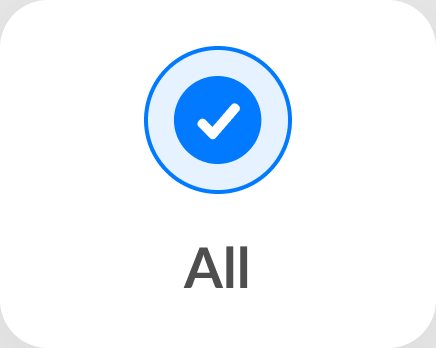
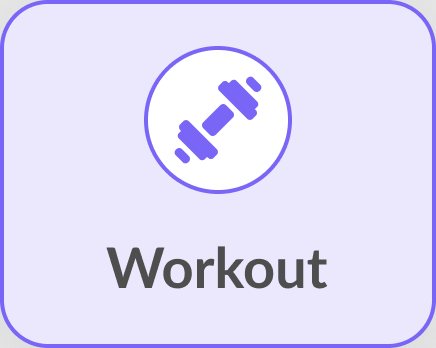
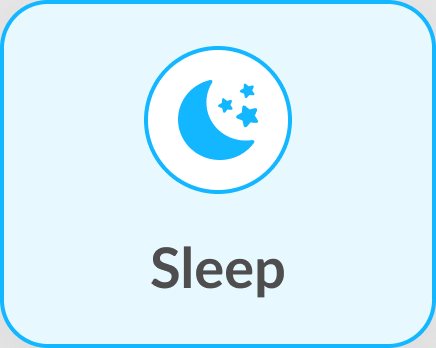
    AllMealWaterStepsWorkoutSleep All, selectedMeal, selectedWater, selectedSteps, selectedWorkout, selectedSleep, selected

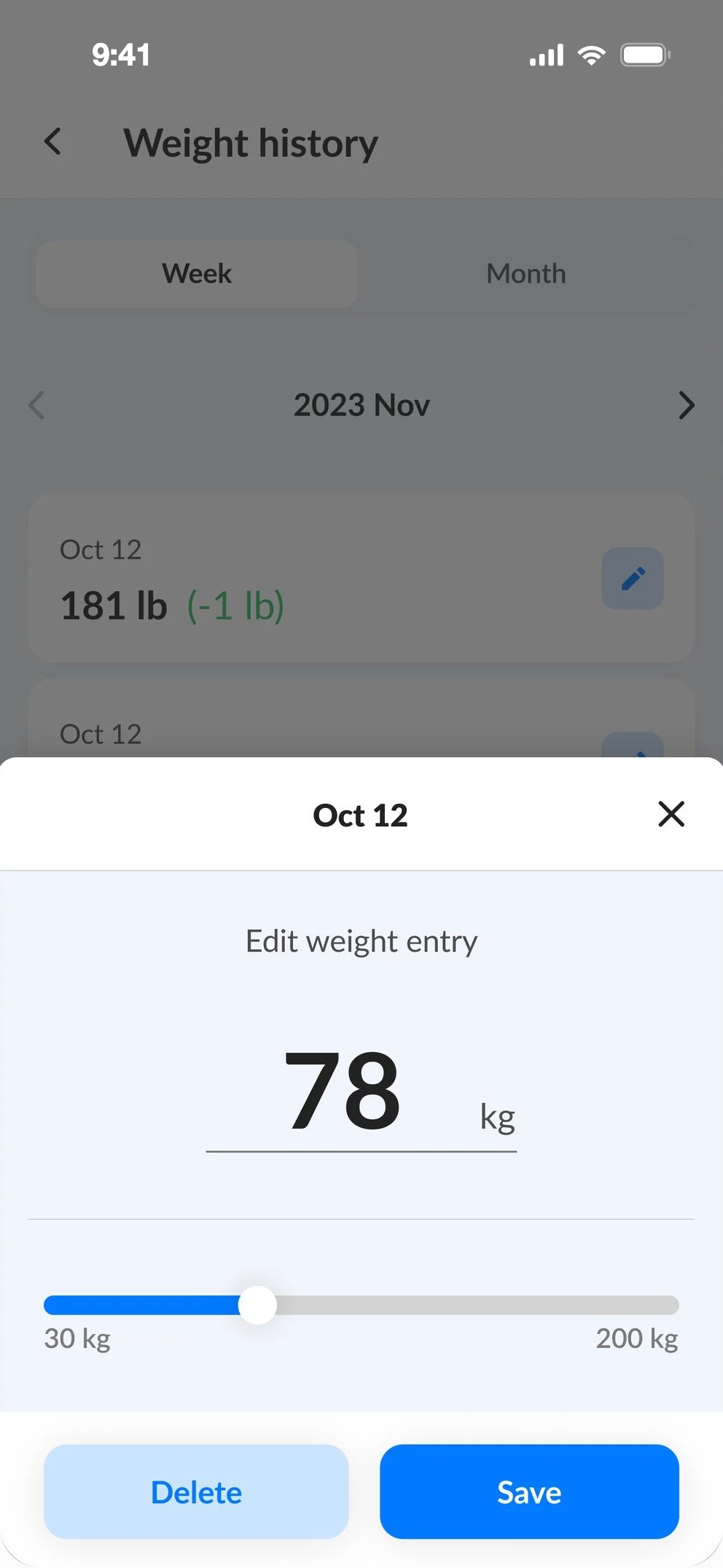
    Edit the history

    Fix a typo without ruining the chart.
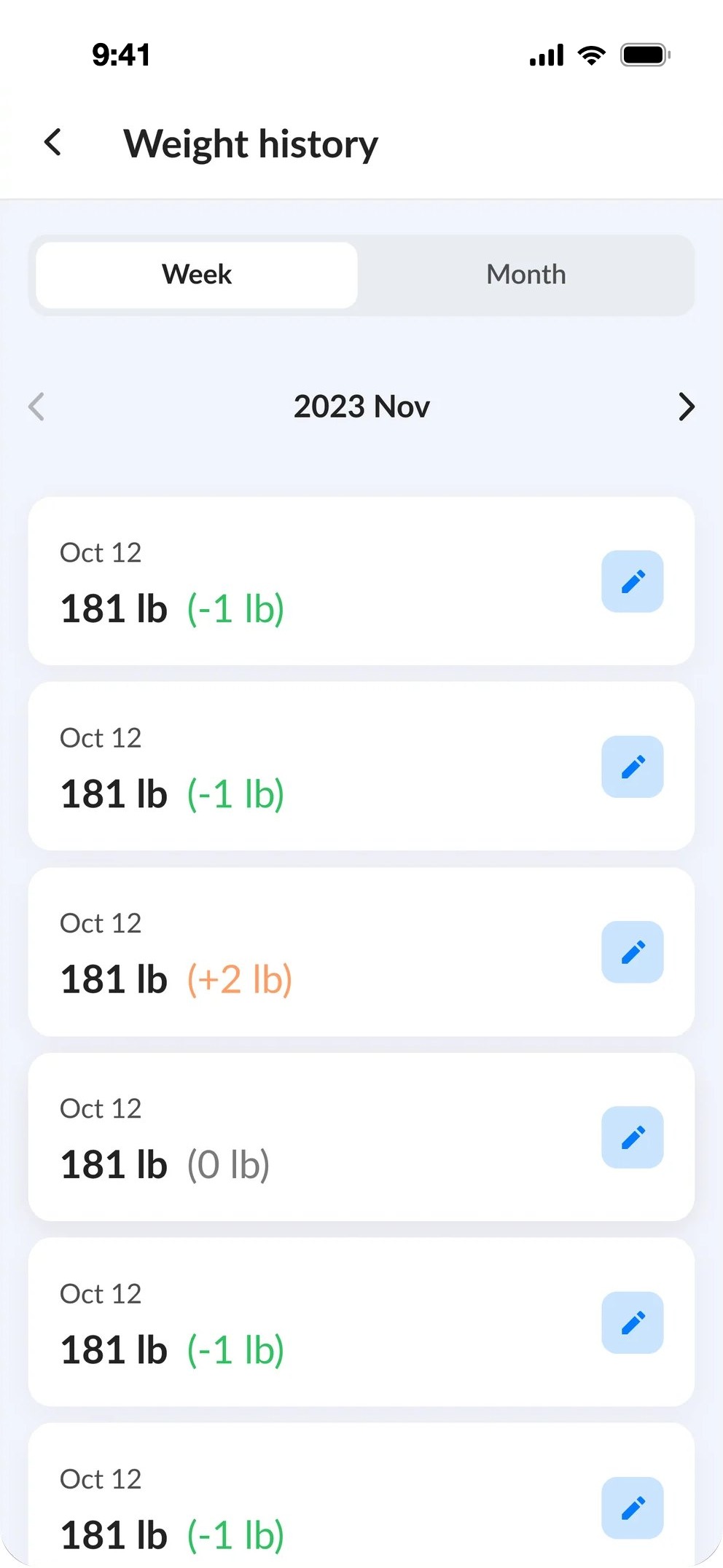
    Weight history
    Weight historyWeek and month.
    Edit weight entry
    Edit entrySlider, or delete.
    06Visual design

    One blue for actions, a colour for every goal.

    A bright, trustworthy blue leads every main action. Each tracked goal has its own soft colour, used the same way in cards, charts, streaks and empty states.

    Typography

    Lato
    RegularBold

    A warm, friendly sans that keeps numbers like calories, grams and millilitres easy to read on small screens.

    Colours

    Primary#027AFF
    Indigo#0E1DAC
    Meal#26C05E
    Water#70A1FE
    Steps#F3986C
    Workout#745DFF
    Sleep#06ABFF
    Text#222222
    Next case study

    Kapitalizmas.

    arrow_forward