


Case study · Redesign · AI dating coach · Mobile app

Findyou.

An AI dating app, redesigned from a set of separate tools into one personal dating coach — who knows you, your matches and what to do next.

favoriteProduct
AI coach for people on dating apps
personRole
UX/UI designer
auto_awesomeScope
Findyou 2.0, a full redesign
smartphonePlatform
Mobile app
Introducing Findyou 2.0
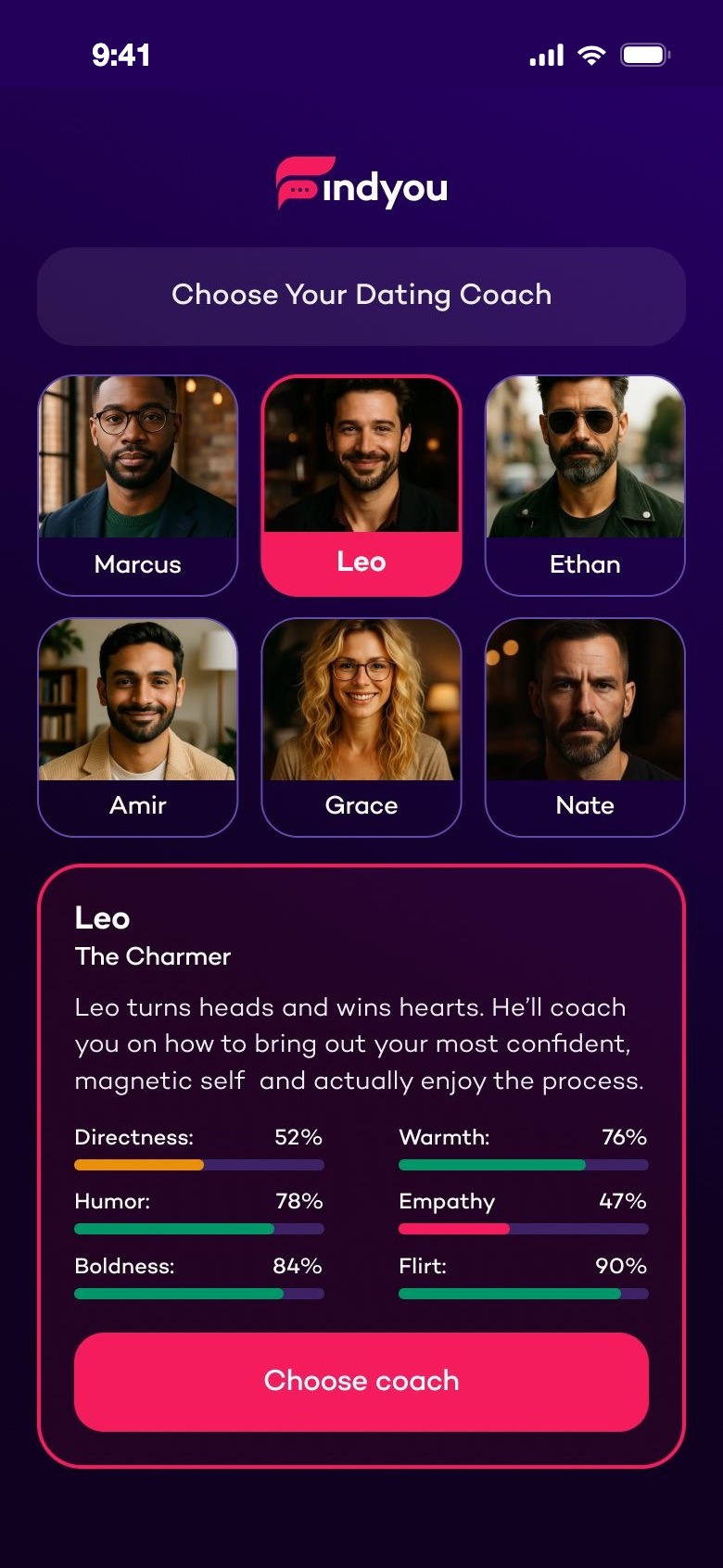
Choose your dating coach
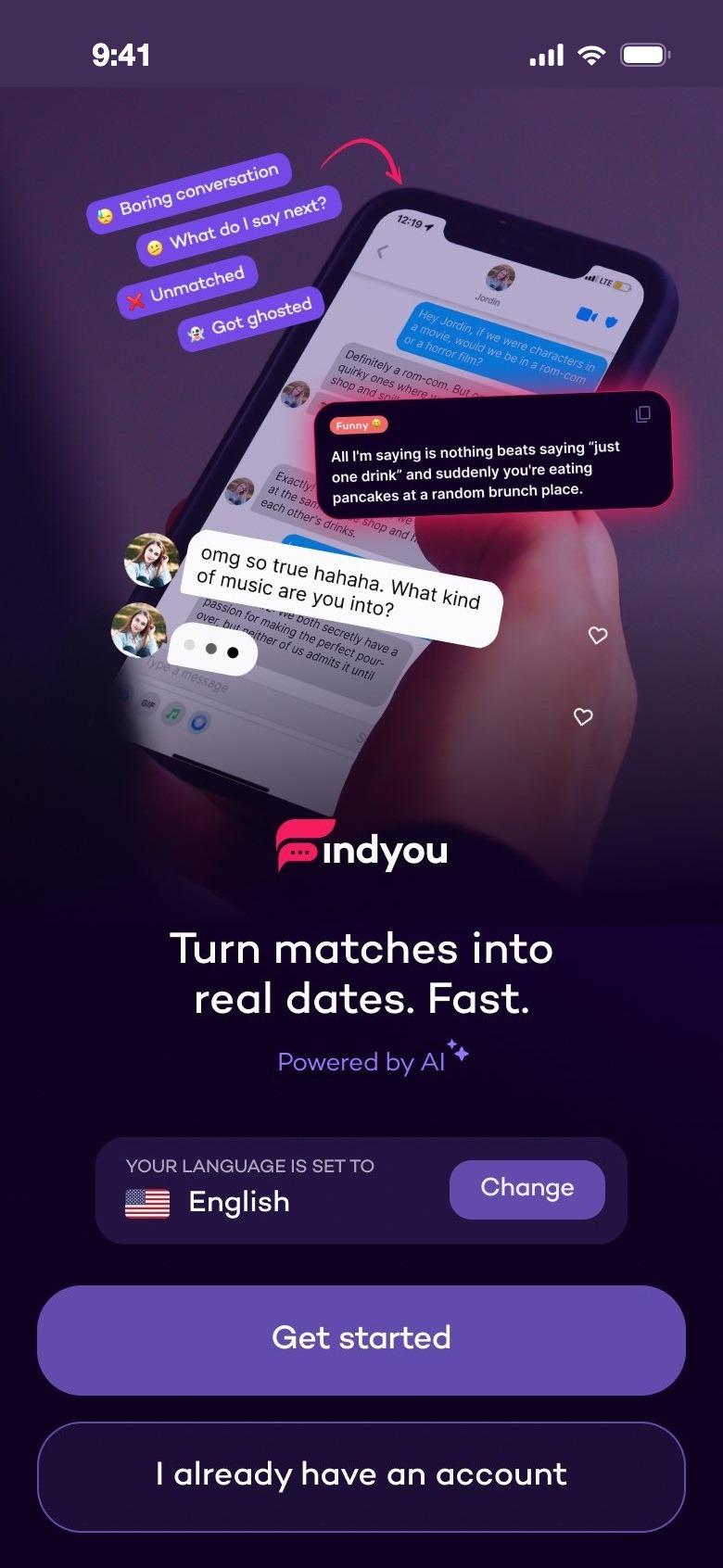
Turn matches into real dates. Fast.
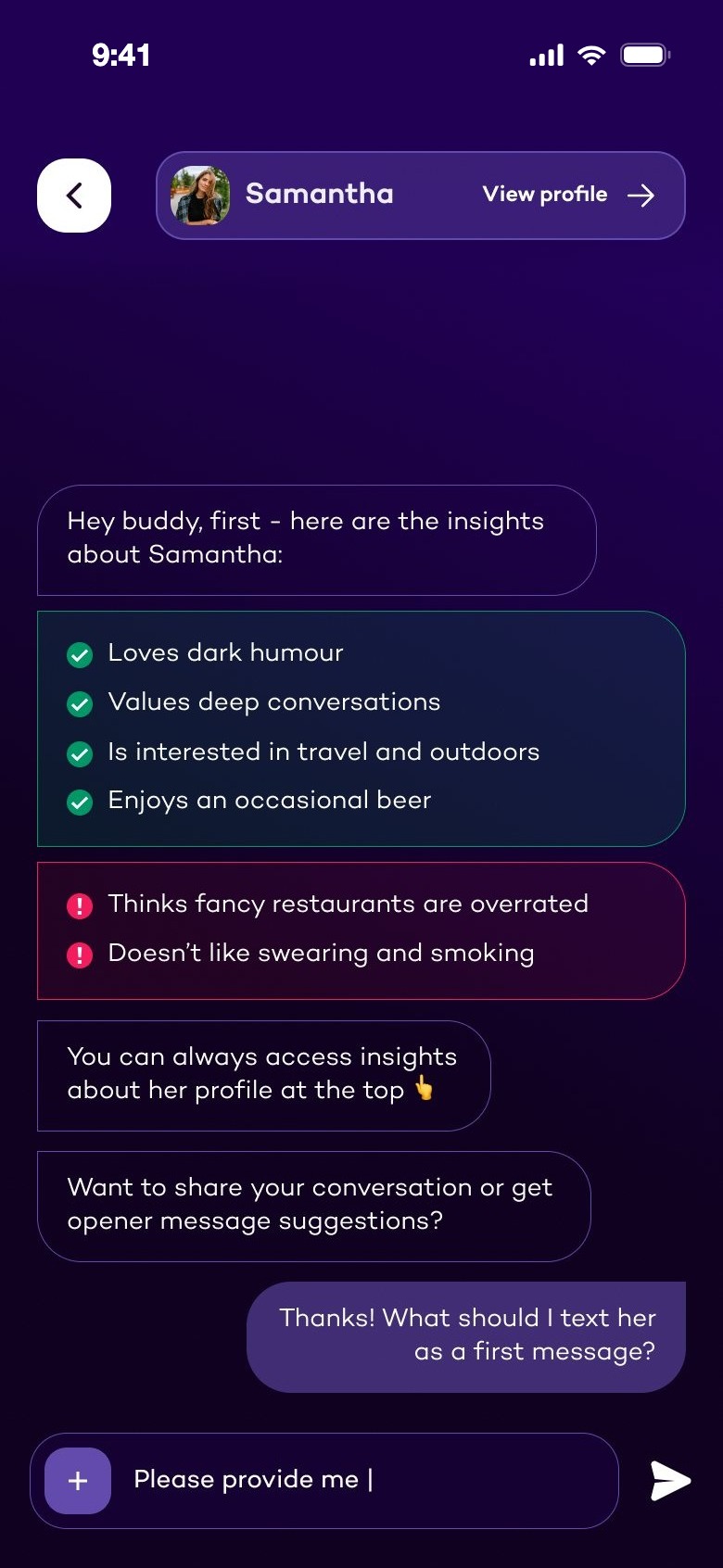
Coach chat with insights about a match
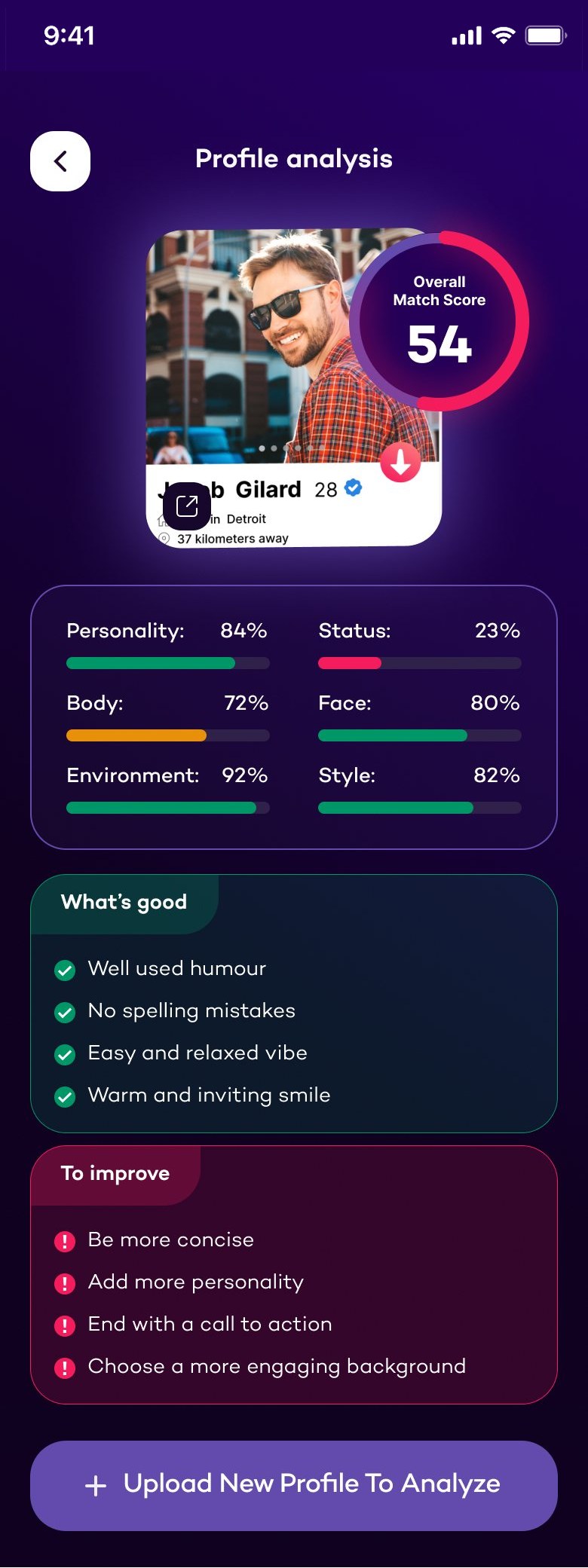
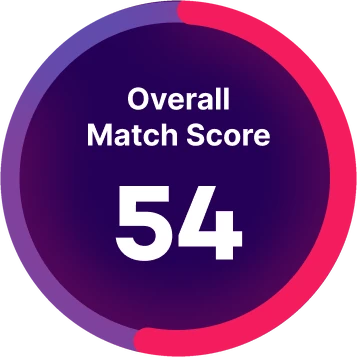
Overall Match Score 54
Tone: Cool and Flirty
Matchability Score
Texting Suggestions
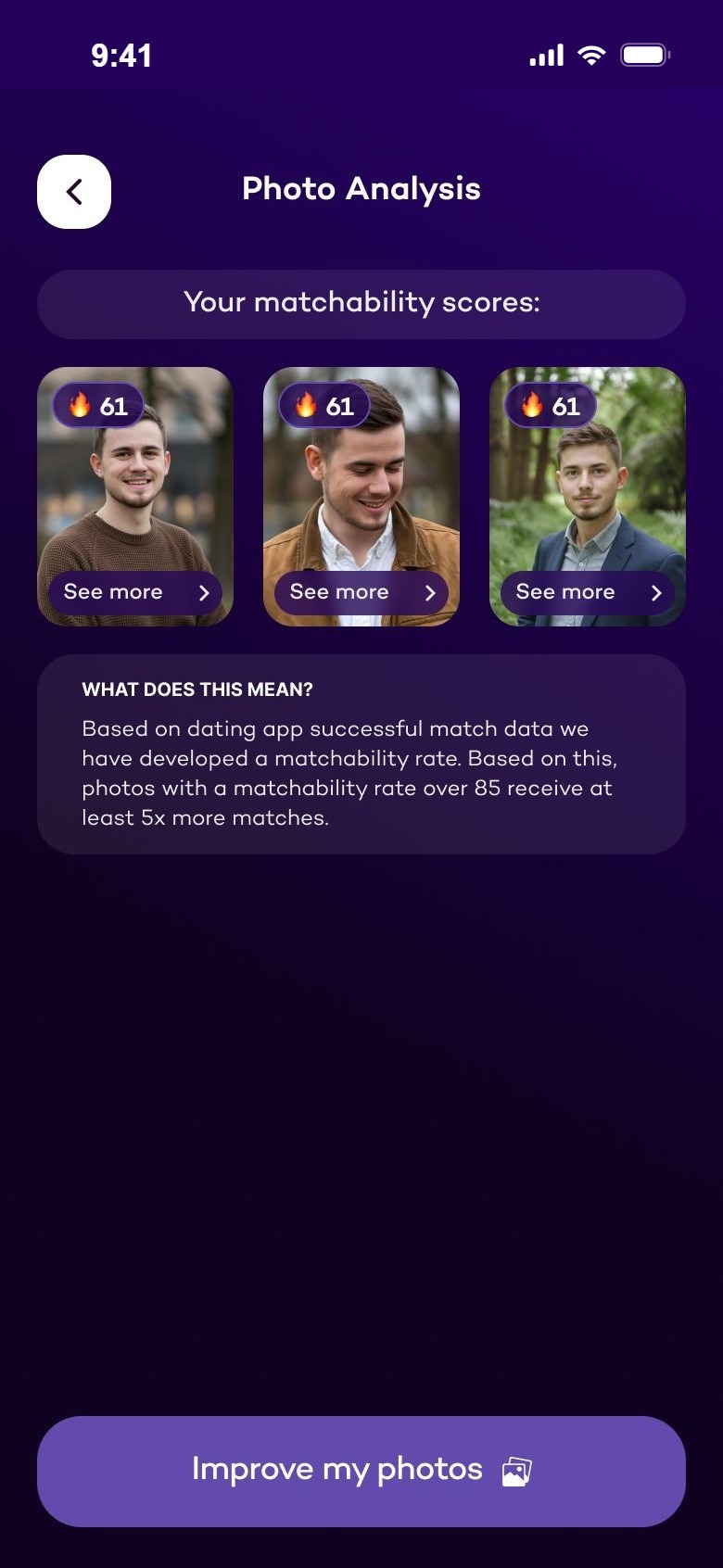
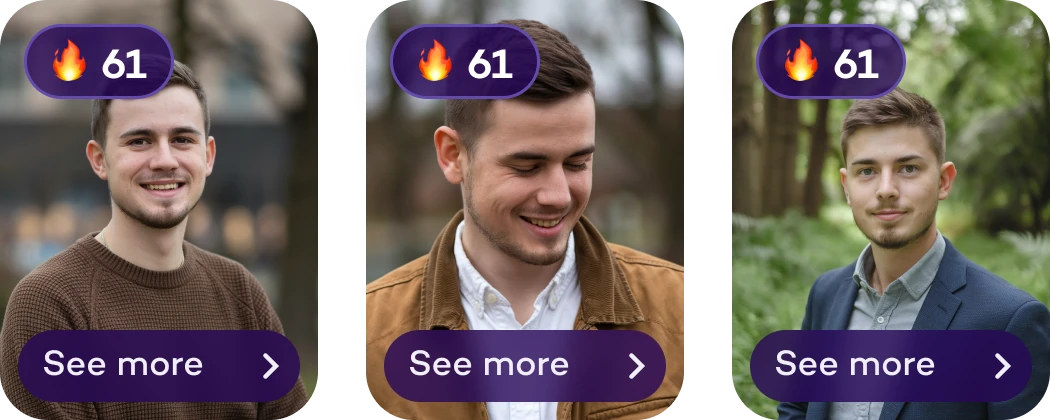
Matchability scores of three photos
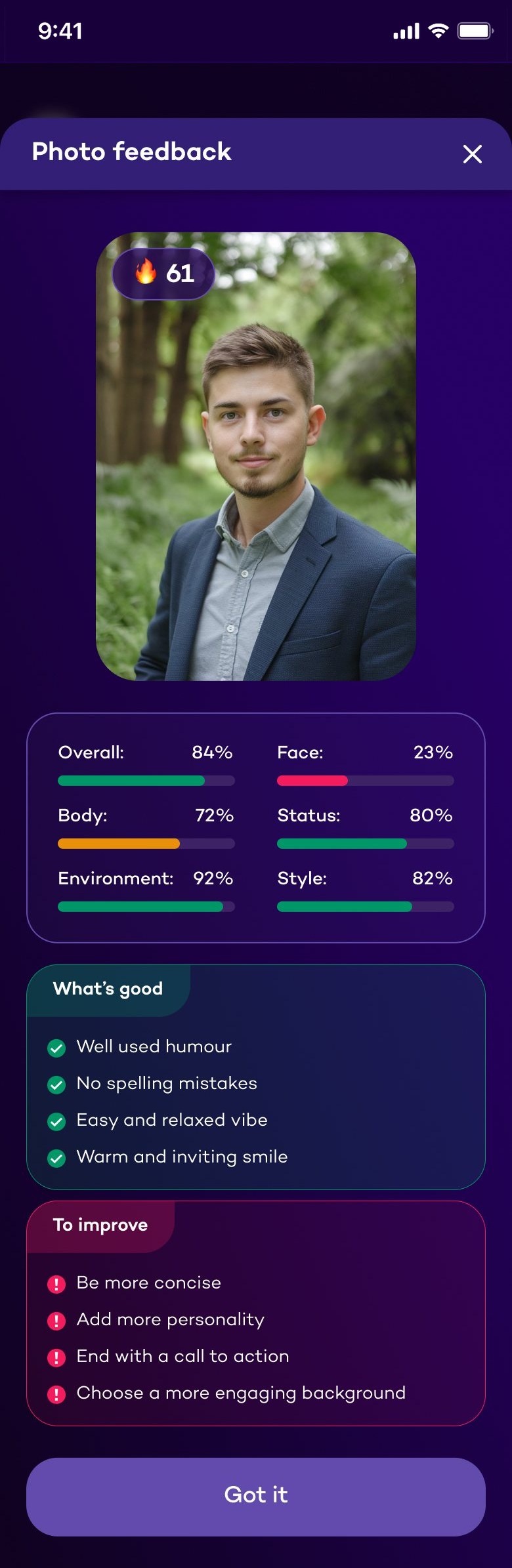
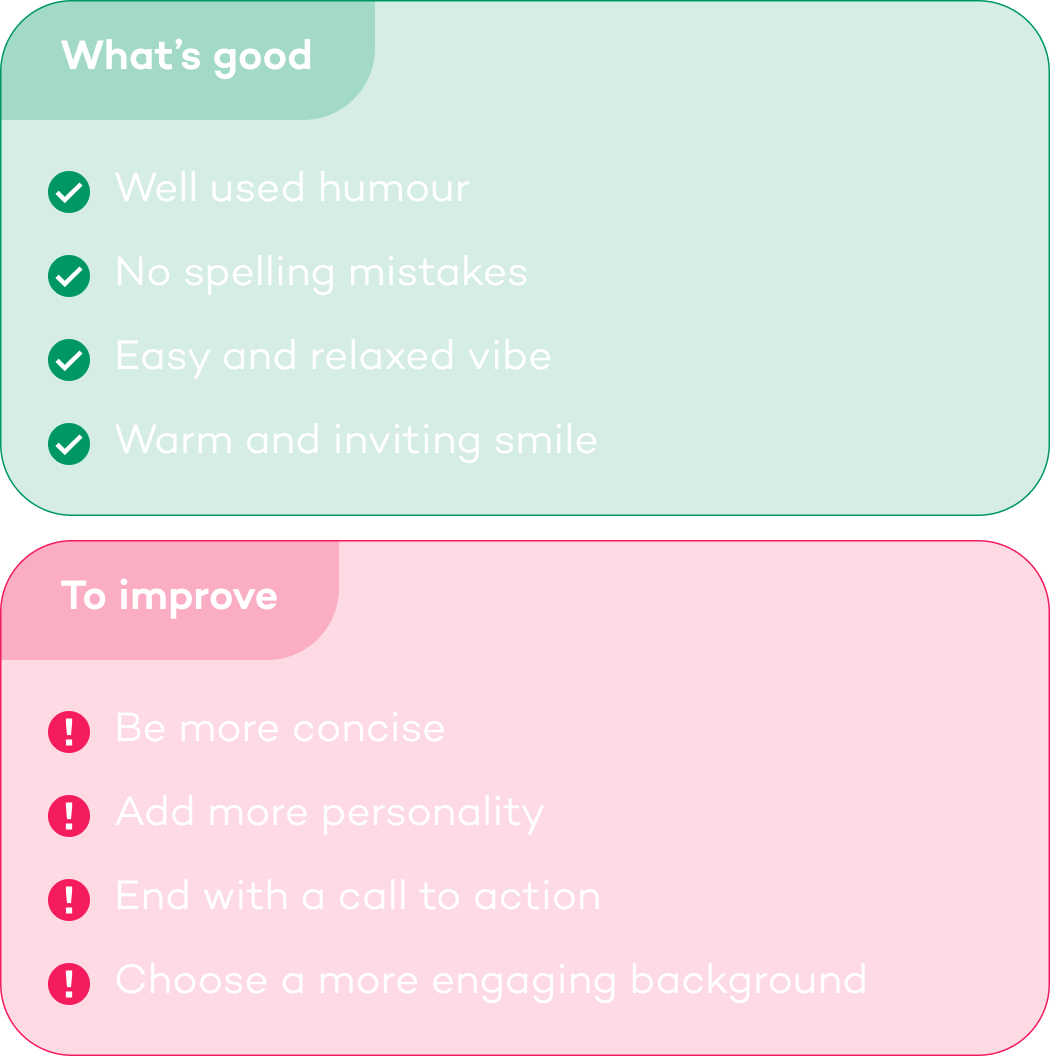
What's good and what to improve
01Context

A wingman in your pocket.

Findyou helps men who date online: it suggests what to write to a match, shows how their profile and photos come across, and says what to do next. It works alongside the dating apps people already use, like Tinder, Hinge and Bumble. The first version did this with three separate AI tools. Findyou 2.0 is a full redesign — built around one coach.

person

Who it's for

Men on dating apps who get matches, but struggle to turn them into conversations and dates.

psychology

What it does

An AI coach for chats, profile and photos — replies, openers, bios, a photo studio and feedback.

auto_awesome

What 2.0 changes

One coach you pick, who learns your style and your matches, with four clear places in the app.

02The first version

Three tools, no path between them.

The first Findyou already had the core idea: upload a chat screenshot and get replies. But every tool lived on its own screen, every chat started from zero, and nothing told you what to do next.
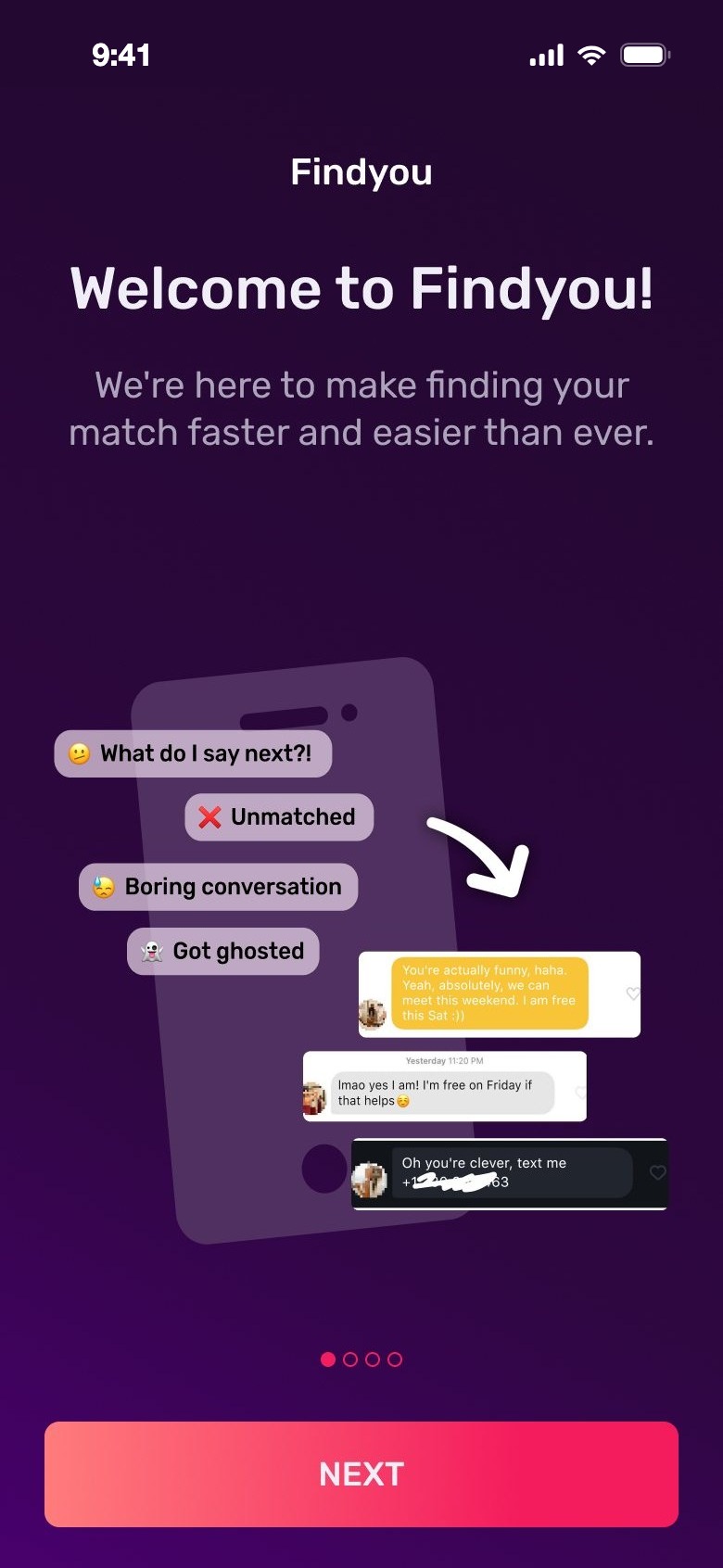
Old onboarding: Welcome to Findyou
OnboardingFour slides about features
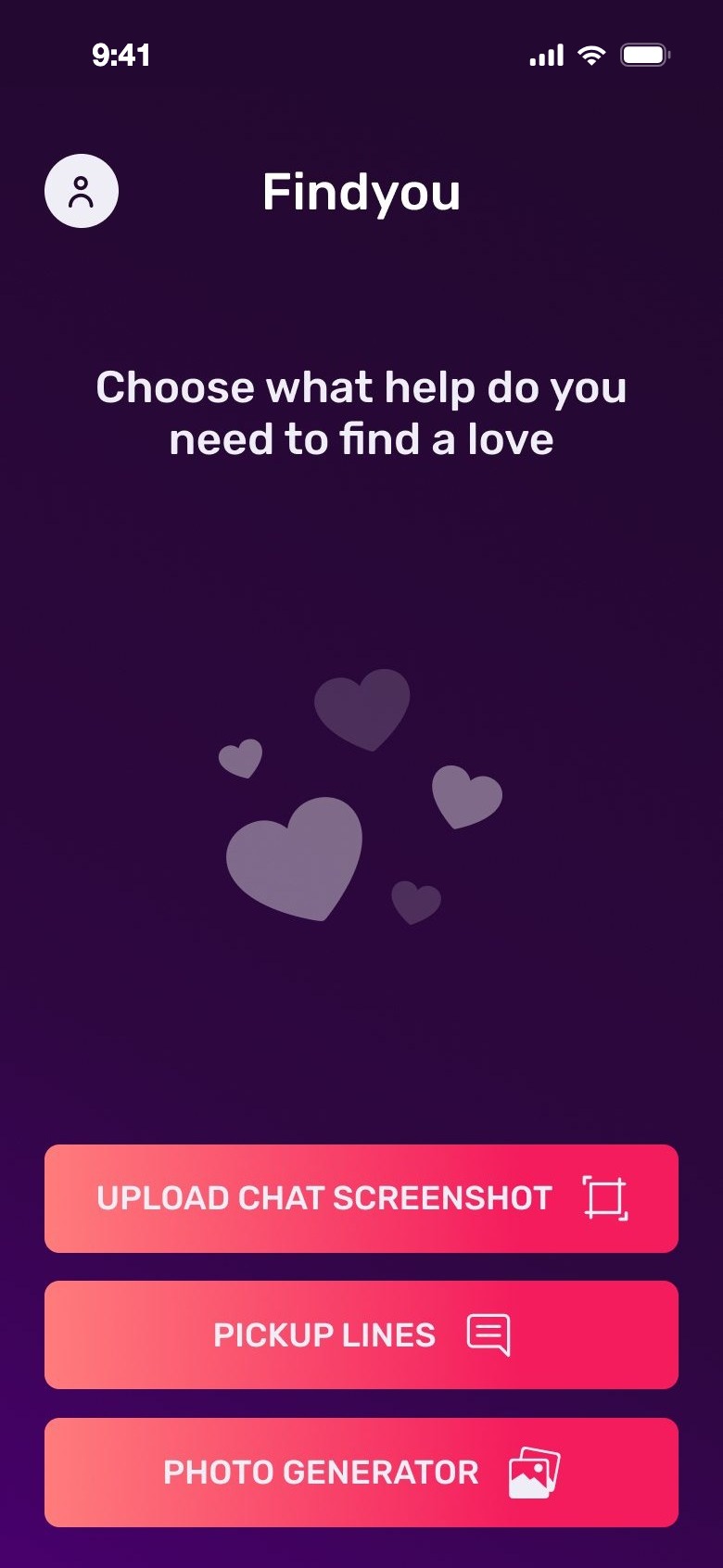
Old home: three buttons
HomeThree separate tools
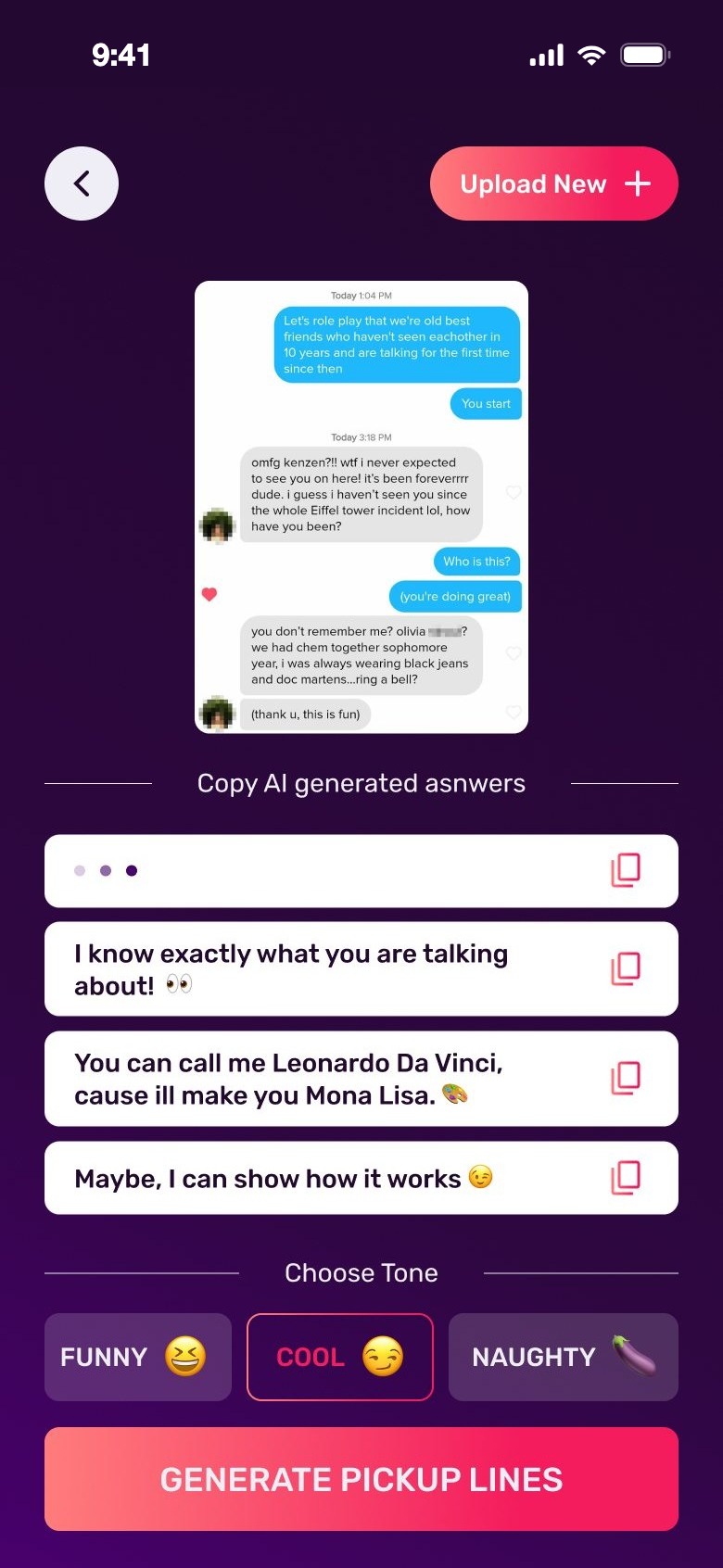
Old replies from a screenshot with three tones
RepliesFrom one screenshot
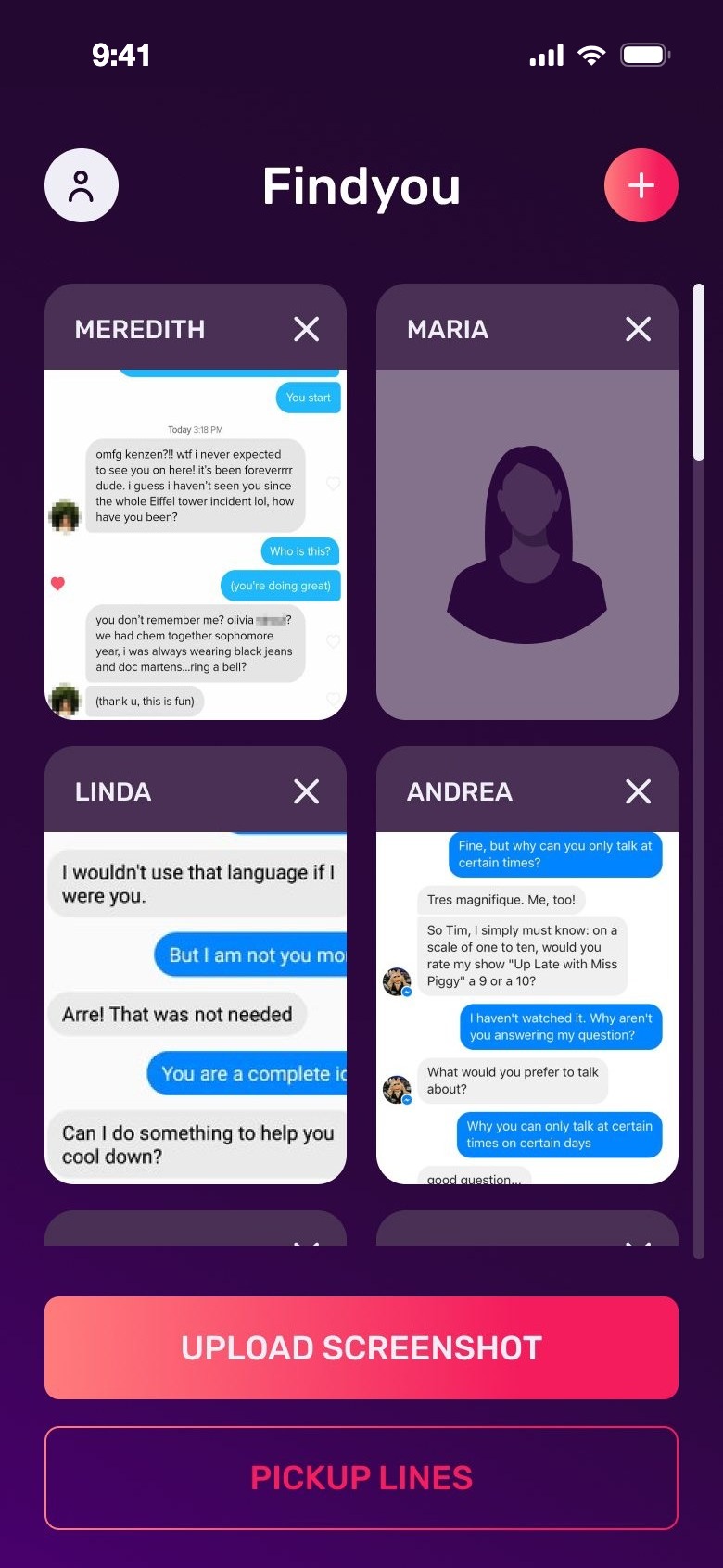
Old matches: a grid of chat screenshots
MatchesSaved screenshots
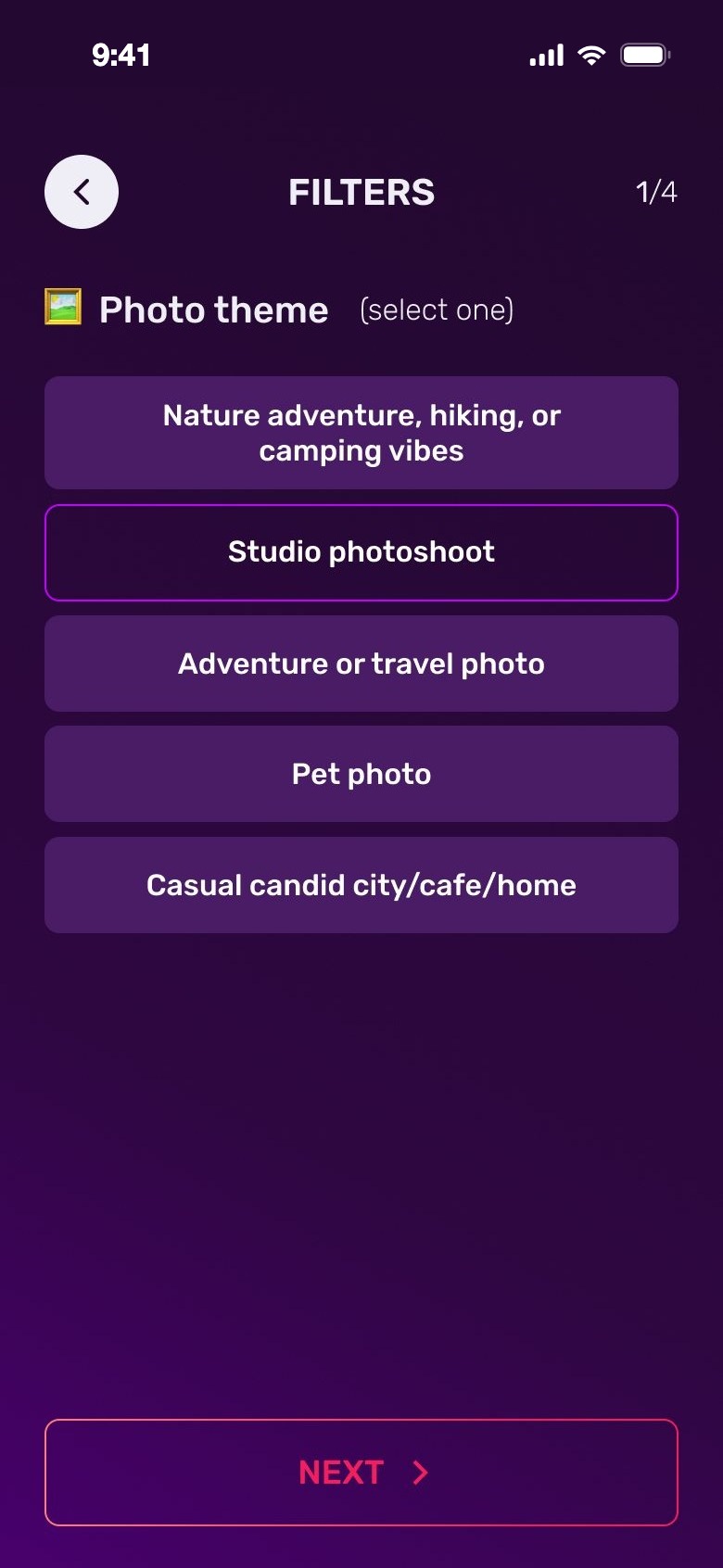
Old photo generator filters
Photo generatorFour lists of filters
  1. Features, not youOnboarding explained the tools, but never asked anything about the person.
  2. No pathThe home screen was three buttons. Nothing connected one tool to the next.
  3. Starts from zeroEach reply needed a new screenshot; the app didn't remember who the match was.
  4. Guessing the resultPhoto filters were four text lists, with no preview of what you'd get.
  5. A generic lookAll-caps pink buttons and empty screens didn't feel personal for such a private topic.
03Client feedback

We talked to a few clients.

Before drawing anything, we talked to a few clients who used the first version. We asked what works, what should change and what's missing — and then chose what to focus on.

check_circleWhat works

  • Screenshot in, reply out — fast, no typing.
  • Choosing a tone makes replies more fun.
  • The idea of AI photos is exciting.

tuneWhat to change

  • Replies feel generic — the app forgets who she is.
  • Every tool starts from zero.
  • Photo filters are hard to picture.
  • The look feels cheap for a private topic.

forumWhat's missing

  • Someone to ask "what now?", not just a line to copy.
  • Honest feedback on their own profile and photos.
  • Help with the bio.
  • Learning why something works.

favoriteWhat we focused on

  • One coach who remembers you and your matches.
  • Context once, reused in every reply.
  • Feedback that starts with strengths.
  • Photo styles you can see first.
  • A short course for the bigger picture.
04Goal & challenges
Make Findyou feel like a personal dating coach, not a set of AI tools.
01A sensitive topicBeing rated hurts, especially after rejections. Strengths come first.
02AI needs contextNobody wants to type a profile out. Screenshots do it in seconds.
03Many features, one appFour tabs, and a coach who points to the right one.
04Private chats and photosSay how uploads are used, right where you upload.
05AI takes timeShow the steps while it works; notify when a photoshoot is ready.
05Design process

From an audit to a new app.

01AuditEvery screen of the first version, and where it breaks.
02Client talksWhat works, what to change, what's missing.
03Feature mapEvery AI feature, sorted by the moment it helps.
04StructureFour tabs: Coach, Matches, Your Profile, Course.
05FlowsOnboarding, add a match, analysis, photoshoot.
06UI & screensA new look, components and the key states.
06New structure

Three buttons became four homes.

Each old tool moved to the place where it's needed, and the new features got a home of their own. The coach sits on top: you can always ask, and the coach can send you to the right feature.

First version · home
Upload chat screenshotPickup linesPhoto generator
Findyou 2.0 · four tabs

psychologyCoach

  • Chat with your coachNew
  • Opener lines on requestWas: Pickup lines
  • Switch coach any timeNew

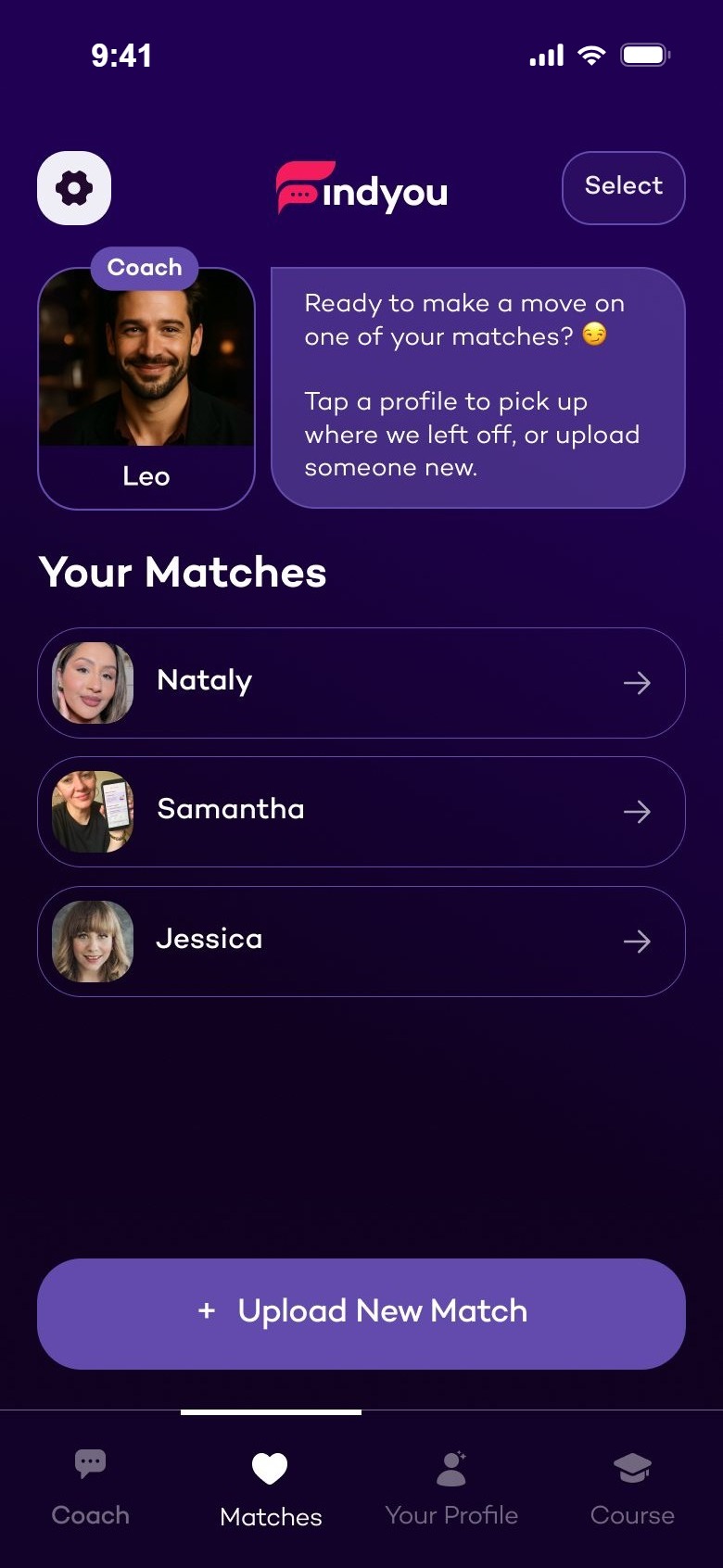
favoriteMatches

  • Match-based chatWas: Upload chat screenshot
  • Add a match from her profileNew
  • Insights about herNew

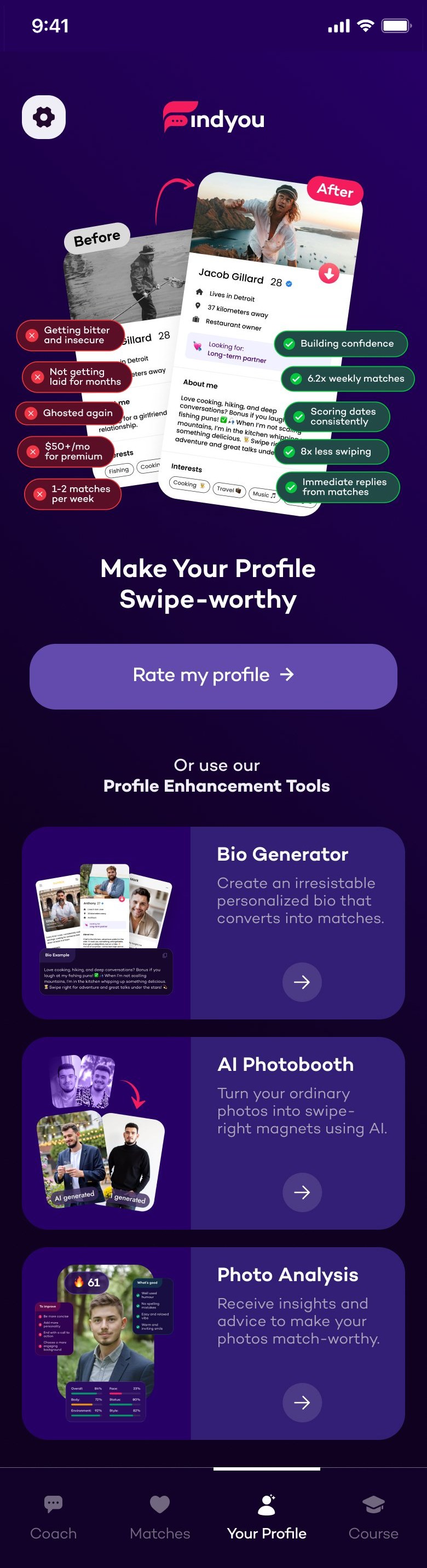
personYour Profile

  • Profile AnalysisNew
  • Bio GeneratorNew
  • AI PhotoboothWas: Photo generator
  • Photo AnalysisNew

schoolCourse

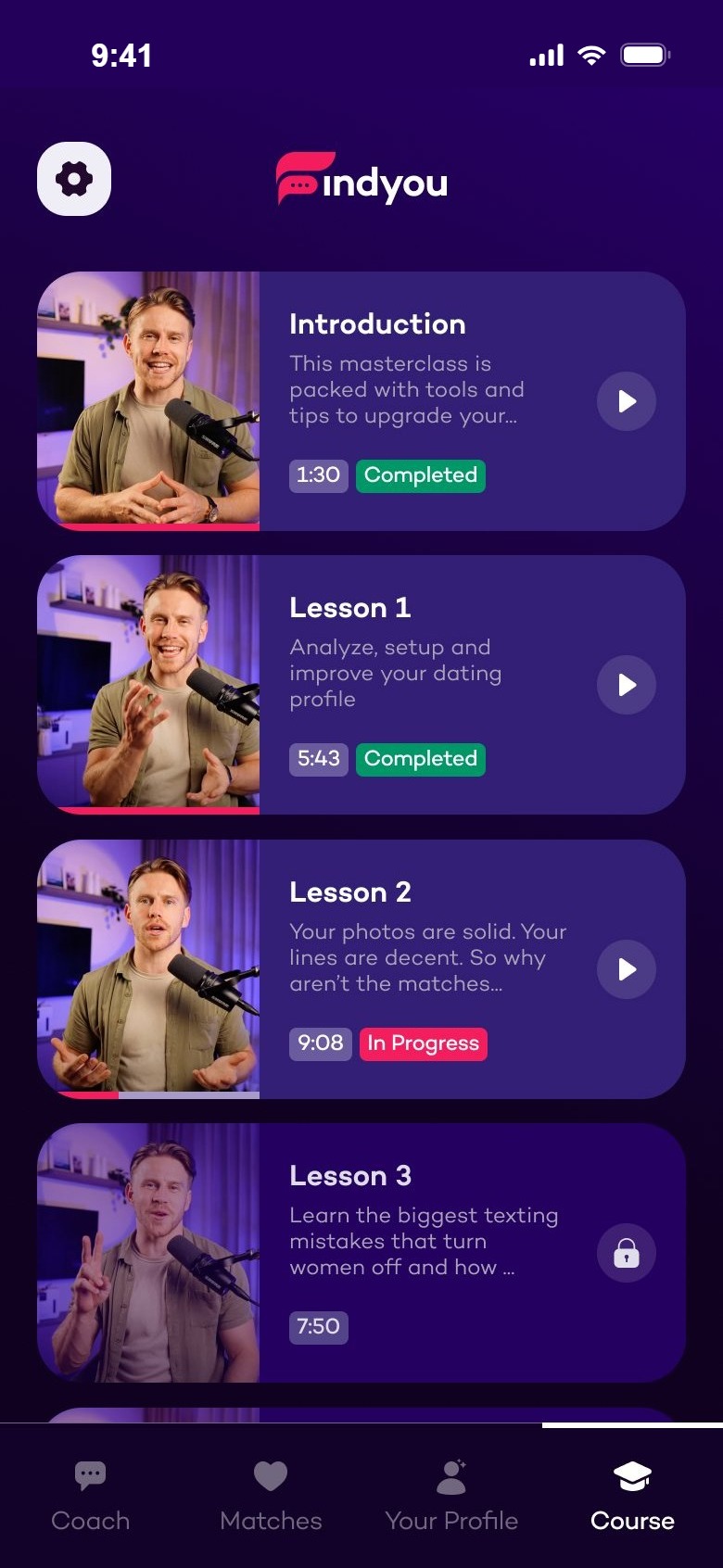
  • Video lessonsNew
  • Notes per lessonNew
Moved from v1New in 2.0
The tab bar: Coach, Matches, Your Profile, Course

The same tab bar on every main screen. Four words, four places — every feature lives under one of them.

07Old vs new

The same jobs, done better.

Three flows side by side: what the first version asked of people, and how Findyou 2.0 handles it.

AThe first minutes

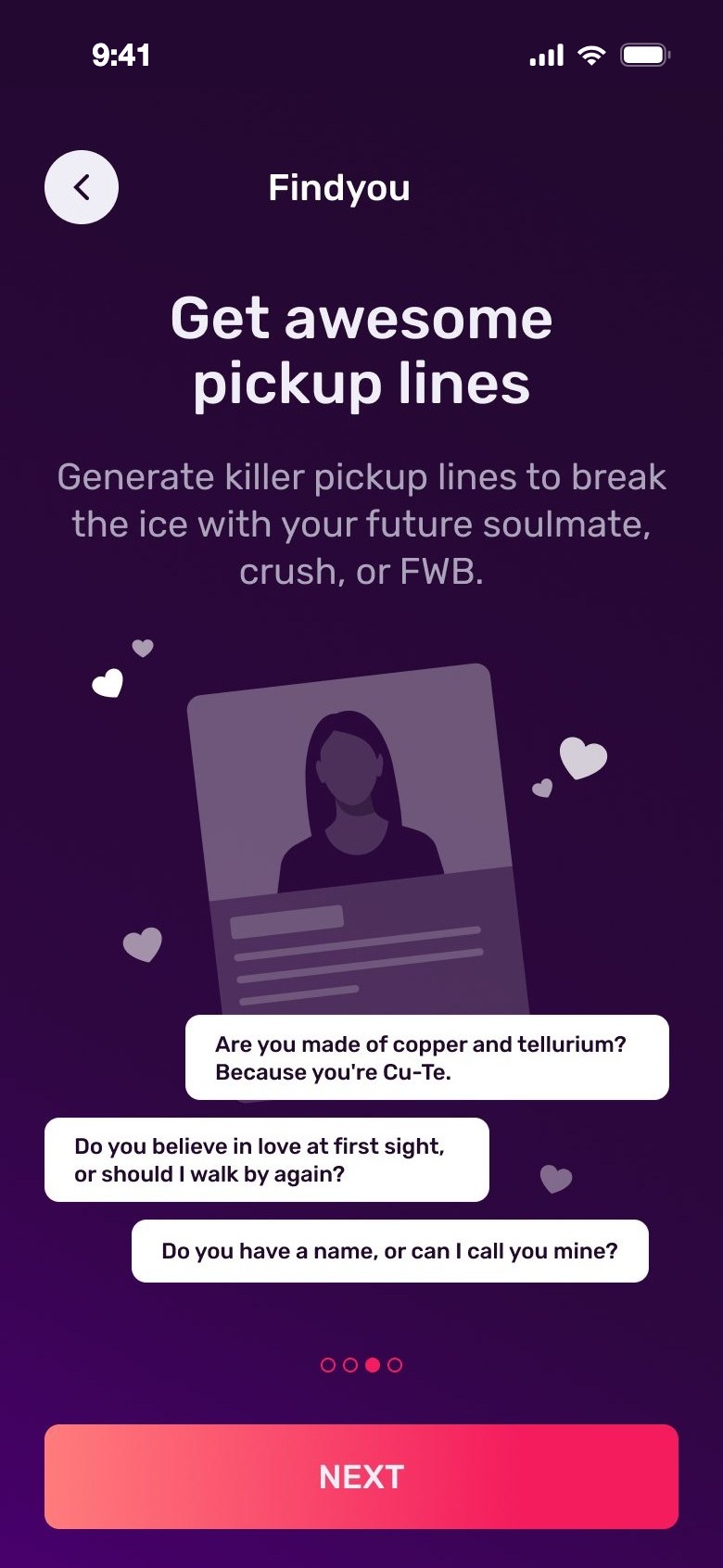
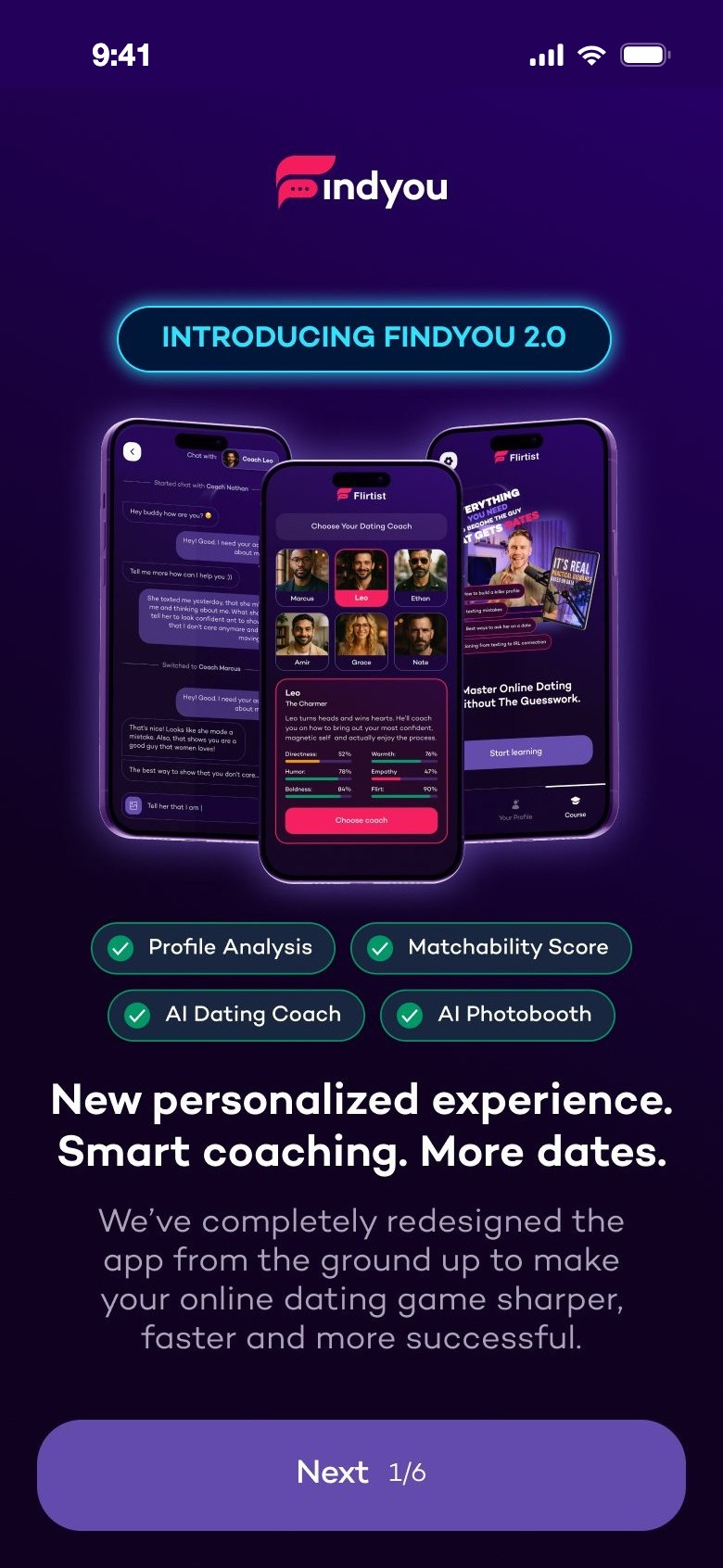
From four slides about features to a short conversation with your coach. The account comes last, once your plan is ready.
Before
Old onboarding slide about pickup lines
Slide 2 of 4
After
Introducing Findyou 2.0
What's new
Choose your dating coach
Pick a coach
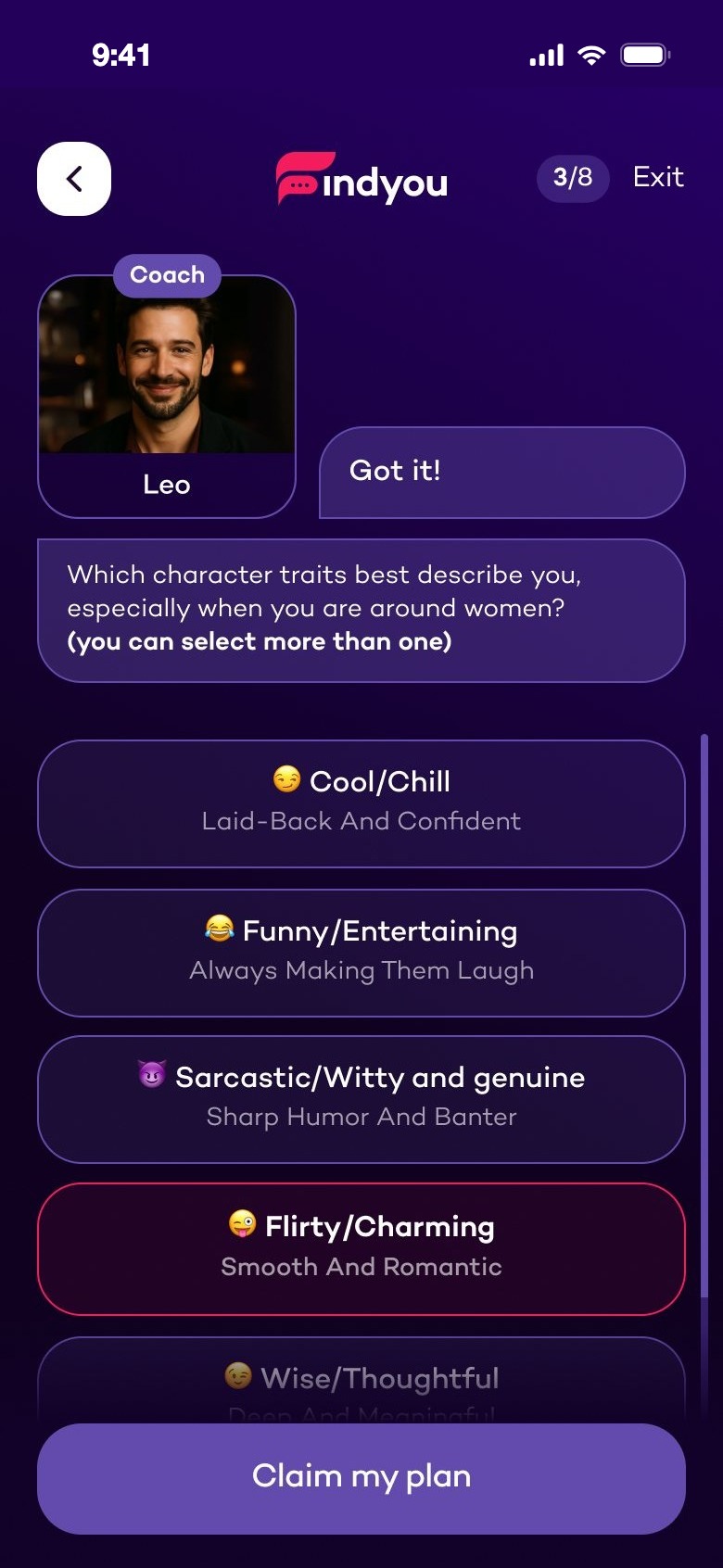
Quiz: which traits describe you
Answer the coach
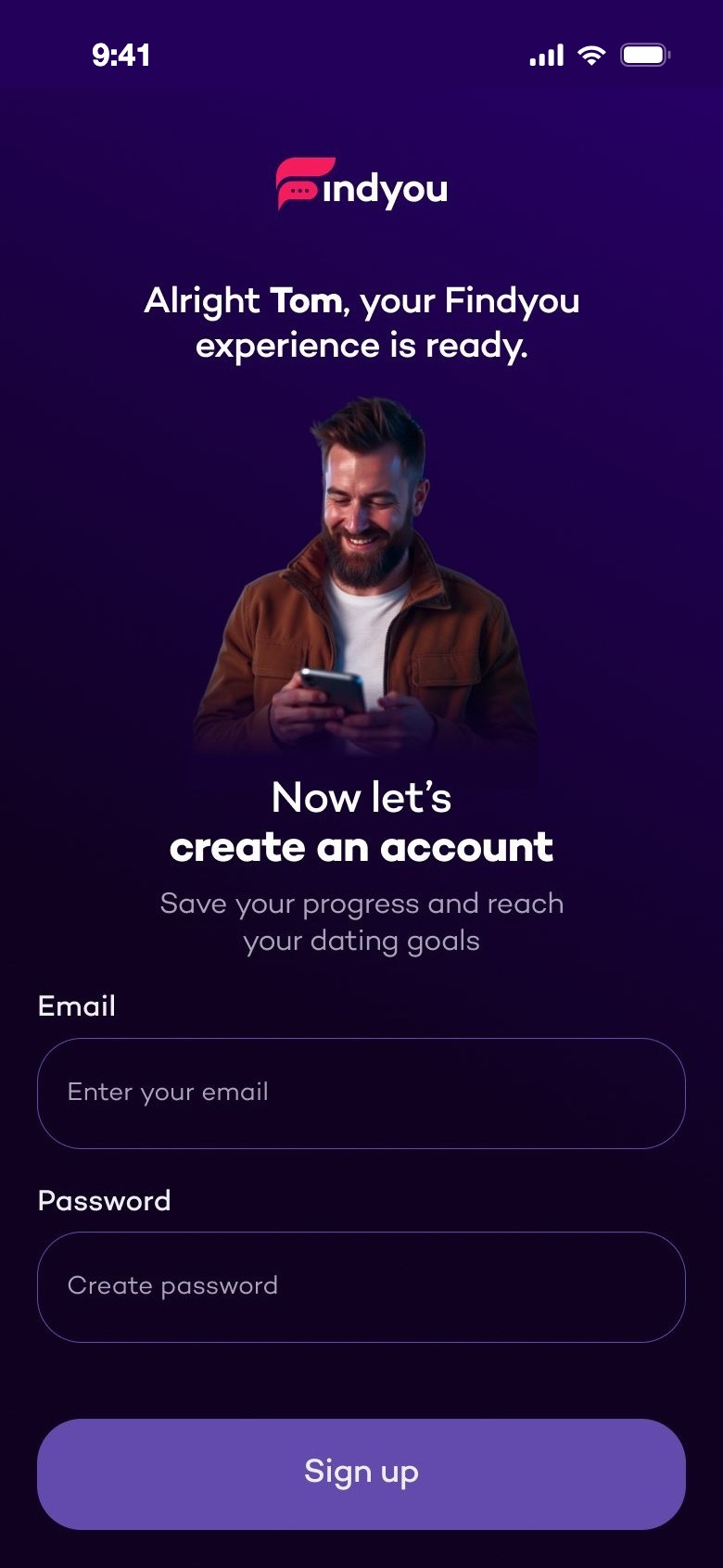
Your Findyou experience is ready. Now create an account
Then sign up

BReplying to a match

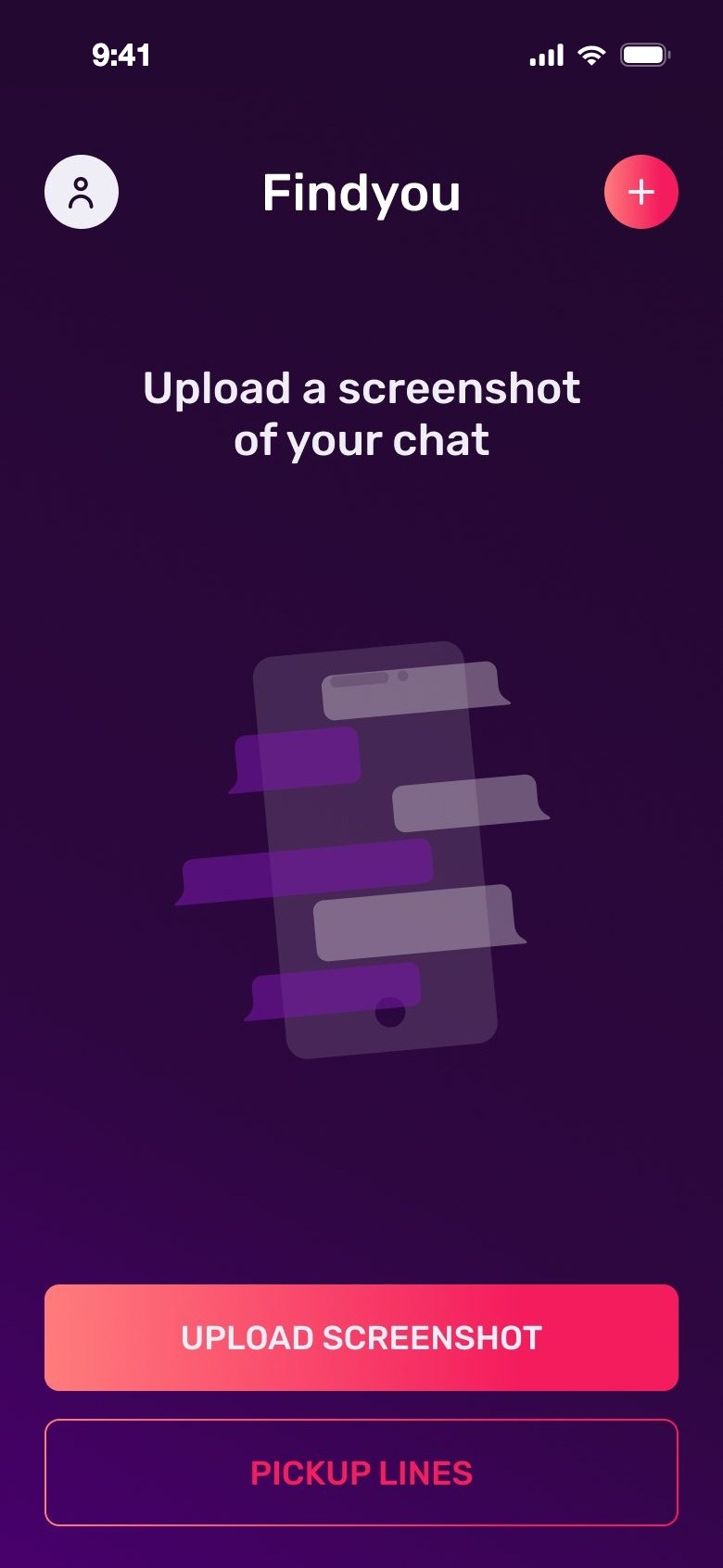
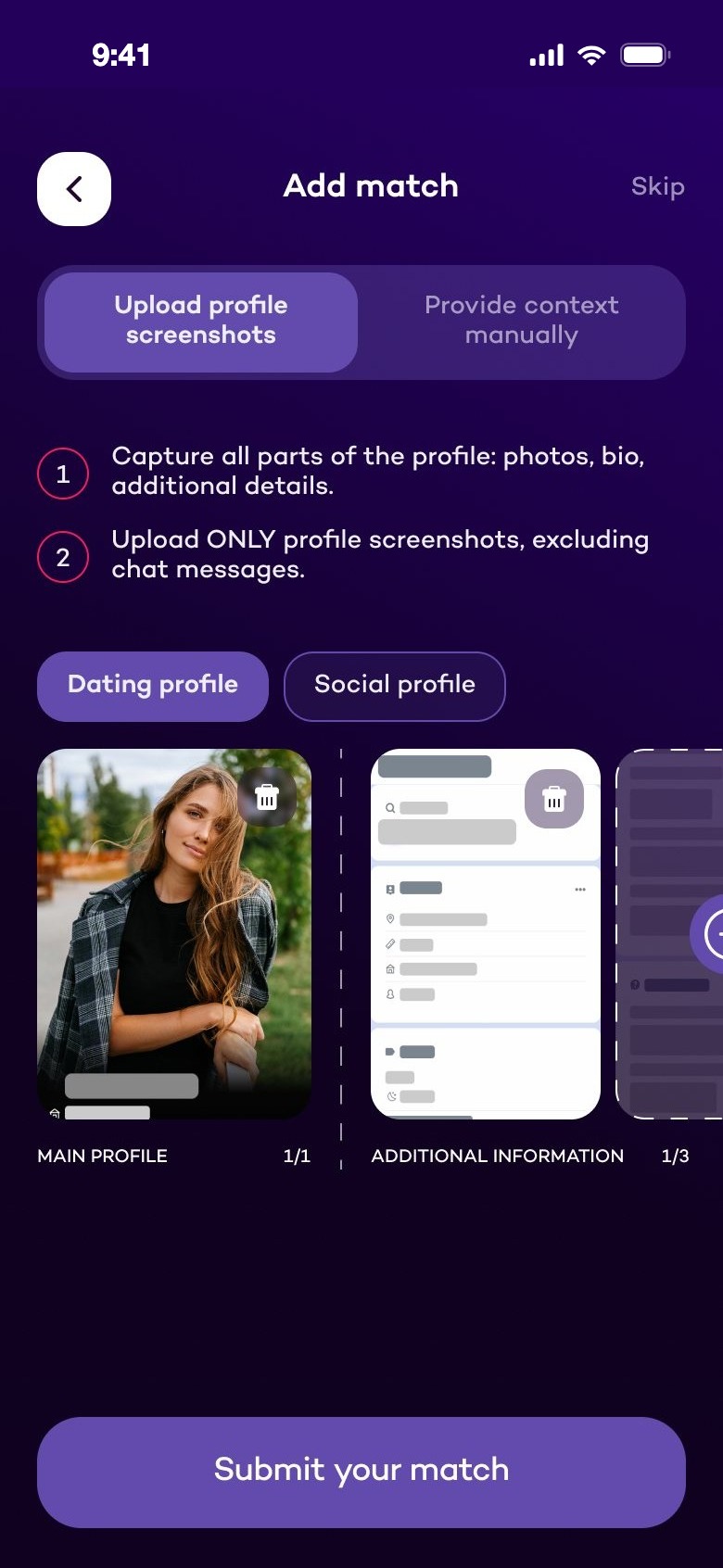
Before, each reply started with a new screenshot. Now a match is added once — from her profile — and the coach uses it in every answer.
Before
Old: upload a screenshot of your chat
Upload a screenshot
Old: generated answers and three tones
Copy a reply
After
Add match from profile screenshots
Add her profile
Insights about Samantha in the coach chat
See insights
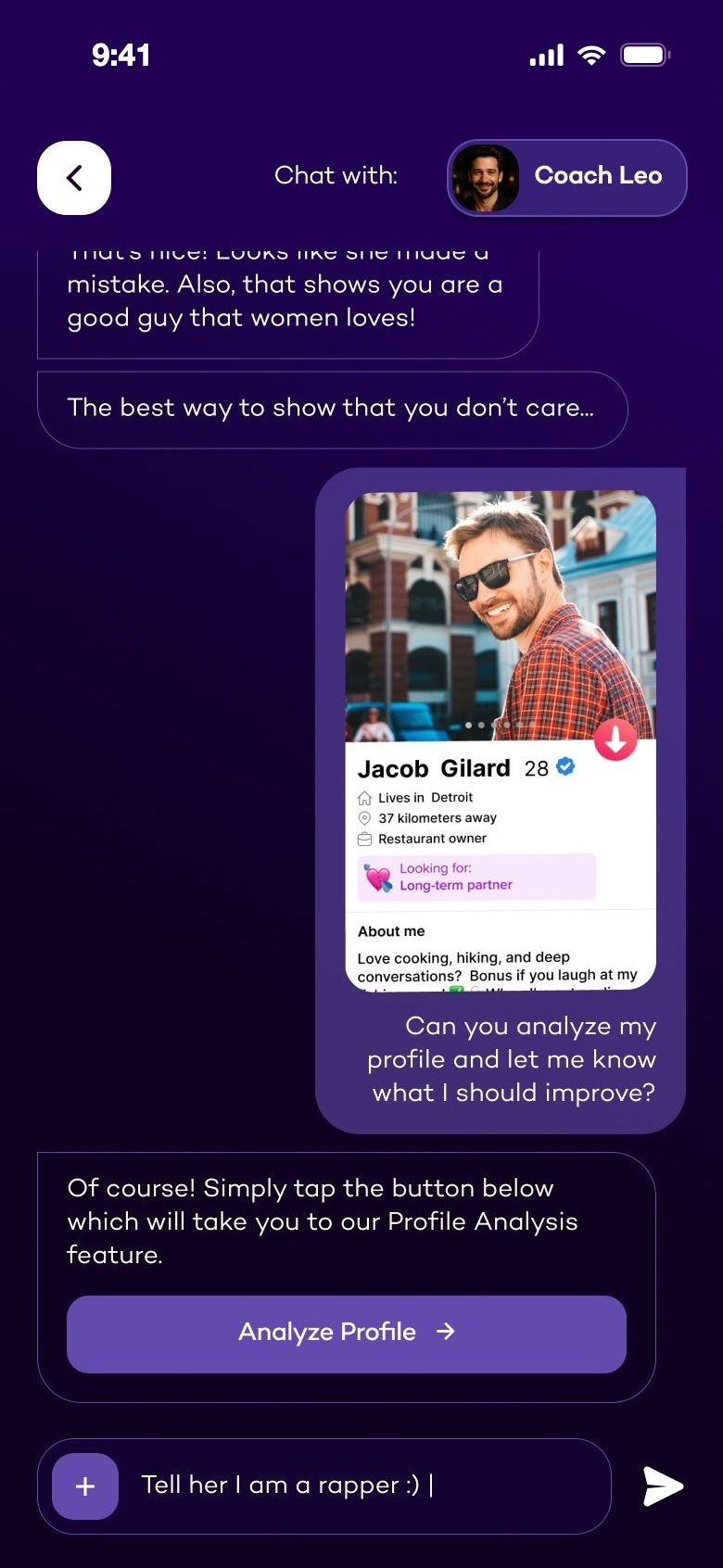
Coach chat with a button to Profile Analysis
Ask the coach

CNew photos

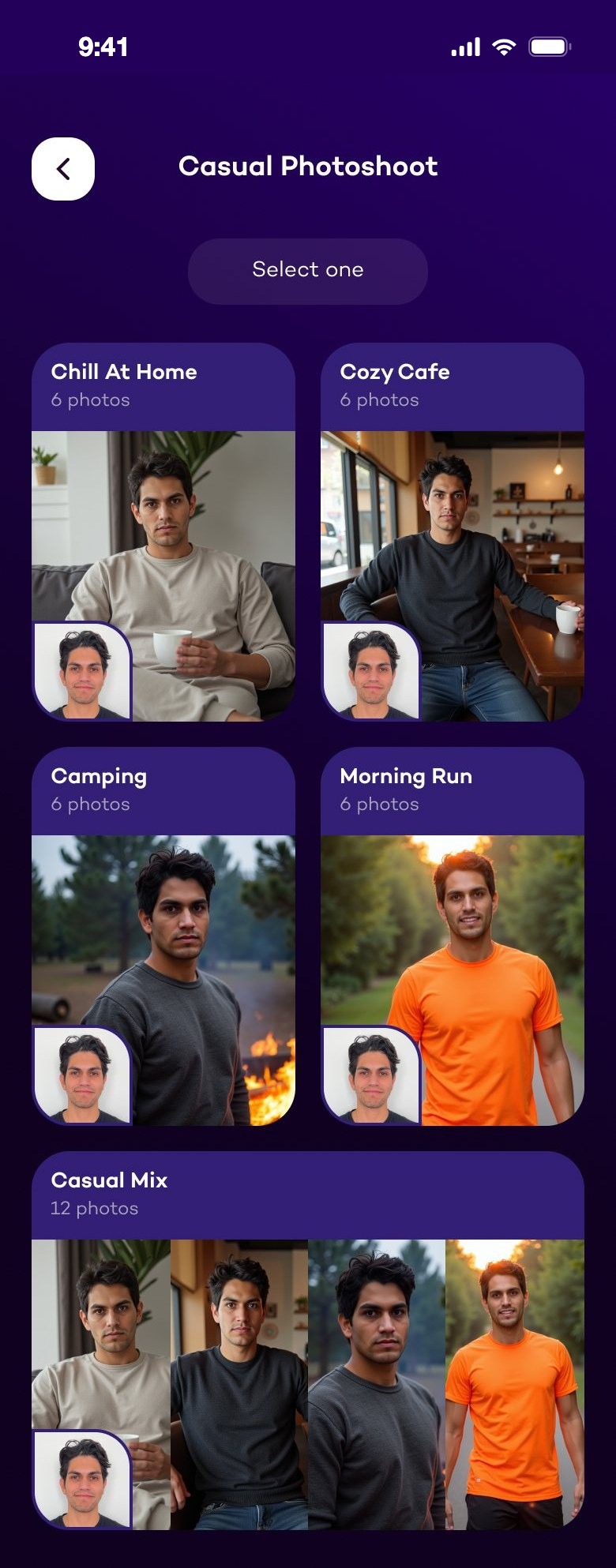
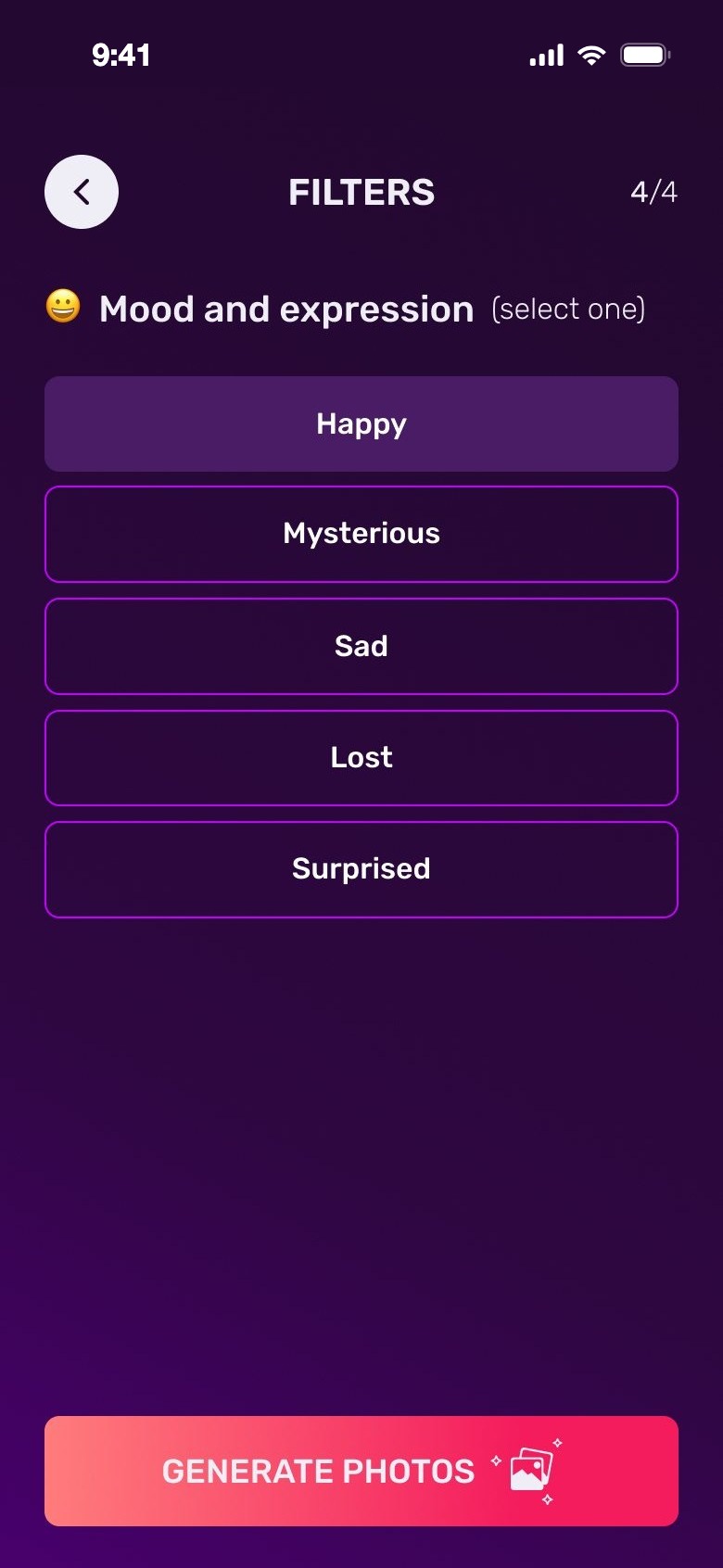
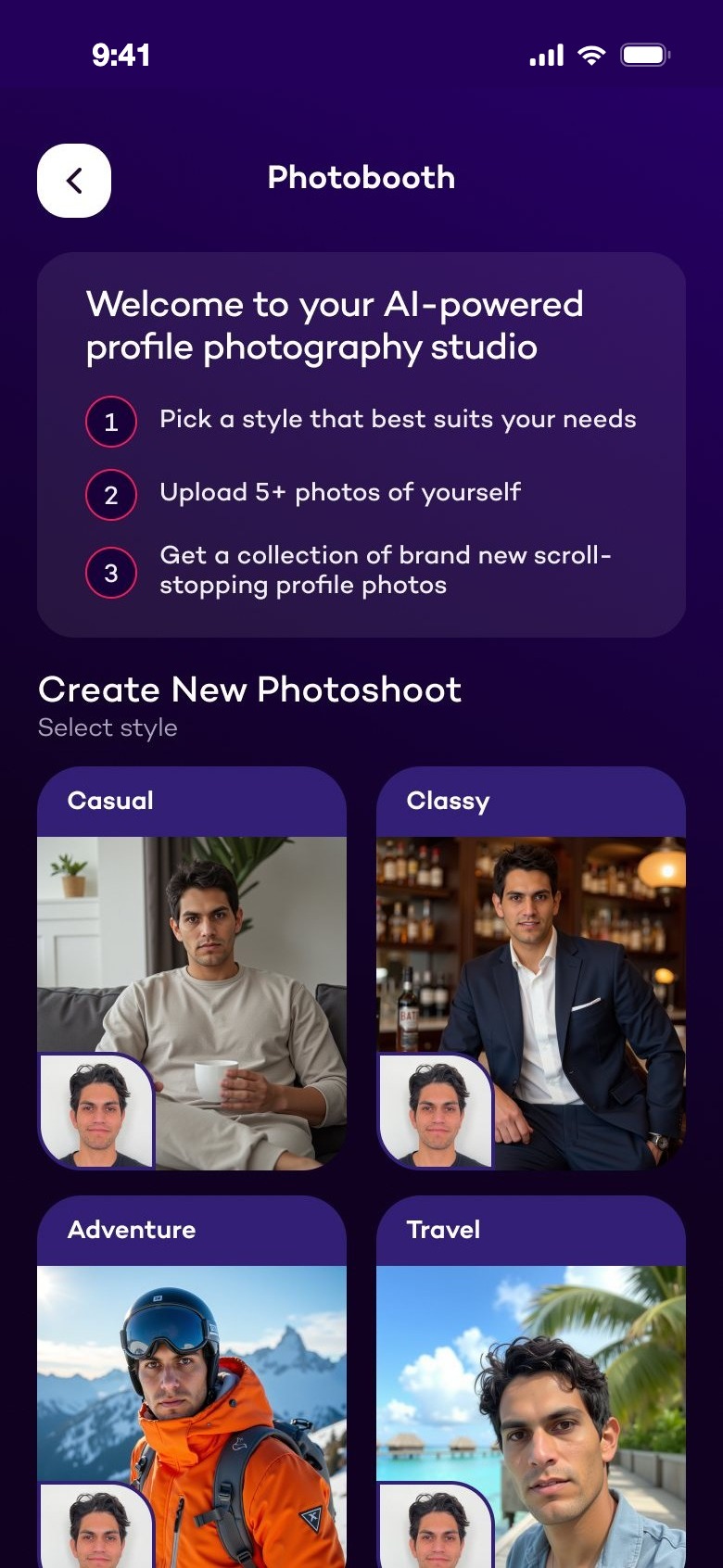
From four lists of filters to a photo studio: pick a style you can see, upload a few selfies, get a photoshoot.
Before
Old filters: photo theme
Filter 1 of 4
Old filters: mood and expression
Filter 4 of 4
After
Photobooth: create a new photoshoot
Photobooth
Casual photoshoot styles
Pick a style
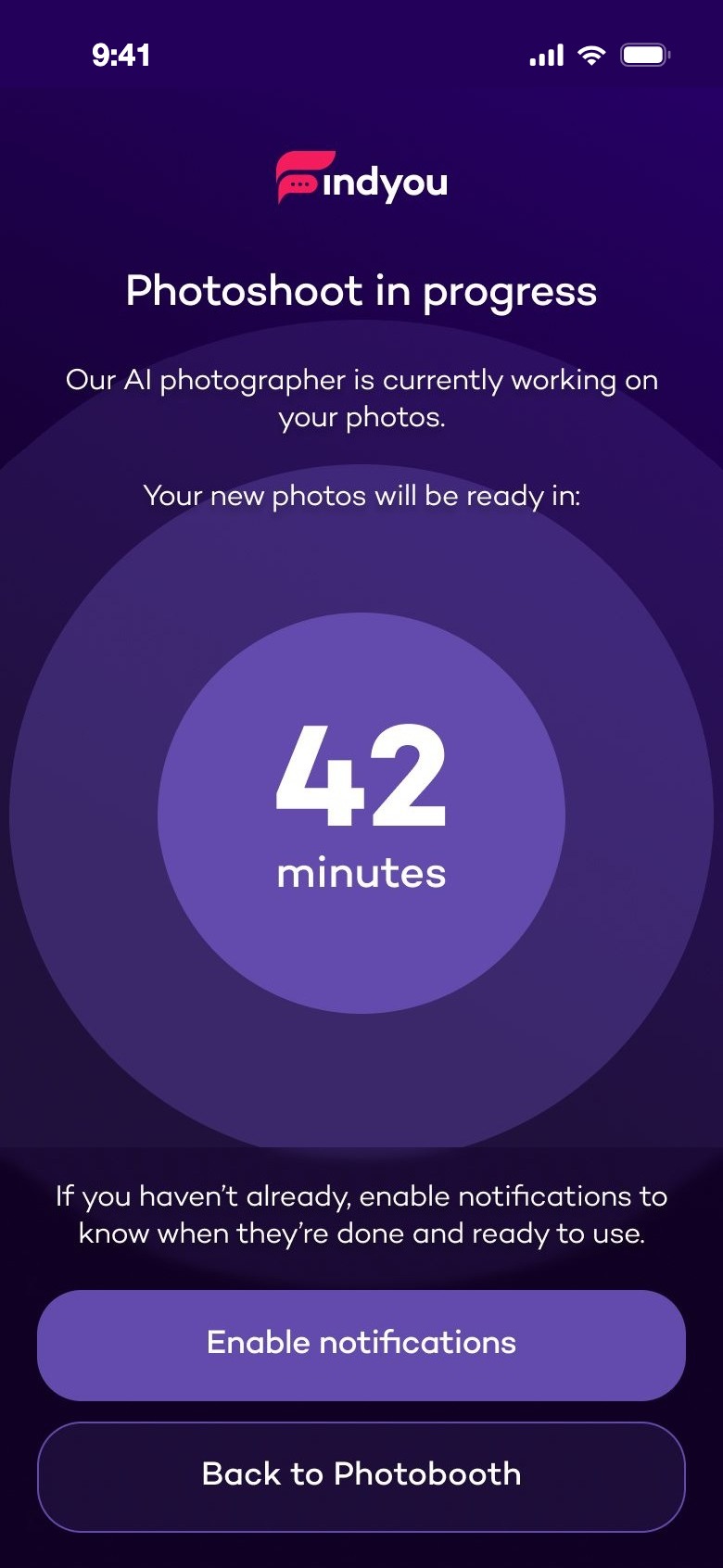
Photoshoot in progress, 42 minutes
Photoshoot in progress
08Key design decisions

What changed, and why.

Six decisions behind the new app — each shown with real UI, cut from the design.

01

A coach with a personality

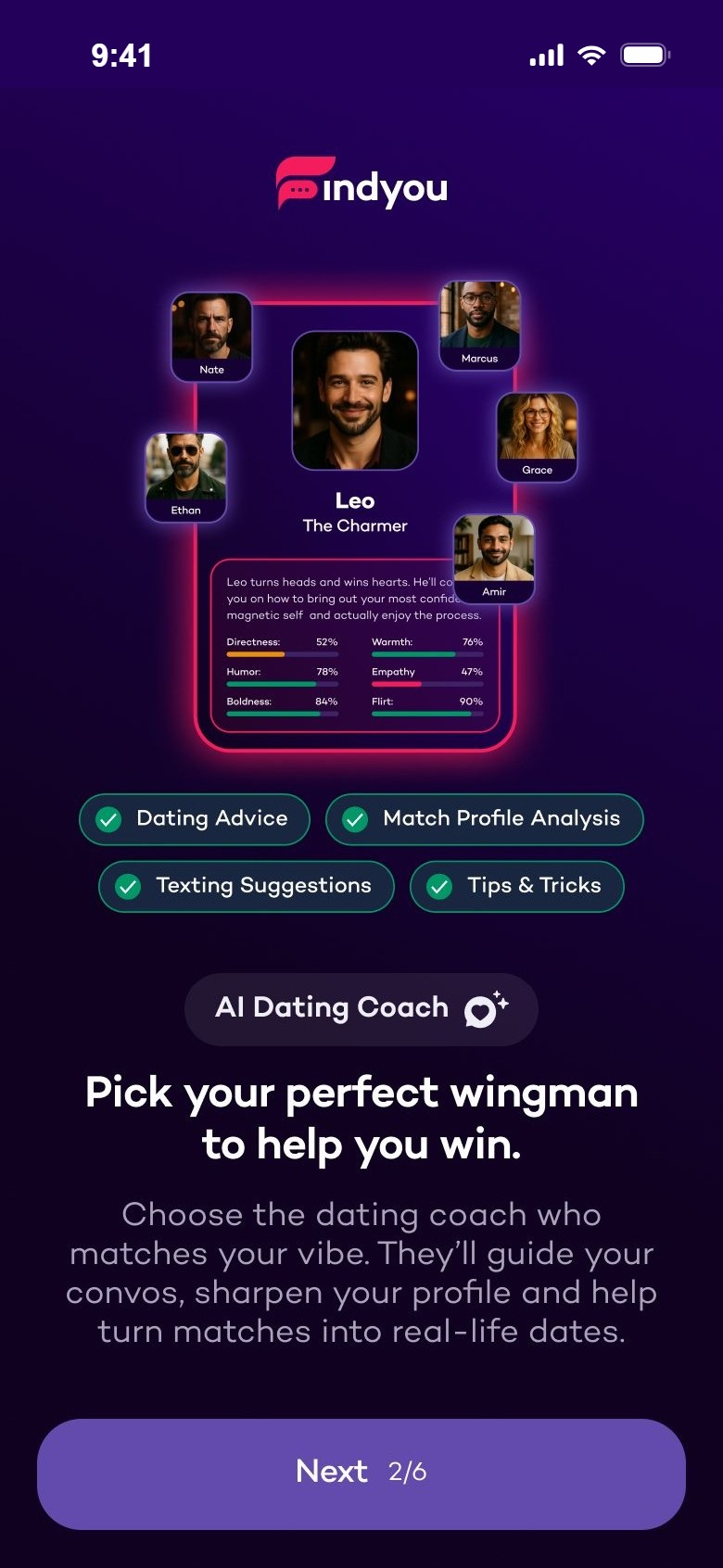
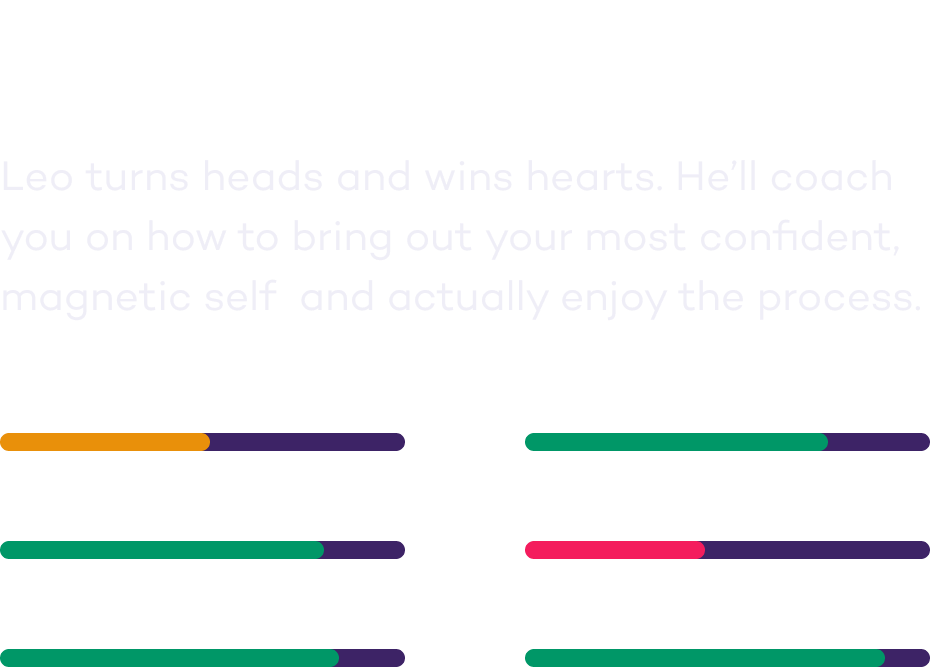
The first thing you do is pick a coach: Marcus, Leo, Ethan, Amir, Grace or Nate. Each has a short bio and six traits — directness, warmth, humour, empathy, boldness, flirt.

WhyAdvice is easier to take from someone than from a feature. The trait bars tell you how your coach will talk before you start.
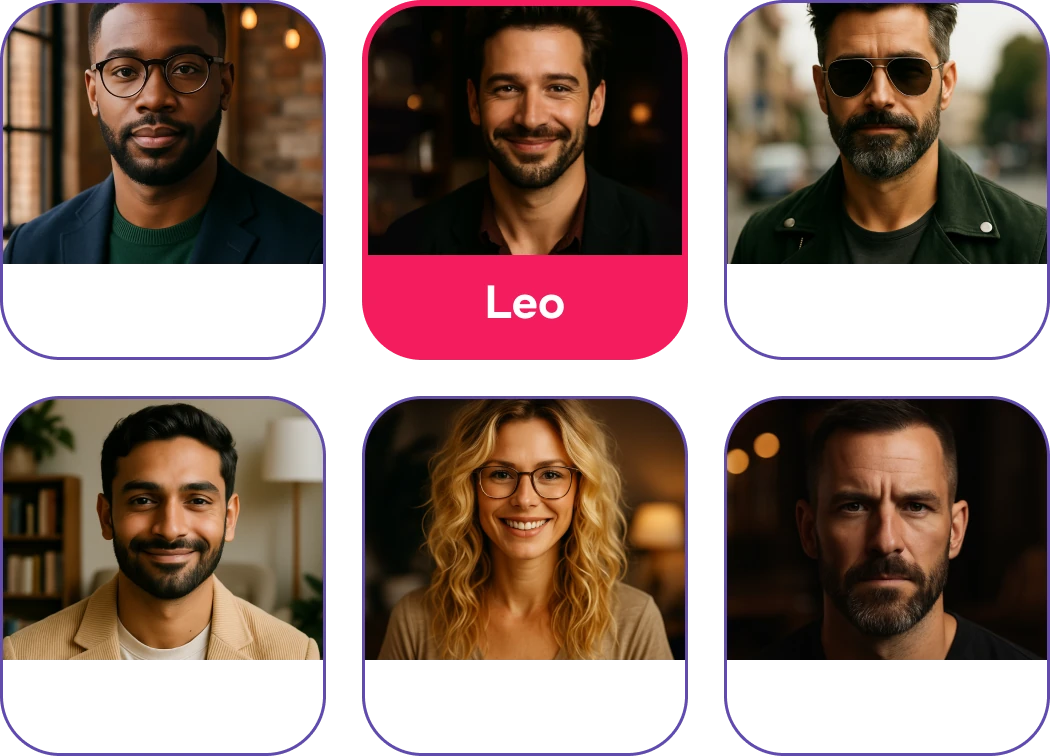
Six coaches, Leo selected
Leo, The Charmer, with trait barsChoose coach button
02

Onboarding as a conversation

Instead of feature slides, your coach asks you questions — your name, your traits, what you're looking for. A counter shows where you are, emoji and short subtitles make answers quick to scan, and several answers can be picked at once.

WhyQuestions from a coach feel like the start of the help itself. Every answer makes the next advice more personal.
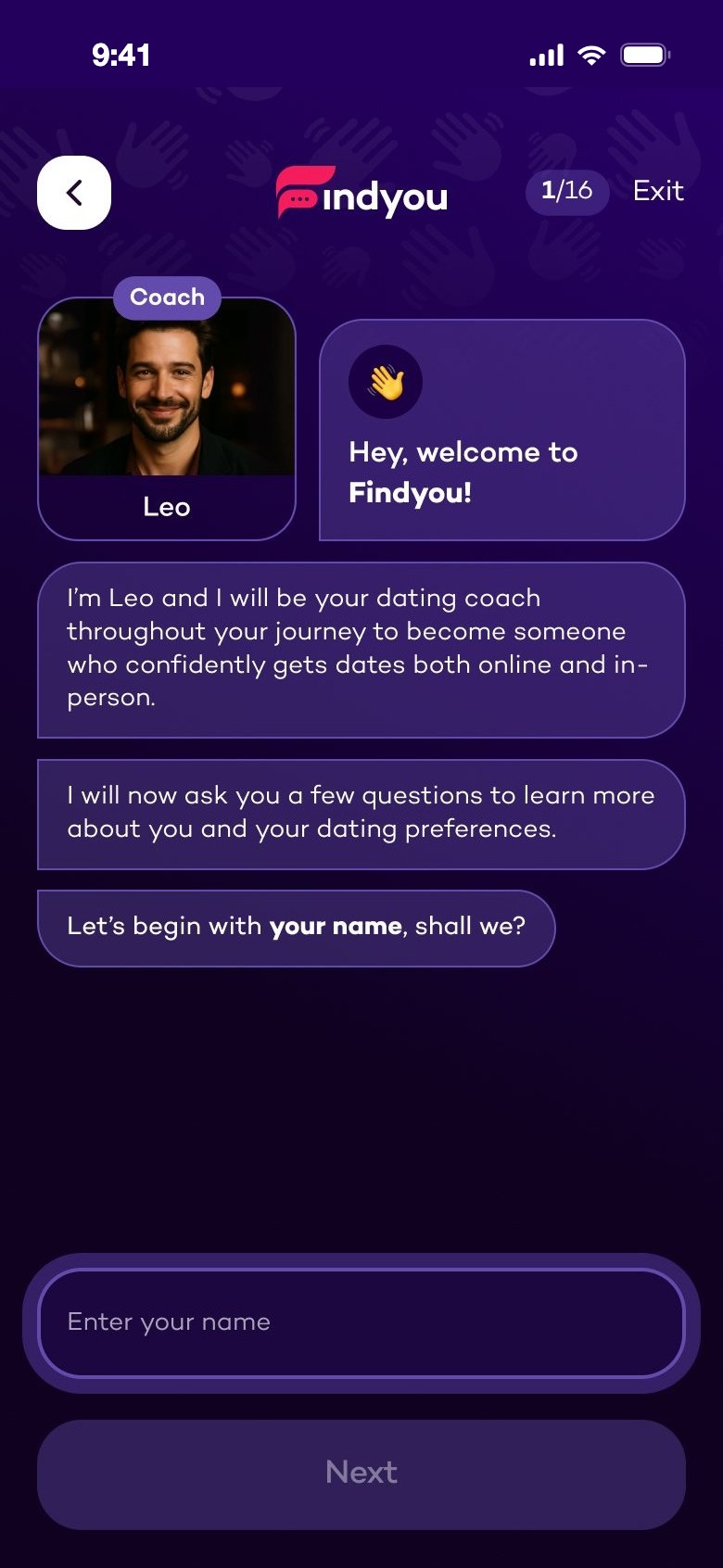
Hey, welcome to Findyou! Leo asks your name
Which character traits describe you
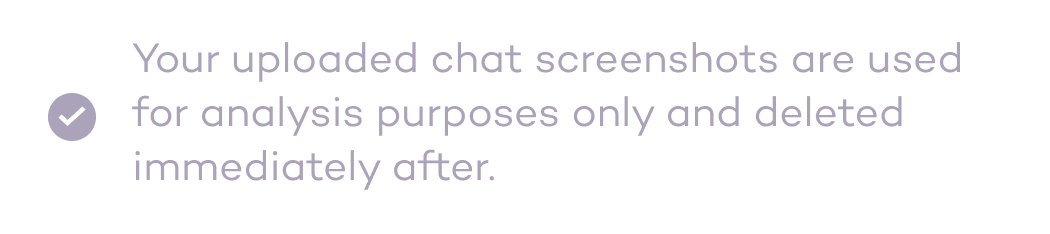
Your uploaded chat screenshots are used for analysis purposes only and deleted immediately after

The last question is optional: share real chats. One line says how they are used.

03

Value first, account last

After the questions, the coach builds your strategy and ticks off the steps — "Decoding your conversation style…", "Identifying your dating strengths…". Only then: "Your Findyou experience is ready. Now let's create an account."

WhySigning up is easier when something is already waiting for you. The account saves a plan you've just made.
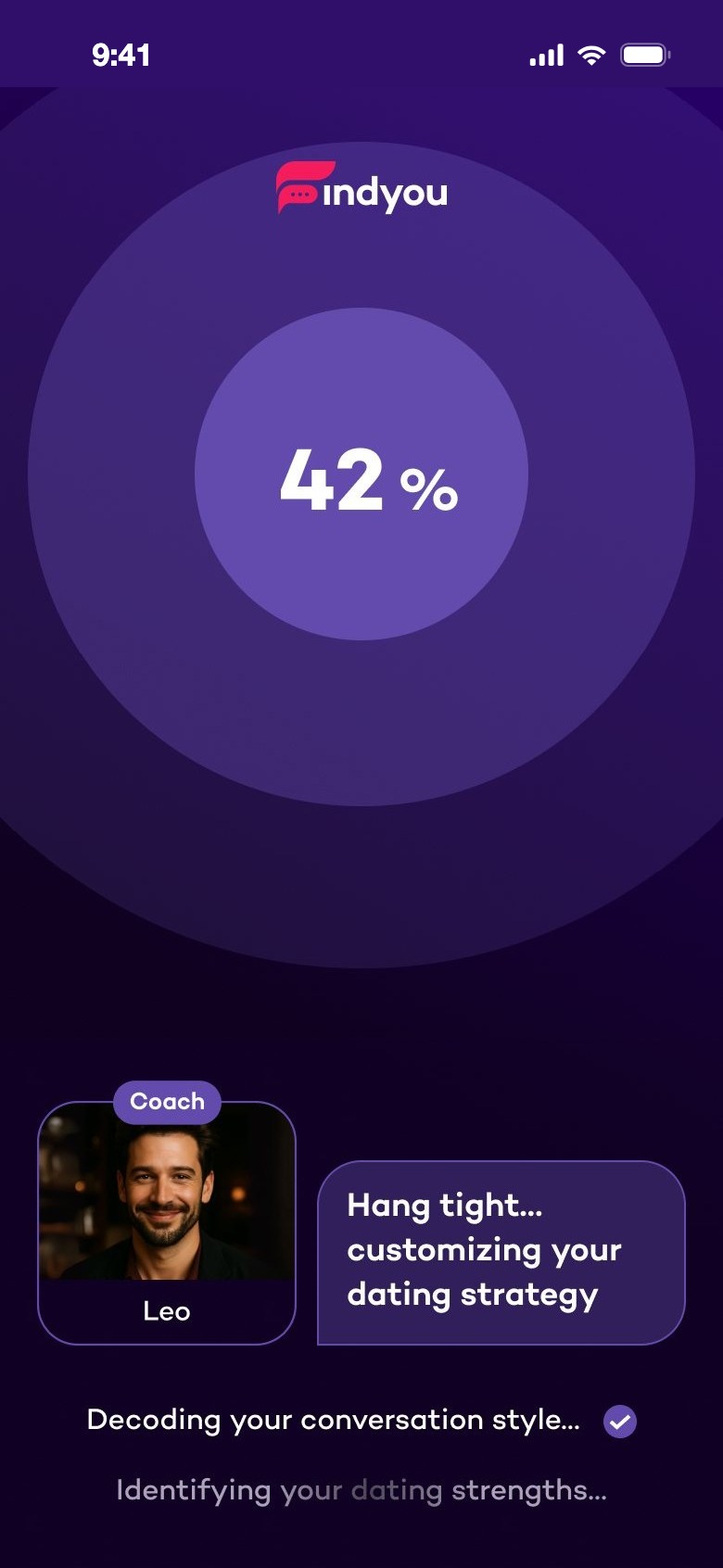
Hang tight, customizing your dating strategy, 42%
Now let's create an account
04

Context once, used everywhere

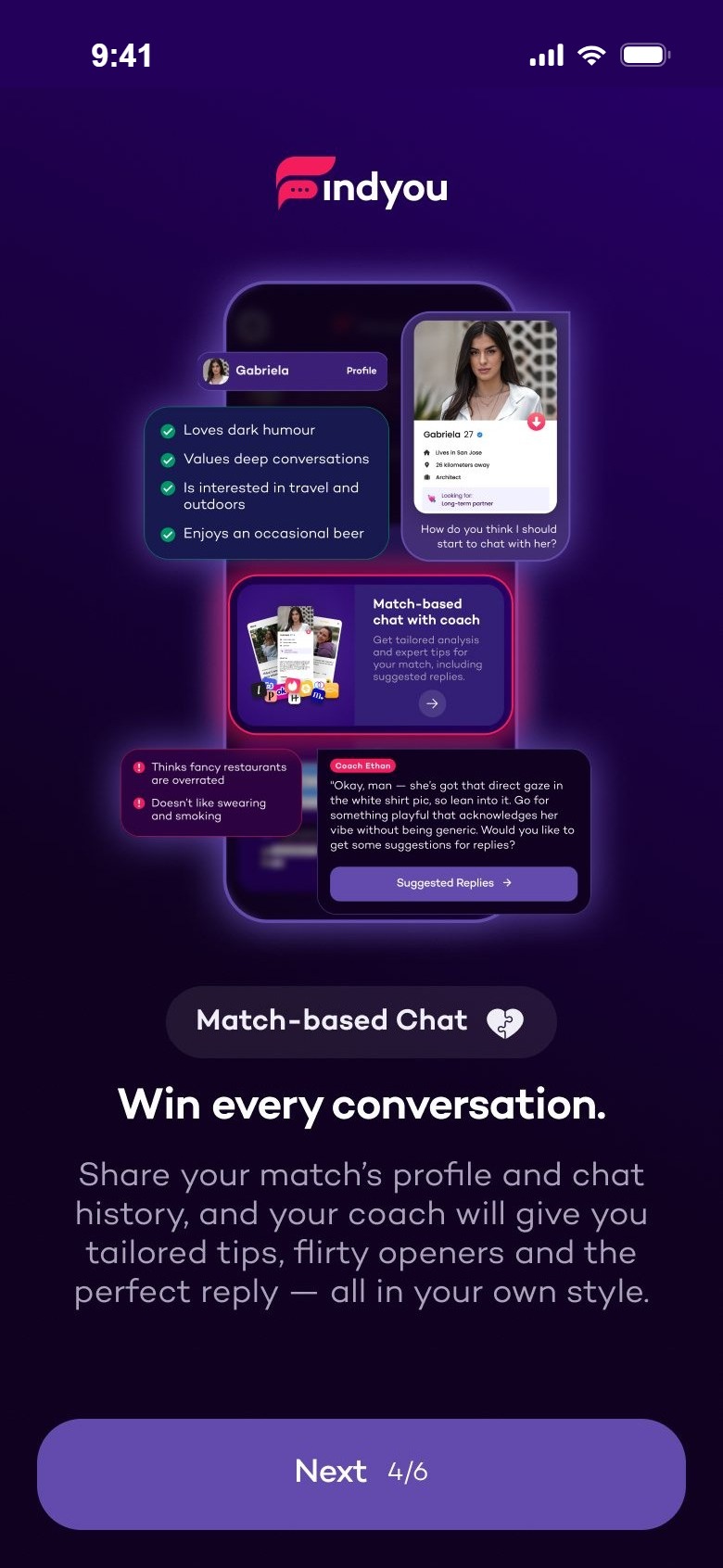
A match is added from screenshots of her profile, with two numbered rules for what to capture. If you have no screenshots, you can describe her in your own words. The coach then sums her up — what she likes, what she doesn't.

WhyThe AI needs context, but nobody wants to type out a profile. Screenshots take seconds — and the insights show you what the coach understood.

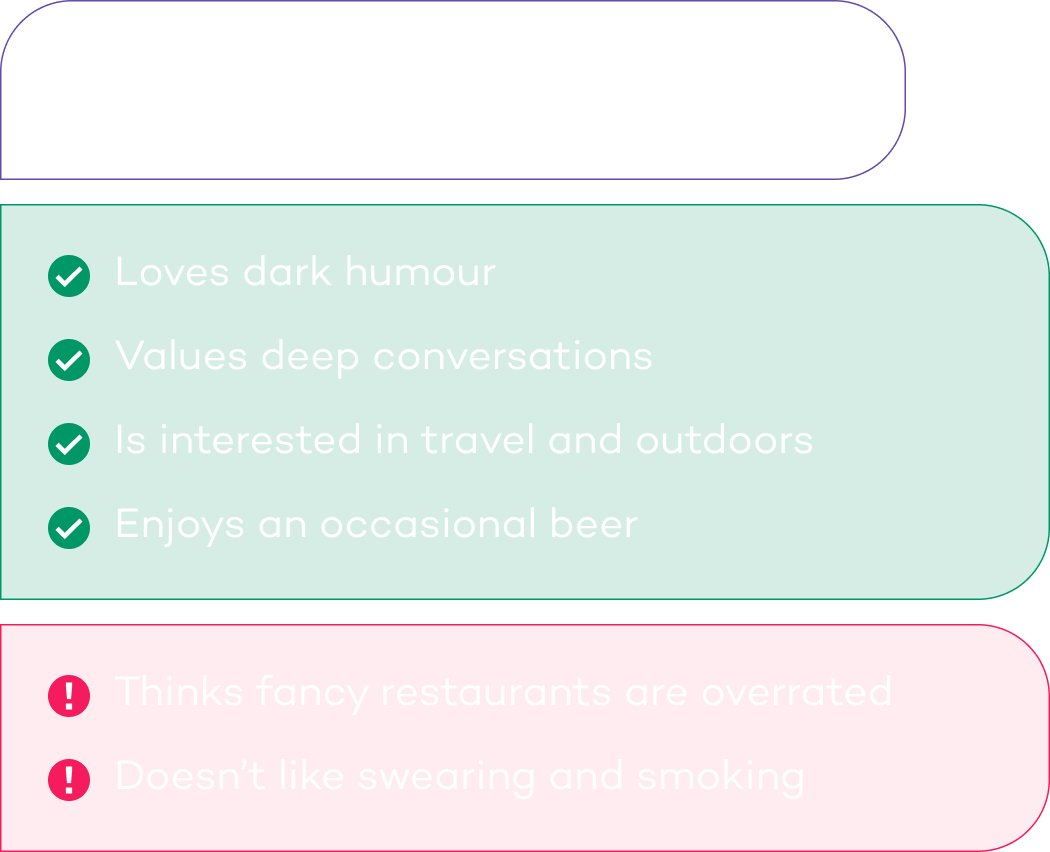
Add match: upload profile screenshots
1. Capture all parts of the profile. 2. Upload only profile screenshotsInsights about Samantha
05

Replies that sound like you

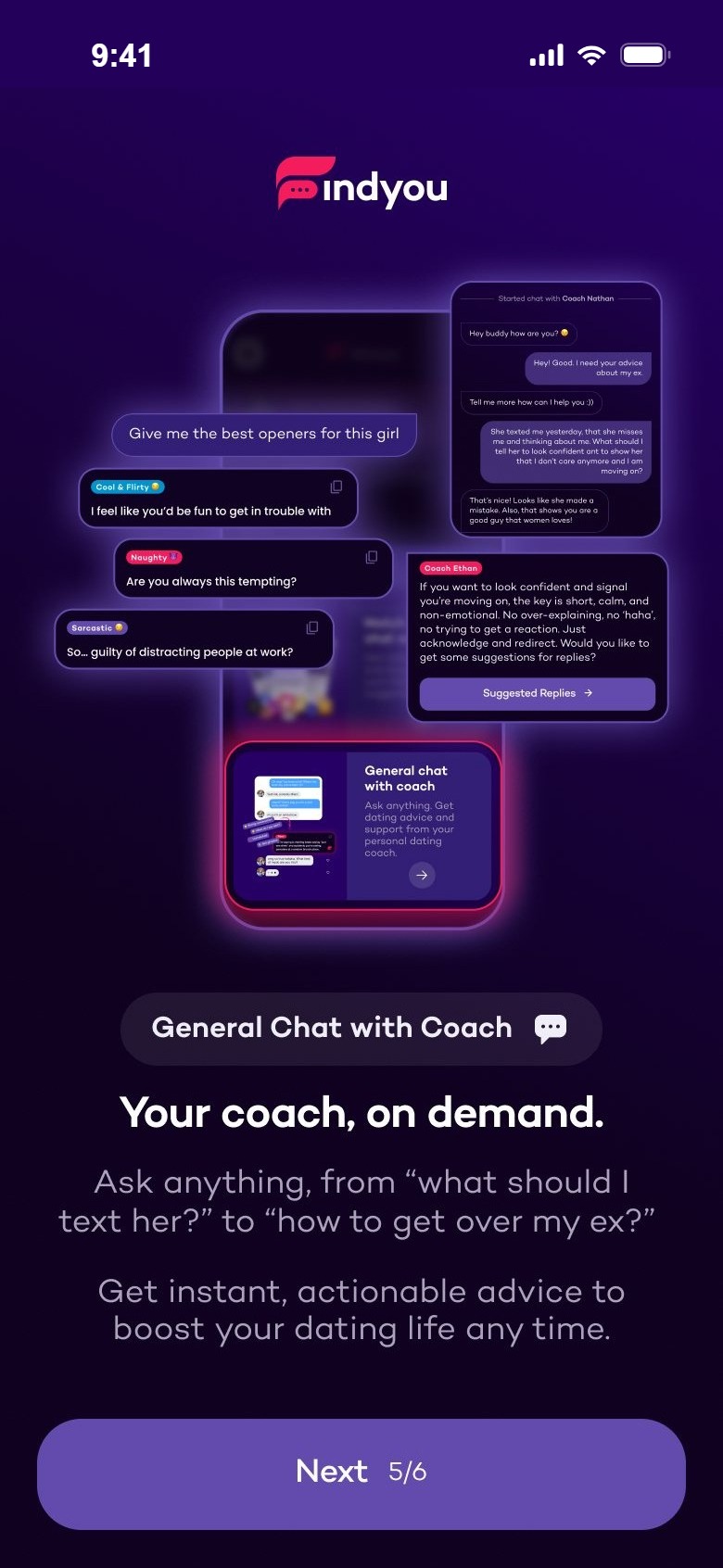
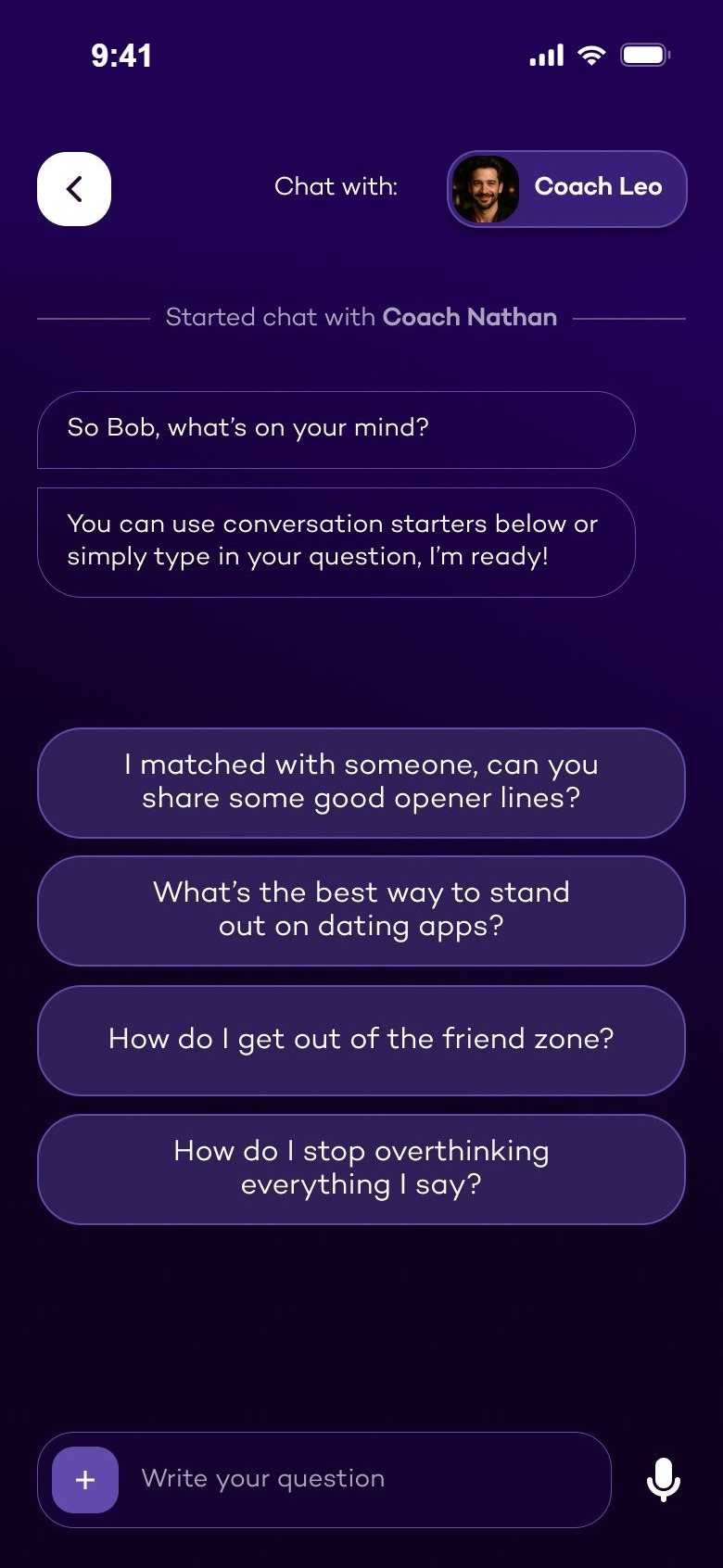
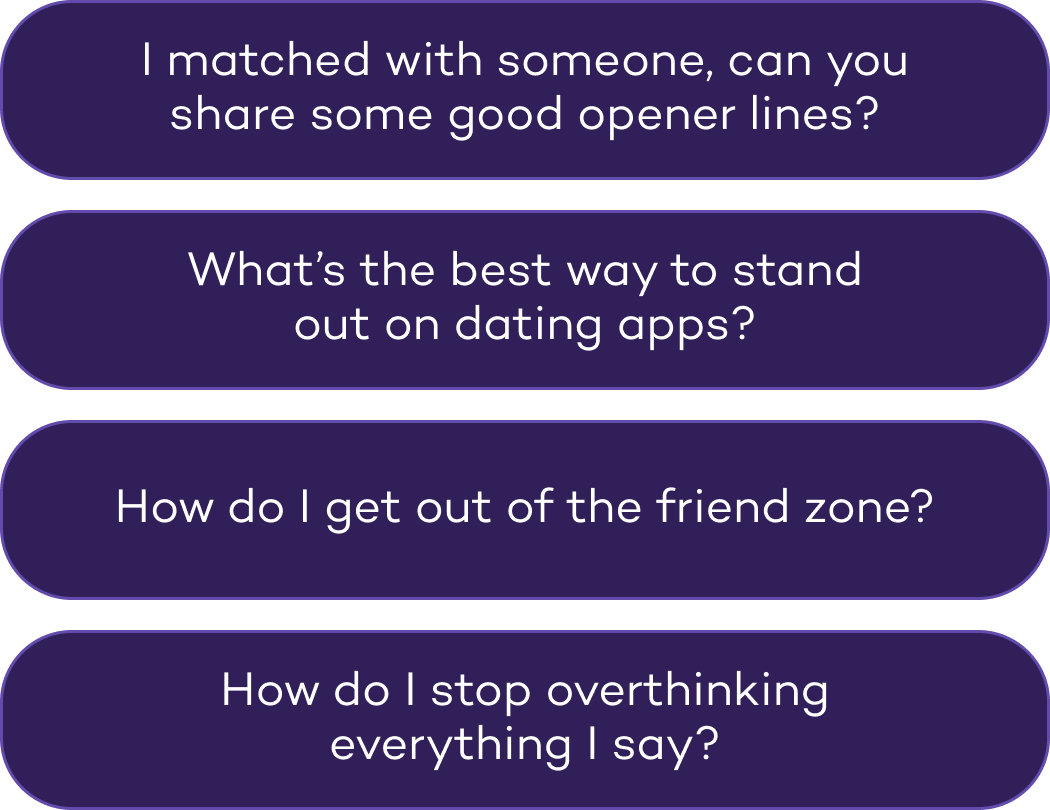
Reply suggestions come as cards with a tone tag. You can switch the tone, add your own instructions or ask for new ones. In a general chat, ready-made questions help you start, and the coach can open the right feature with one button.

WhyA suggestion only helps if you'd actually send it. Tone, instructions and one-tap copy keep you in control of what the AI writes.
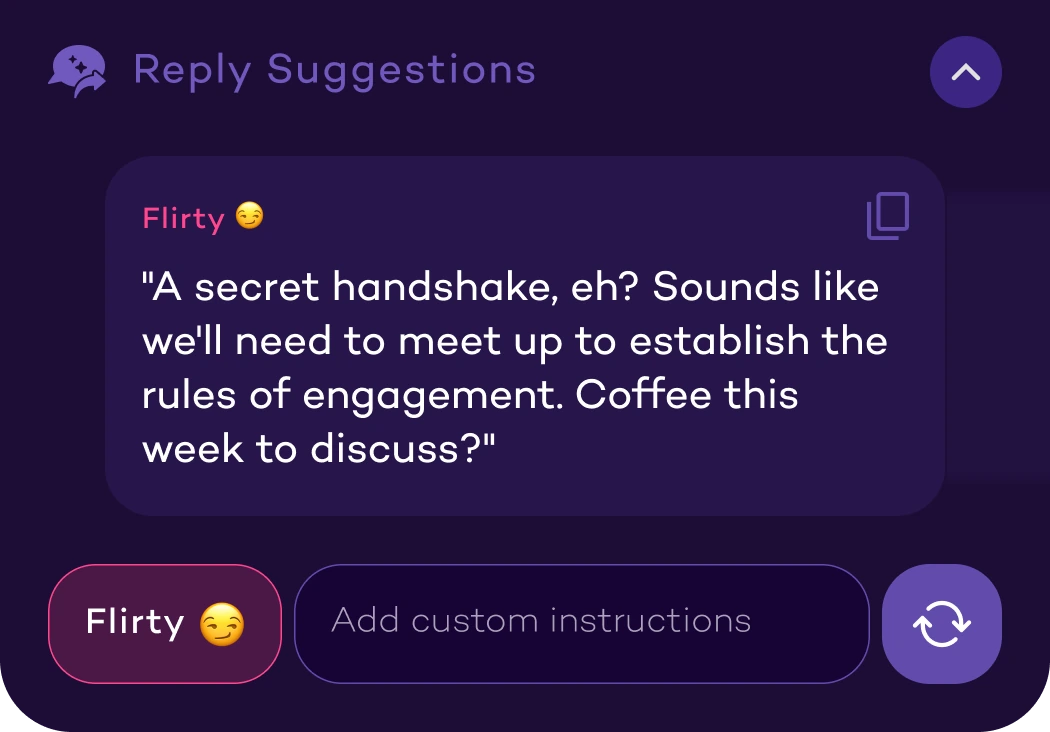
Reply suggestionsReply suggestions with a Flirty tone, custom instructions and refresh
Conversation startersConversation startersThe coach offers a button to Profile Analysis
06

Waiting you can see, privacy you can read

When the AI works, the steps tick off one by one. A photoshoot takes longer, so it shows the time left and offers notifications. Wherever you upload chats or photos, one line says how they're used and when they're deleted.

WhyAn empty spinner feels broken; visible steps feel like work being done. And people share private things only when they know what happens to them.

While the AI worksChecking your answers, comparing to best performing dating profiles, setting the tone of voice, adding final touchesWorking, Classy - Old Money, 42 minutes left
Where you uploadYour pictures are securely stored on our server and deleted right after the creation of your new photosYour uploaded chat screenshots are used for analysis purposes only and deleted immediately afterYou need to upload at least 2 photos
09Usability principles

Eight rules on every screen.

The same few rules on every screen — so a new feature never feels like a new app.

touch_app

One main action

One big button at the bottom, where the thumb is.

hourglass_top

Progress always visible

A step counter in every flow — you always know how much is left.

visibility

Show, don't tell

Real examples of the result before you put in any effort.

check_circle

Green before red

What's good comes first, what to improve second.

waving_hand

Always a way out

Skip, Don't personalize, Provide context manually.

lock

Privacy where it matters

One clear line right next to every upload.

auto_awesome

AI work made visible

Steps tick off while it works; notifications for long jobs.

chat

Same patterns everywhere

Cards, chips, score bars and one tab bar across the app.

10Visual design

Dark, private, a little playful.

A deep night-purple base feels private — right for a personal topic. Violet carries the actions, pink is kept for the brand, the score and the moments that matter, and green and orange make results readable at a glance.

Night#16072CBackground
Plum#2F214ACards and surfaces
Violet#624BACButtons and actions
Pink#F41C5DBrand, score, key moments
Magenta#C04398Tone tags
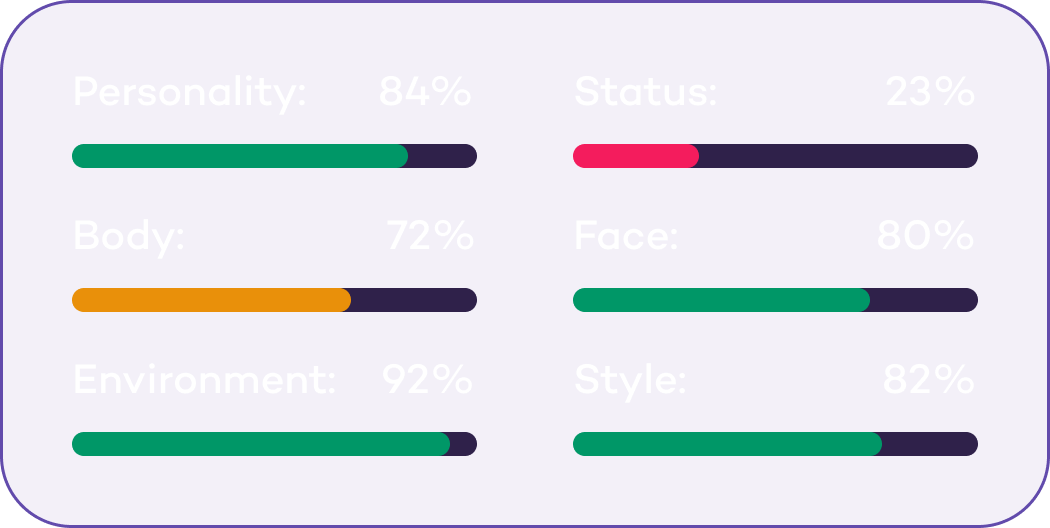
Green#009767What's good, high scores
Orange#E9900AMedium scores
Lavender#EFEEF7Text on dark
Turn matches into real dates. Fast. — set in Campton

Typography

Campton — a geometric sans with a friendly, rounded feel. One family for everything: headings, chat bubbles and the small labels on score bars.
BookMediumSemiBoldBold

Components

Primary pink button
Key actionPink, used rarely
Tone selector
Tone selectorSwitch how the AI writes
Matchability Score chipTexting Suggestions chip
Feature chipsWith a green check
Score bars
Score barsGreen, orange, red by value
Numbered rules
Numbered rulesShort, one line each
Tab bar
Tab barFour homes
11Screens

More from the app.

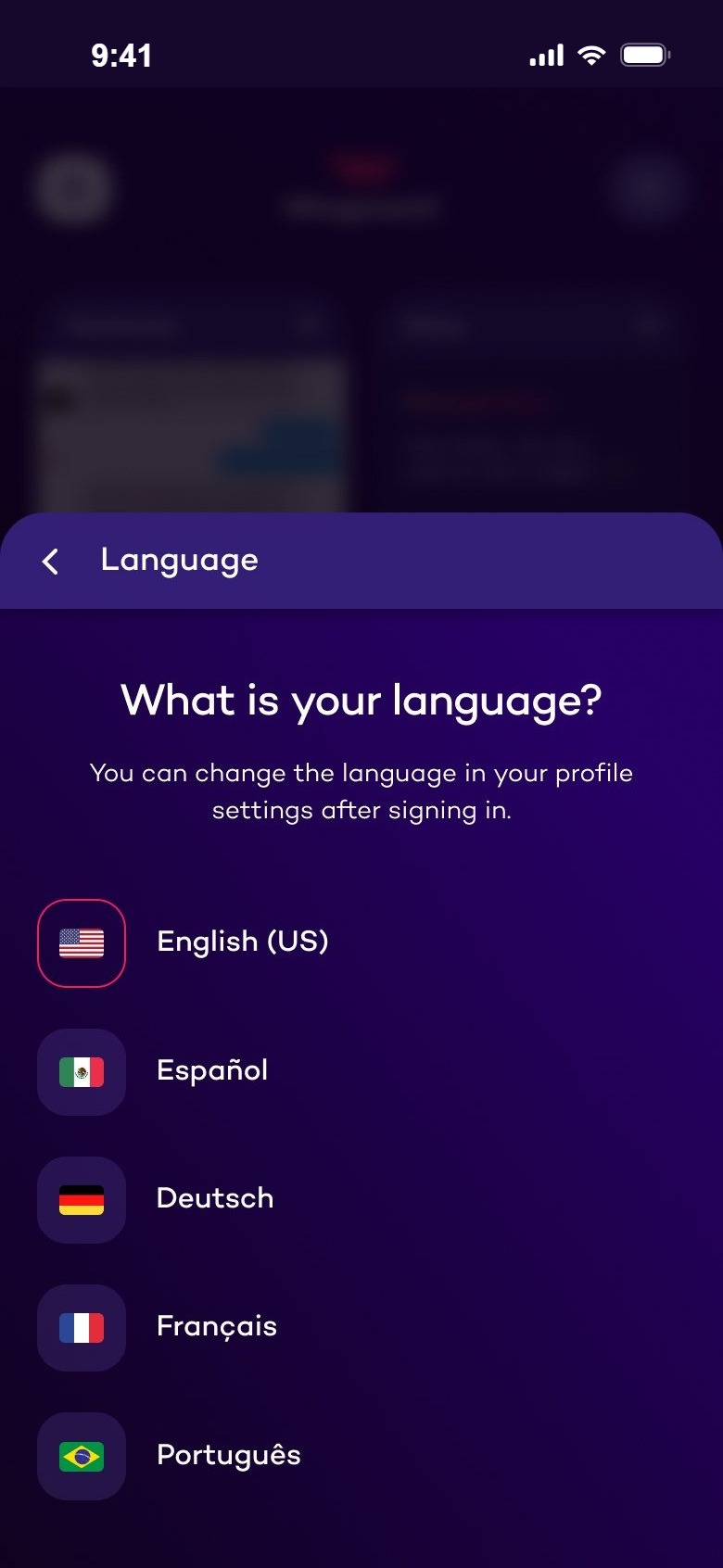
Onboarding & coach Language, what the app can do, the first chat and your matches

What is your language?
Pick your perfect wingman
Win every conversation
Your coach, on demand
Chat with Coach Leo, with conversation starters
Your matches

Profile, photos & course Analysis, the Bio Generator, photo feedback and lessons

Make your profile swipe-worthy
Profile analysis
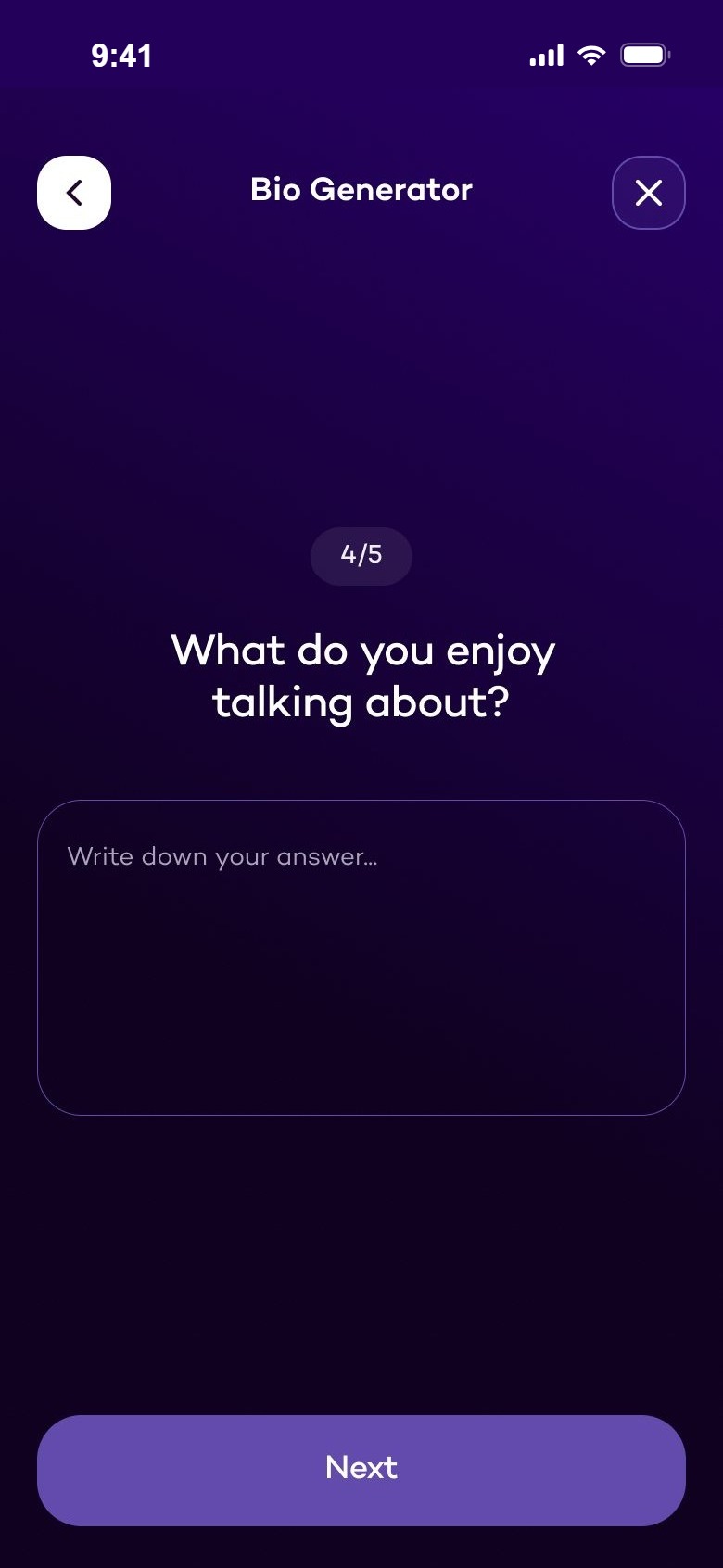
Bio Generator, question 4 of 5
Matchability scores
Photo feedback
Lessons list
Next case study

Katabasis.

→