
Case study · Redesign · Self-help · Mobile app

Katabasis.

katábasis (Greek): a descent into the underworld — and the way back.

A self-help app for working through what we carry from the past — redesigned from a course to finish into a calm daily practice: one path for today, gentle check-ins and a private place to reflect.

spaProduct
Shadow-work lessons, rituals & reflection
personRole
UX/UI designer
stairsScope
Redesign of the whole app
smartphonePlatform
Mobile app
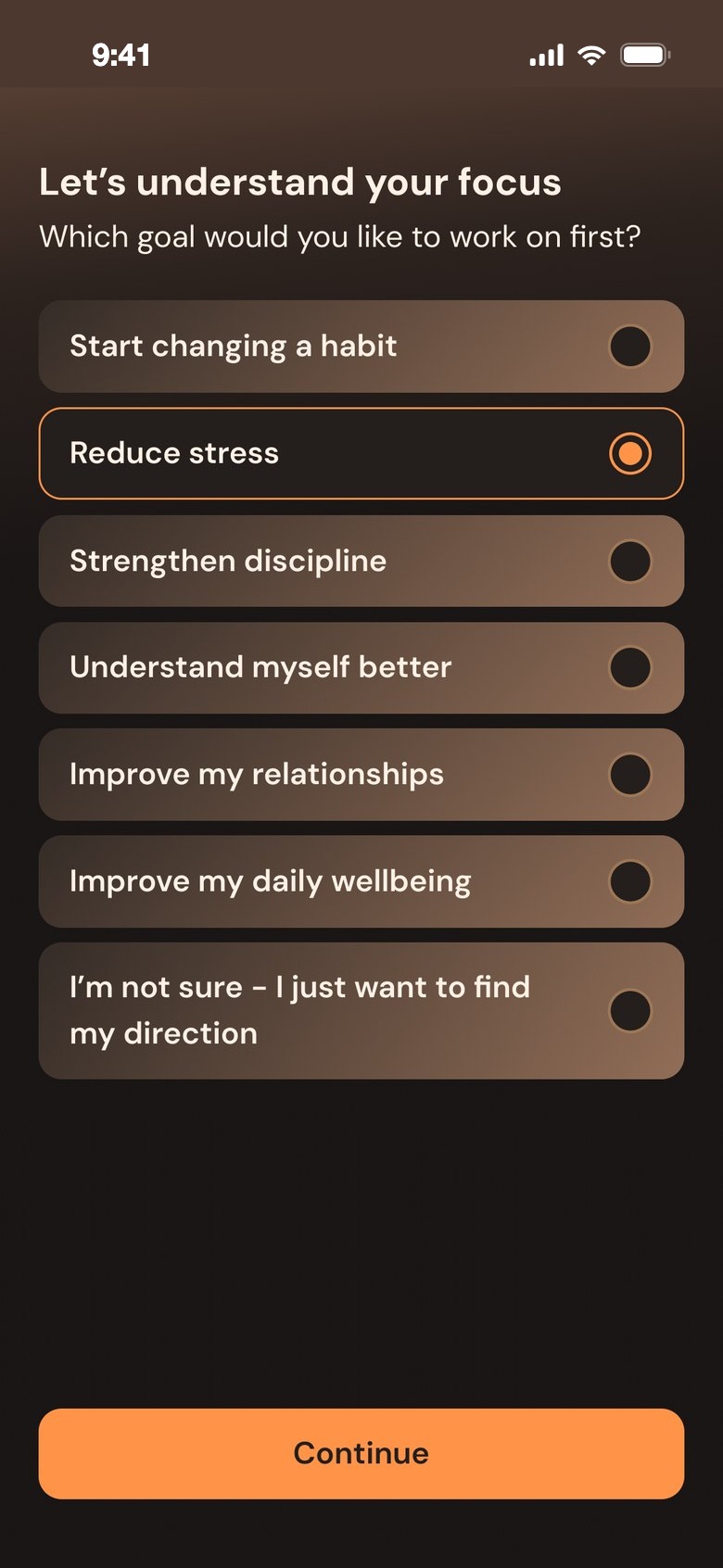
Let's understand your focus
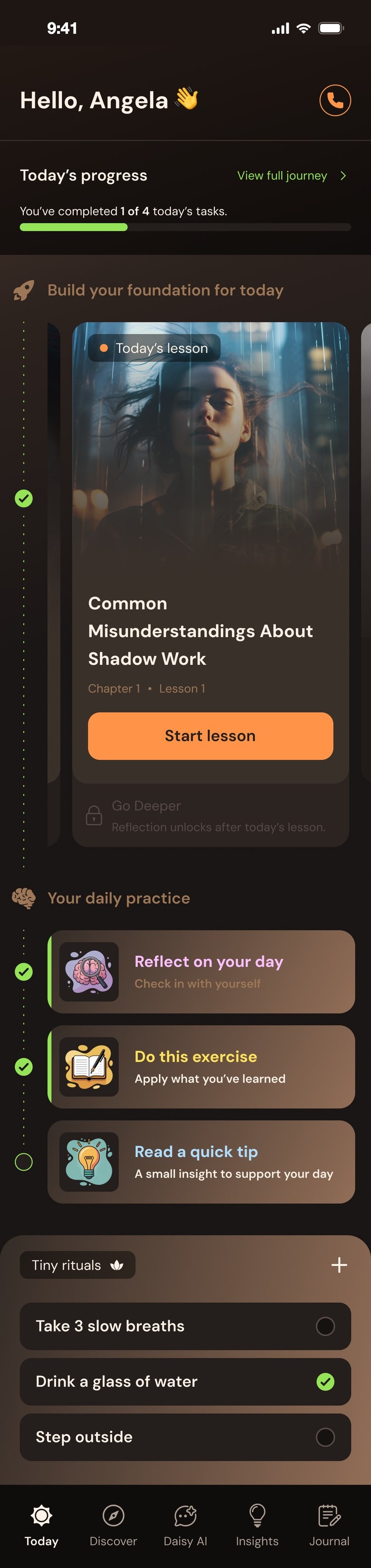
Today: Hello, Angela, today's progress and the lesson of the day
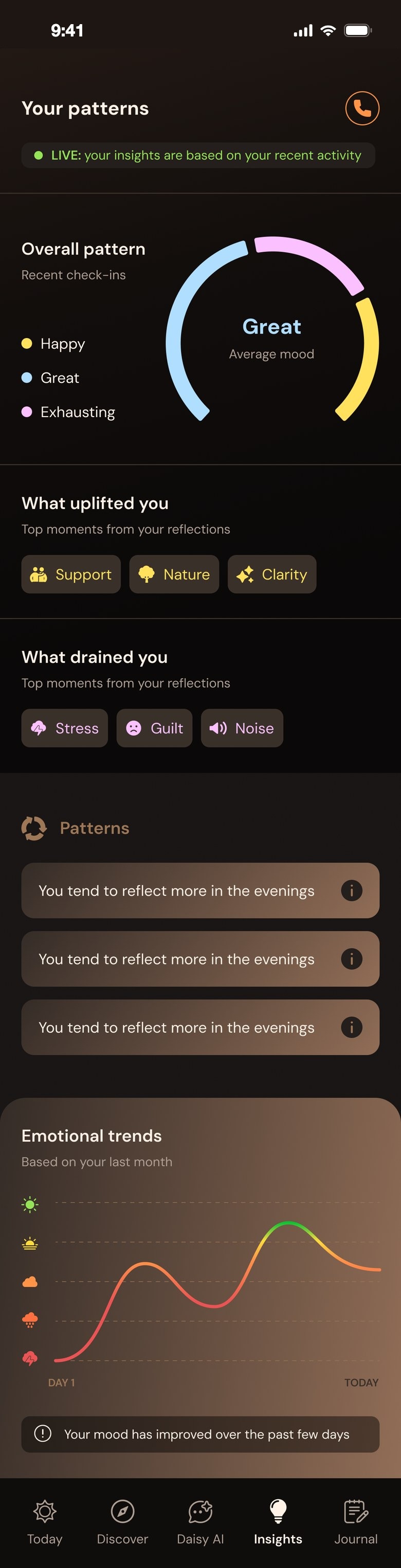
Your patterns
3 day streak, a habit is forming
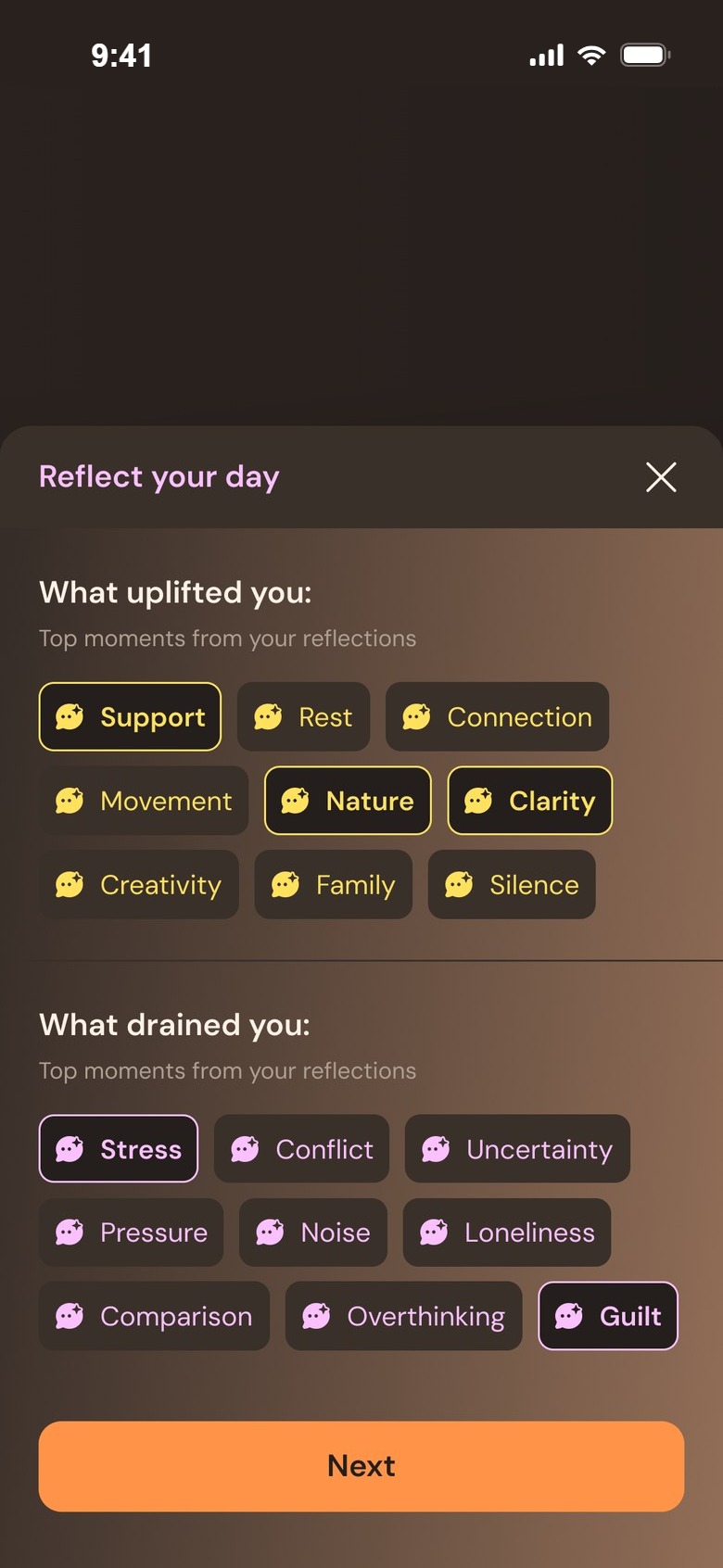
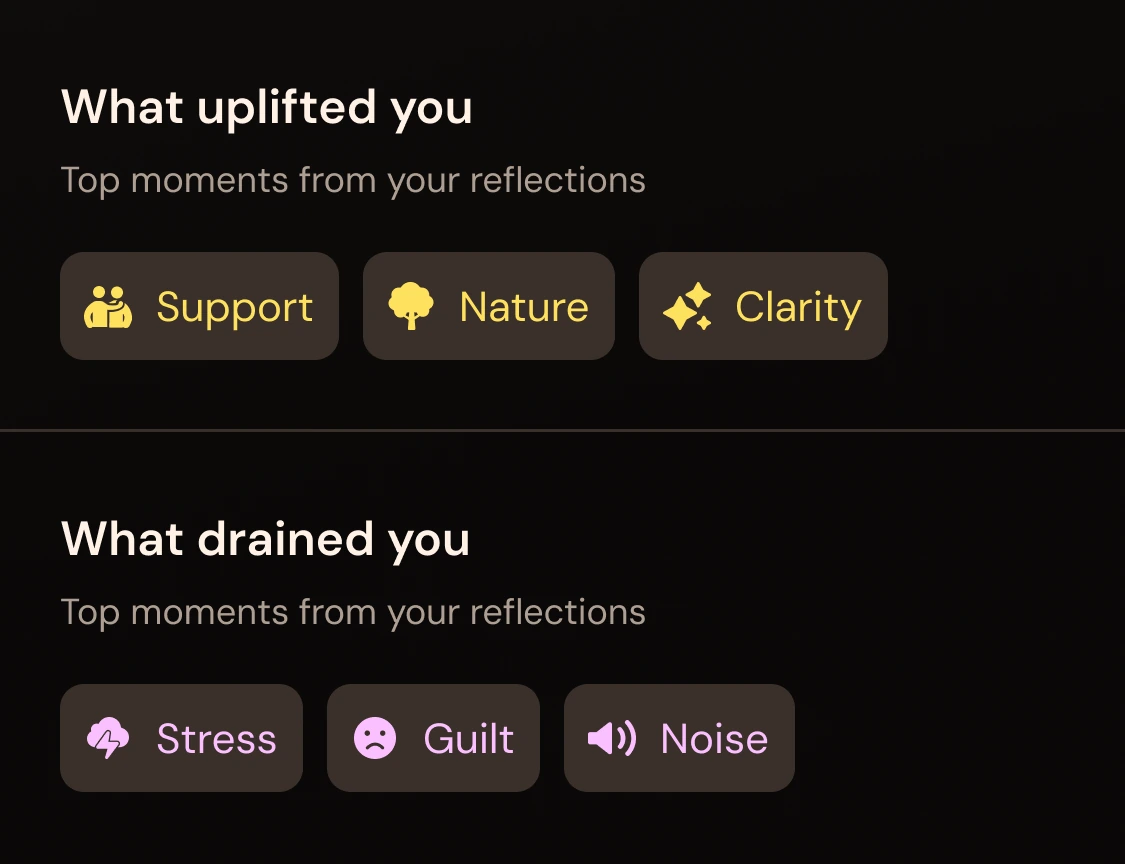
What uplifted you and what drained you
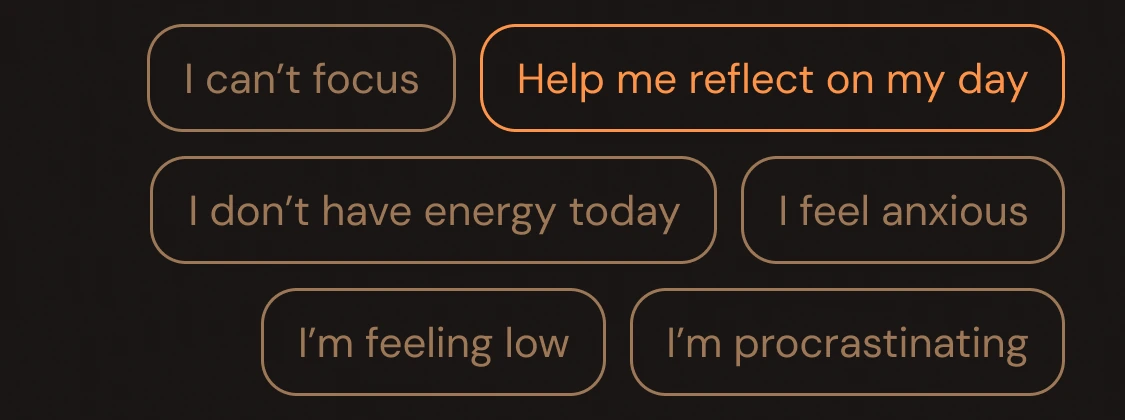
Suggestions for Daisy AI
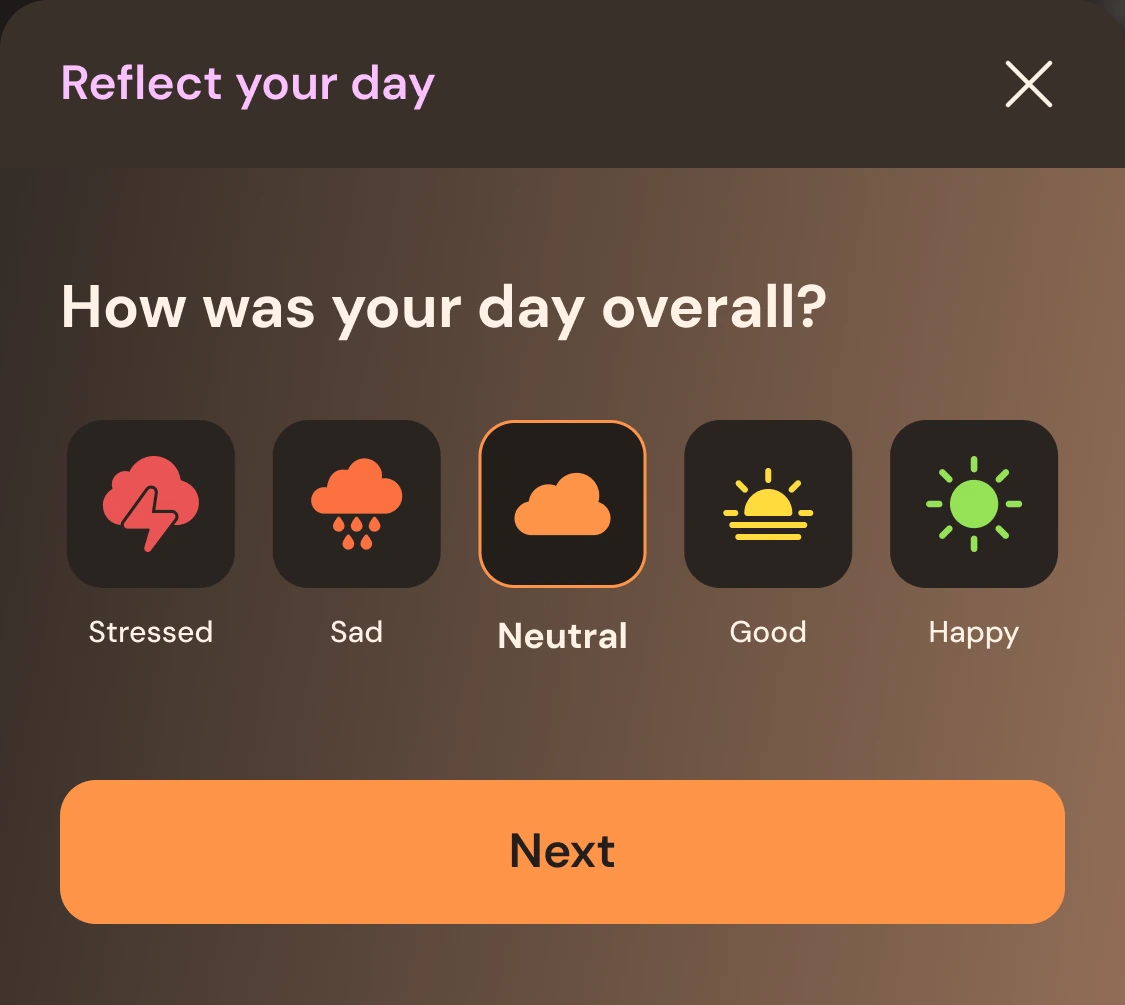
How was your day overall?
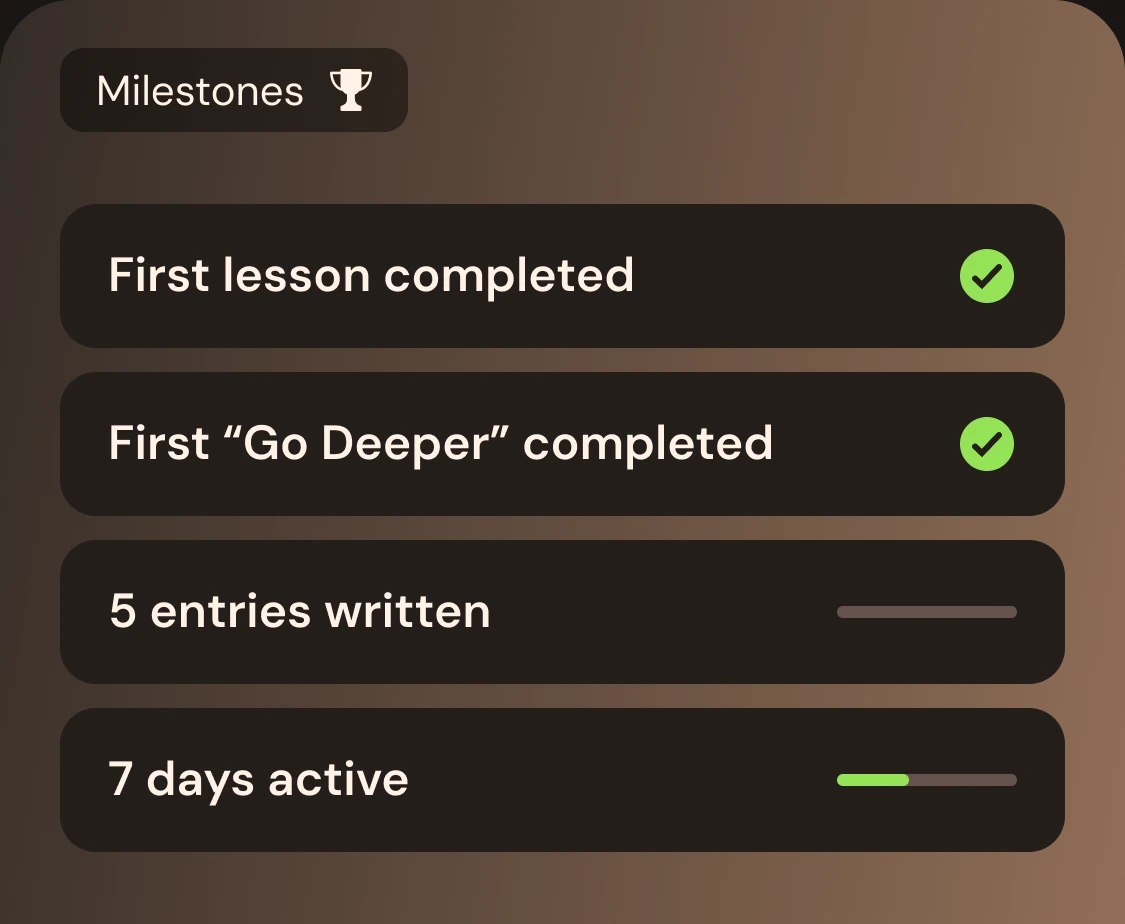
Milestones
Descent · Reflection · Return
info01Context

Looking at what we pushed away.

Katabasis is built around shadow work: noticing the feelings and reactions we usually push away — often rooted in childhood or hard past experiences — and learning to understand them. It offers lessons, practical tools and daily support. The redesign kept the content and changed how a day with the app feels.

person

Who it's for

Adults working through their past, at their own pace. The redesign is made for a quiet moment in the evening.

auto_stories

What it does

Short lessons, audio sessions and deep reads, plus exercises, tips and reflection.

wb_twilight

What the redesign changes

One path for today, a gentle check-in, tiny rituals, insights, a journal and Daisy, an AI companion.

history02The first version

A course to finish, not a place to come back to.

The first version had good content, but it was organised like a school course: chapters, percentages and a library of equal cards — in a cold blue-grey look that didn't fit such a personal topic.
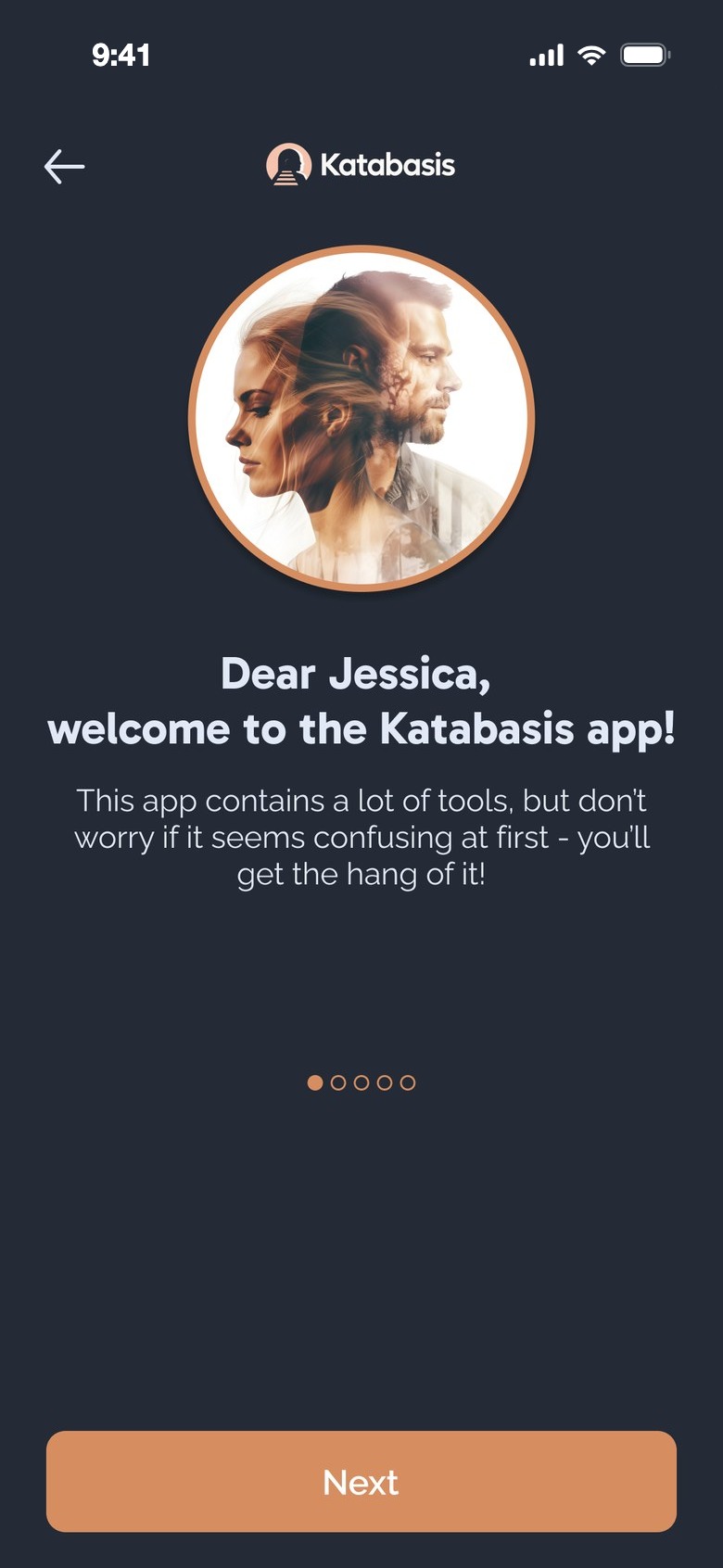
Old onboarding: welcome to the Katabasis app
OnboardingFour slides
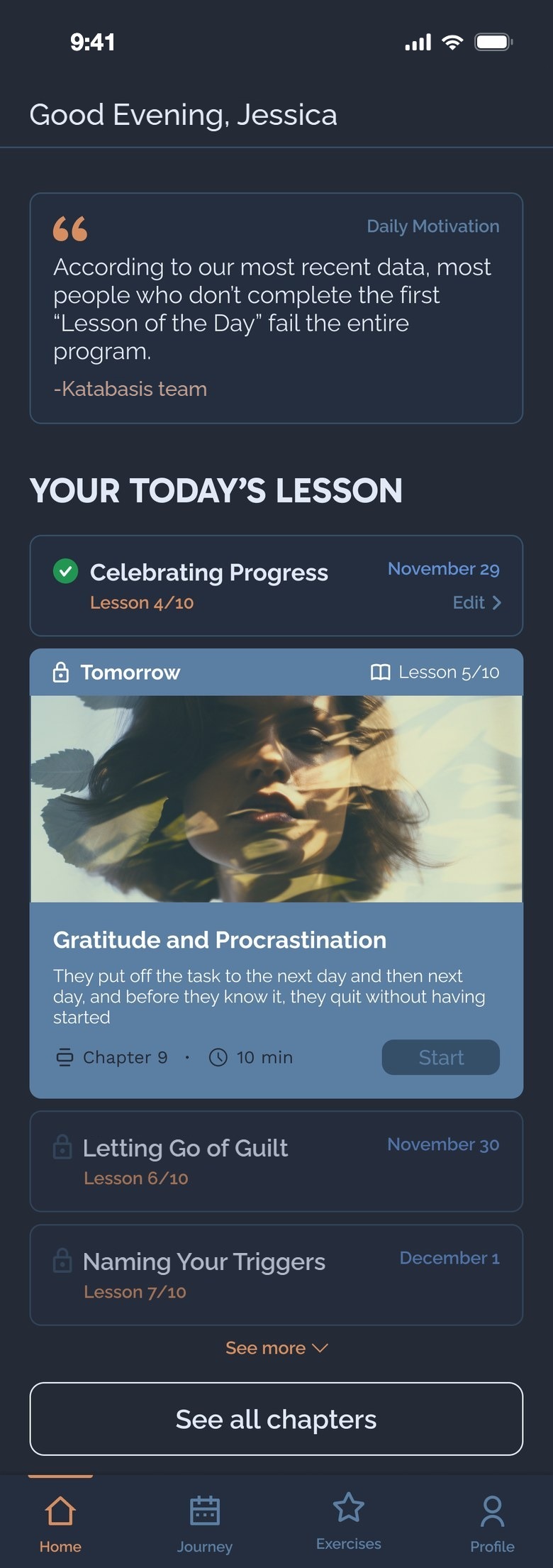
Old home: daily motivation and today's lesson
HomeMotivation by pressure
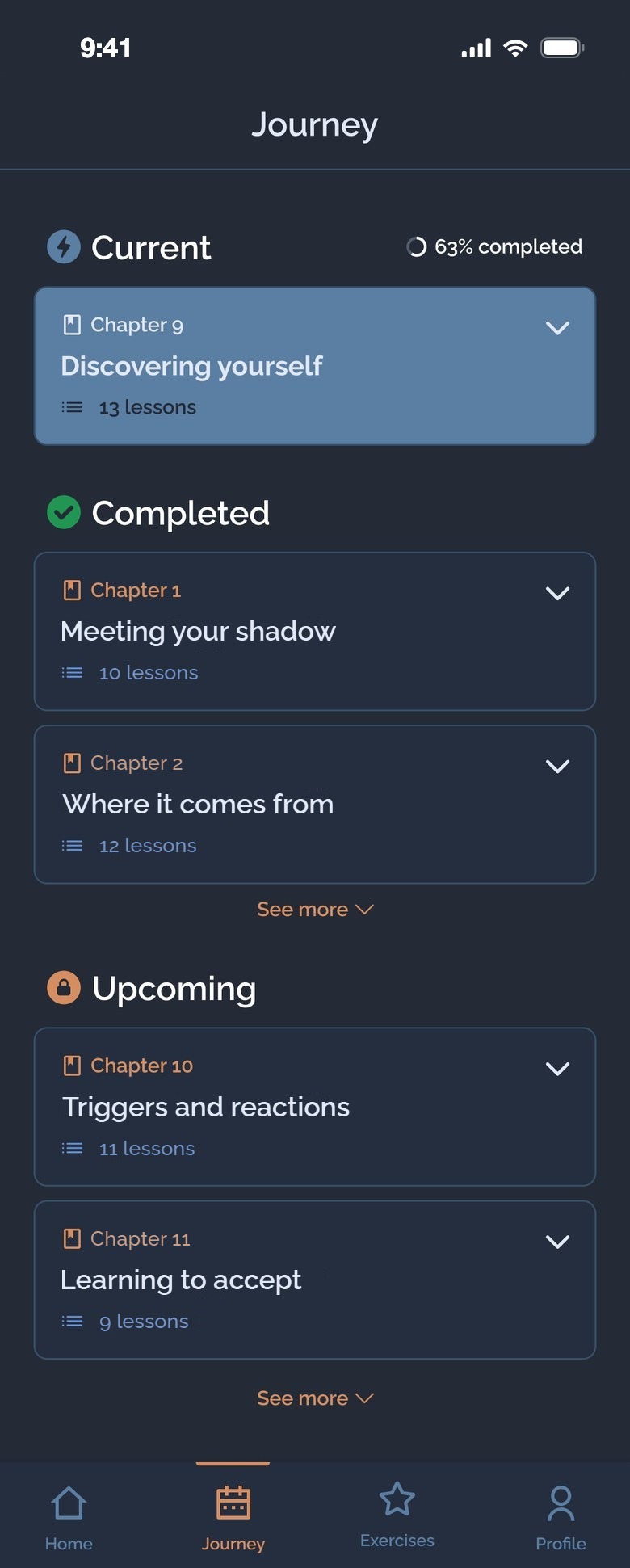
Old journey: chapters and percent completed
JourneyChapters and %
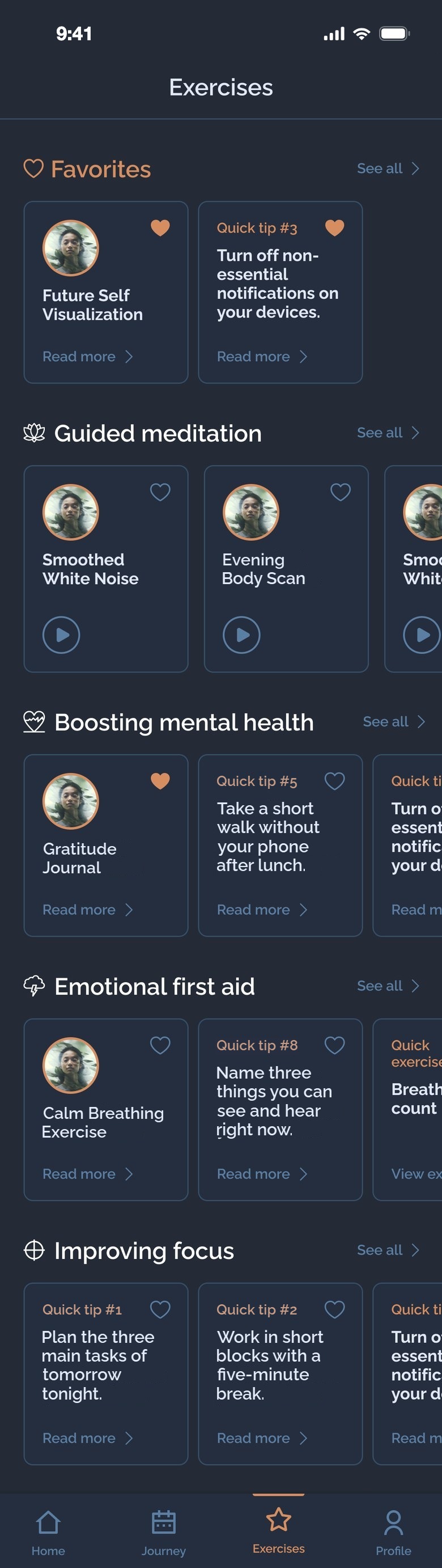
Old exercises library
ExercisesA library of cards
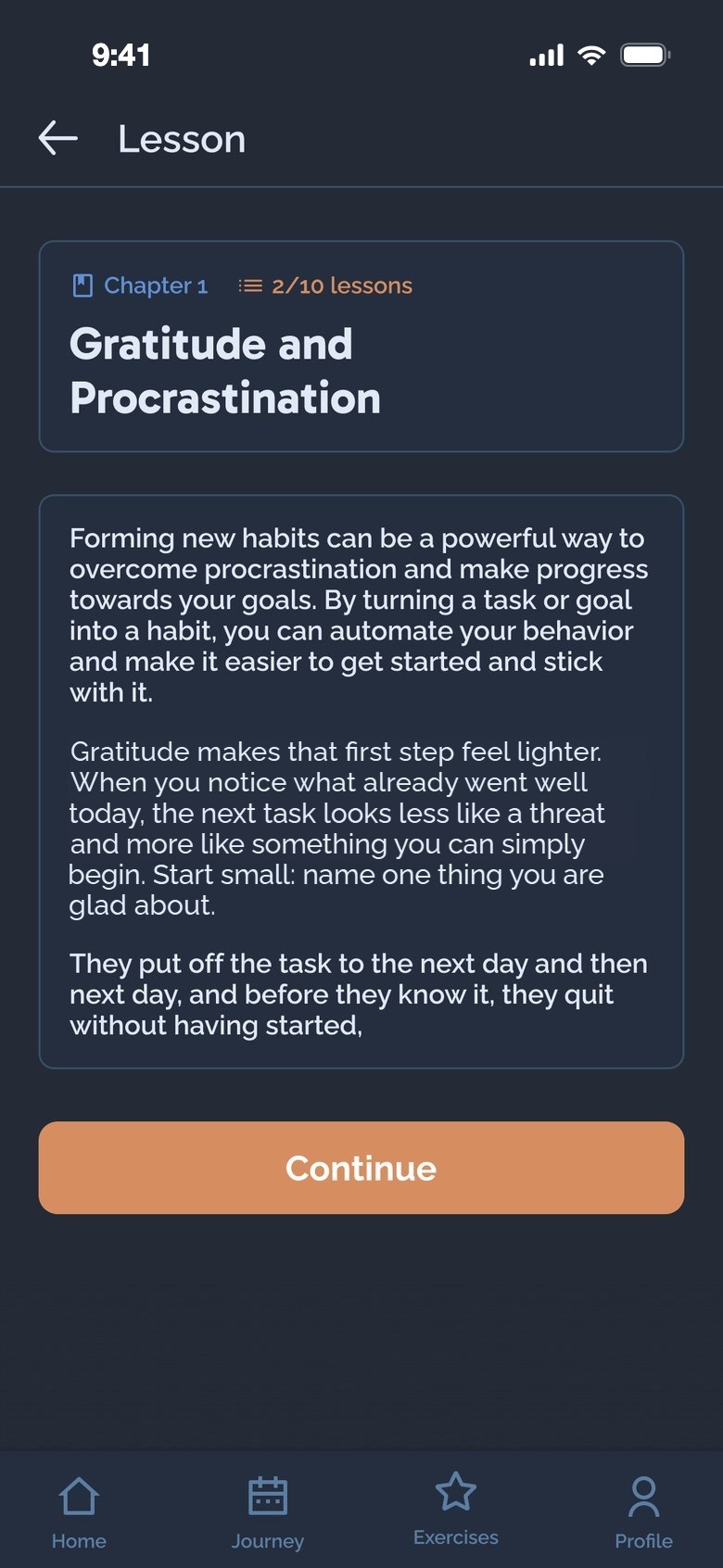
Old lesson: text and a Continue button
LessonText to read
This app contains a lot of tools, but don't worry if it seems confusing at first
The first screen already apologised for the app being confusing.
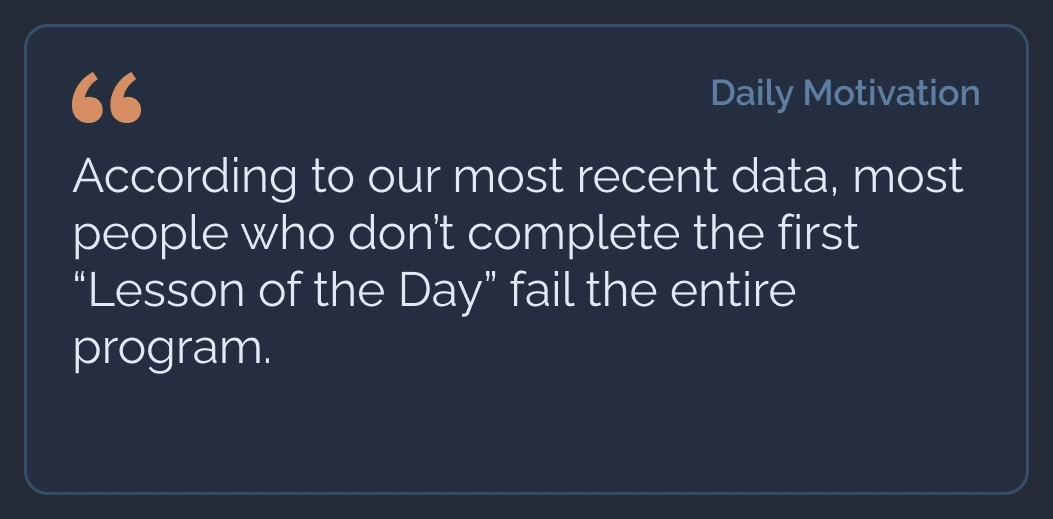
Daily motivation: most people who don't complete the first lesson of the day fail the entire program
The home screen motivated with fear of failing — hard to read for someone already struggling.
  1. Confusing on day oneLots of tools, explained in slides, before the person had done anything.
  2. Pressure, not careMotivation built on the fear of failing the programme.
  3. Progress as a courseChapters and "63% completed" — a score to reach, not a habit to keep.
  4. Too many equal choicesFavourites, meditations, tips and first aid, all the same weight.
  5. No place to check inNowhere to say how the day felt, write it down or talk it through.
forum03Client feedback

What clients told us.

Before redesigning, we talked to a few clients who used the first version: what works, what should change, what's missing — and what we should focus on.

check_circleWhat works

  • The lessons themselves — short and to the point.
  • Audio, for days when reading is too much.
  • Learning a little every day.

psychologyWhat to change

  • Less pressure and guilt.
  • Fewer choices at once.
  • A warmer look than a school app.
  • Progress that isn't a percentage.

forumWhat's missing

  • A way to say how the day felt.
  • Someone to talk to in a hard moment.
  • Seeing their own patterns over time.
  • Small, doable things for heavy days.

favoriteWhat we focused on

  • One path for today.
  • A gentle daily check-in.
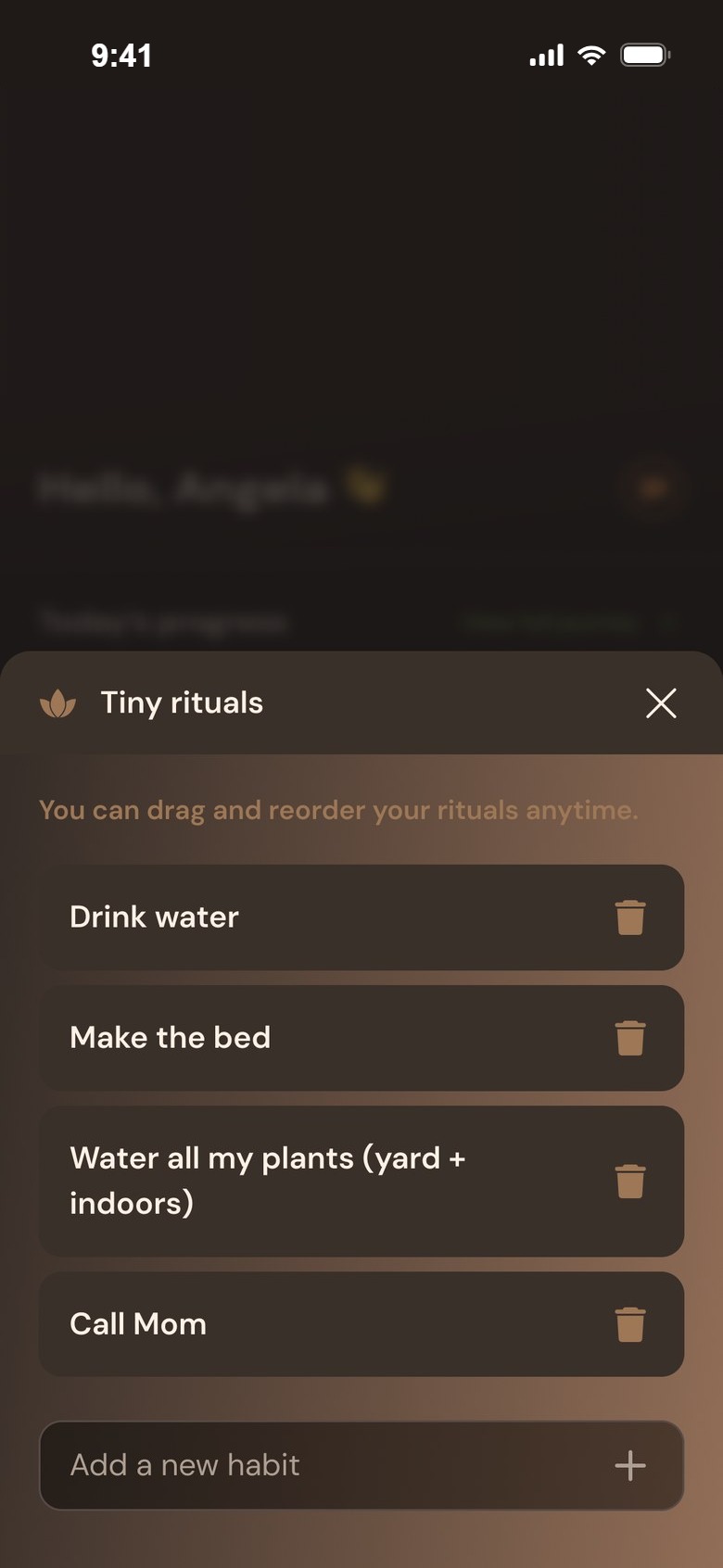
  • Tiny rituals you choose yourself.
  • Insights, a journal and an AI companion.
flag04Goal & challenges
Make Katabasis a safe, gentle daily practice — not a course to finish.
01A painful topicNo guilt, no warnings — kind words and an easy way out on every screen.
02Lots of contentOne path for today first; the library one tap away.
03Keeping a habitShow what's forming, never what's been missed.
04Very private dataSay how it's protected, right where people talk to Daisy.
05Made for the eveningA warm, dark interface that's easy on tired eyes.
route05Design process

Down into the problem, back up with a solution.

01AuditEvery screen of the first version.
02Client talksWhat works, what to change, what's missing.
03Content mapLessons, audio, reads and exercises in clear groups.
04StructureFive tabs, starting with Today.
05FlowsOnboarding, a day, a check-in, a lesson.
06UI & screensA warm dark look and the key states.
account_tree06New structure

From four menus to one day.

The app now opens on Today. The library moved to Discover, progress moved into Your journey, inside Today, and three new places were added for the part that was missing: talking, seeing patterns and writing.

First version · tabs
HomeJourneyExercisesProfile
Redesign · tabs

wb_twilightToday

  • Today's lessonWas: Home
  • Your journeyWas: Journey
  • Reflect your dayNew
  • Tiny ritualsNew

headphonesDiscover

  • Audio sessionsWas: Exercises
  • Deep readsWas: Exercises
  • Today's inspirationNew

forumDaisy AI

  • Talk it throughNew

psychologyInsights

  • Your patternsNew
  • Emotional trendsNew

edit_noteJournal

  • Your activityNew
  • Writing historyNew
Moved from the first versionNew
compare_arrows07Old vs new

The same content, a different day.

Three moments side by side: how the first version handled them, and how the redesign does.

AThe first minutes

From slides about tools to a short guide, one question about you, and a first moment to pause.
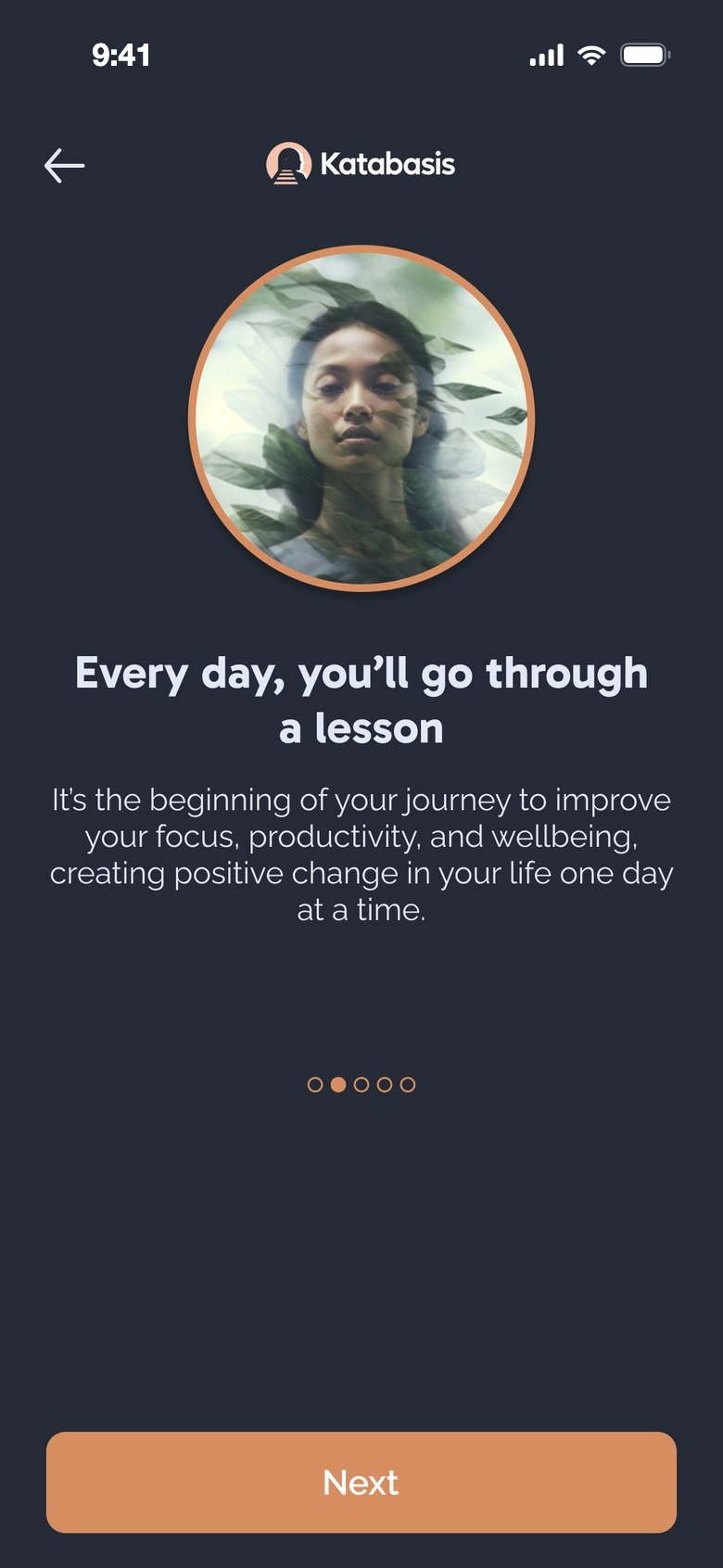
Before
Old onboarding: every day you'll go through a lesson
Slide 2 of 4
After
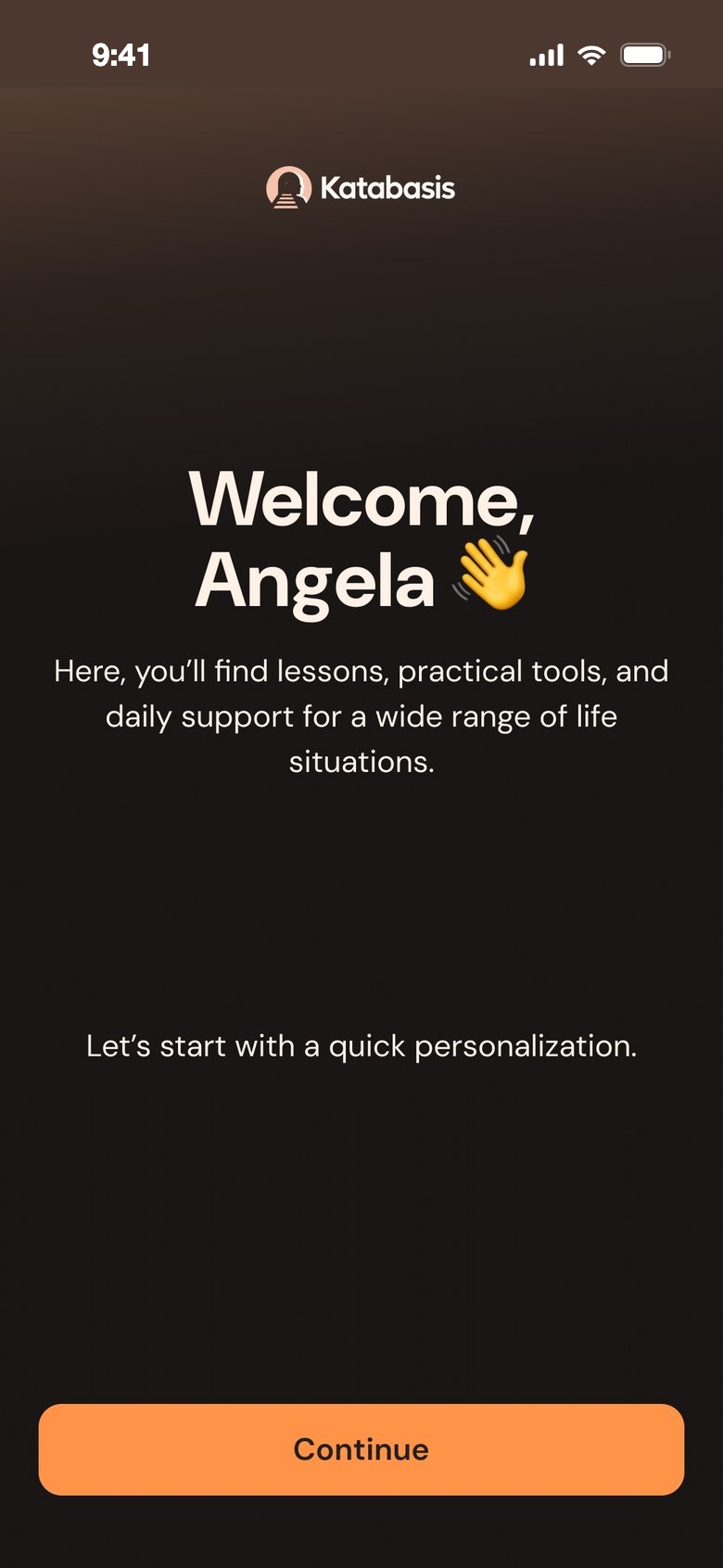
Welcome, Angela
Welcome
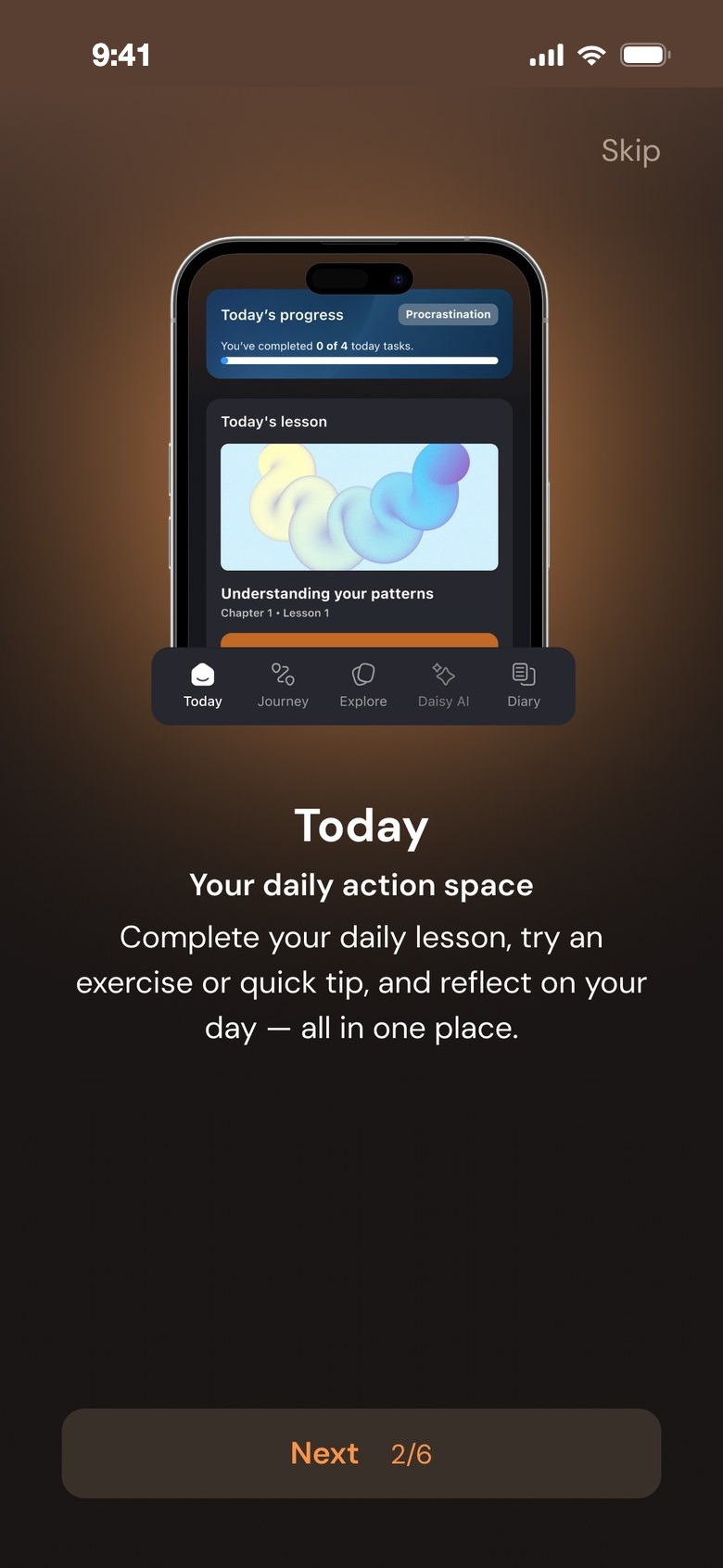
Guide: your daily action space
A short guide
Which goal would you like to work on first?
Your focus
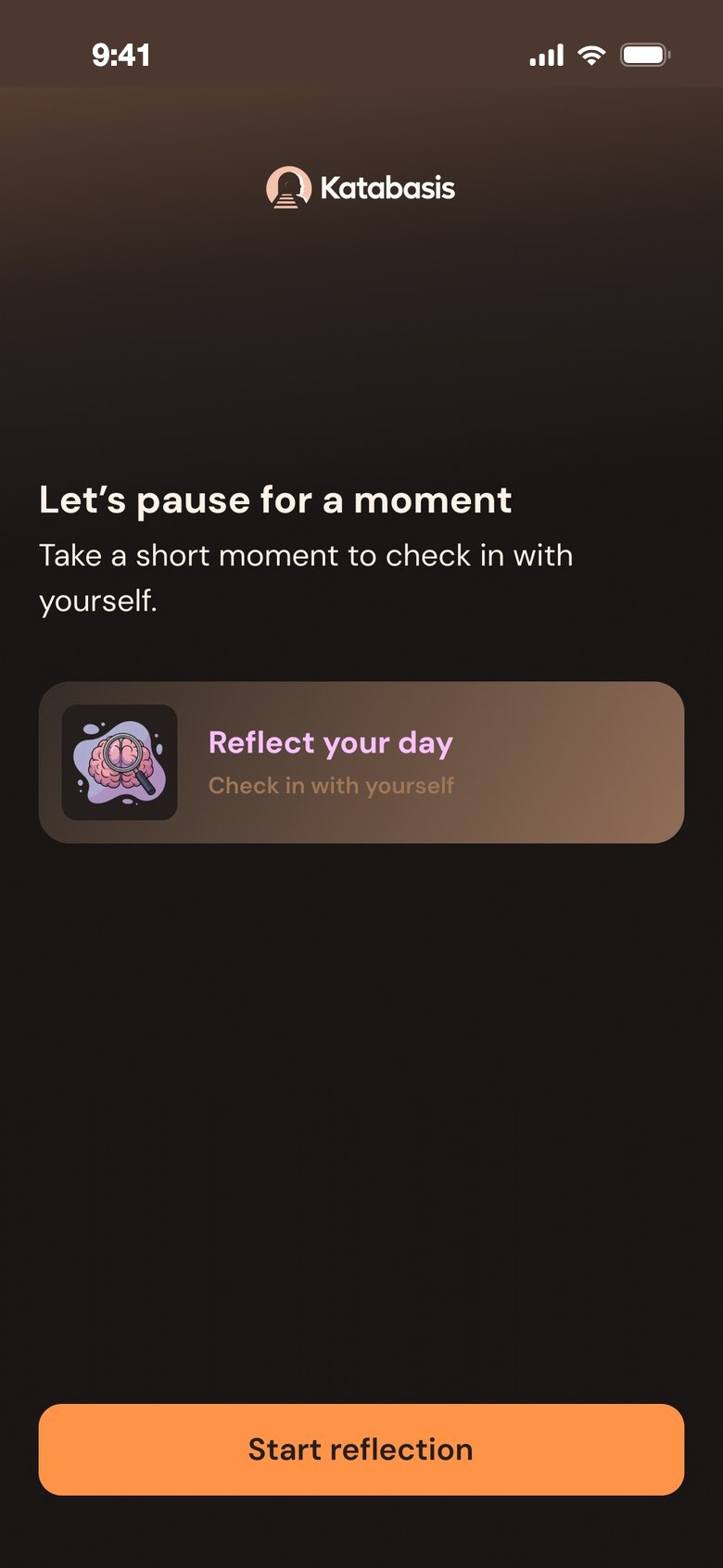
Let's pause for a moment
A first pause

BOpening the app

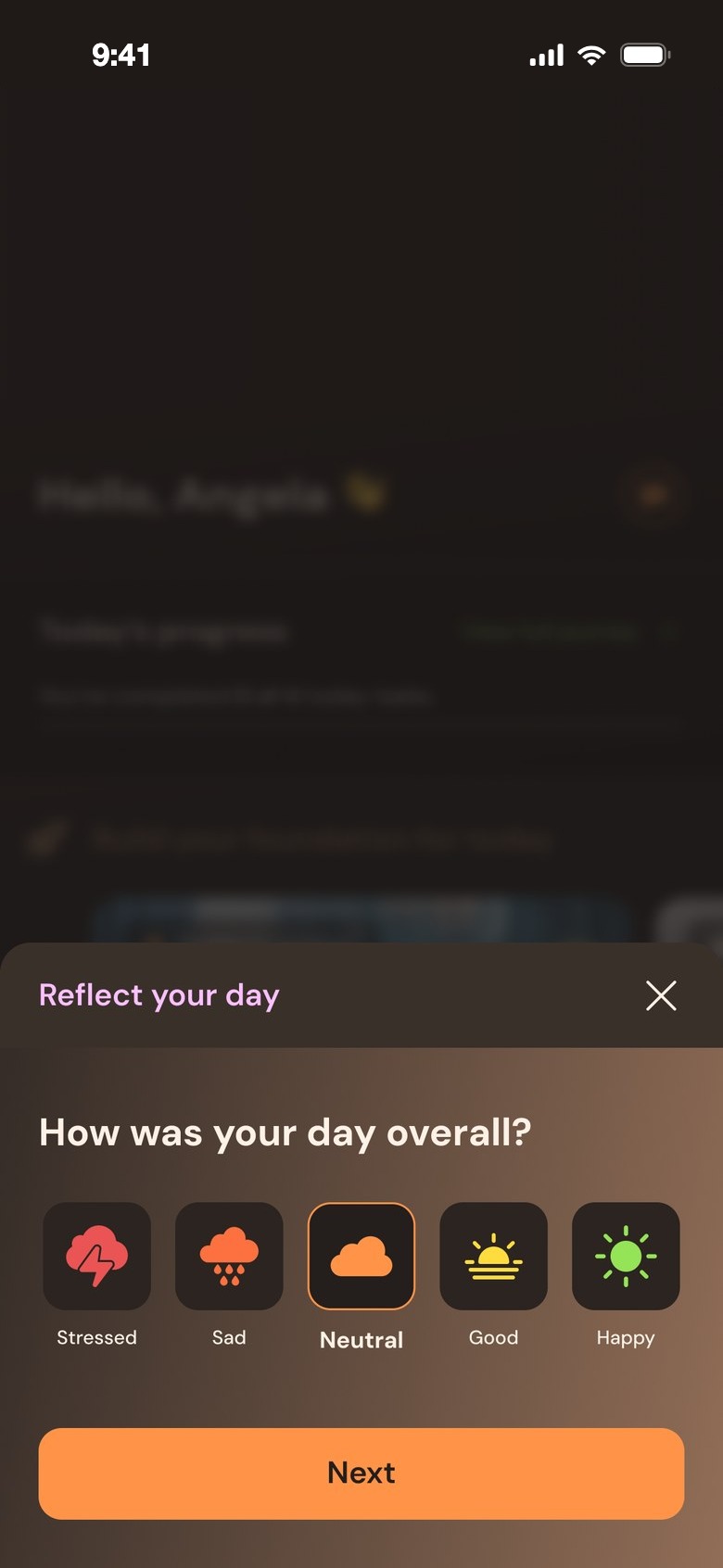
From a warning and a list of lessons to today's path: a greeting, today's progress and one next step.
Before
Old home
Home
After
Today
Today
Reflect your day: how was your day overall?
Reflect your day

CSeeing progress

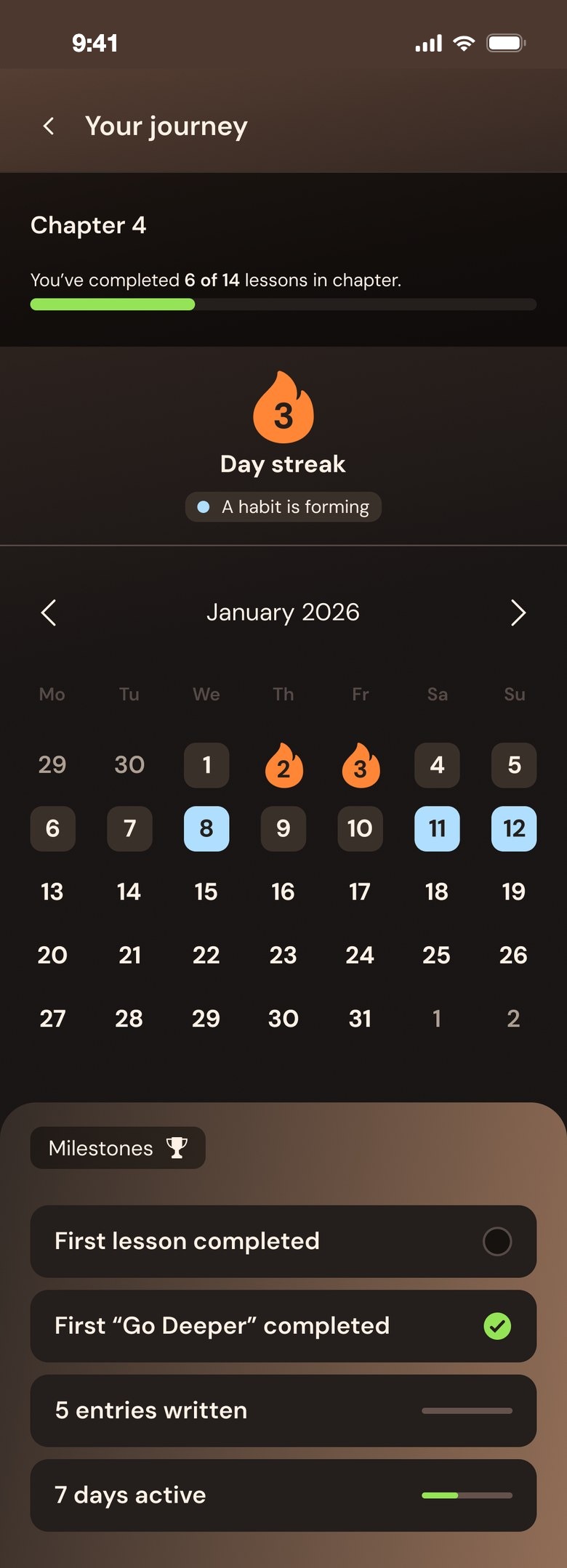
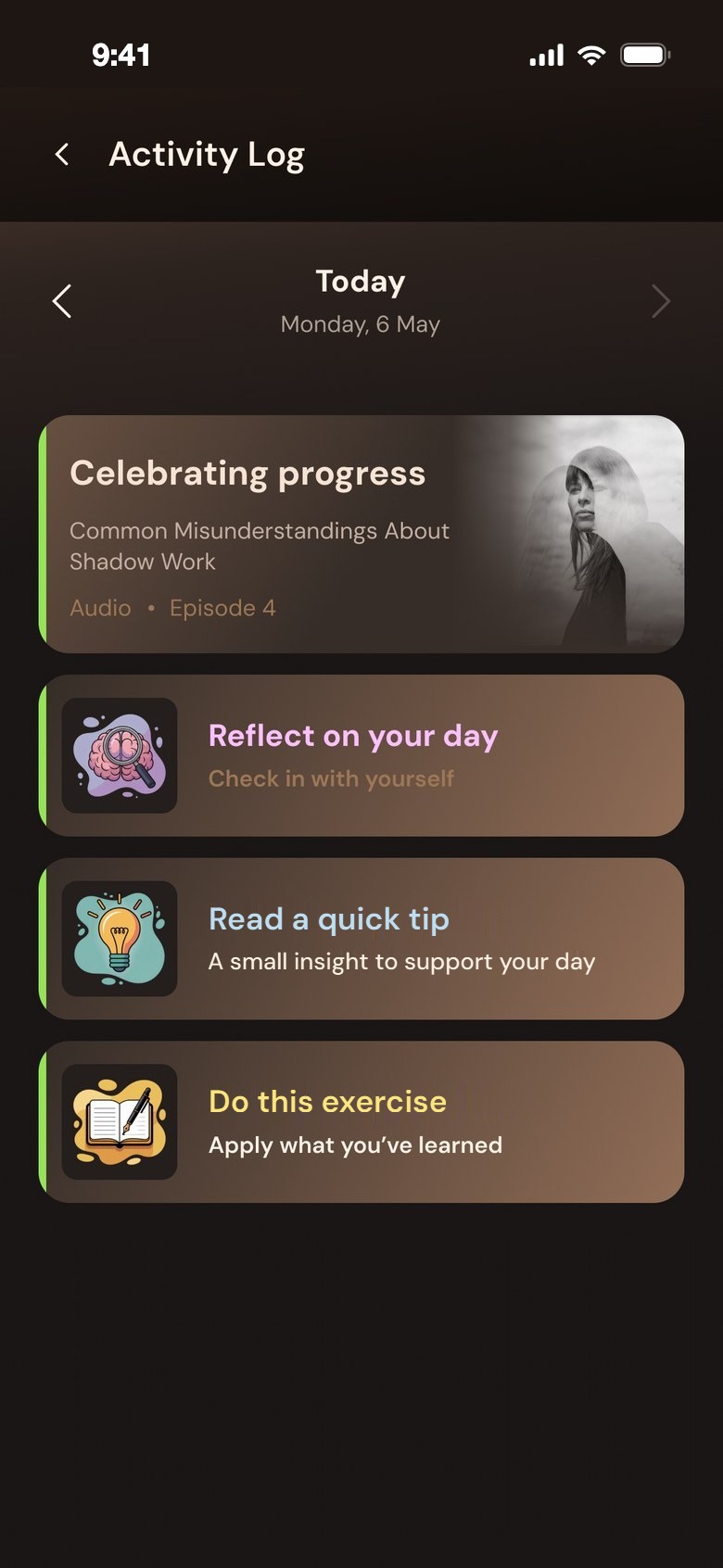
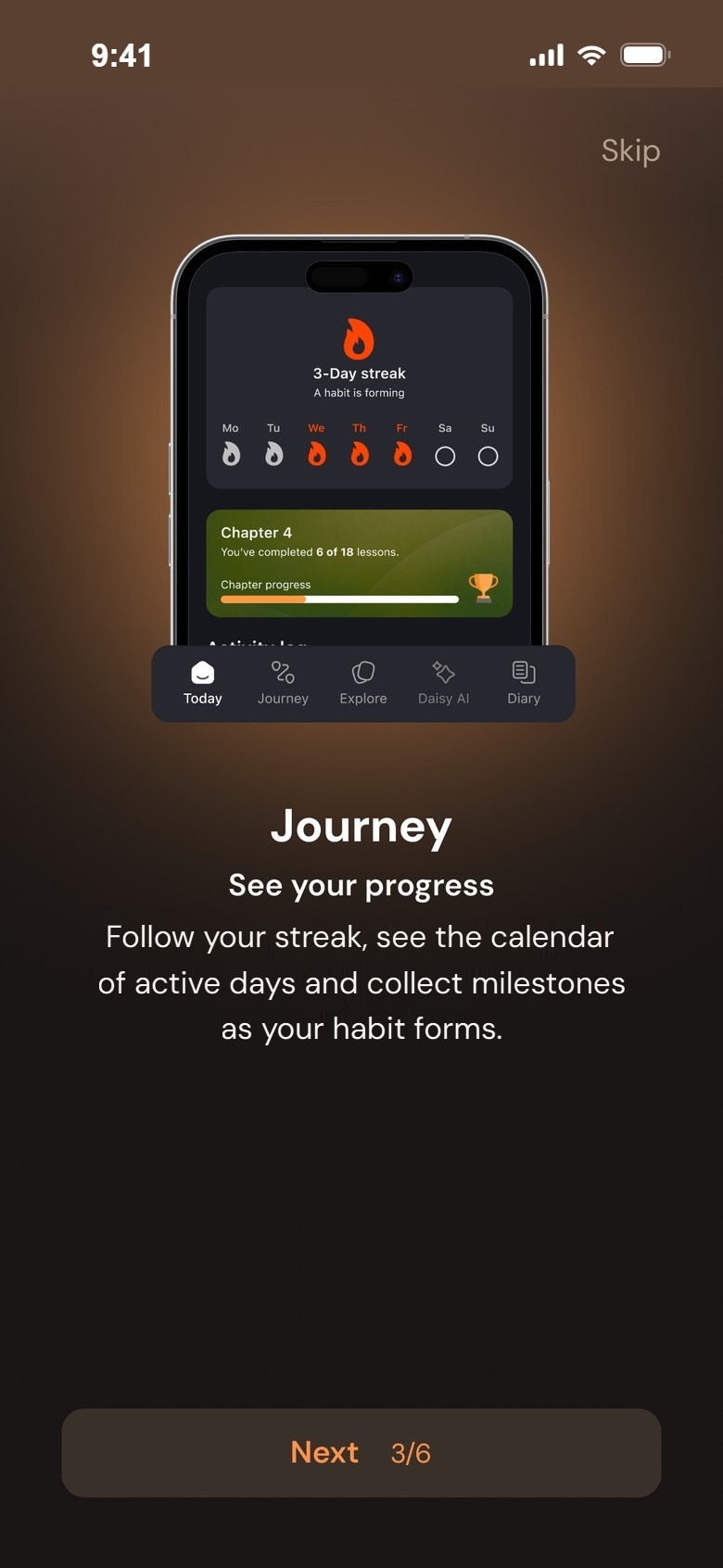
From chapters and a percentage to a streak, a calendar and milestones — progress as a habit forming.
Before
Old journey
Journey
After
Your journey
Your journey
Activity log
Activity log
lightbulb08Key design decisions

What changed, and why.

Five decisions behind the redesign — each with real UI, cut from the design.

01

One path for today

Today shows a short path: today's lesson first, then "Go deeper", which unlocks after the lesson, then a daily practice — reflect, an exercise or a quick tip. A bar on top shows how many of today's tasks are done.

Why"Where do I start?" is the hardest question on a heavy day. One visible next step answers it before it's asked.

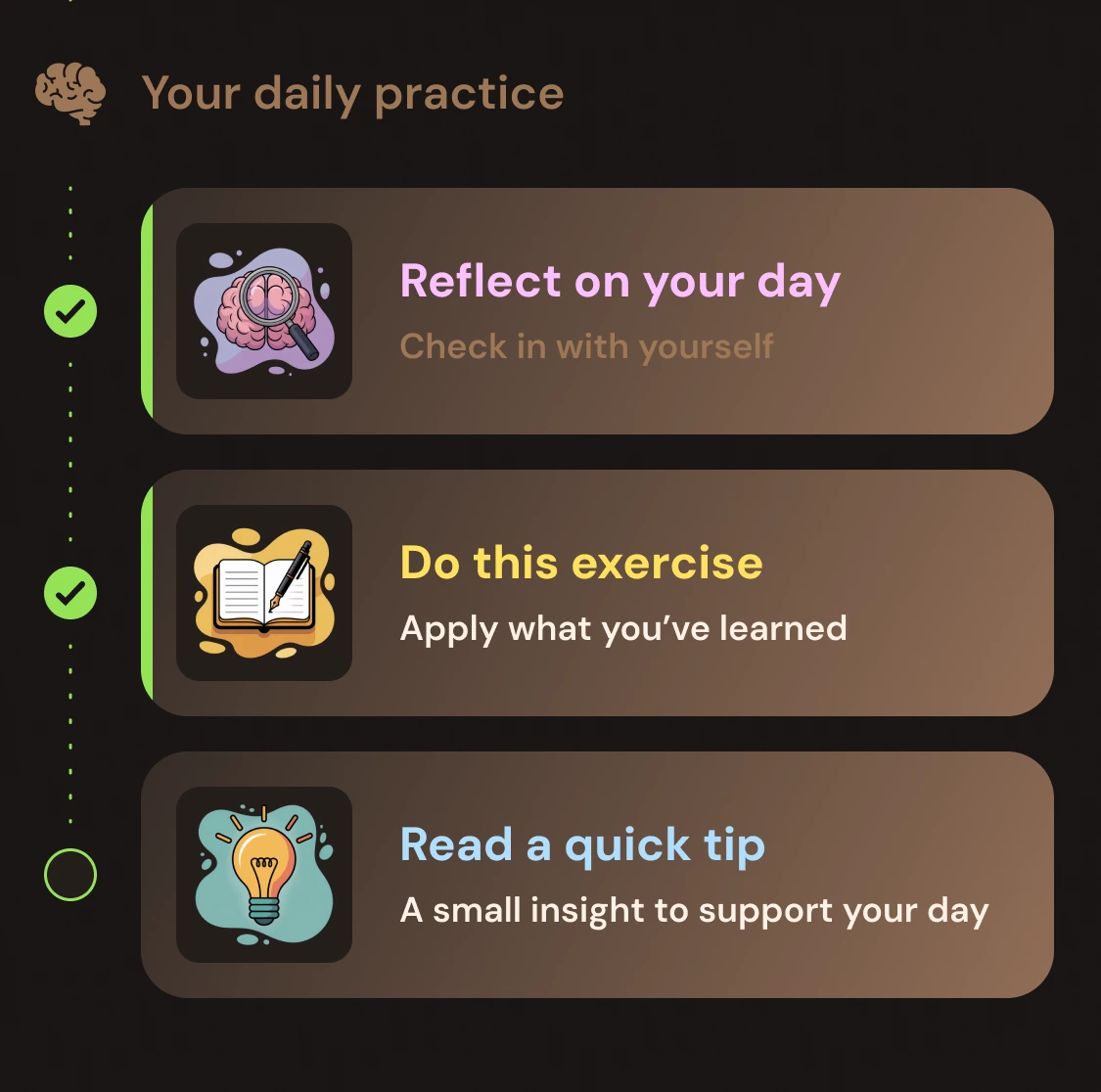
Today screen
Today's progress: 1 of 4 tasksYour daily practice: reflect, exercise, quick tip
02

The first question is about you

After a short guide, the app asks one thing: which goal would you like to work on first? Six clear goals — and a seventh for anyone who doesn't know yet: "I'm not sure – I just want to find my direction".

WhyMany people start this kind of work without a clear goal. Not knowing is a valid answer, so it gets its own option.
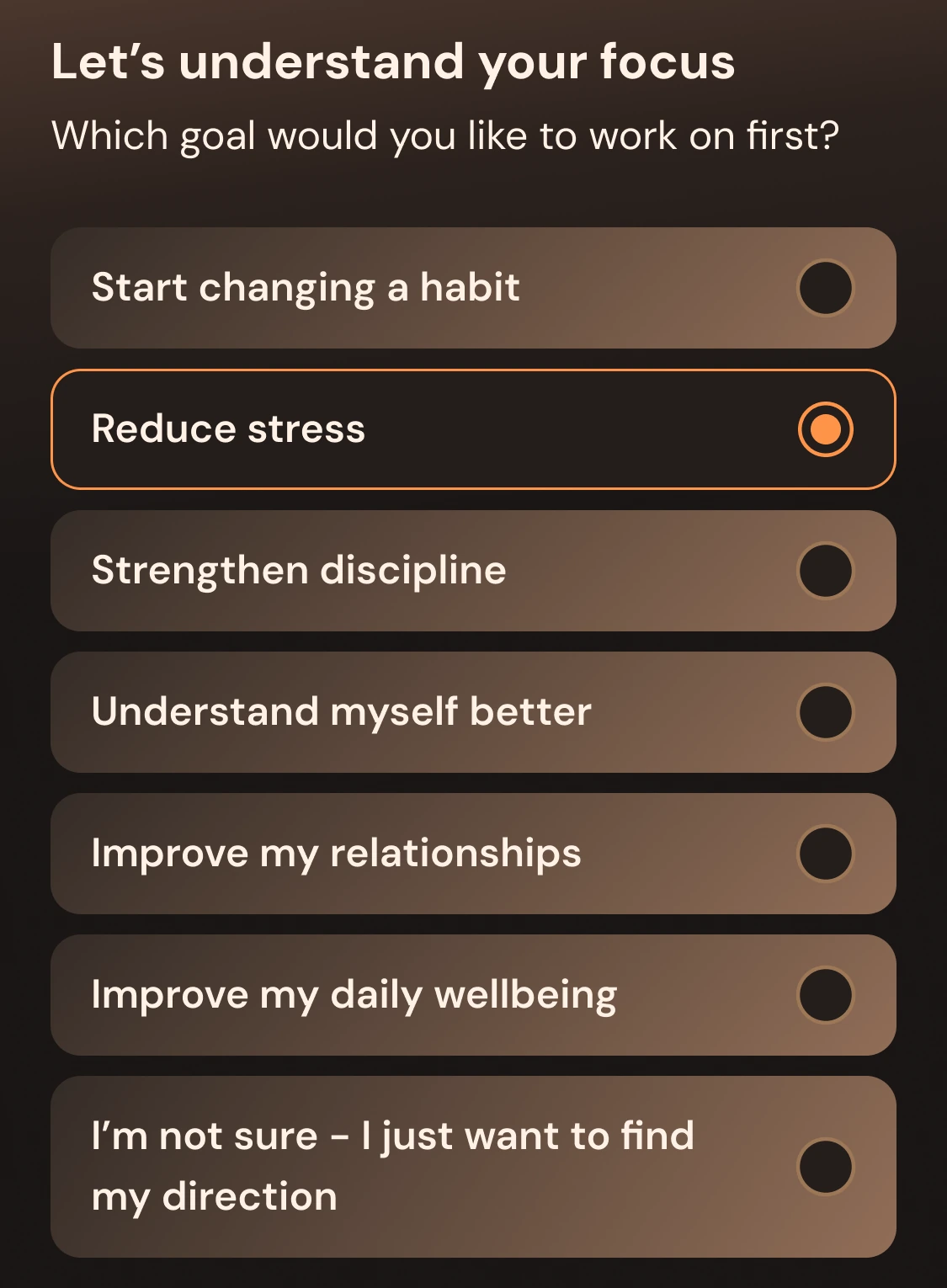
Guide: your daily action space
Which goal would you like to work on first?
03

A check-in, not a test

Reflect your day starts with one tap — how was your day overall, from stressed to happy. Then two sets of chips: what uplifted you and what drained you. The summary puts it into one kind sentence, like "Today felt balanced."

WhyNaming a feeling is the first step of this work, and tapping is easier than writing when you're tired.
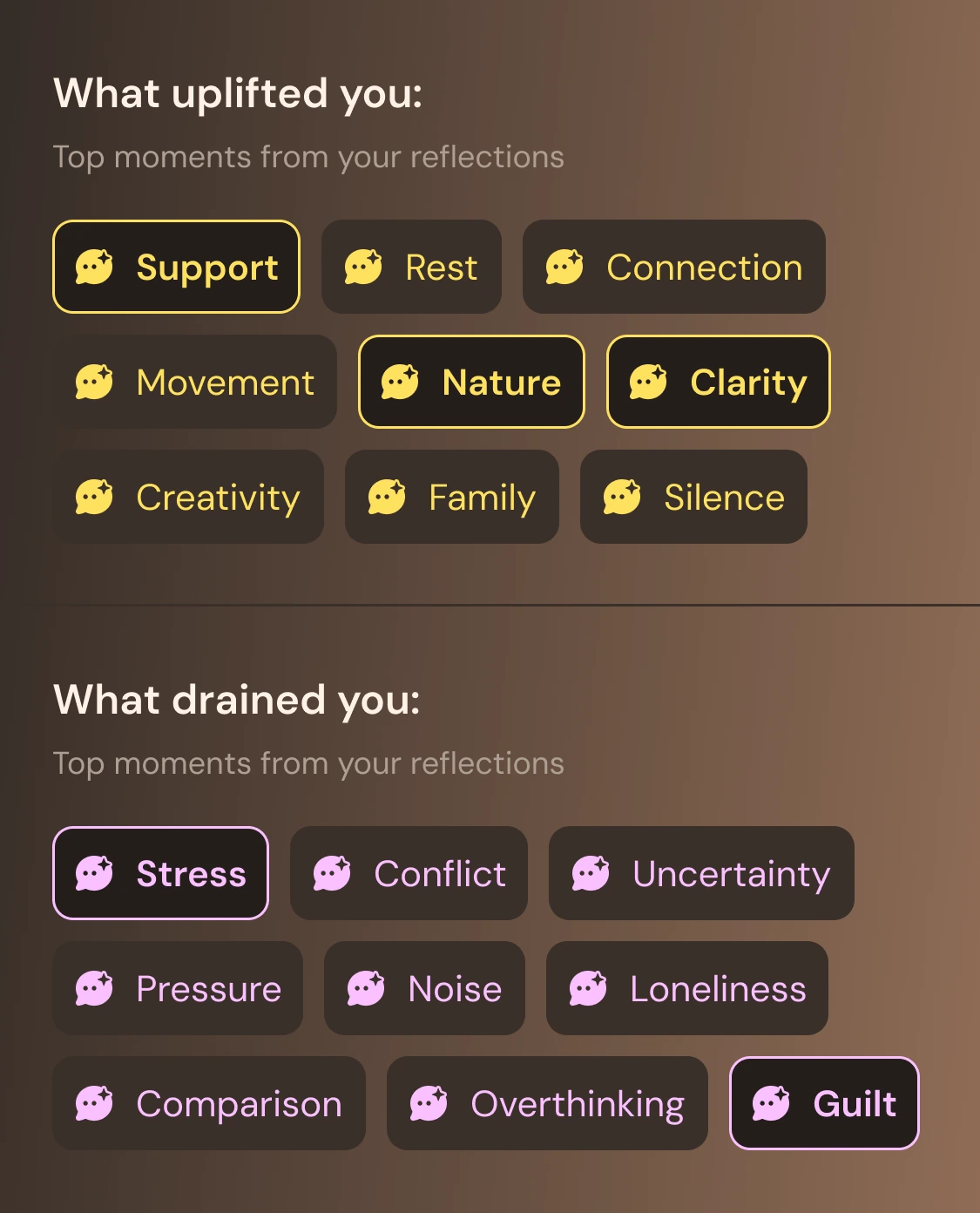

1 · How was your dayHow was your day overall?
2 · What lifted, what drainedWhat uplifted you, what drained you
3 · A kind summaryToday felt balanced
04

Progress that encourages

Your journey shows a streak with a soft message — "A habit is forming" — a calendar of active days and milestones like "First lesson completed". Chapter progress stays, but as one quiet line at the top — not the main number.

WhyFor people who are hard on themselves, a score to reach becomes another way to fail. Milestones celebrate what's already done.

Your journey
3 day streak: a habit is formingMilestones: first lesson completed, first Go Deeper completed, 5 entries written, 7 days active
05

Someone to talk to — privacy first

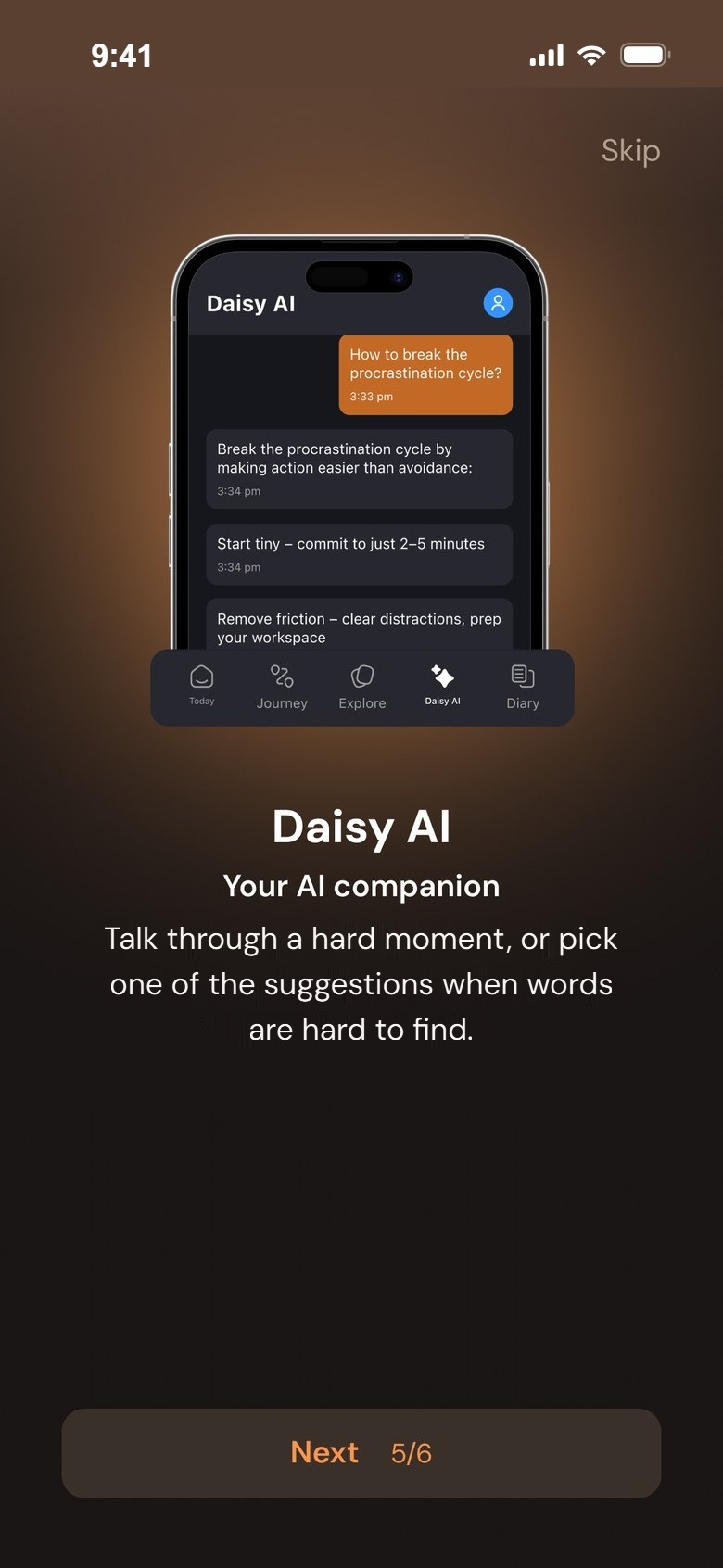
Daisy, the AI companion, opens with one line about data protection and a link to the privacy policy. Then it offers starters in plain words: "I can't focus", "Help me reflect on my day", "I don't have energy today", "I feel anxious".

WhyPeople only open up when they feel safe. Ready-made phrases help when it's hard to find the first words.
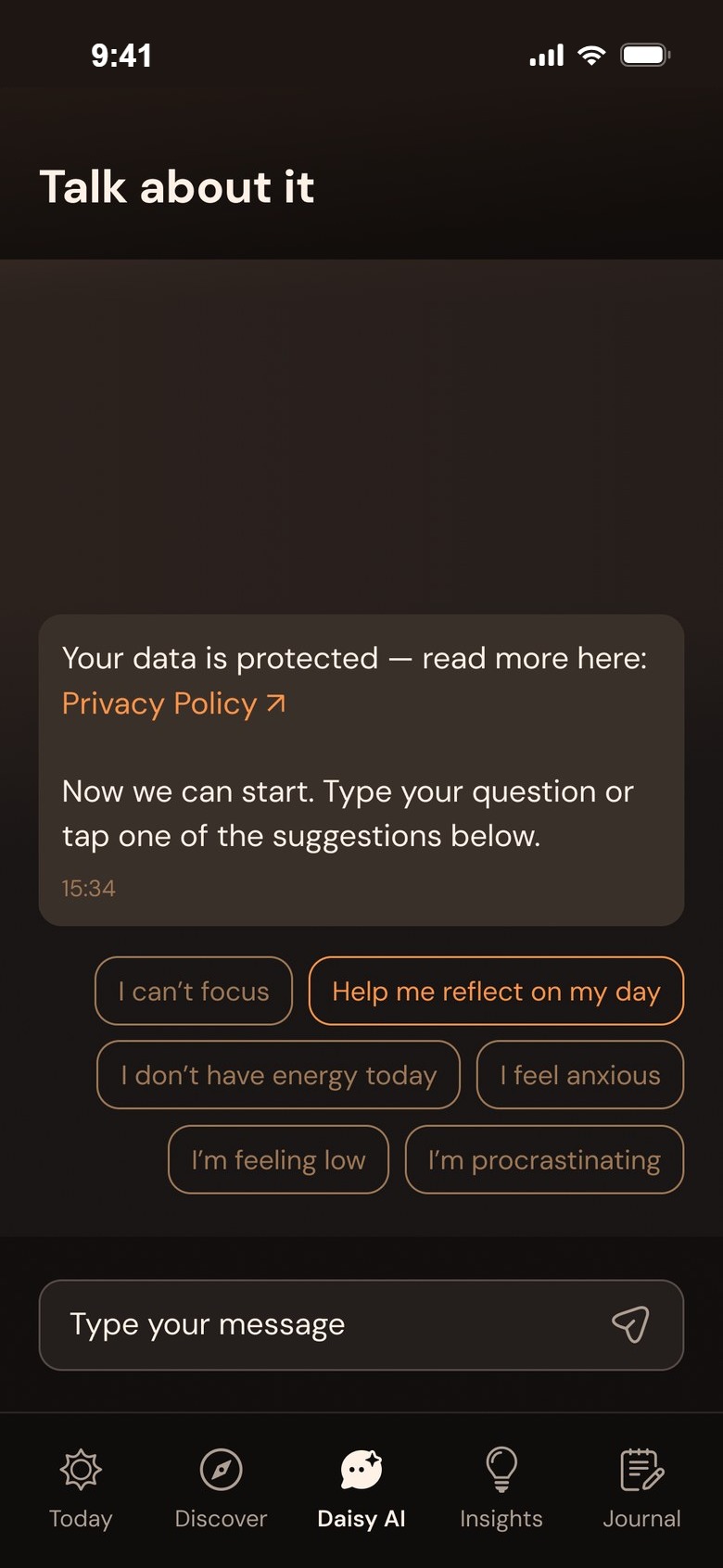

Daisy AI: talk about it
Your data is protected — read more here: Privacy PolicySuggestions: I can't focus, Help me reflect on my day, I don't have energy today, I feel anxious
touch_app09Usability principles

Eight rules that keep it calm.

The same few rules everywhere, so the app feels calm and predictable — important when the topic itself isn't.

touch_app

One next step

Today always shows what to do next, with one main button.

self_improvement

Kind words only

No warnings, no guilt — "A habit is forming", "Today felt balanced".

visibility

Tap before typing

Faces and chips first; writing is always optional.

bedtime

Easy on tired eyes

Warm, dark surfaces with soft contrast for evening use.

lock

Privacy where it matters

Said in one line, right where people talk to Daisy.

local_fire_department

Celebrate, don't count down

Streaks and milestones first; chapter progress is one quiet line.

headphones

Listen, read or write

The same work in the form that fits the moment.

spa

Always a way out

Skip in the guide, close on every sheet, and “I'm not sure” as a real answer.

palette10Visual design

Warm dark, lit like a lantern.

The cold blue-grey became deep warm browns with soft cream text. One orange marks the next step; green says something is done; lilac, sky and sun colour the feelings.

Umber#241E1CBackground
Bark#3A302ACards and sheets
Bronze#9D7756Card gradients
Cream#FFF1E6Text on dark
Ember#FF9449The next step
Moss#95E356Done and live states
Lilac#FAC0FFFeelings
Sky#B0DEFFCalm moments
Aa
DM Sans — "Let's pause for a moment."

Typography

DM Sans replaced the first version's Raleway: rounder and quieter, easy to read in long lessons and in small labels alike.

RegularMediumSemiBoldBold
Feeling colours: lilac, sky, sun, moss, ember
smartphone11Screens

More from the app.

Getting started Welcome, the short guide and the first pause

Welcome, Angela
Let me guide you
Journey: see your progress
Daisy AI: your AI companion
Let's understand your focus
Let's pause for a moment

Every day Today, the check-in, rituals and progress

Today
How was your day overall?
Reflect your day: what uplifted and what drained you
Tiny rituals
Your journey
Insights
Next case study

Xanthos.

→