Case study · Online store · E-commerce · Web

Fumora Asia.

Open the prototype open_in_new

An online store for nicotine products — an easy catalogue and a checkout for items that need an import permit.

shopping_bagClient
Online store, nicotine products
personRole
UX/UI designer
webType
E-commerce website
languagePlatform
Website, desktop
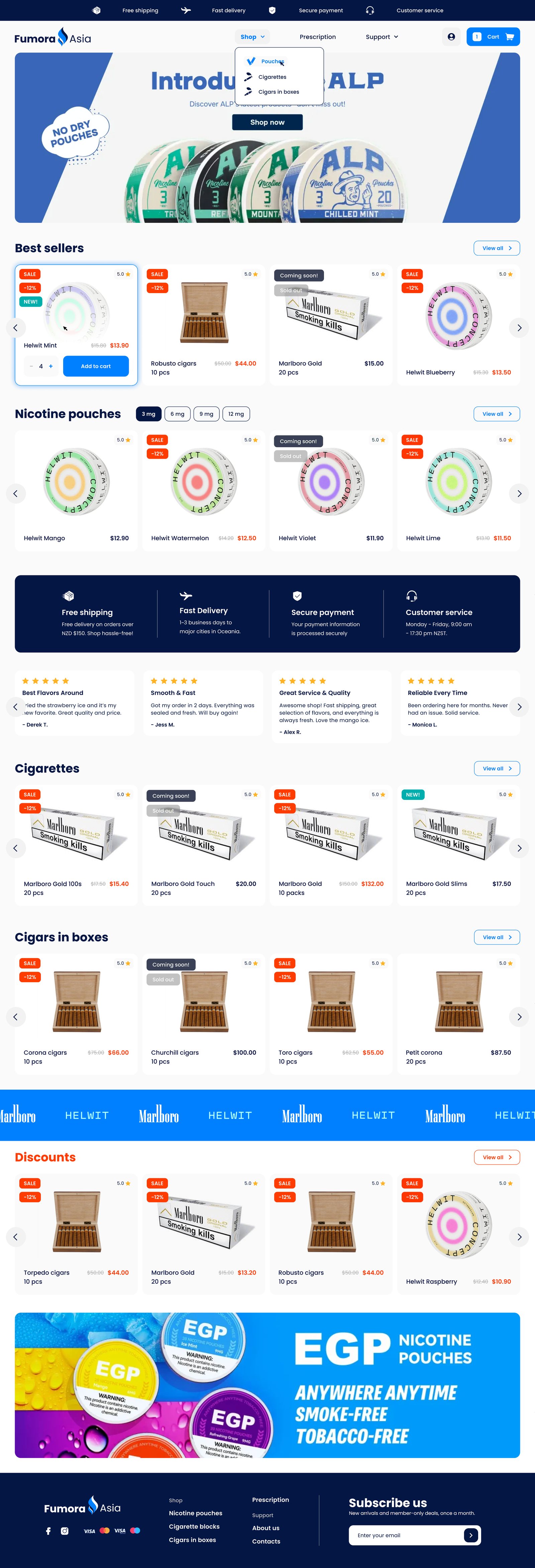
Fumora Asia homepage: new products banner, best sellers, nicotine pouches by strength
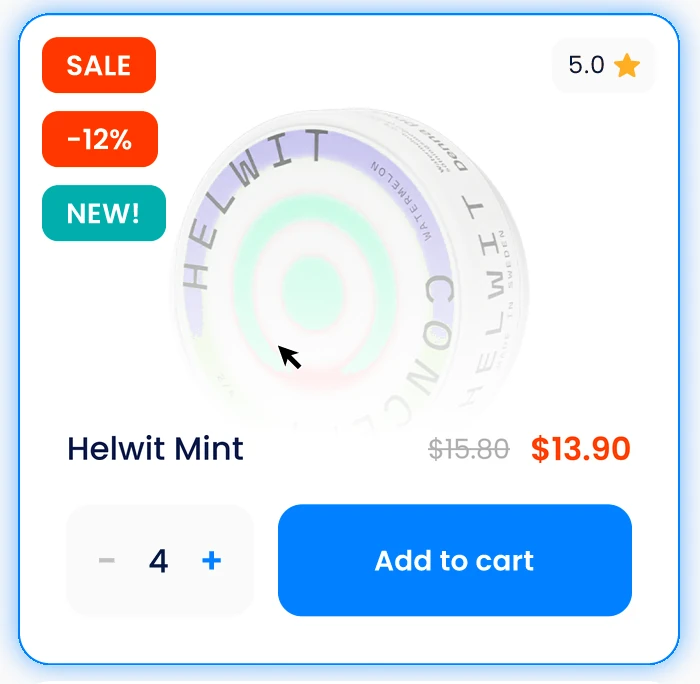
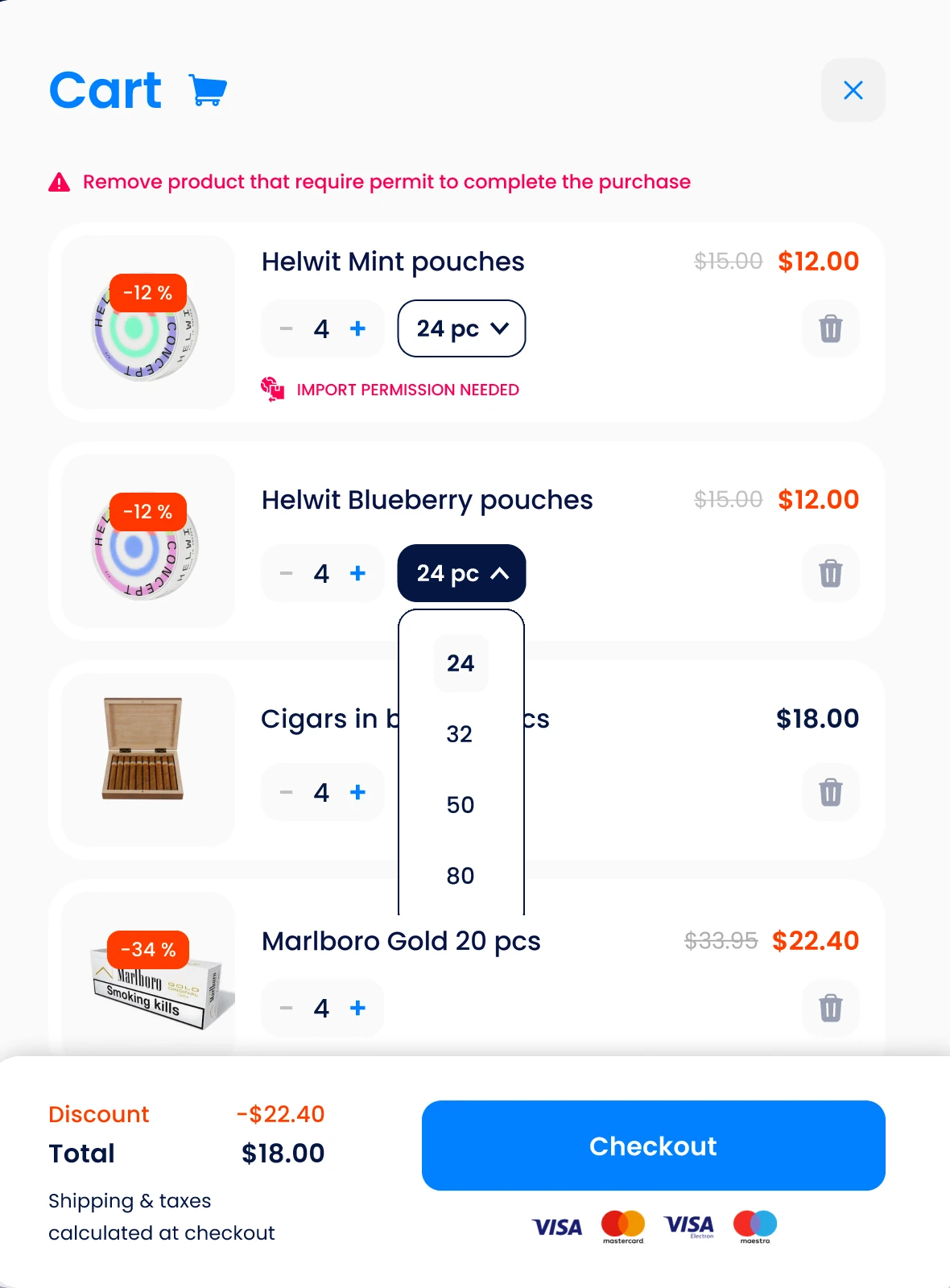
Product card with sale badges, rating, price and Add to cart Cart panel with four products and a note that one needs an import permit
01The brief

Rules are part of the purchase.

Fumora Asia ships nicotine products abroad, and some need an import permit. The store had to stay simple and show that step early.

filter_alt

Find the right product

Three categories, many similar-looking cans. Flavour, strength, brand and price have to narrow them down fast.

sell

Decide with confidence

Price, discount, availability, pack size and reviews — visible before and after the click.

verified_user

Check out without surprises

Six named steps, and a clear warning when a product needs a permit.

02Goal & challenges
Make a regulated purchase feel ordinary — with no rule found at the last step.
1Many products that look alikeFilters by flavour, nicotine strength, brand and price, with the number of products next to every option.
2A card that answers the first questionsSale, new, sold out, rating and both prices are readable without opening the product.
3Products that need a permitFlagged in the cart, explained in one line, and given their own step in the checkout.
4A long checkoutOne task per screen and a progress bar that names every step.
5Customers who come backAn account with past orders, their status and saved delivery details.
03Structure

One path, six checkout steps.

The header holds only Shop, Prescription, Support, the account and the cart, which opens as a side panel.

Shopping

webHome→ categoryCategory→ tuneFilters & sorting→ shopping_bagProduct→ shopping_cartCart panel

Checkout

CartReview, change pack size and quantity.
Login / RegistrationOne e-mail field decides which.
Import permissionFor products that need a permit.
DeliveryCourier or pick-up, address.
BillingSame as delivery, or separate.
ConfirmationEverything on one page, then pay.

Account

receipt_longMy orders account_circleMy account repeatRate a product
04Key design decisions

What I designed, and why.

Five decisions behind the store — each shown with a real piece of the design.

01

Filters that speak the buyer's language

Flavour and strength first, then brand and price. Each option shows its count; chosen filters stay as removable chips.

WhyWith dozens of similar cans, the list must shrink in a few clicks — and show why.
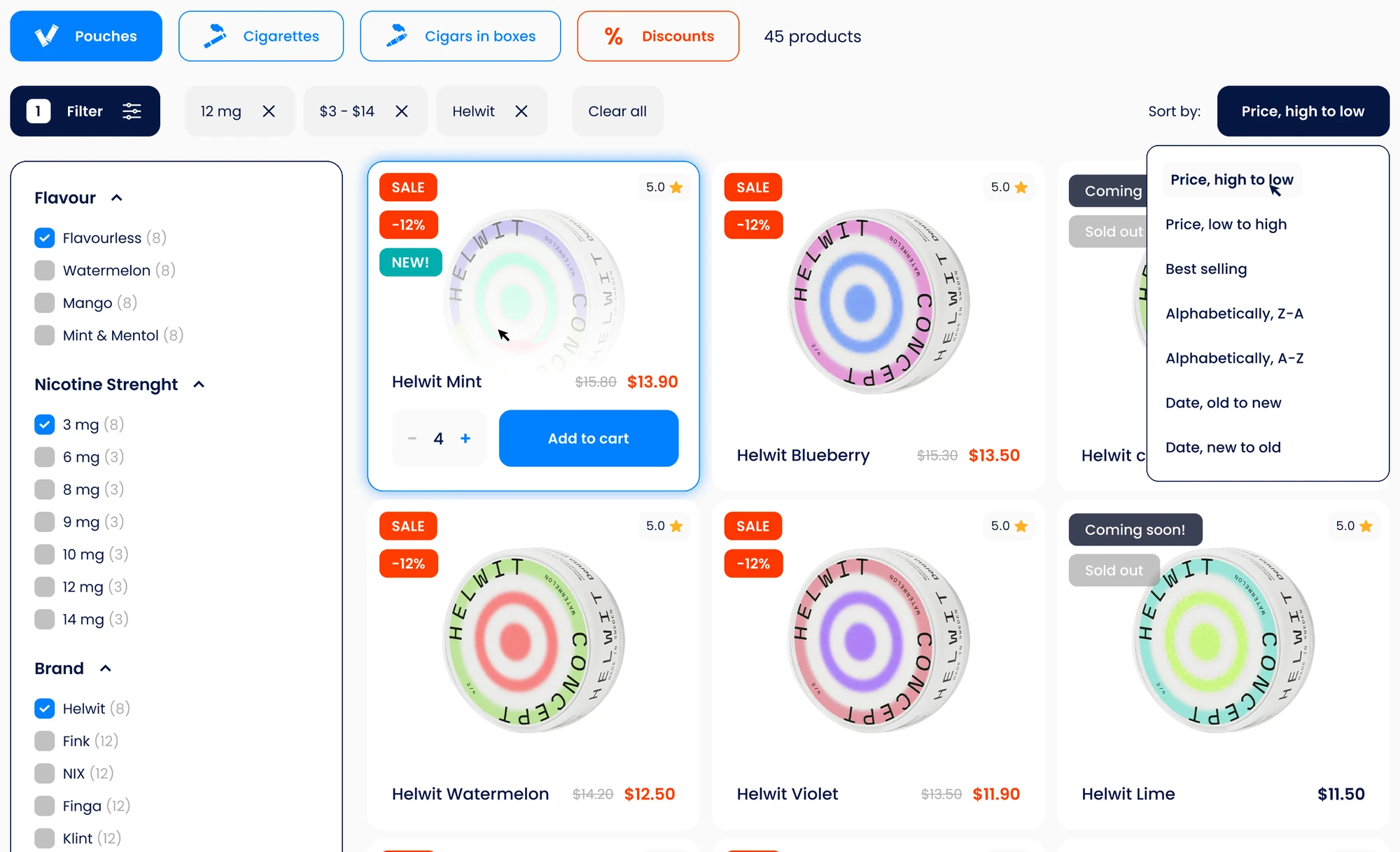
Category page with the filter panel open: flavour, nicotine strength, brand; active filters shown as chips; sorting menu open
  1. Category tabs and the number of products found.
  2. Active filters as chips, with "Clear all".
  3. Counts beside every option, so nobody ends on an empty list.
  4. Sorting stays in the same corner on every category.
02

Cards that answer before the click

Badges left, rating right, name and price below — on every card. On hover it becomes a small order form.

WhyRegular customers know what they want. They can fill the cart from the list, without opening ten product pages.
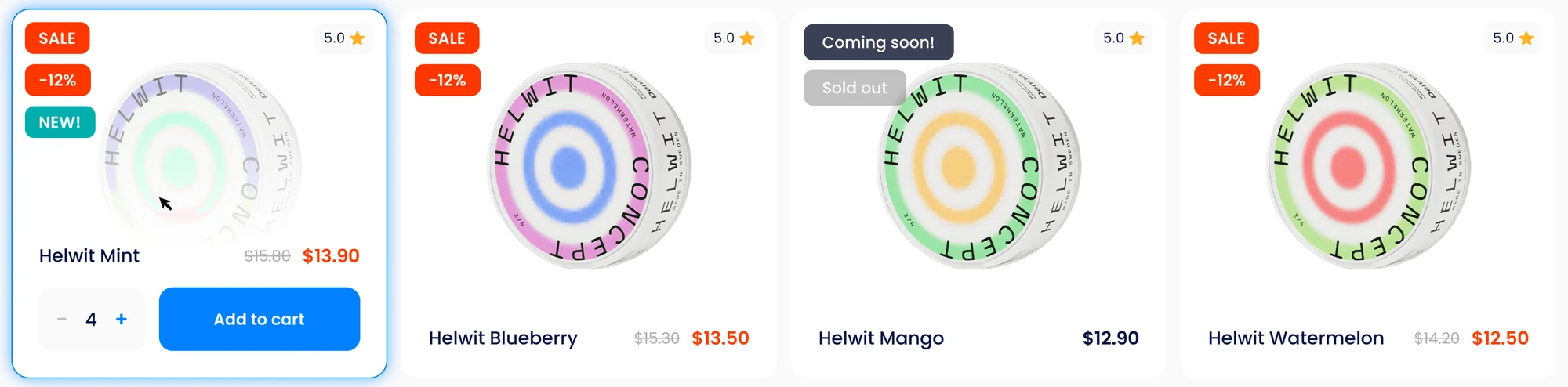
A row of product cards: sale and new badges, a sold-out product, ratings, old and new prices; the first card shows quantity and Add to cart
  1. Orange for price news (sale, −12%), teal for "new", grey for "sold out".
  2. The old price is struck out next to the new one.
  3. The hovered card: quantity and "Add to cart" without leaving the list.
03

One decision at a time

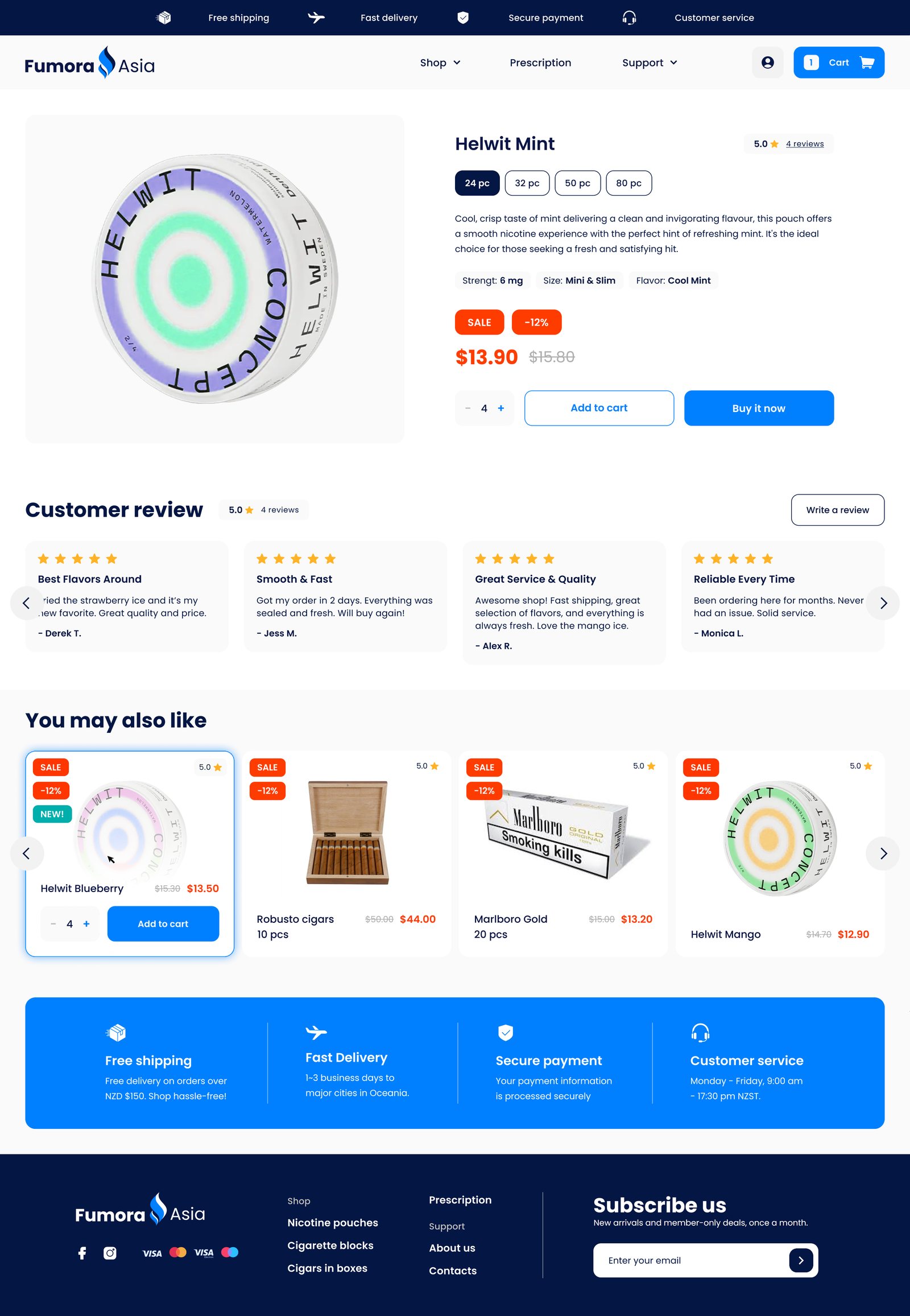
Pack size first, then a three-line description and small facts. Two actions: "Add to cart" or "Buy it now".

WhyIt answers "is this the one?" fast, with a button for browsing and for decided buyers.
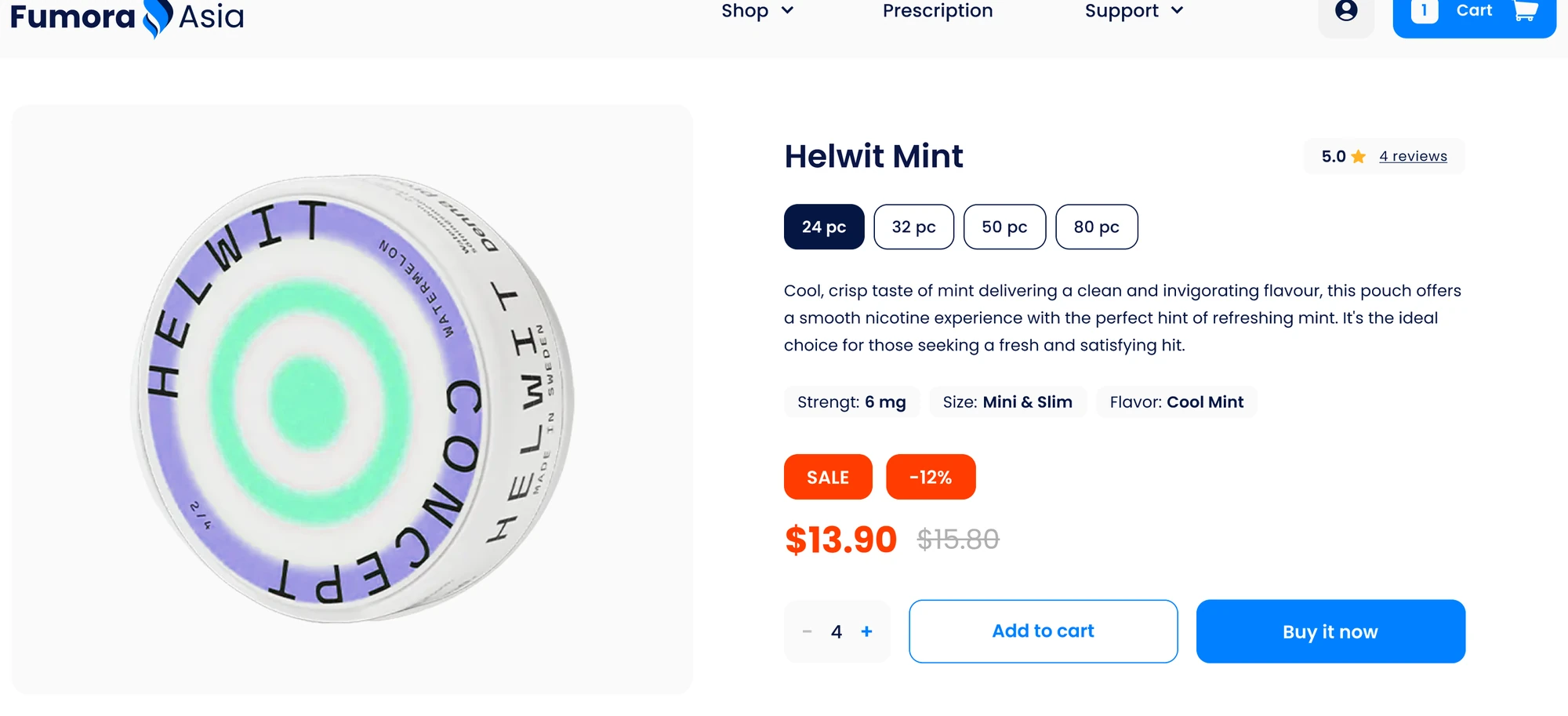
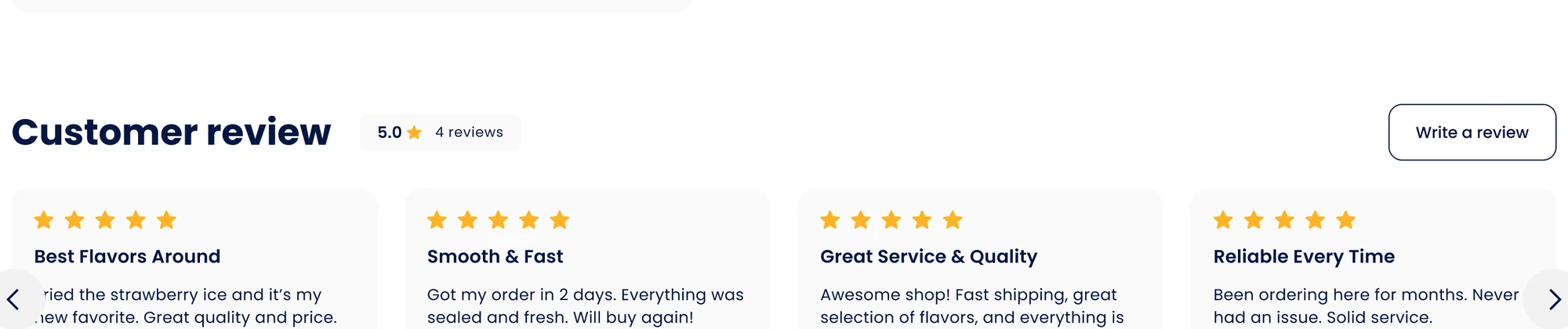
Product page: Helwit Mint, pack sizes 24, 32, 50 and 80, strength, size and flavour, price with discount, Add to cart and Buy it now Customer reviews with stars, a short title and the buyer's name
04

The permit is flagged early

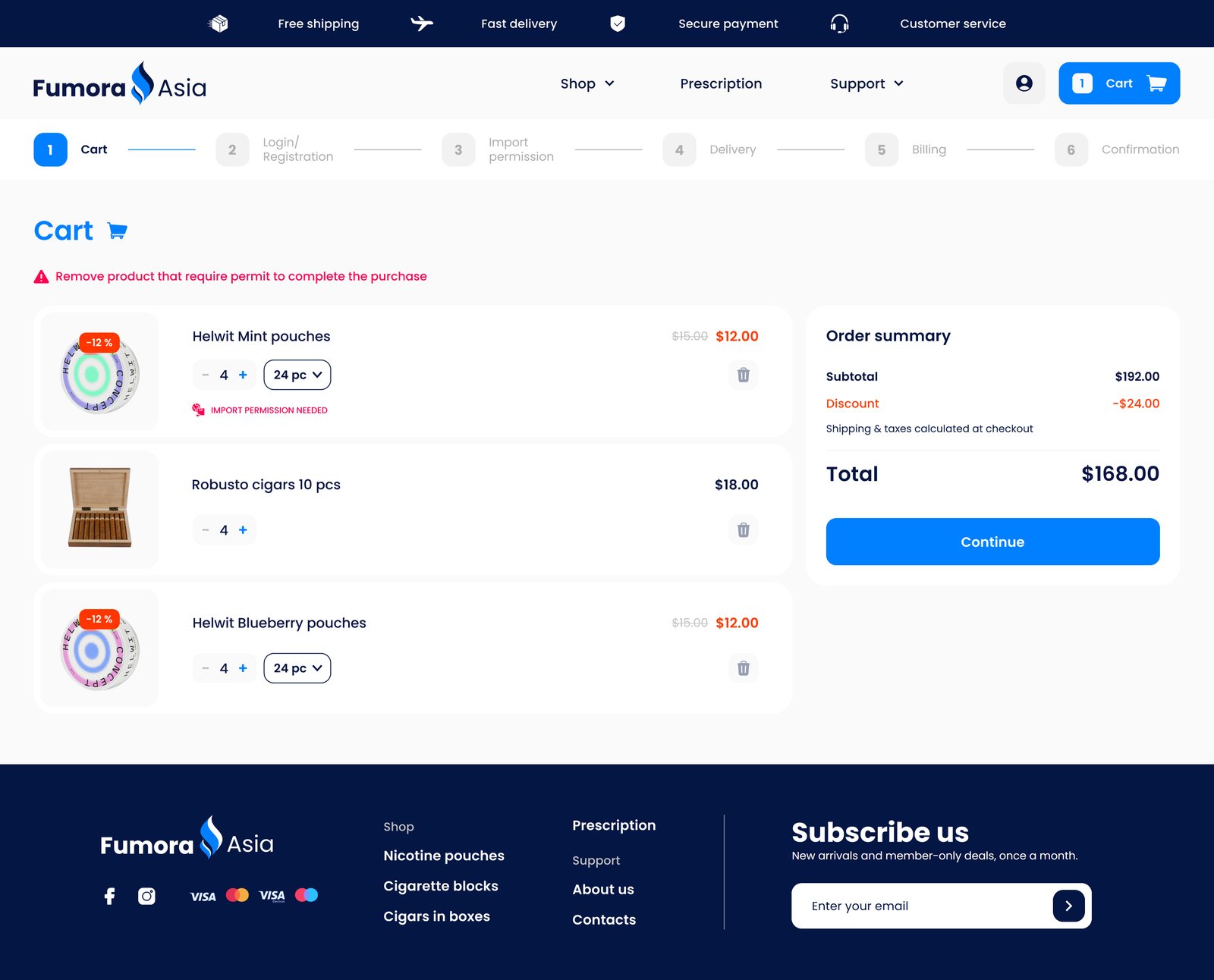
A pink label marks the product in the cart, one red line says what to do, and the checkout gives it its own step.

WhyTold early, the customer can remove the product or get the permit — and still finish the order.

Cart panel: four products, a label 'Import permission needed' under the first one, pack size menu open
  1. The cart opens as a panel over the page.
  2. The warning names the action, not just the problem.
  3. The label sits under the product it concerns.
  4. Pack size and quantity can still be changed here.
  5. Discount and total stay fixed above "Checkout".
05

Six steps, each with a name

The progress bar shows the whole way. One task per screen; the last one shows everything before paying.

WhyA long checkout feels shorter when people see what is left.
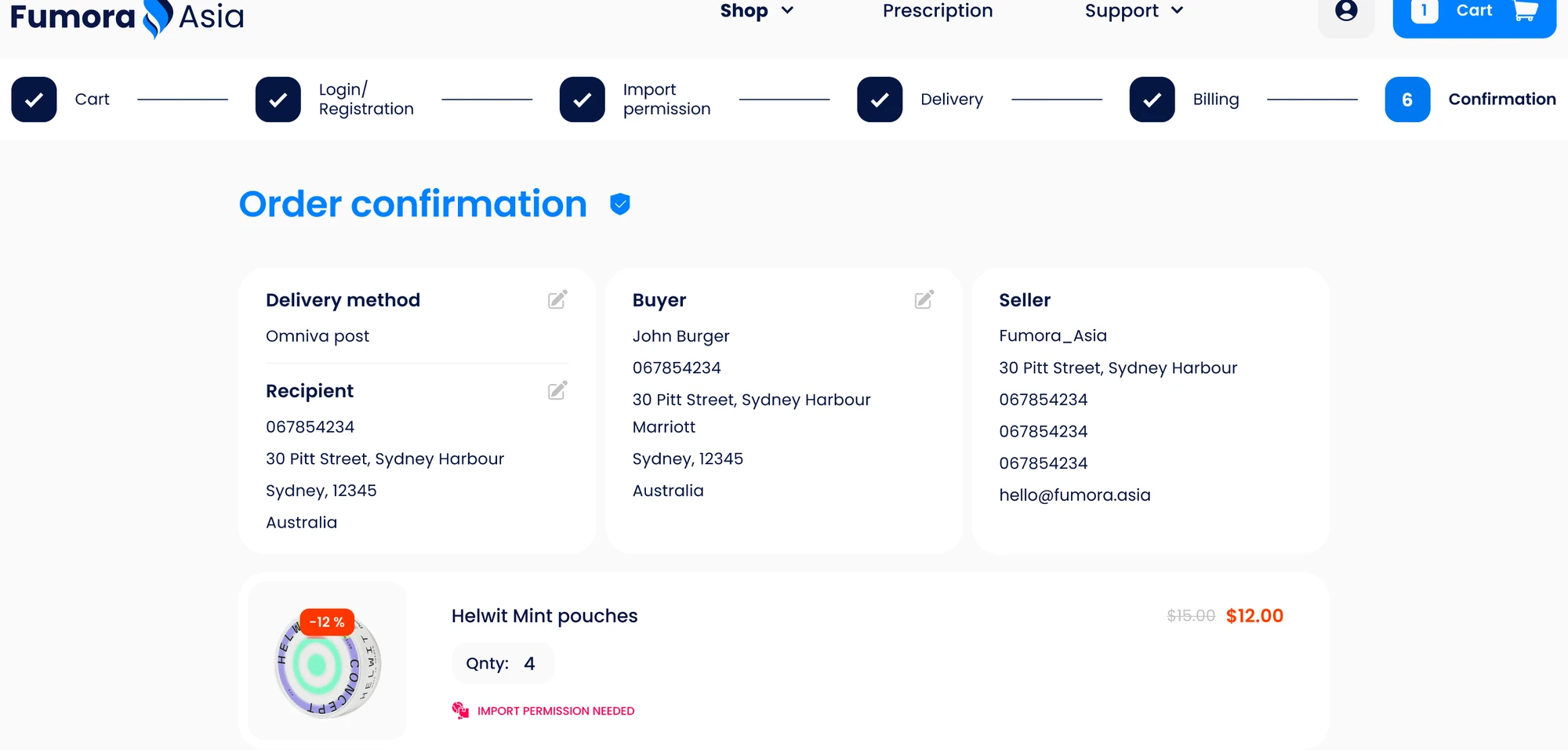
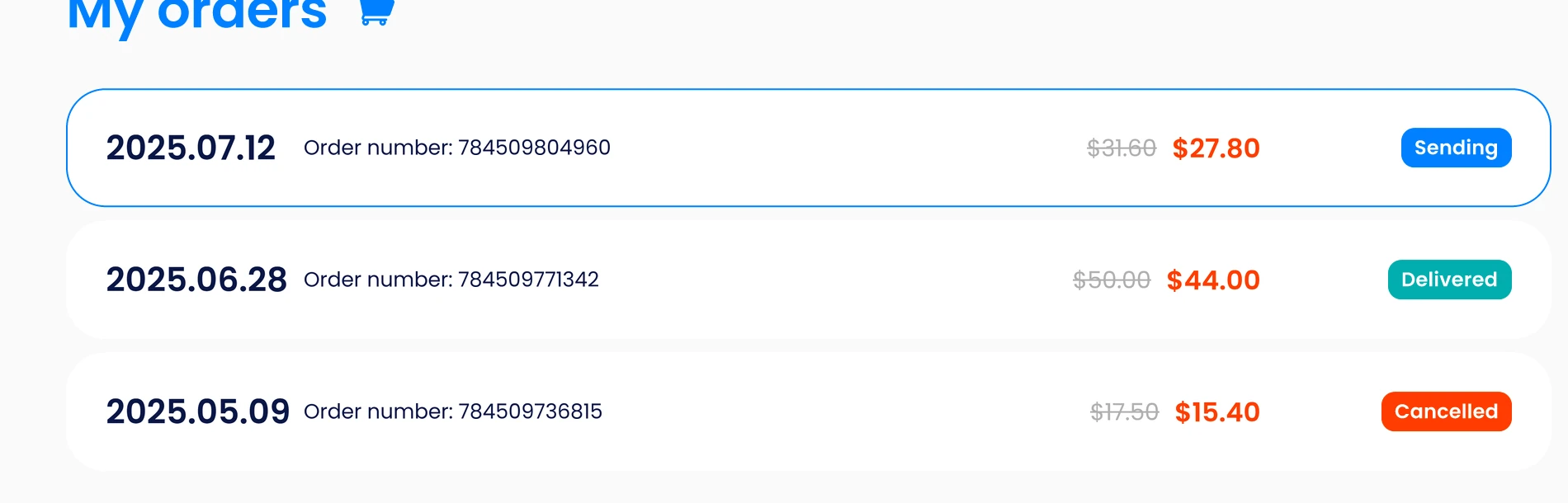
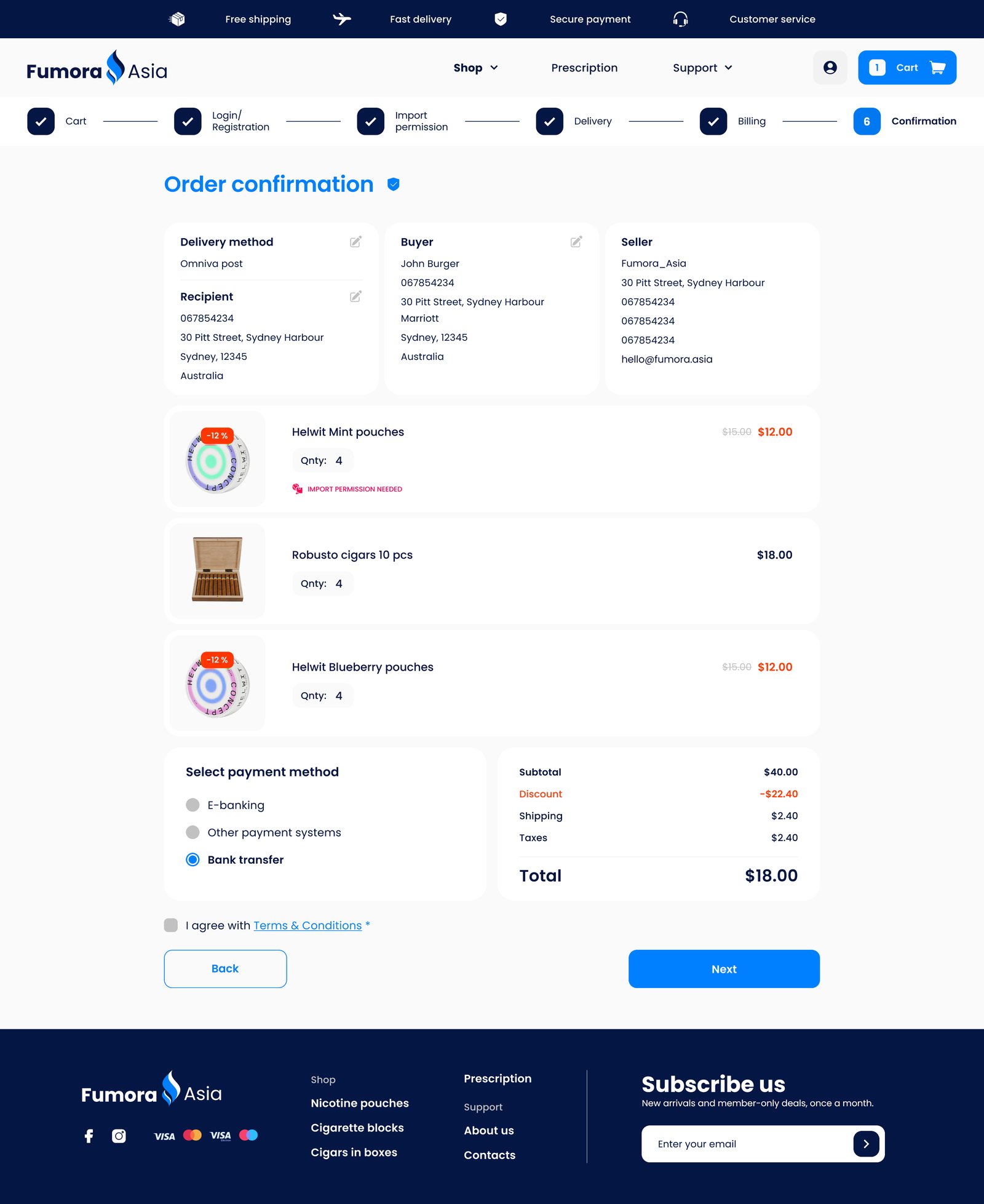
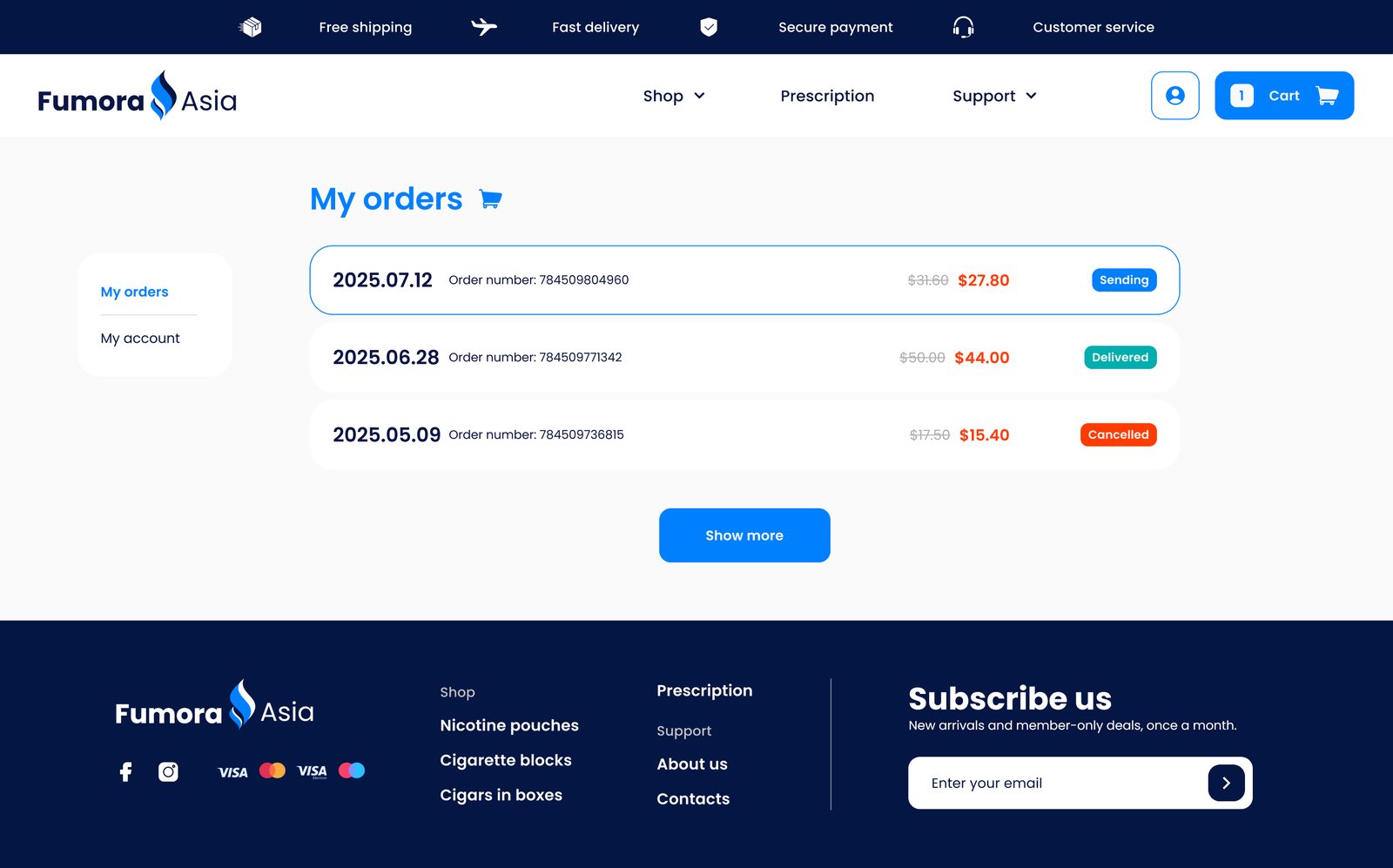
Order confirmation: progress bar with five finished steps, delivery method, buyer and seller, the ordered products My orders: three orders with date, number, price and status — sending, delivered, cancelled
  1. Ticks for finished steps, blue for the current one.
  2. Delivery and buyer details can be corrected right on the confirmation page.
  3. After the order: status in colour — sending, delivered, cancelled.
05The pages

From the first banner to "Thank you".

Hover a page to scroll through it, click to open it full size. Below the screens, the same store as a working prototype.

Shopping
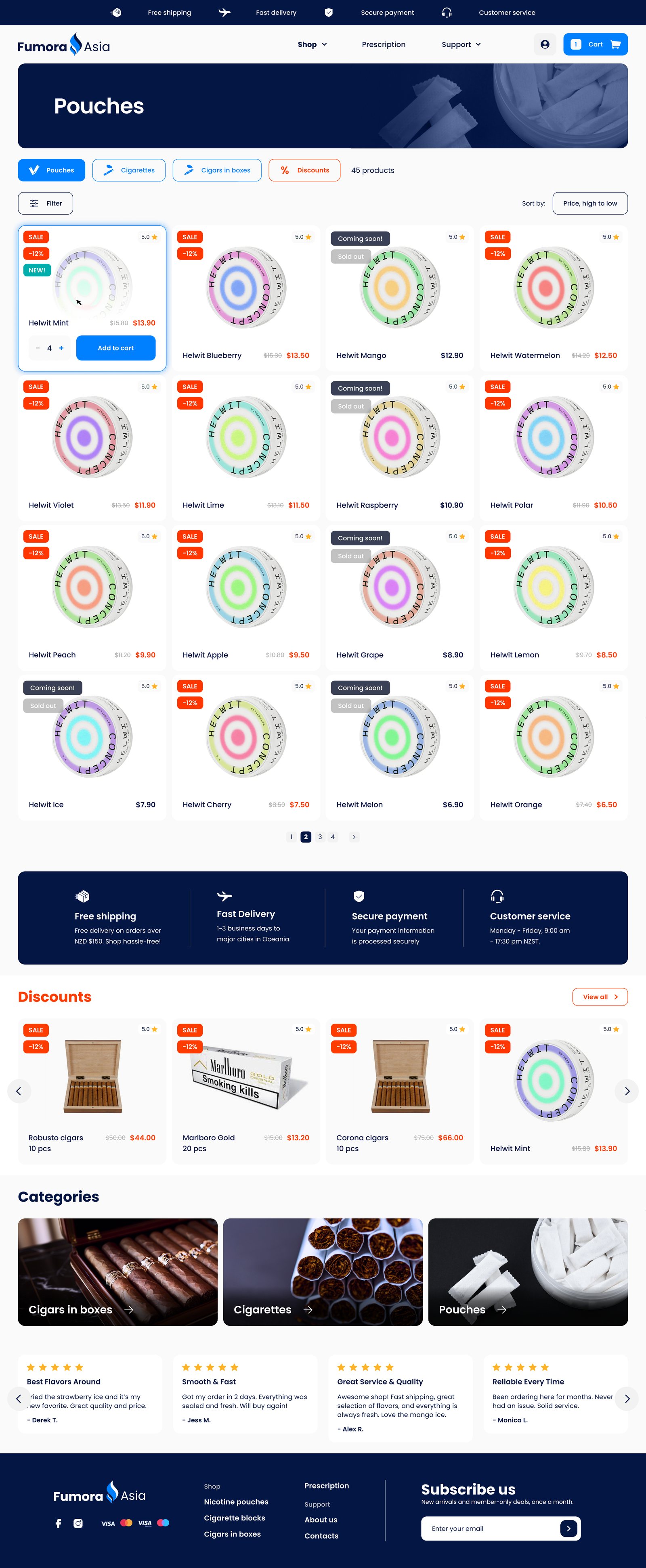
Homepage
HomeNew products, best sellers, pouches by strength
Category page: Pouches
CategoryTabs, filters, sorting, 16 products a page
Product page
ProductPack size, facts, price, reviews

Checkout

Cart, step 1
1 · CartProducts and the order summary
Login or registration, step 2
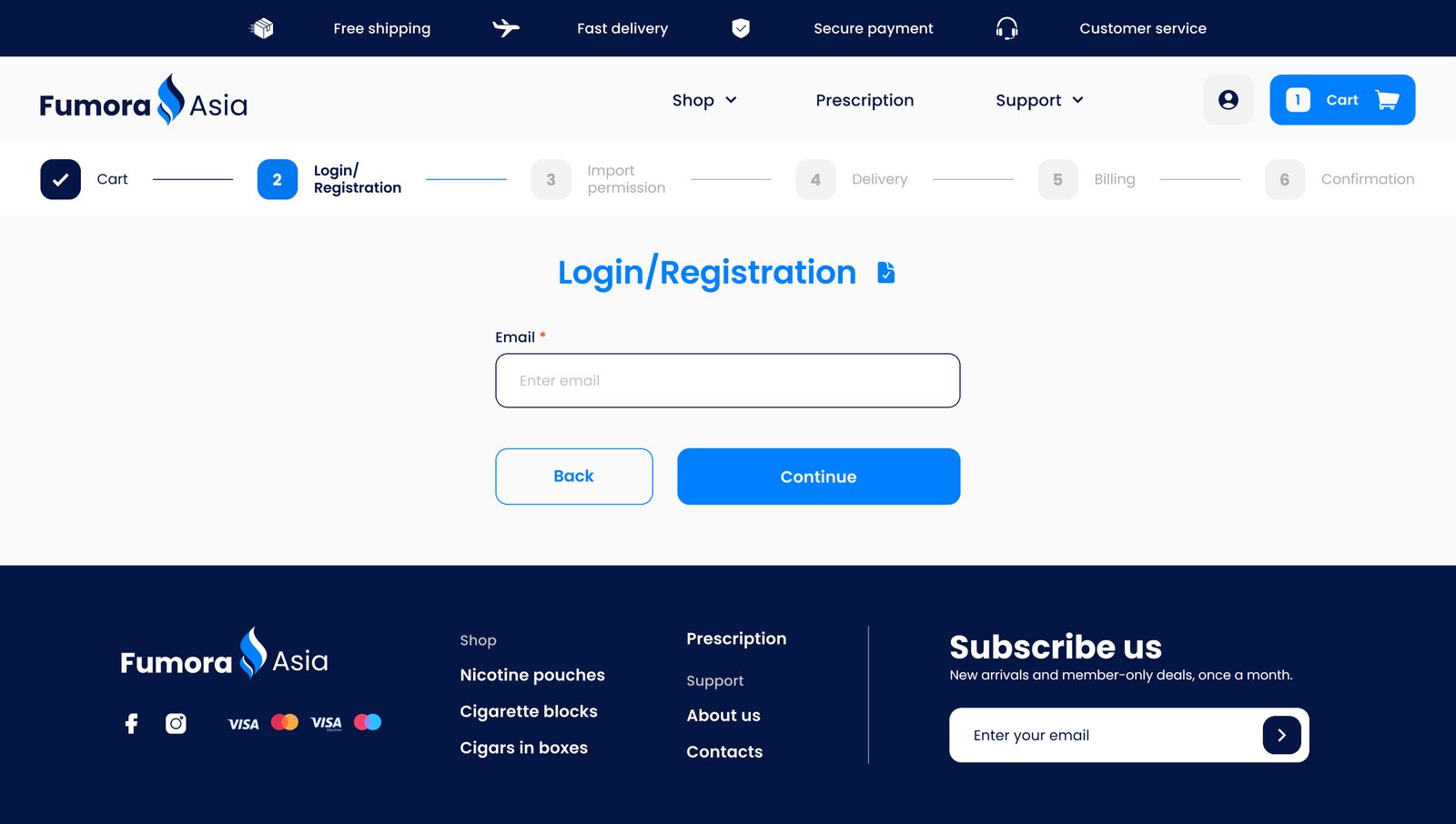
2 · Login / RegistrationOne field: the e-mail
Delivery, step 4
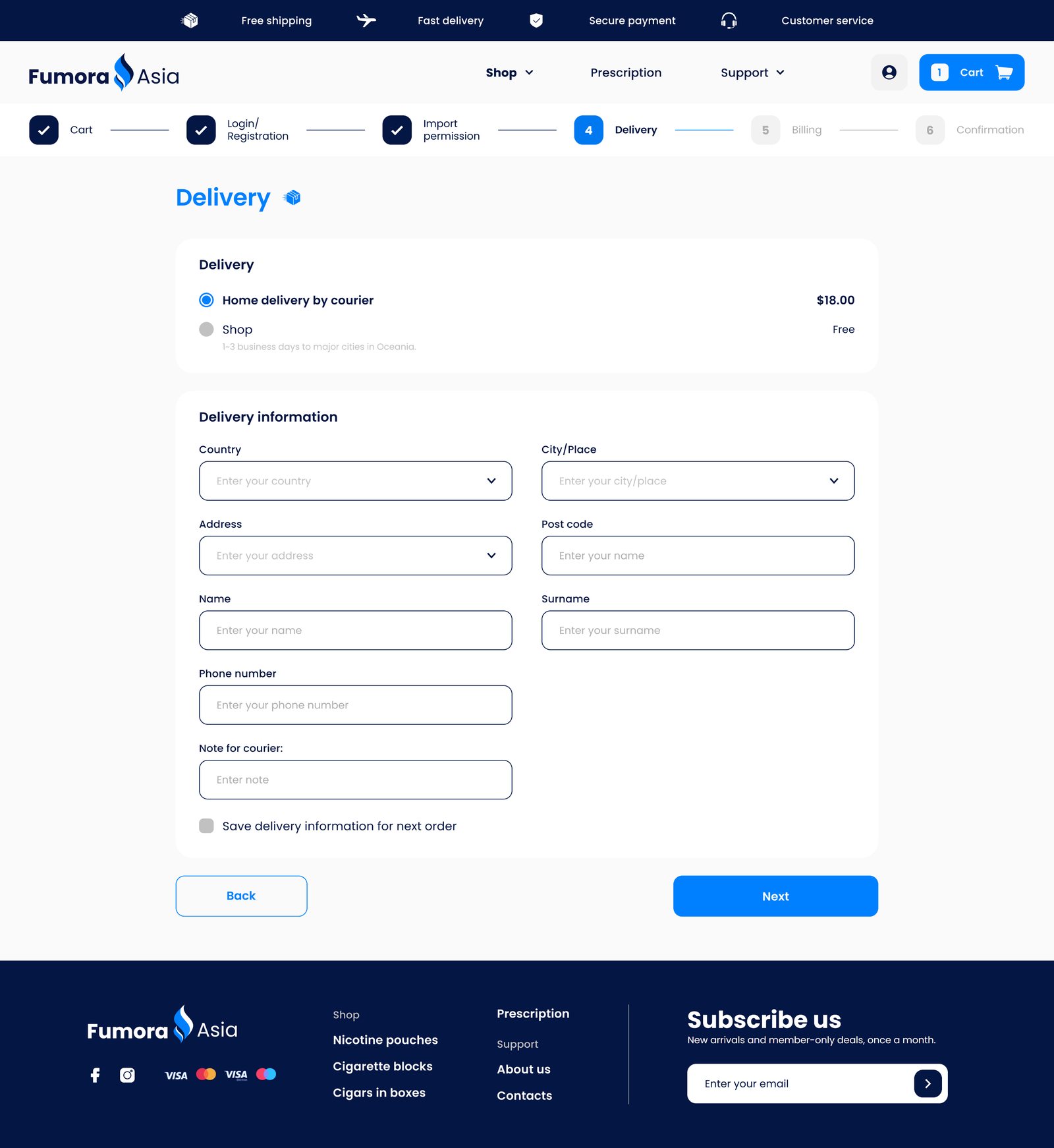
4 · DeliveryCourier or shop, then the address
Billing, step 5
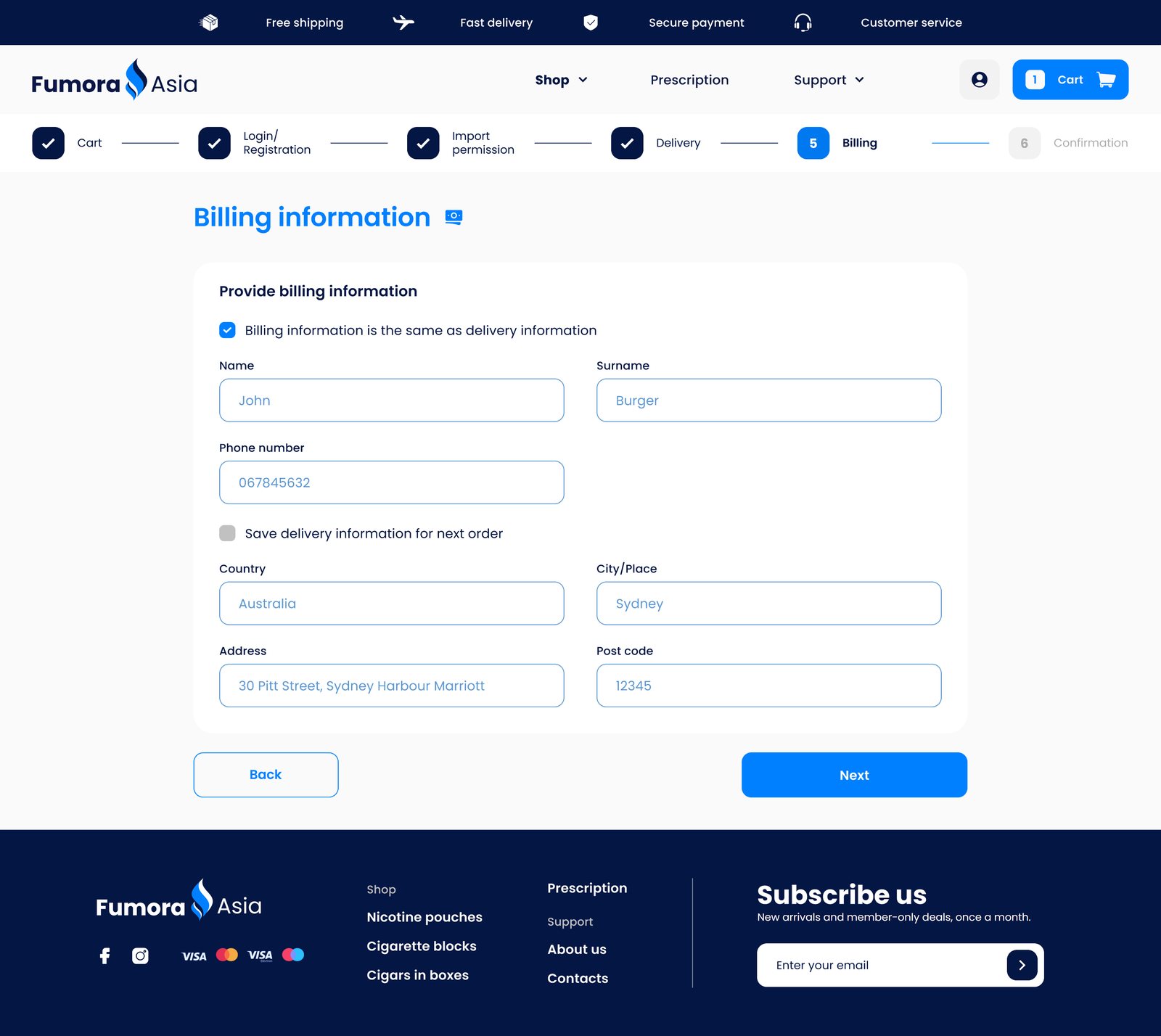
5 · Billing"Same as delivery" ticked by default
Confirmation, step 6
6 · ConfirmationEverything to check, and the payment method
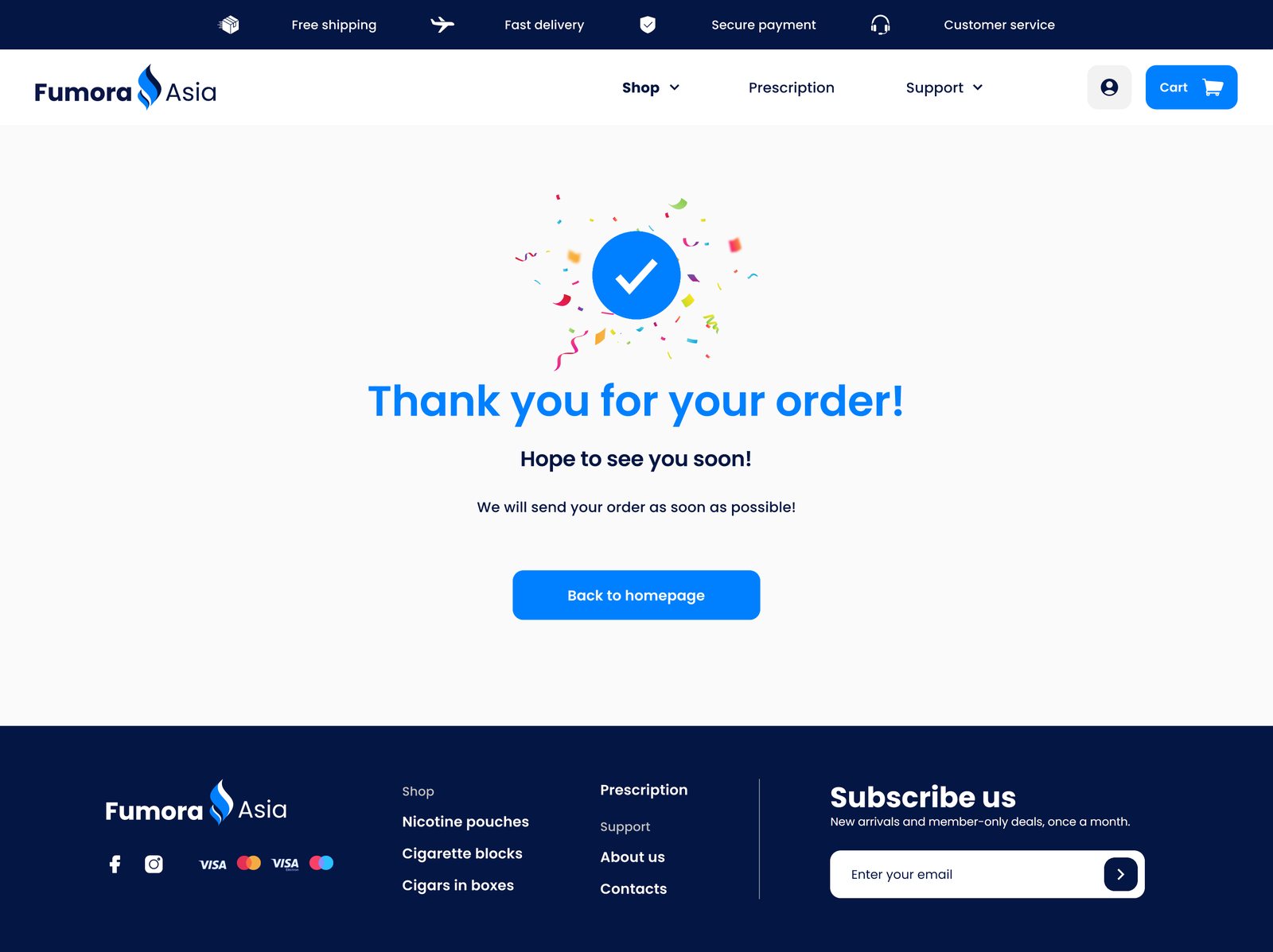
Thank you page
Thank youA clear end, and the way back to the store

Account

My orders
My ordersDate, number, price and status
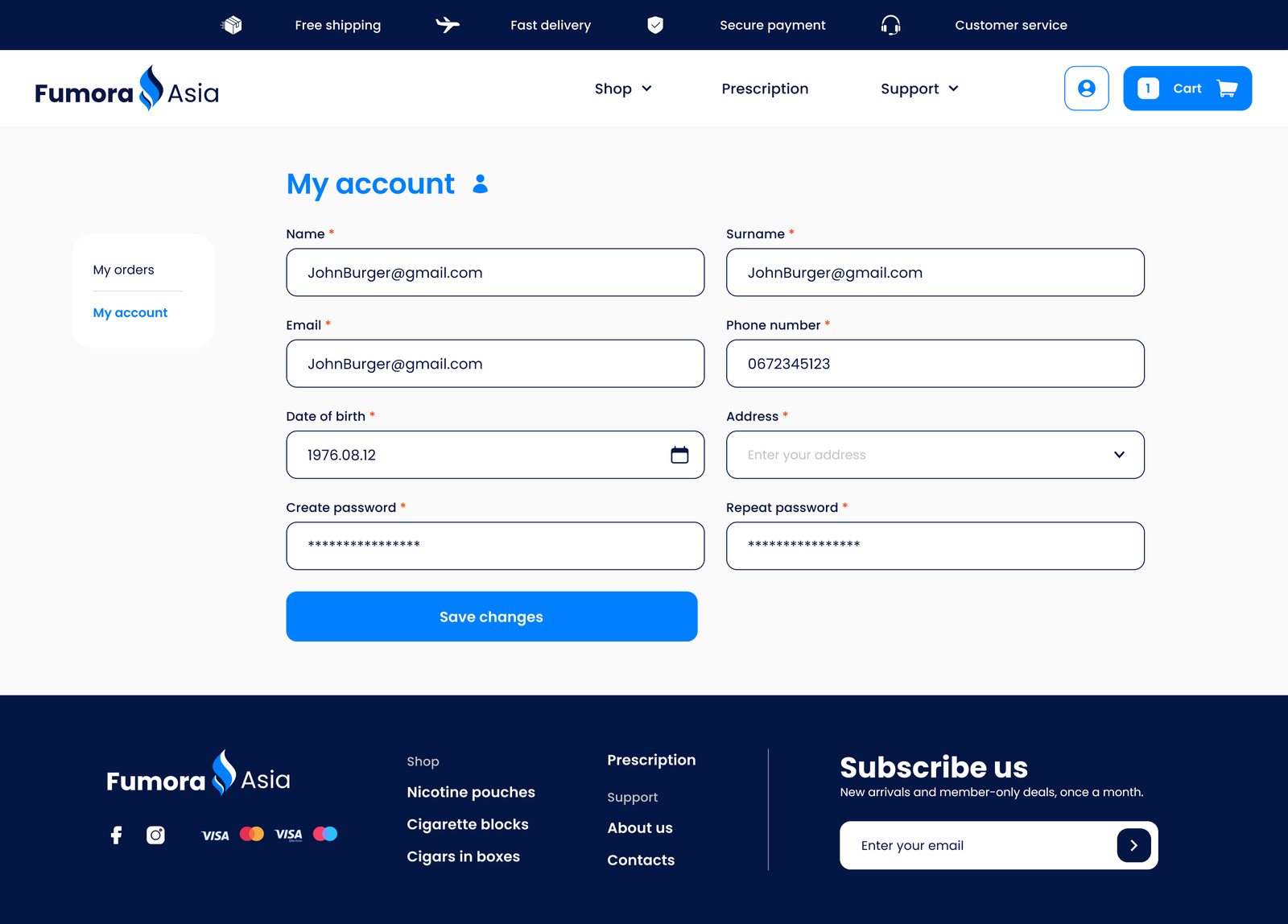
My account
My accountPersonal and delivery details
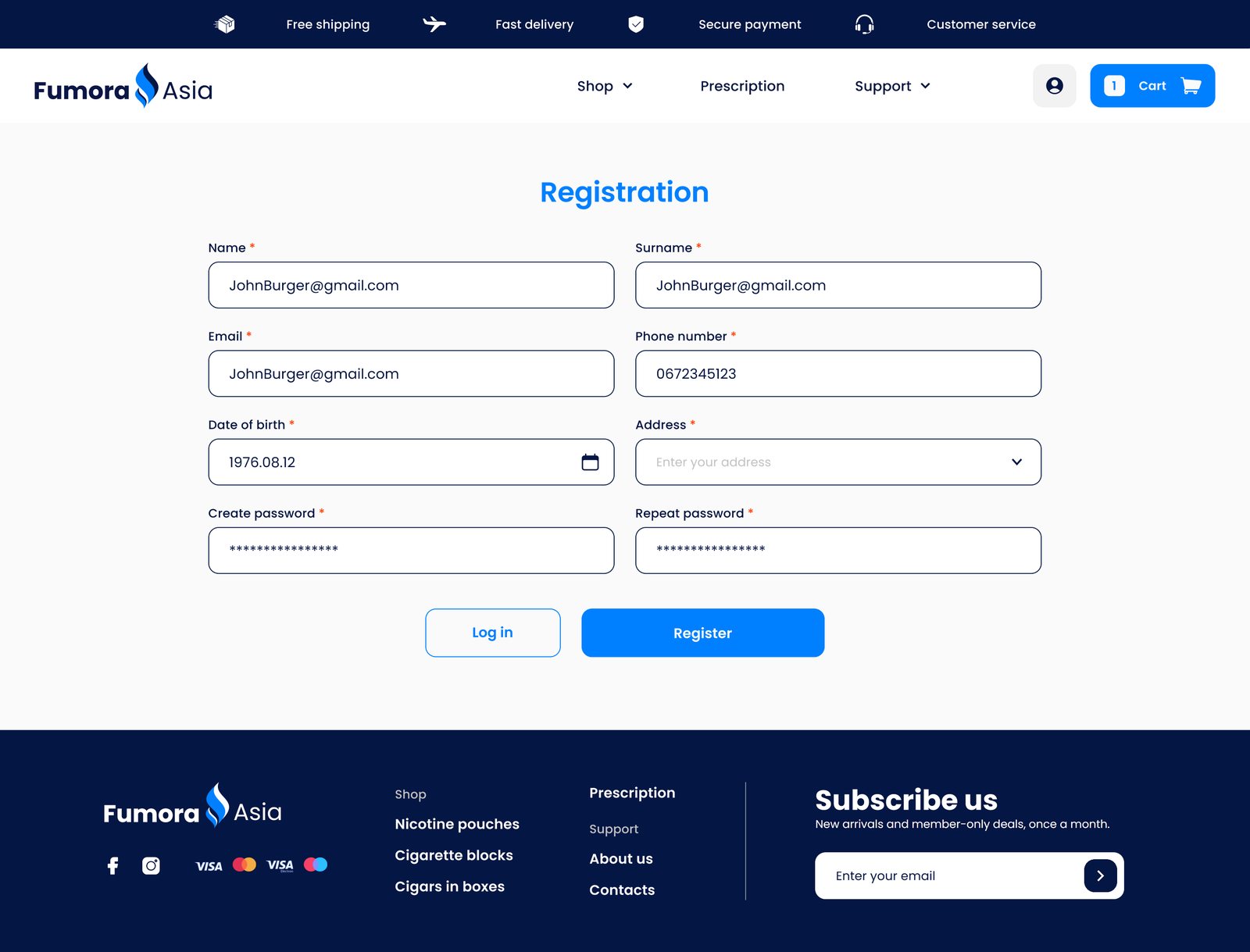
Registration
RegistrationAccount, contact and delivery details
ads_clickLive prototype Shop the store yourself.

Filter the catalogue, fill the cart and walk through all six checkout steps. The prototype opens in a new tab.

Open the prototype open_in_new
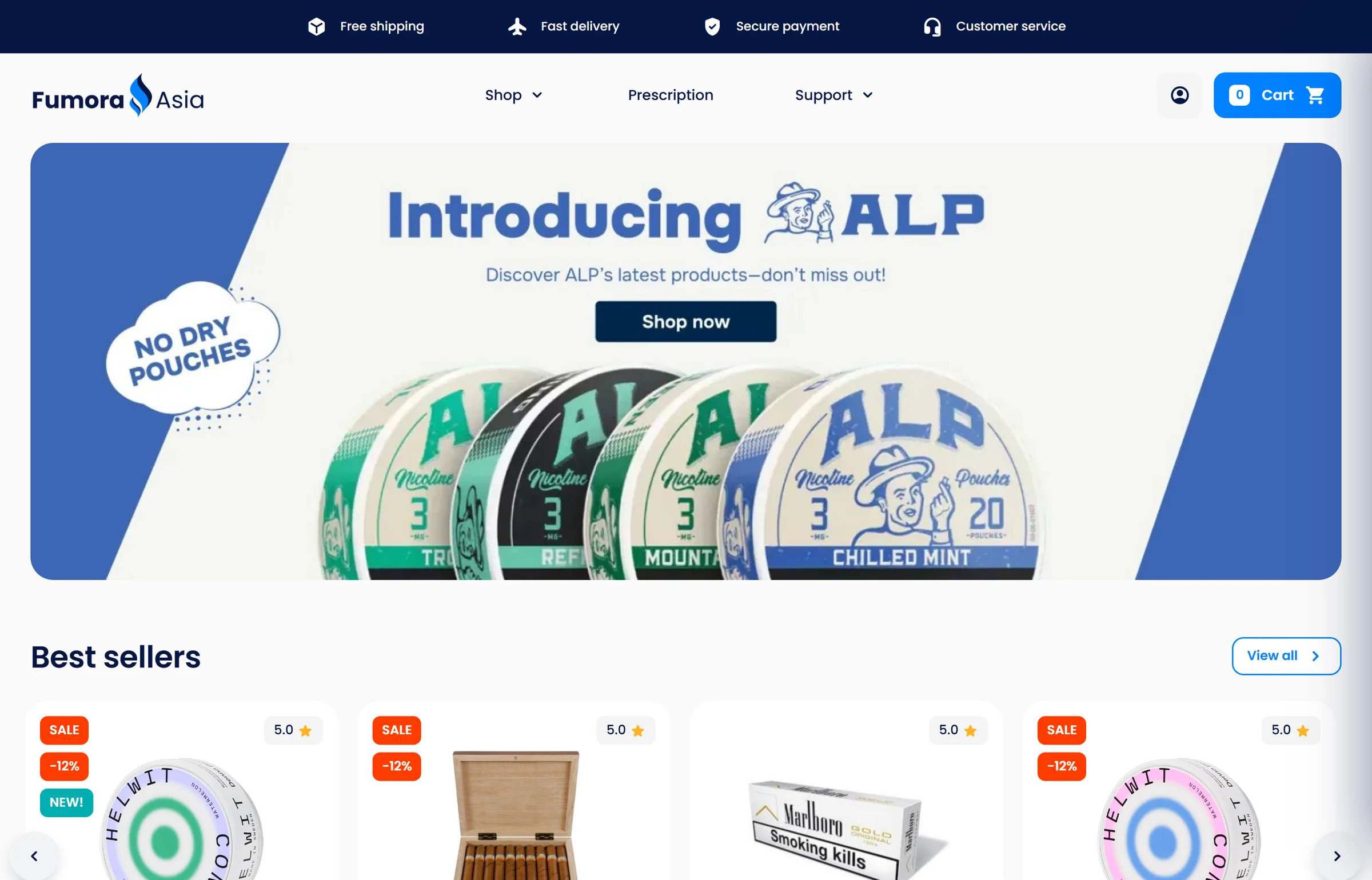
fumora-shop / index.htmlThe Fumora Asia store prototype: homepage
06Visual design

Calm navy, colour with a job.

The photos are colourful, so the interface stays quiet: blue for actions, orange for prices, teal for new.

Navy#041643Header, footer, text
Blue#0080FFButtons and links
Orange#FF3C00Sale, discounts, warnings
Teal#00AEAENew, delivered
Amber#FFB325Review stars
Paper#FAFAFAPage background
AaPoppins — "Add to cart"

Type & components

Poppins in four weights for everything. All parts share the same rounded corners, so every page feels familiar.

SALE−12%NEW!Coming soon!Sold outSending
Next case study

Barco.

→