Case study · Redesign · Services page · Web

Interior design services, redesigned.

A long blog-style page turned into a clear services page — what you get, how much it costs, how to order.

personClient
Interior designer & blogger, works remotely
design_servicesRole
UX/UI designer
architectureType
Redesign
view_quiltPlatform
Desktop & mobile
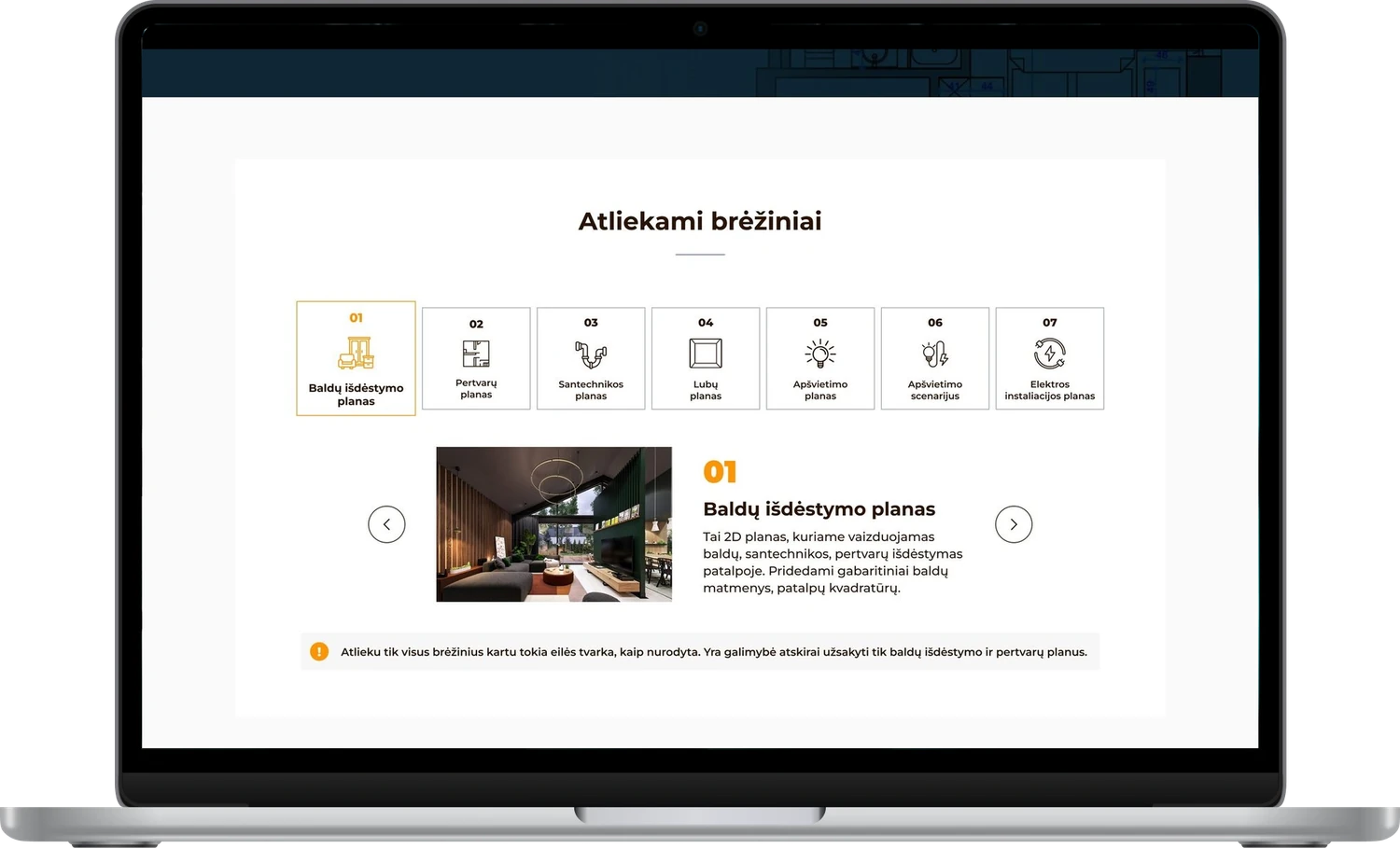
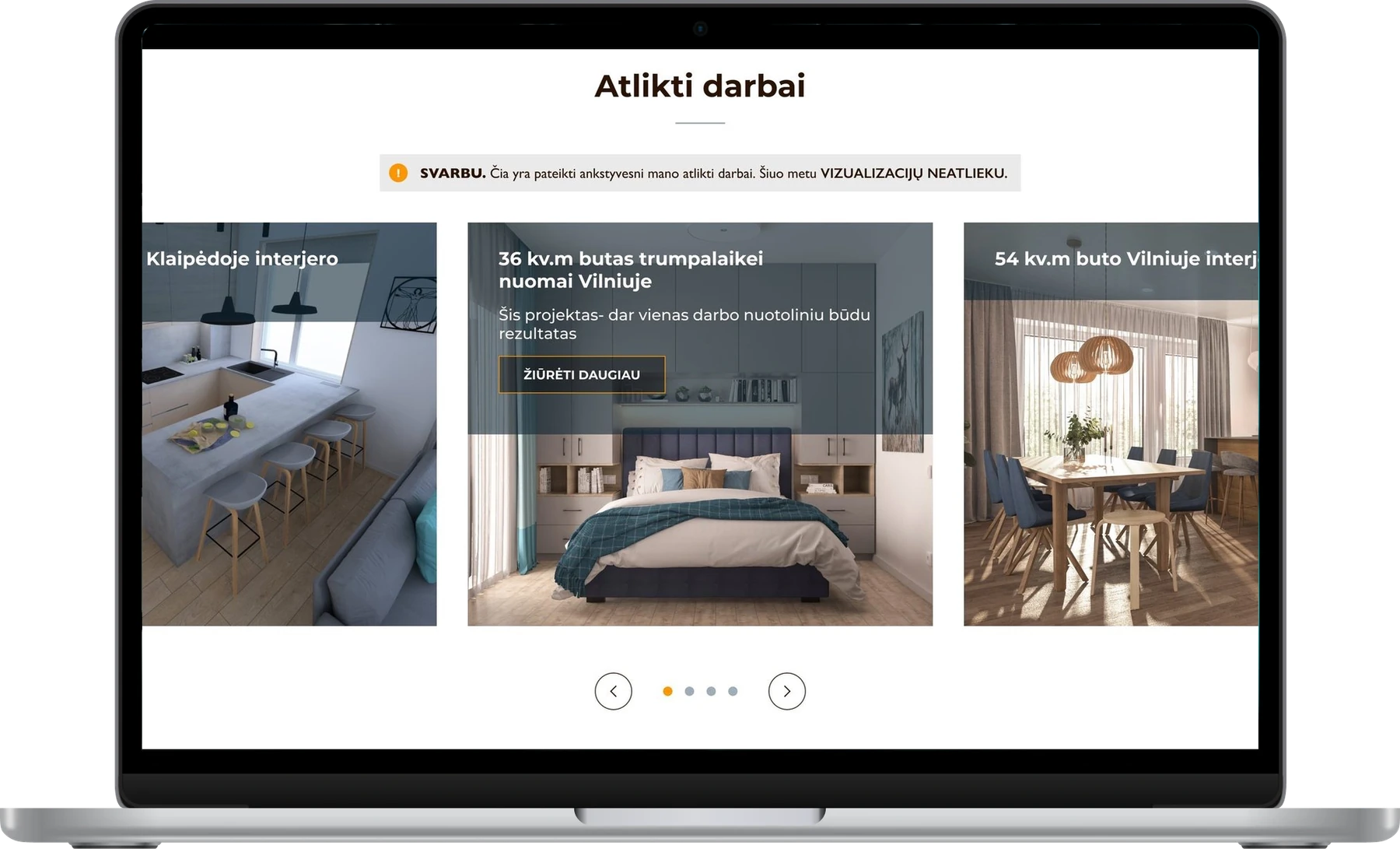
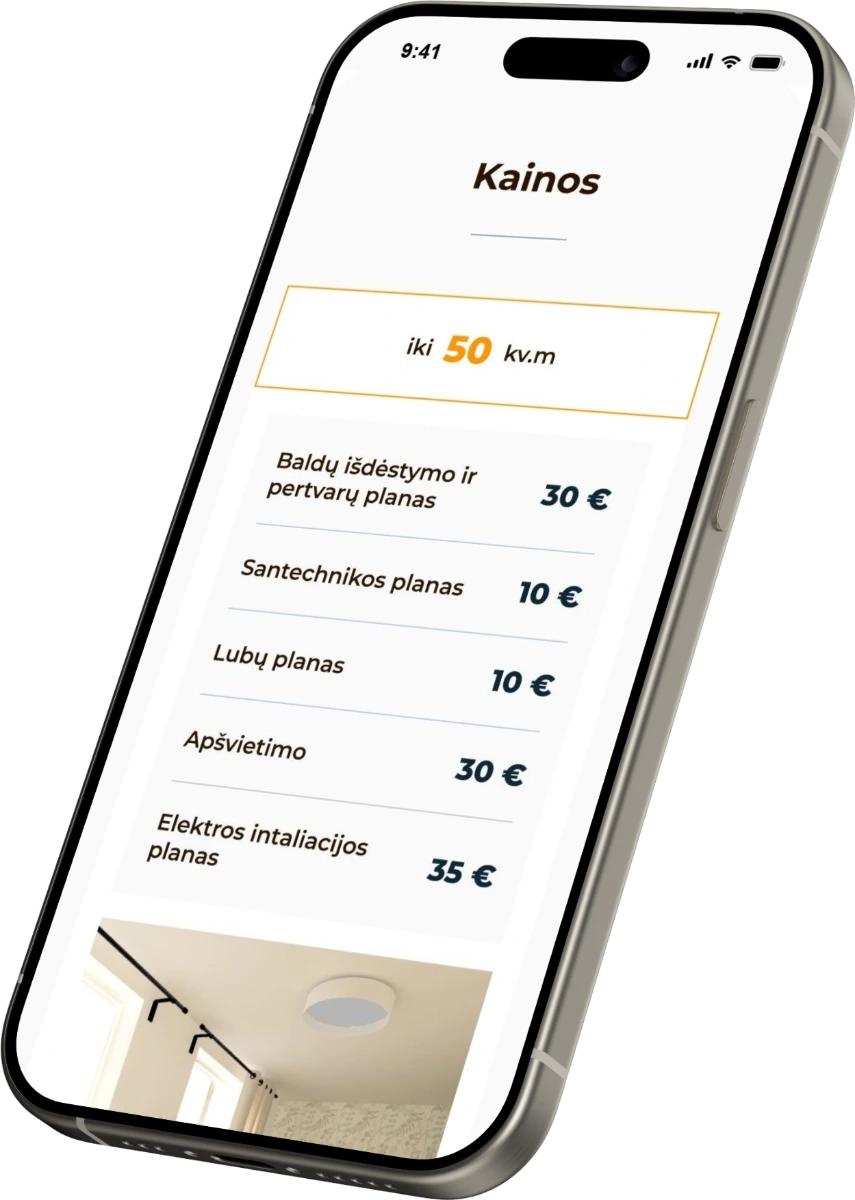
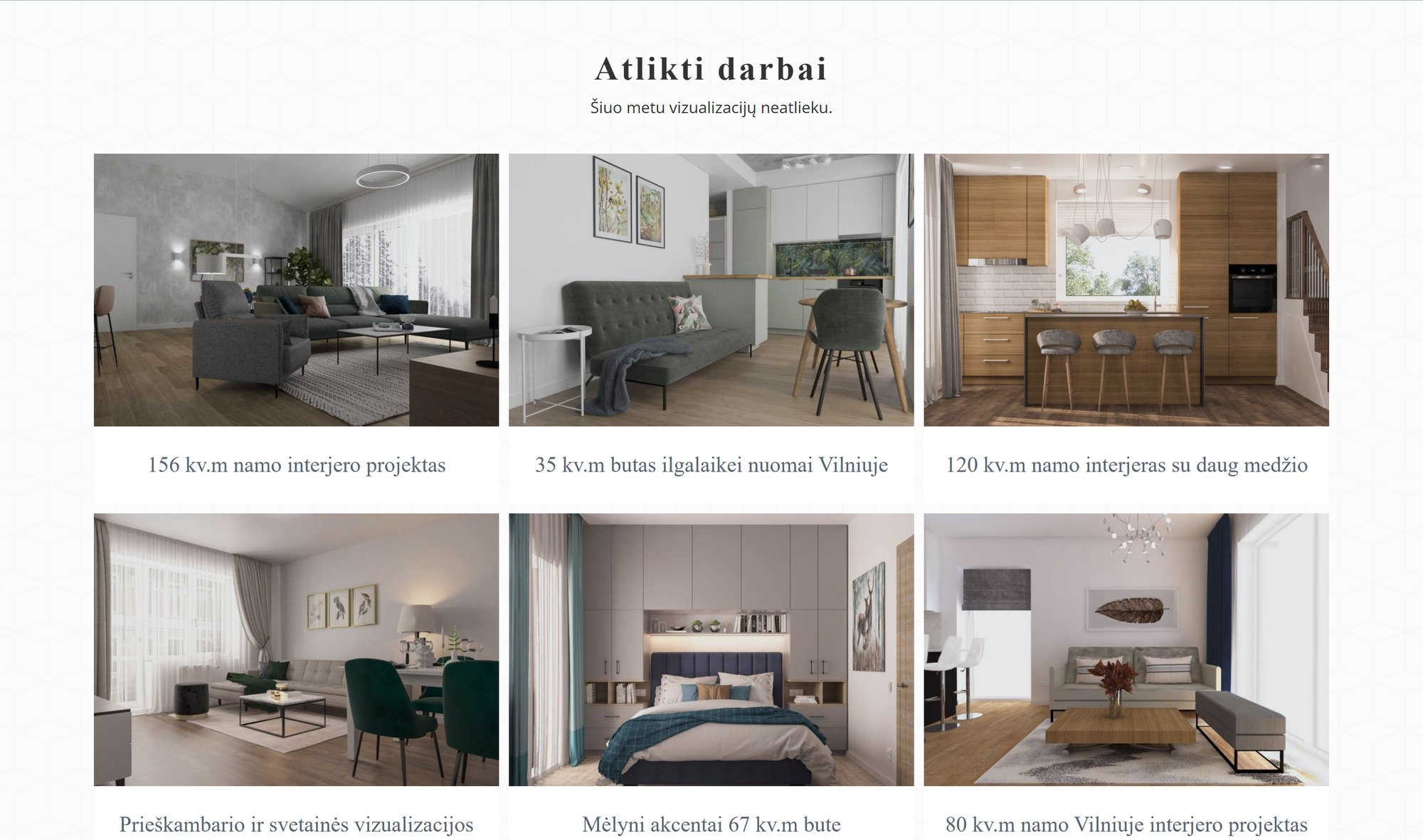
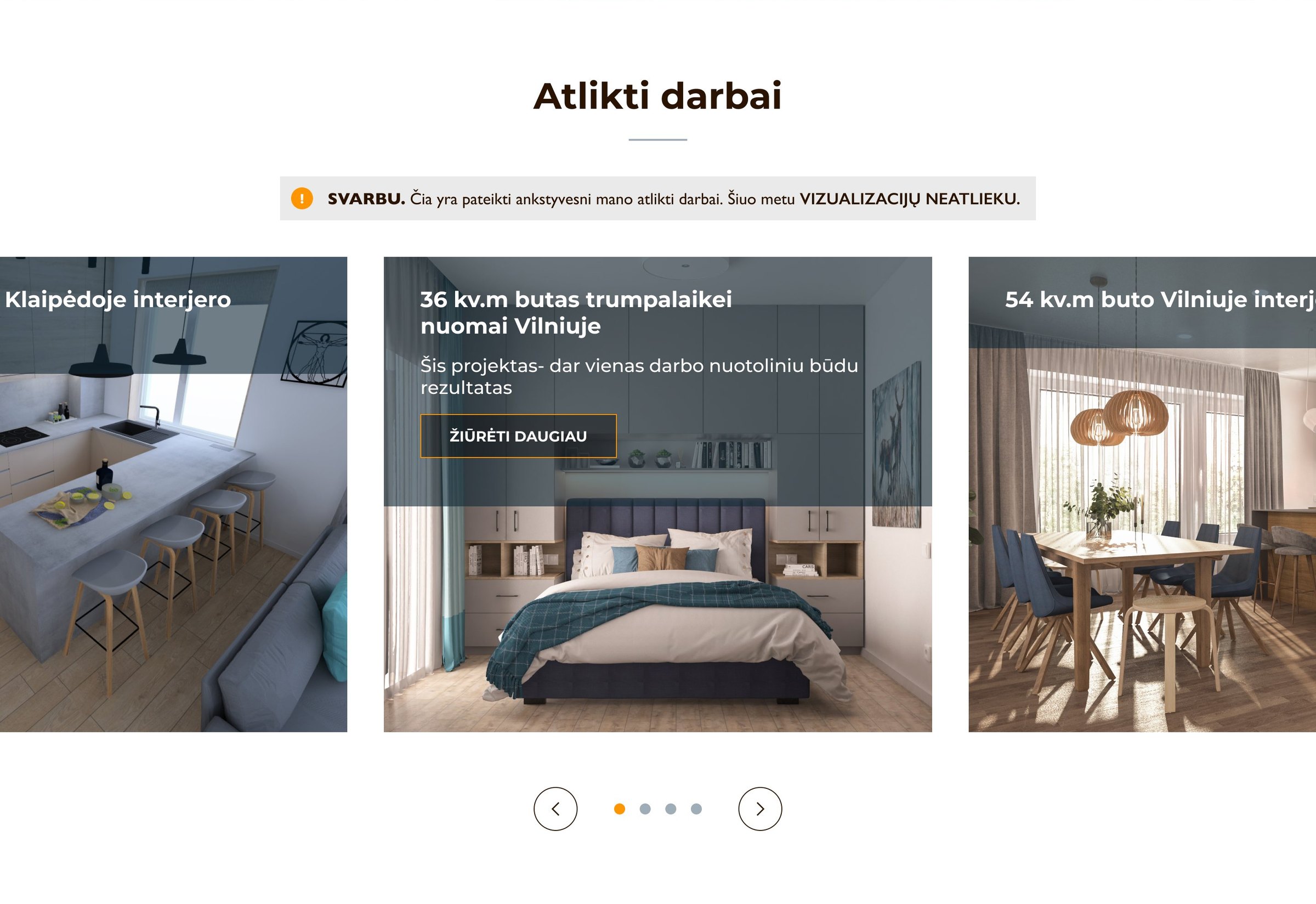
The redesigned page: the drawings, as tabs with examples The redesigned page: completed works Prices on a phone

The short version

A one-minute read
errorProblem

An interior designer who works fully online had a services page that read like a blog: a biography first, services as two short lists, no prices and no order button. Clients kept emailing to ask about the basics.

personMy role

UX/UI designer: an audit of the old page, research, a new structure, the design for desktop and mobile, and testing.

routeApproach

I rebuilt the page around the questions visitors arrive with: what is offered, what I get, how it works, how much it costs, why her and how to order.

task_altResult

Three services, each with its own header, steps, prices and order button. Four people walked through the design, and seven things they stumbled on were fixed before handoff.

12problems marked in the audit of the old page
6visitor questions the new page answers, in order
4people walked through the design with three tasks
7fixes made after the walkthrough
error01The problem

Good services, hidden in a long page.

The designer works fully online and offers technical drawings, plan reviews and online consultations, plus her own planning puzzle. Her page had grown into a long blog-like text, and clients kept emailing to ask what's included, how much it costs and how to start.

Goals
visibilityClearer

Each service with its own header, steps and an order button.

checklistMore complete

Prices, process and the answers clients kept asking for.

auto_awesomeMore modern

A calm, drawing-like look that fits the work itself.

troubleshoot02Audit

The old page, audited.

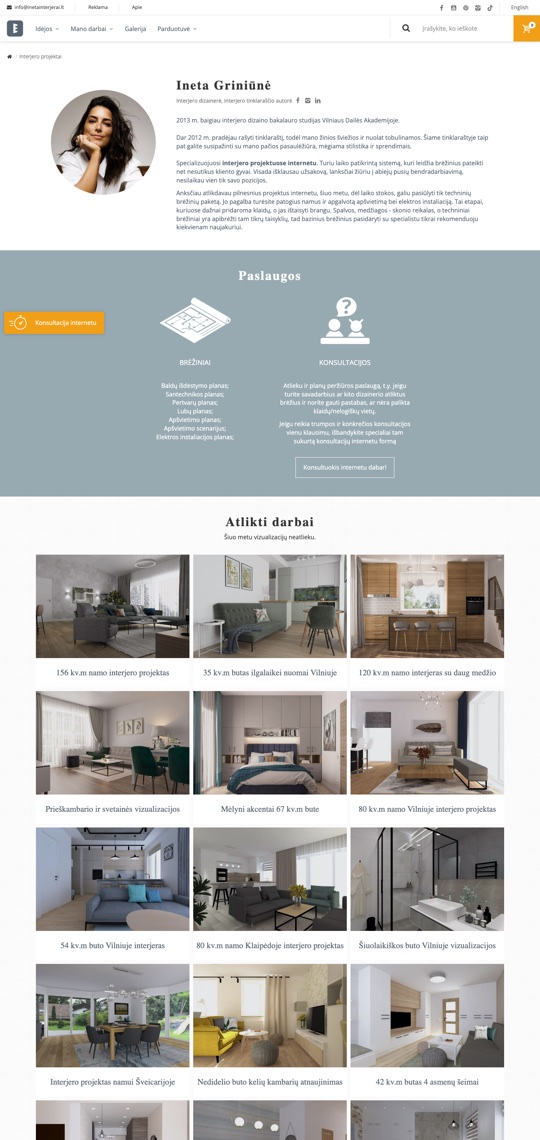
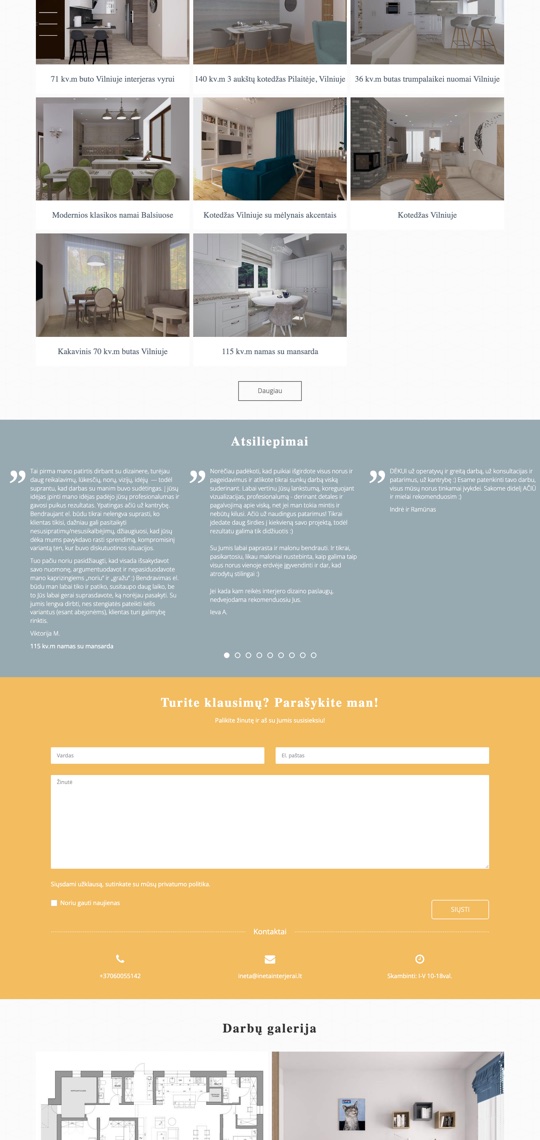
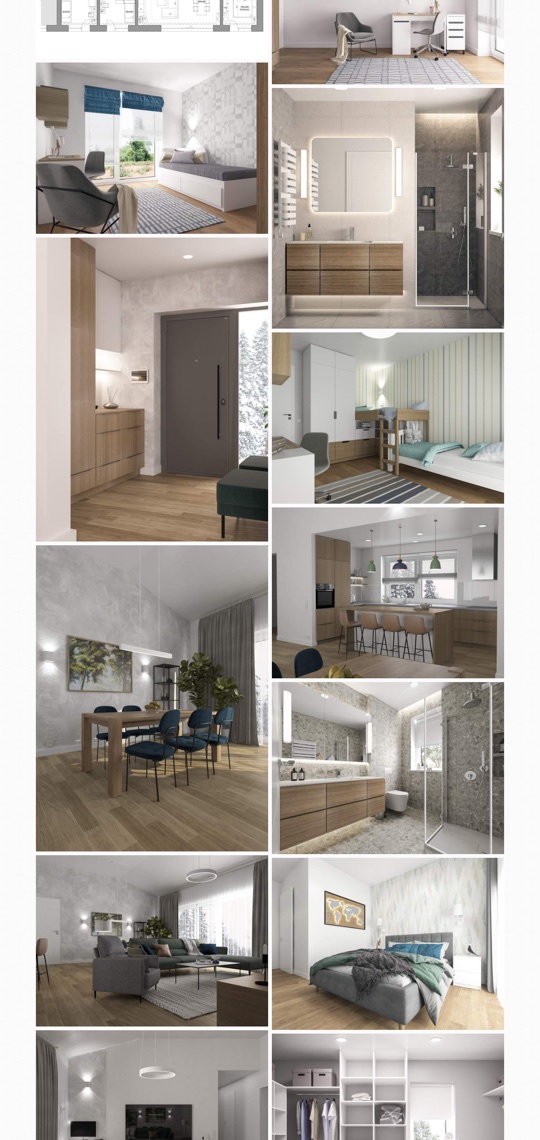
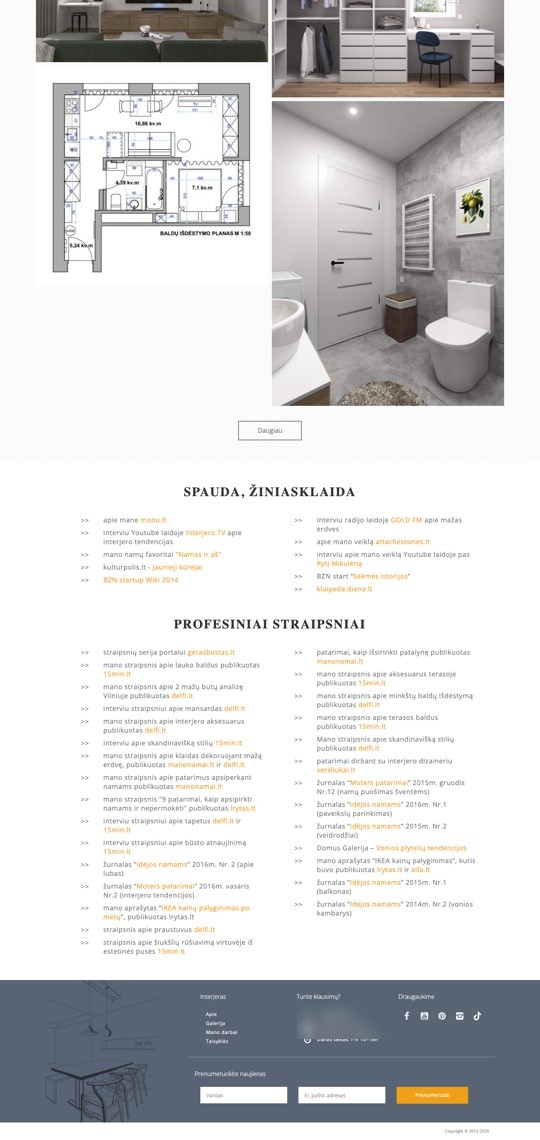
The whole page from top to bottom, cut into four columns. Twelve pins mark what got in a visitor's way.

Old page, part 1: biography, services, worksOld page, part 2: works, reviews, question formOld page, part 3: photo galleryOld page, part 4: gallery, press, articles, footer 1 2 3 4 5 6 7 8 9 10 11 12
  1. Starts with a biography, not with the services.
  2. The services are two short lists, with no word on what you get.
  3. No prices, and no steps for working remotely.
  4. No order button: only a floating “Konsultacija internetu” tab.
  5. “I don't do visualisations now”, right above a gallery of visualisations.
  6. A works grid that runs for two screens.
  7. 27 long reviews in one carousel.
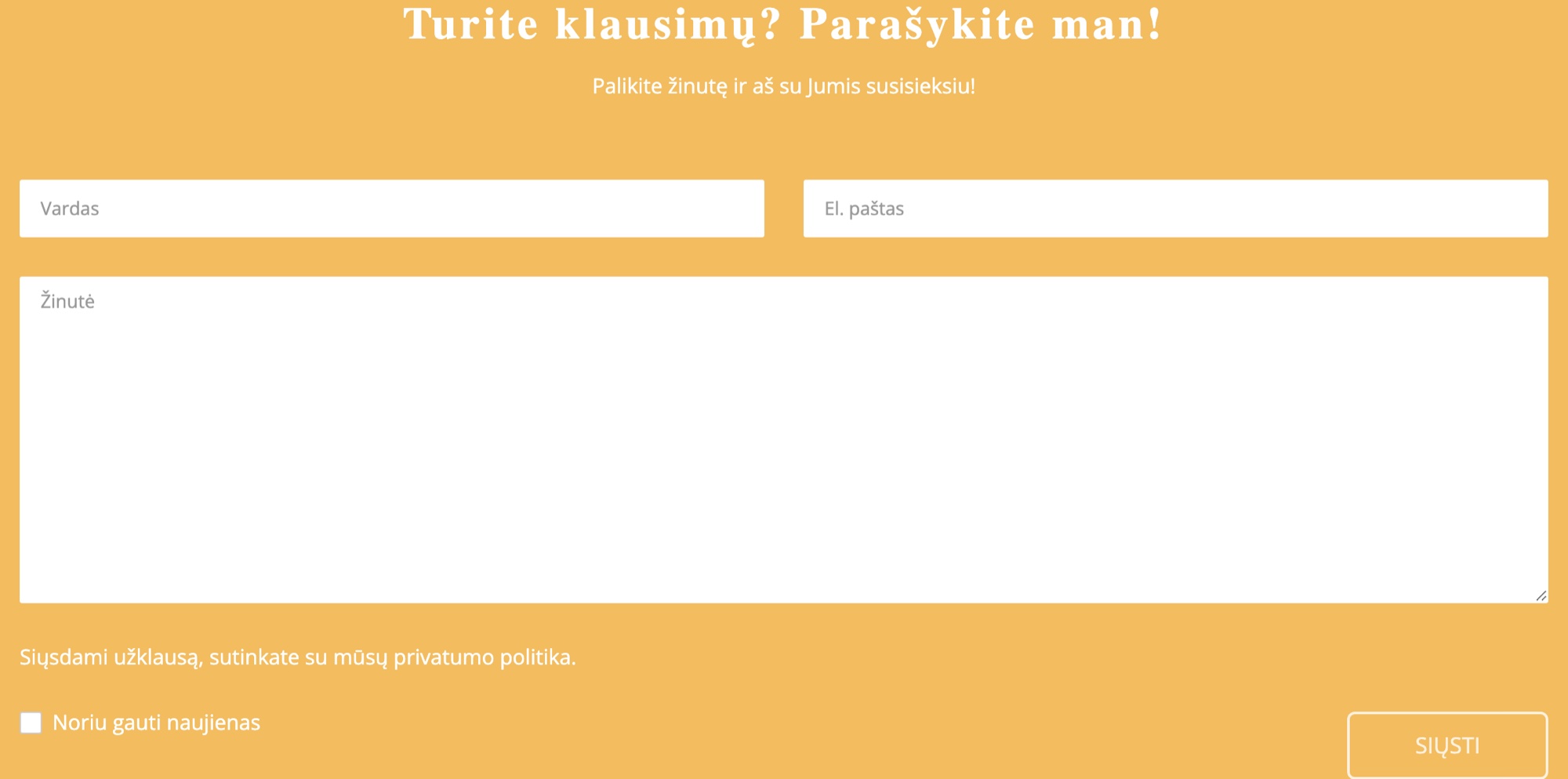
  8. A general question form, in the middle of the page.
  9. A second gallery: dozens of photos with no captions.
  10. Three screens of scrolling with nothing about the services.
  11. Press mentions as ten plain links.
  12. 32 articles as a list of text links.
forum03Research

Who visits, and what they ask.

home_work

Building a house

When should I contact a designer?
stairs

Buying a flat

Can I still change the walls?
search

Has a plan

Can someone check it for mistakes?

What I did

  • Read the clients' emails to the designer.
  • Studied competitors' services pages.
  • Talked with the designer about her work and clients.

Findings

  1. People decide by what they get and the price — both were missing.
  2. Remote work feels risky, so the process has to be visible.
  3. Trust already exists (reviews, press) — it just needs to be in the right place.
account_tree04New structure

A page that follows the visitor's questions.

The old order followed the designer's story. The new one answers what a visitor needs to know, in the order they ask it.

BeforeBiographyTwo lists of servicesWorks grid27 reviewsQuestion formPhoto galleryPress links
  1. helpWhat is offered?Numbered service headerThree services, each with an order button.
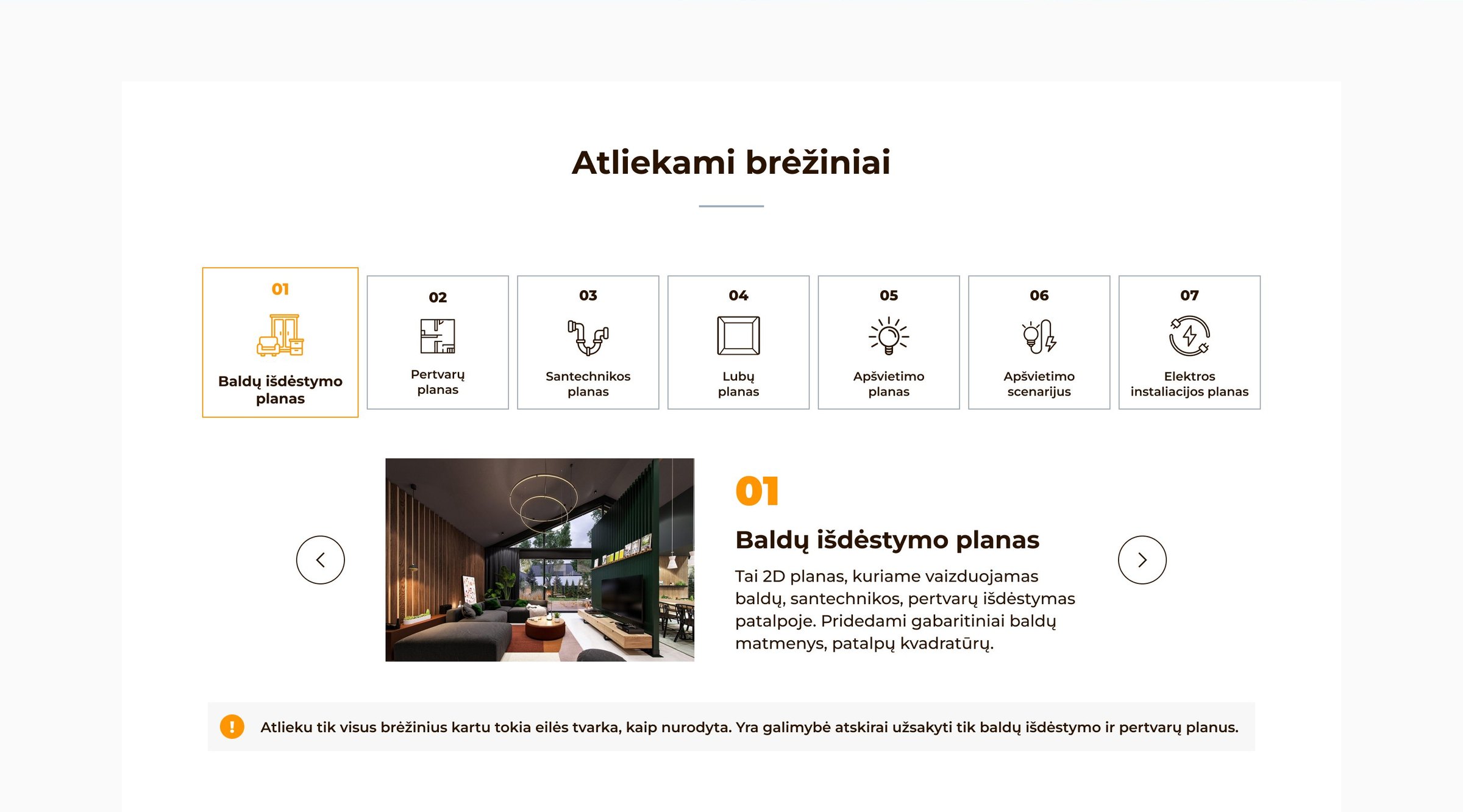
  2. imageWhat do I get?Drawings with examplesSeven tabs, each with an image.
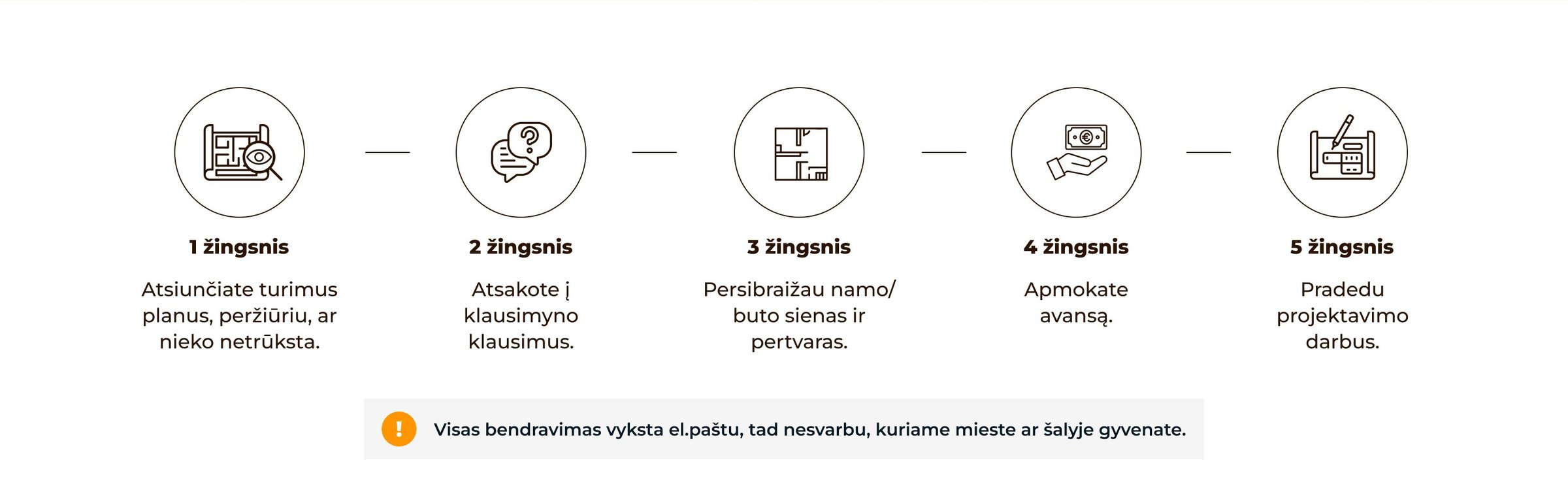
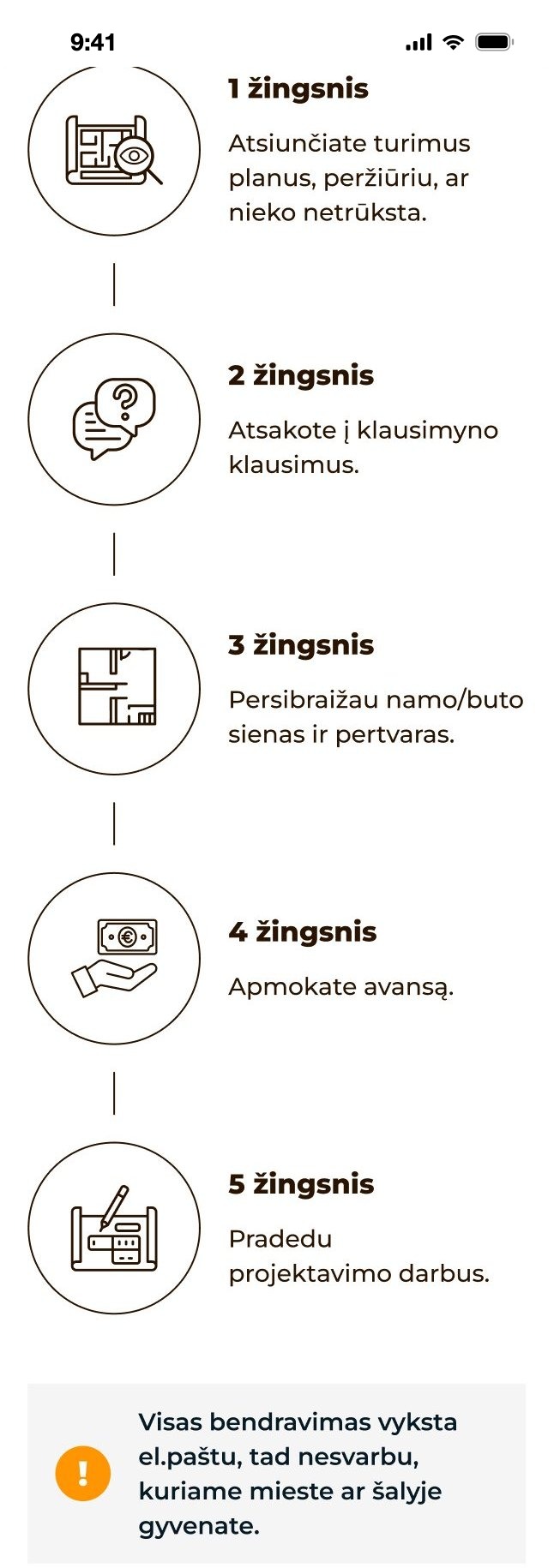
  3. format_list_numberedHow does it work?StepsFive steps, all by email.New
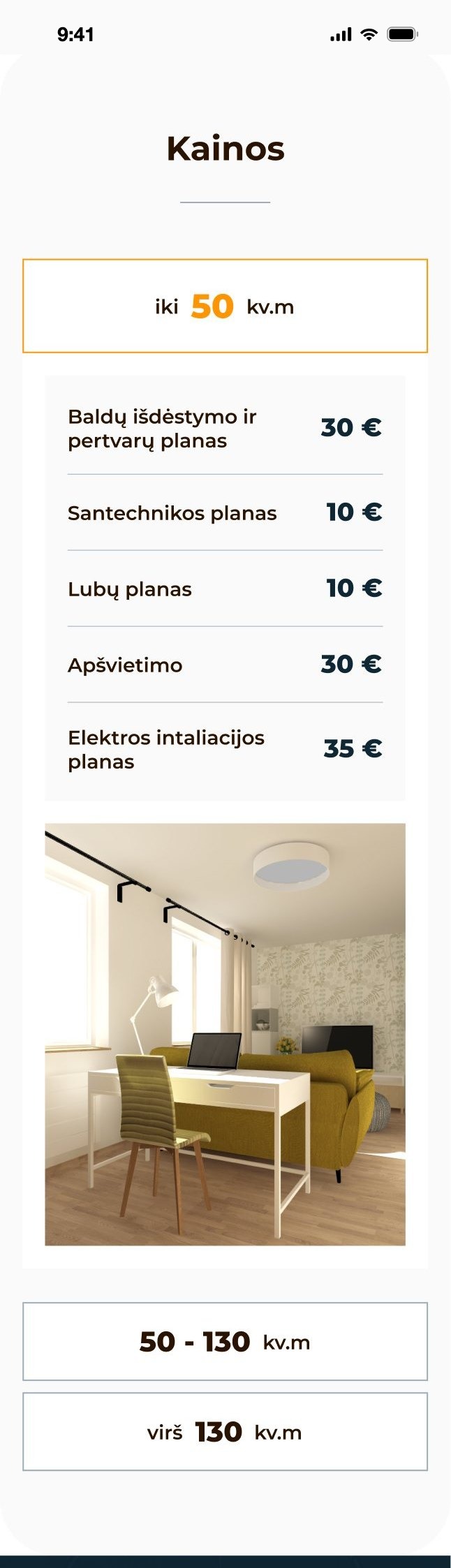
  4. paymentsHow much?PricesBy flat size, in one table.New
  5. verifiedWhy her?Reviews & aboutProof next to each service.
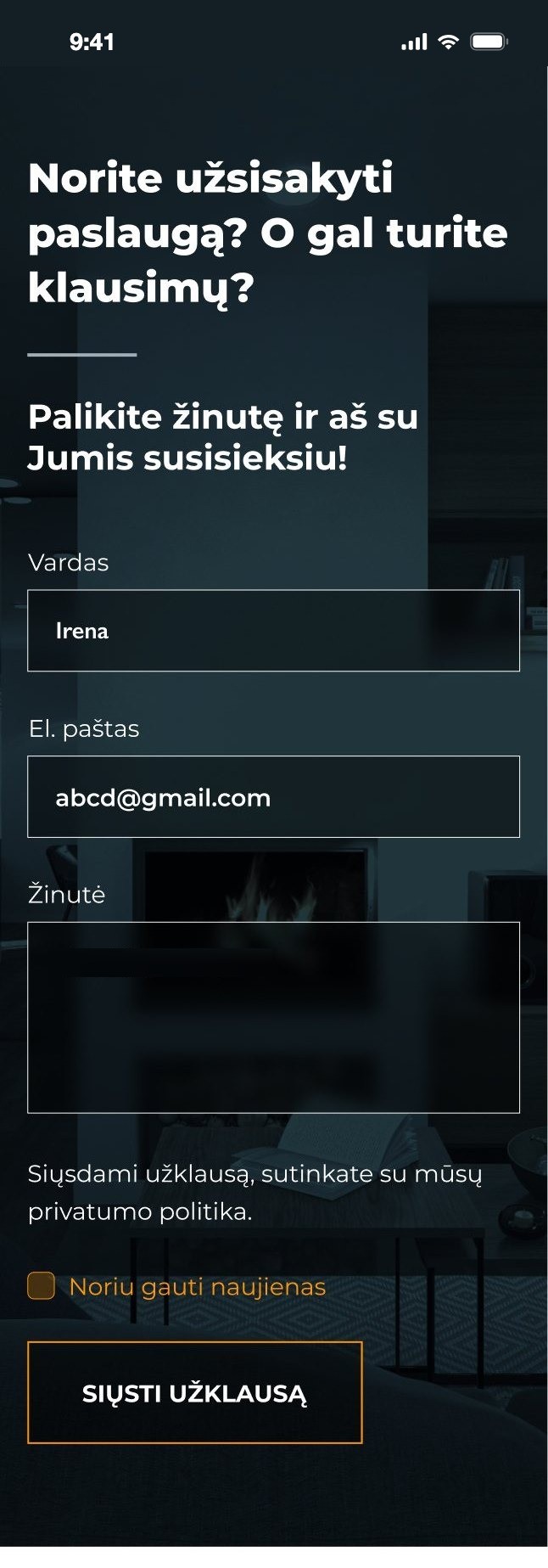
  6. shopping_cartHow do I order?Order formPlus a price list by email.
web05The new page

The whole page, top to bottom.

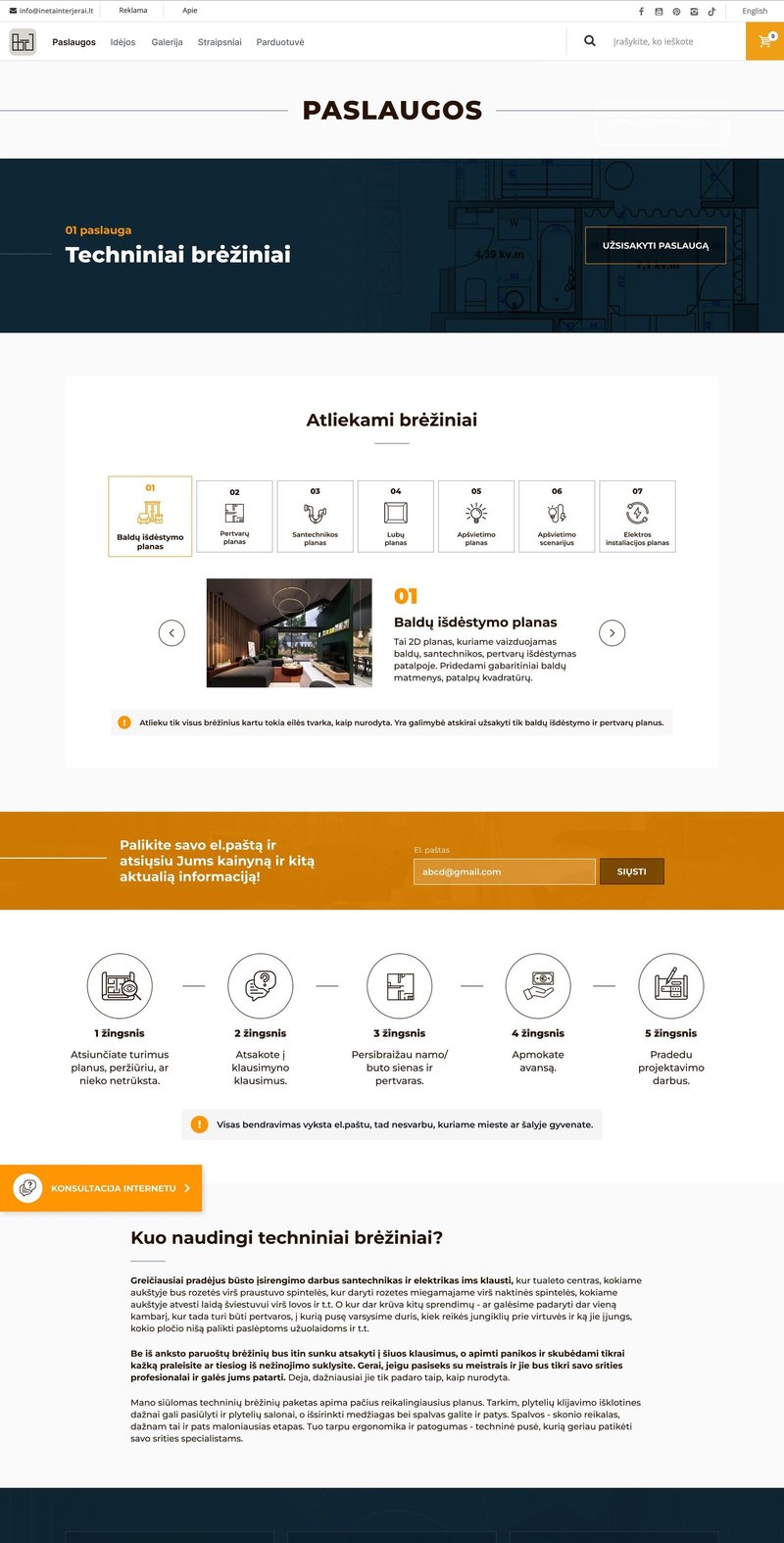
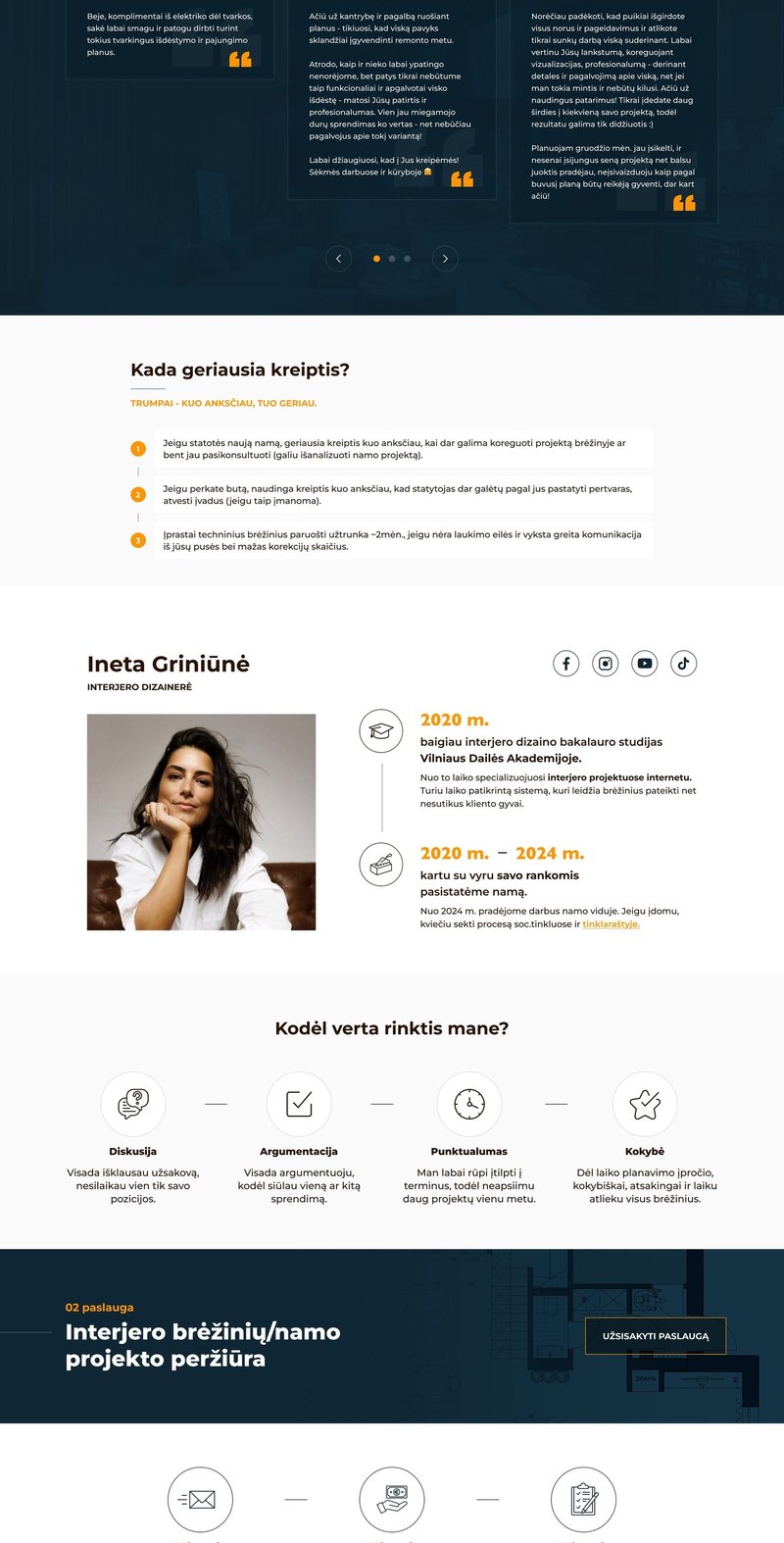
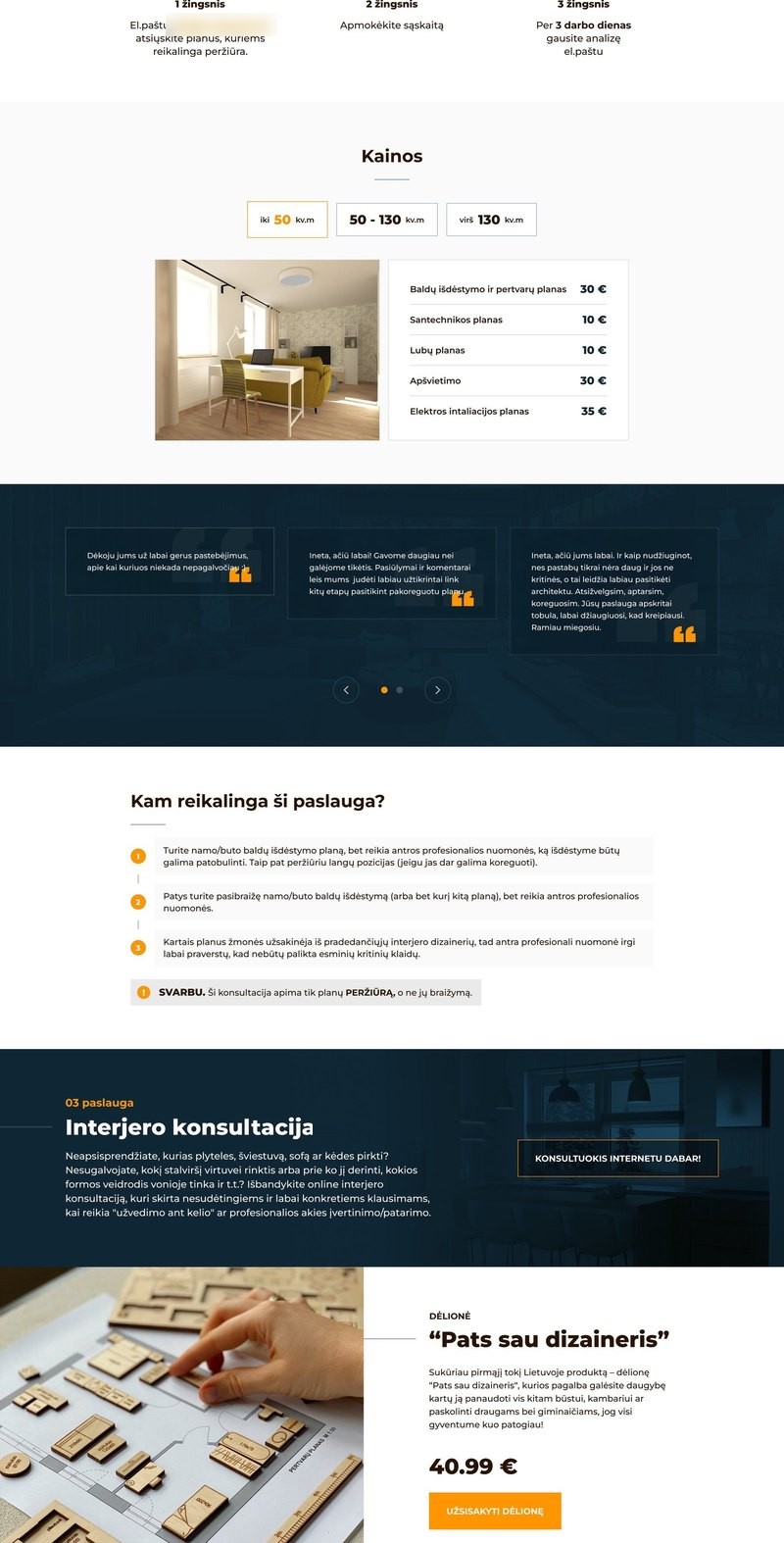
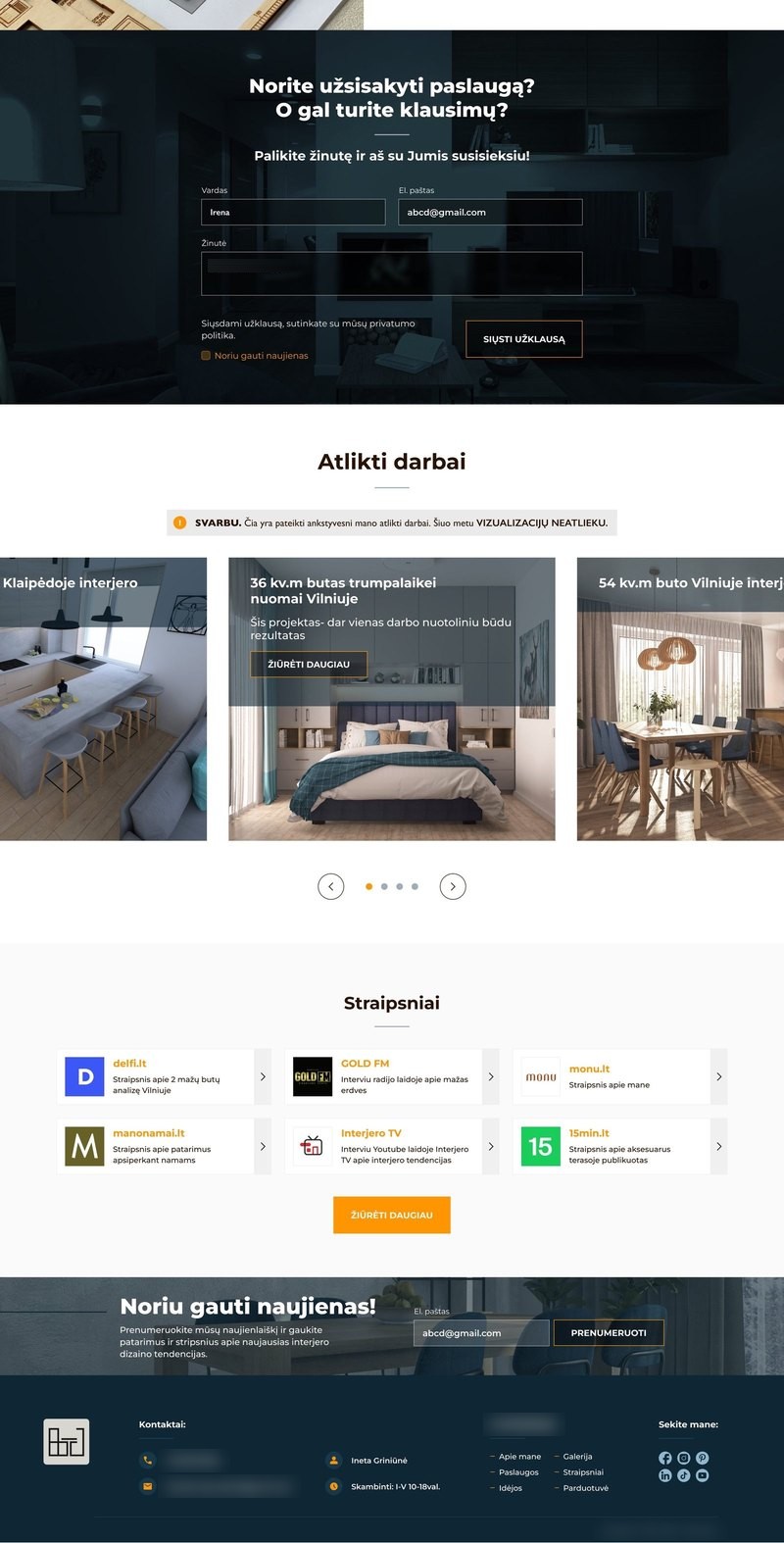
The same four columns as in the audit, now with the new design: three numbered services, each with what you get, the steps, the prices and reviews, then the designer, her puzzle, the order form and her work.

New page, part 1: services header, drawings, price list by email, stepsNew page, part 2: benefits, reviews, when to contact, about the designerNew page, part 3: plan review, prices, consultation, puzzleNew page, part 4: order form, completed works, press, newsletter
01Technical drawings02Plan review03Online consultationAbout the designerHer planning puzzleOrder formCompleted worksPressNewsletter
compare06Before & after

Seven changes, before and after.

ads_click01

Services first

Clear call to action
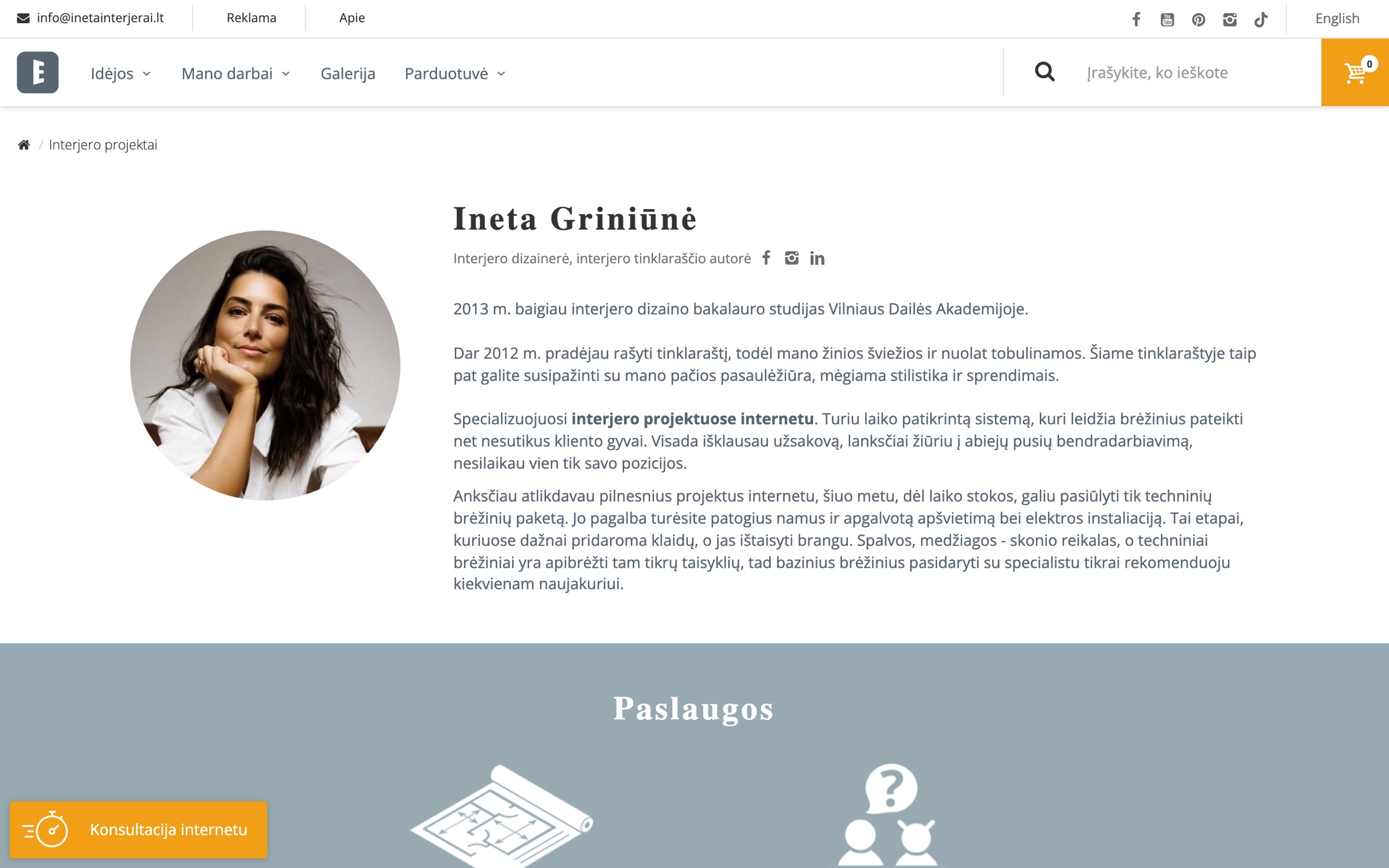

BeforeOld: a portrait and a long biography at the top
AfterNew: dark 01 paslauga header with an order button
What changed

A numbered header with an order button for every service.

Why it's easier

The offer and the action are on the first screen.
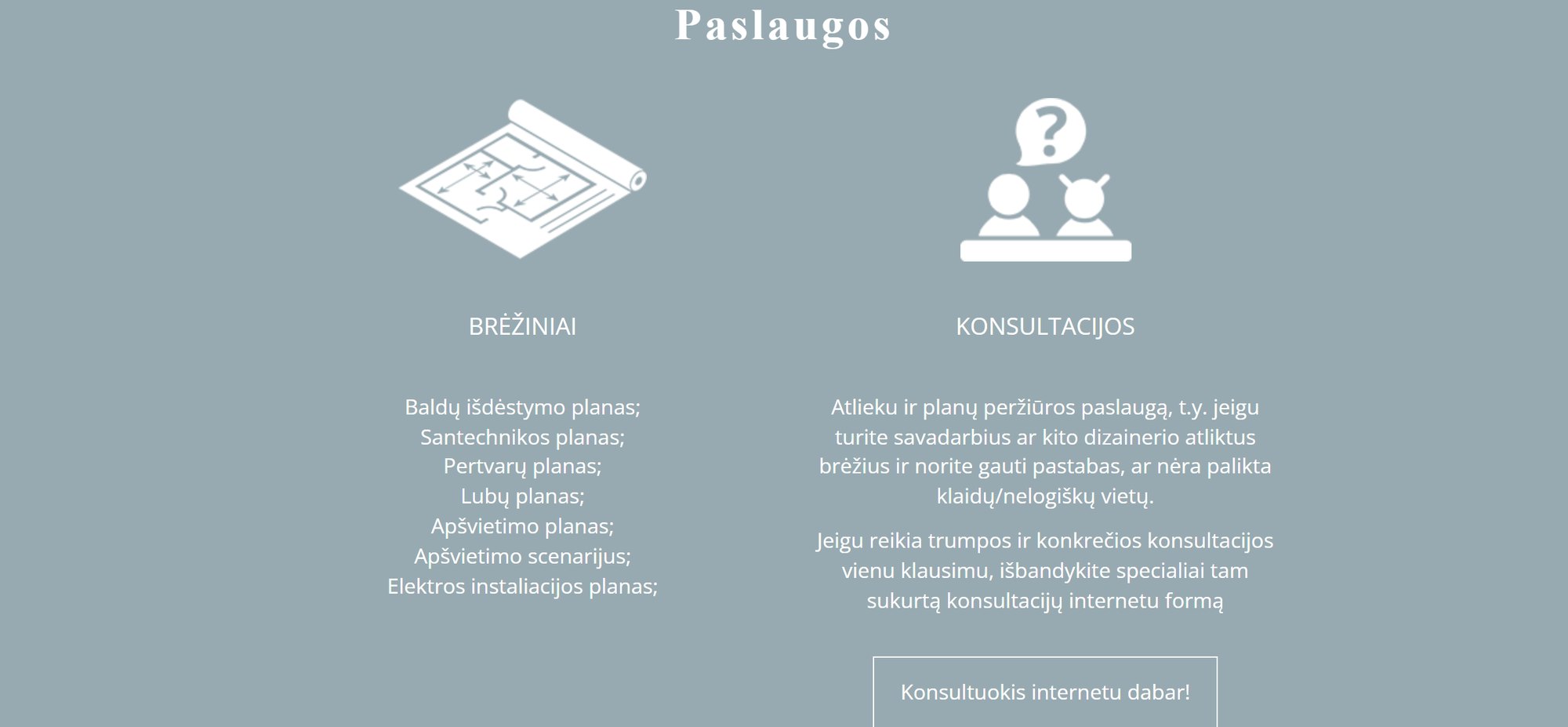
image02

Show the drawings

Show, don't tell
BeforeOld: services as two short lists
AfterNew: seven icon tabs with an example image and a short explanation
What changed

Seven tabs with icons, an example image and a short explanation.

Why it's easier

An image answers “what will I get?”.

format_list_numbered03

How it works

Set expectations
Before
Didn't exist
AfterNew: five steps and a note that everything happens by email
What changed

Five visible steps, and a note that everything happens by email.

Why it's easier

Visitors see how remote work goes before they order.
payments04

Prices

Transparency
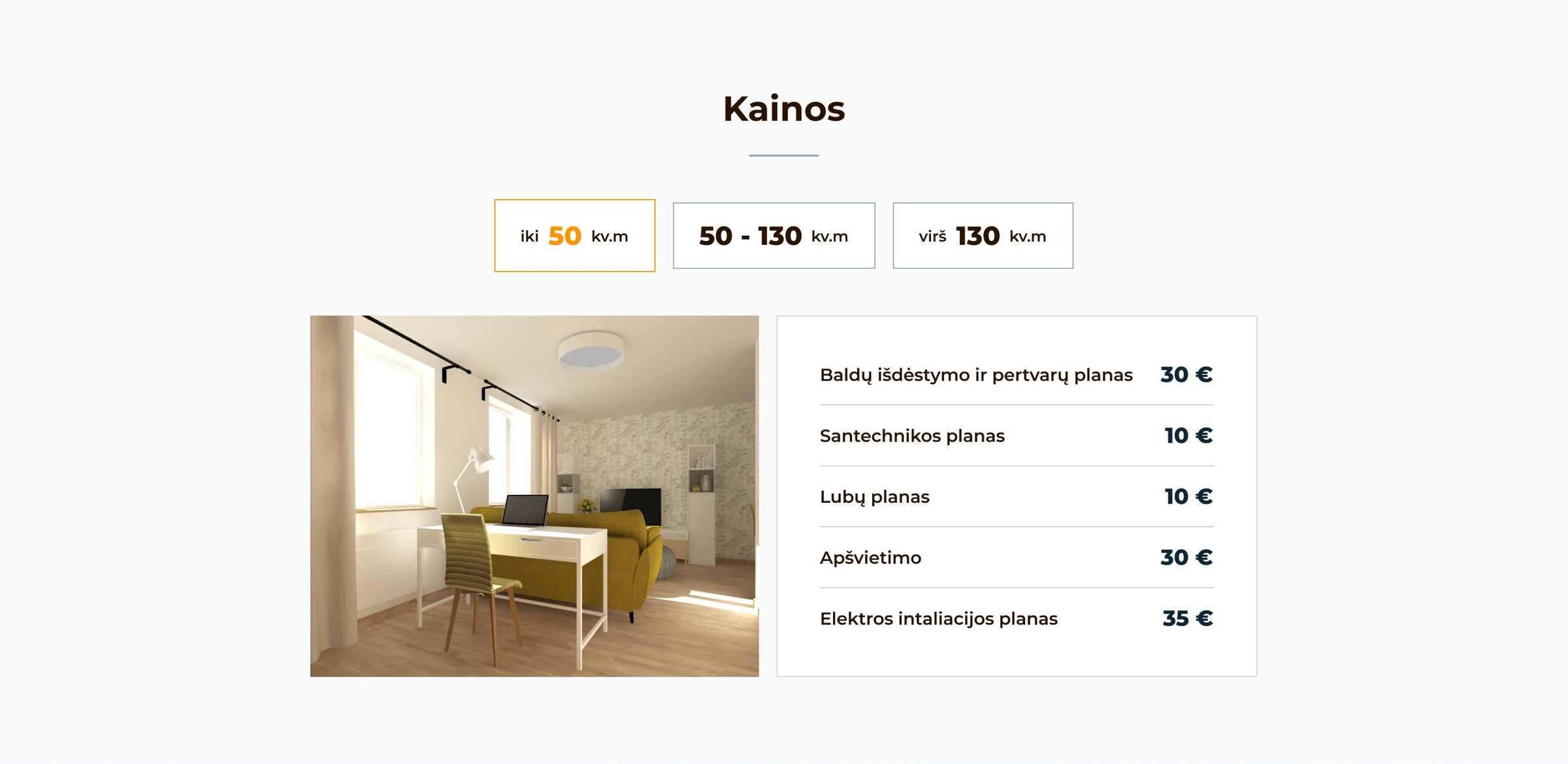
Before
No prices
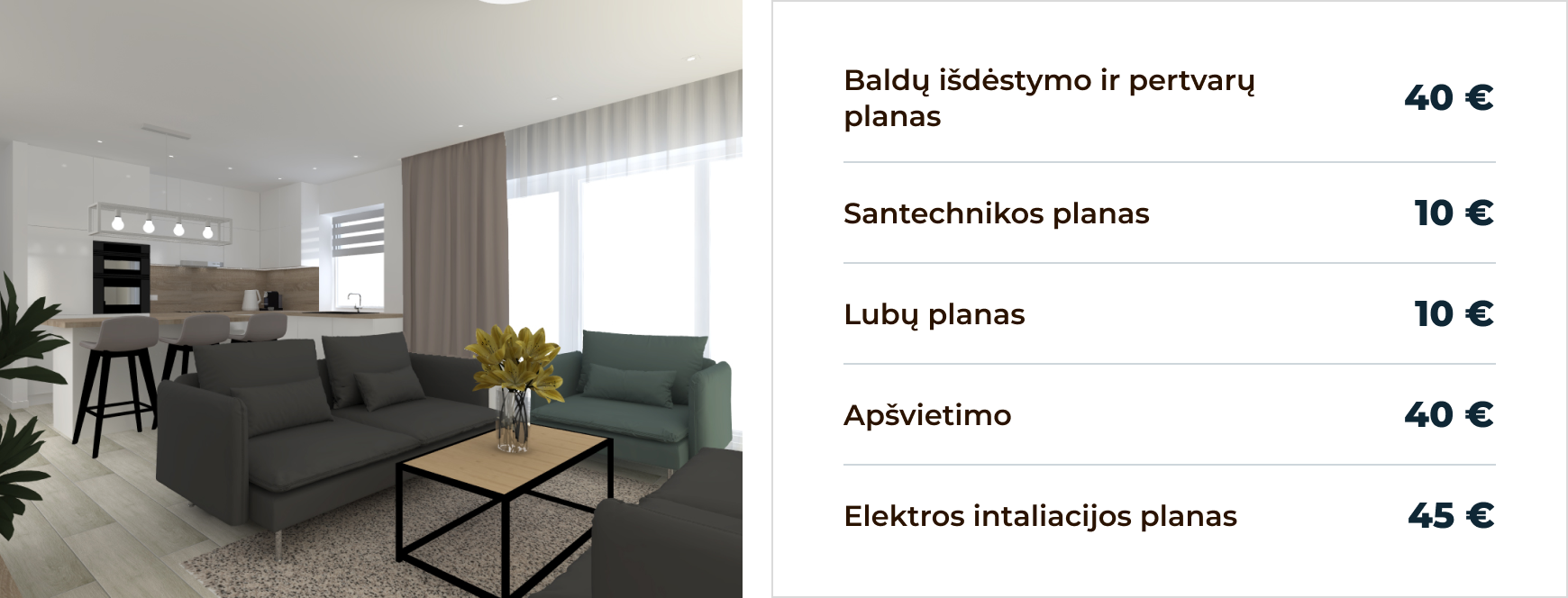
AfterNew: a size switch and a price table
What changed

Prices by flat size, switched in one click.

Why it's easier

No email needed to know the cost.

group05

Who it's for

Error prevention
BeforeOld: one sentence about the plan review
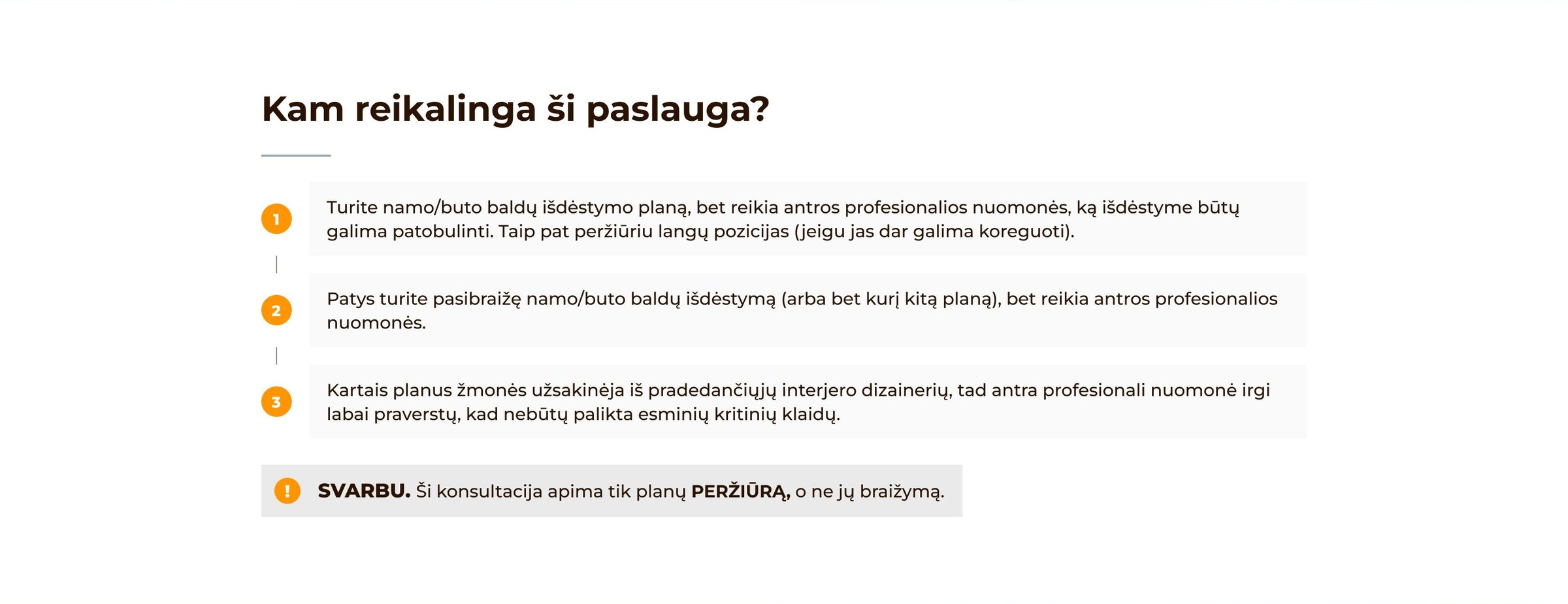
AfterNew: Kam reikalinga ši paslauga? with three cases and an important note
What changed

Three typical cases, and a highlighted “SVARBU” note on what the review covers.

Why it's easier

No wrong expectations.

photo_library06

Completed works

Consistency
BeforeOld: a grid of works with a small note and VIEW MORE
AfterNew: a carousel with a highlighted SVARBU note and ŽIŪRĖTI DAUGIAU
What changed

A highlighted note, and the button in Lithuanian like the rest of the page (it used to say “VIEW MORE”).

Why it's easier

No mixed messages.

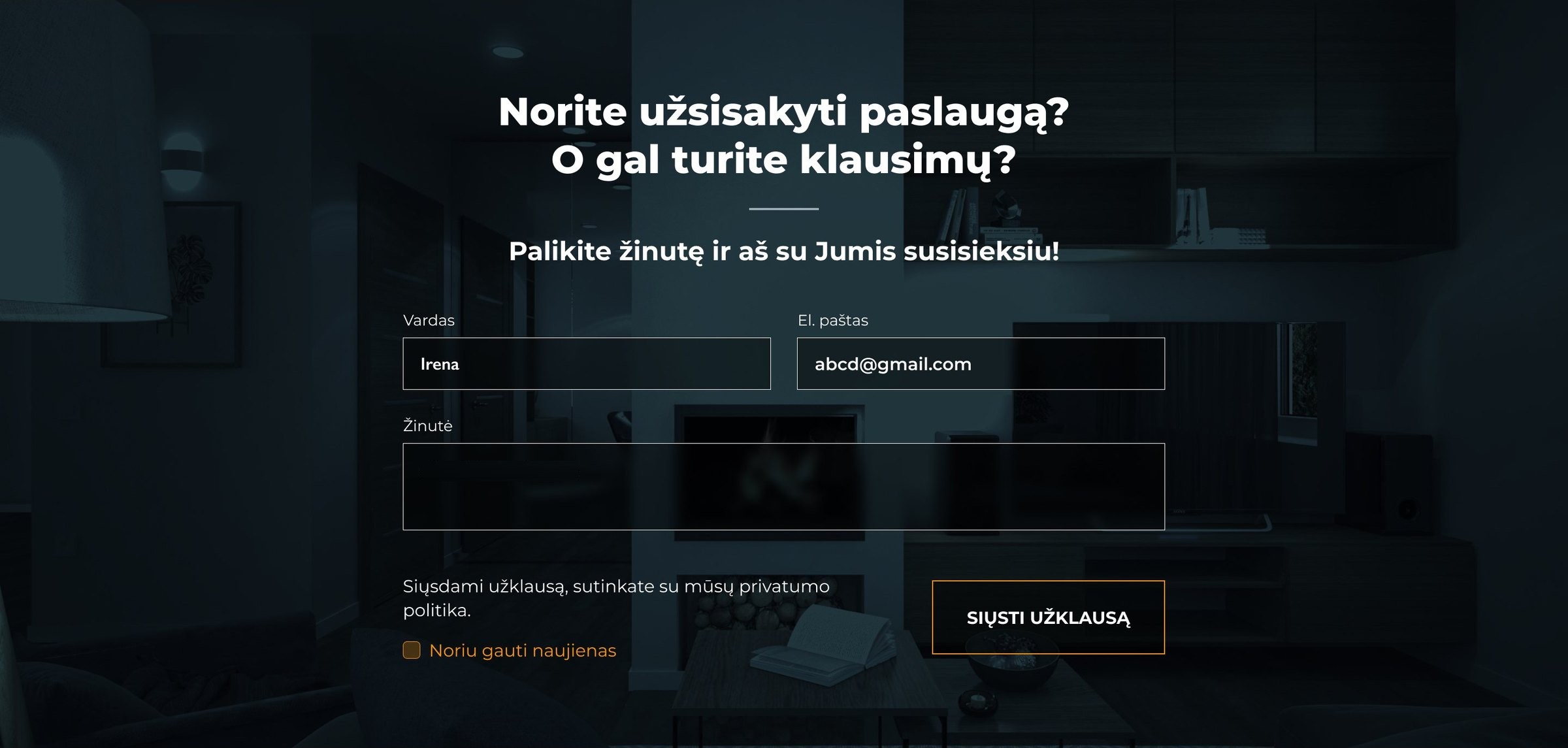
shopping_cart07

Ordering & contact

Low-commitment CTA
BeforeOld: a general question formOld: the floating Konsultacija internetu tab
AfterNew: an order formNew: get the price list by email
What changed

A next step for every level of readiness: order buttons, a price list by email, an order form and the newsletter.

Why it's easier

Ask, get prices or order — whatever fits.

widgets07Components

The pieces it's built from.

Numbered service header

Numbered service header. Easy to tell the services apart.

Drawing card with an image

Drawing tab, opened. Seven options without a long list.

Five steps

Steps. The whole order at a glance.

Orange exclamation note

“!” note. Only for what's really important.

50–130 kv.mvirš 130 kv.m

Size switch. One click changes every price.

Price table

Price table. Easy to scan, line by line.

SVARBU note

“SVARBU” note. The scope, said before anyone orders.
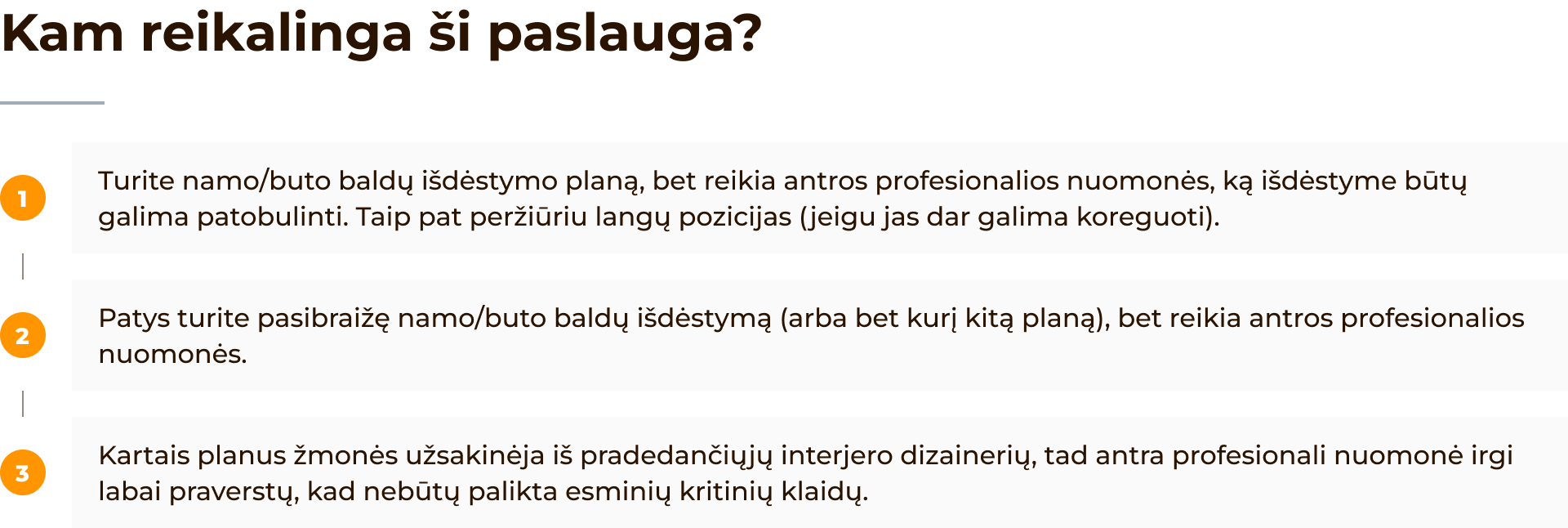
Who it's for list

Numbered cases. People find their own situation.

Floating consultation tab

Floating consultation tab. Help is one click away, on every screen.

Outline button on dark

Order button. Outline on dark — one main action per block.

fact_check08Walkthrough

Four people walked through it.

Two people building a house, one who had bought a flat and one with their own plan. Each got the same three tasks and talked through what they saw.

lightbulb01Find out what a lighting plan is.
payments02Find the price for a 70 m² flat.
shopping_cart03Order a plan review.
What they saidWhat I changed
Icons alone don't explain it.

Labels under the tabs.

✓ Fixed
Is 60 m² the middle price?

Three clear size ranges.

✓ Fixed
Do I have to meet her?

An “everything by email” note.

✓ Fixed
Dark blocks look like ads.

“01 / 02 / 03 paslauga” numbers.

✓ Fixed
Will she draw it or check it?

“SVARBU: review only”.

✓ Fixed
Reviews are too long.

Carousels per service.

✓ Fixed
The button covers text on my phone.

A smaller side tab on mobile.

✓ Fixed
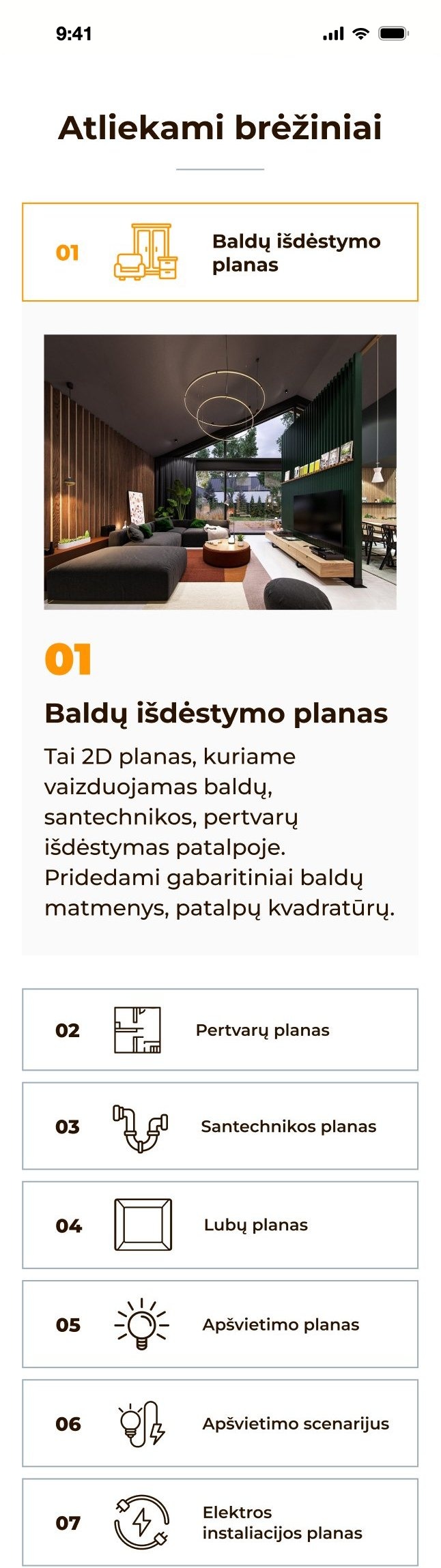
smartphone09Mobile

Every block fits a phone.

Tabs become a list, steps a timeline, carousels swipe, and buttons go full width.
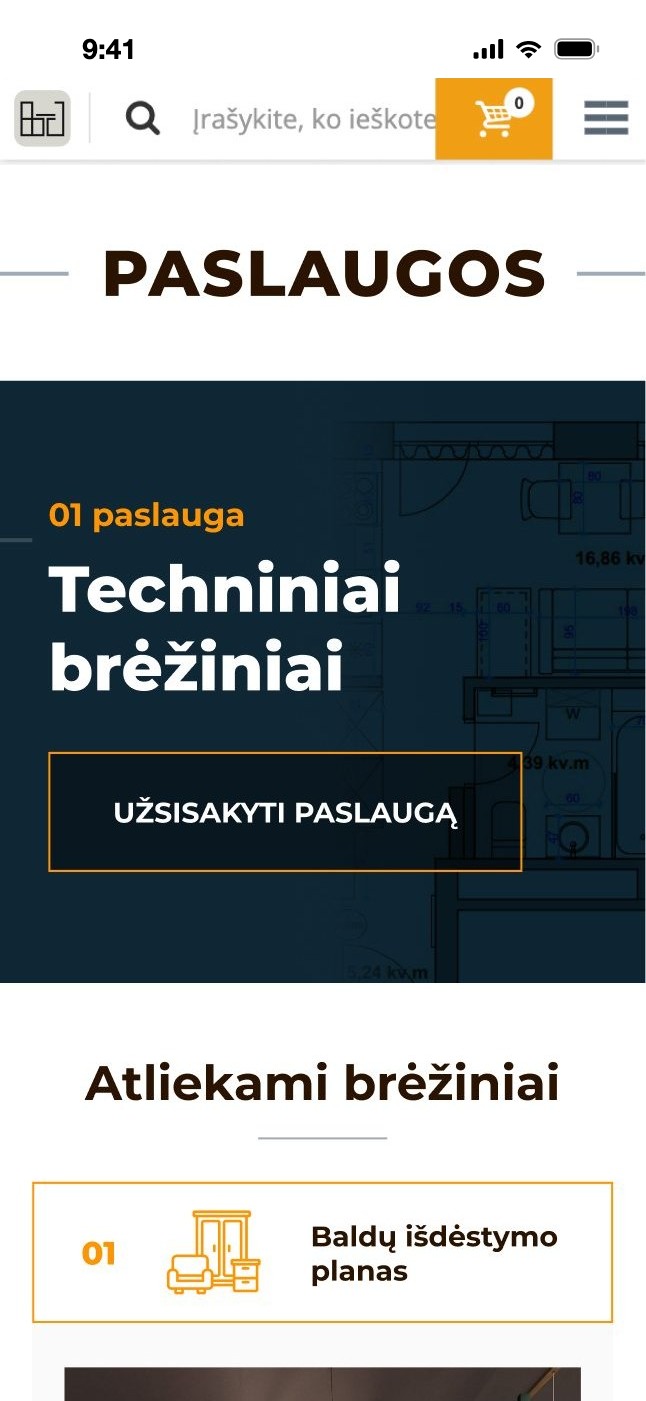
Service header on a phone
Service header
Drawings as a list, hover to scroll
DrawingsHover to scroll.
Steps as a timeline, hover to scroll
StepsHover to scroll.
Price switch and table, hover to scroll
PricesHover to scroll.
Order form on a phone, hover to scroll
Order formHover to scroll.
Next case study

Findyou.

→